Construction Management — Installation & Setup
Follow these steps to install and configure the Construction Management module on your Odoo instance.
Prerequisites
Before installing the module, ensure the following Odoo modules are already installed:
| Module | Purpose |
|---|---|
| base | Core Odoo framework |
| Messaging and chatter support | |
| contacts | Customer and vendor management |
| hr | Human Resources (employee records) |
| stock | Warehouse and inventory management |
| purchase | Purchase order management |
| account | Accounting and invoicing |
| project | Project management framework |
All eight dependent modules must be installed before the Construction Management module can be activated. The installer will report missing dependencies if any are absent.
Installation Steps
-
Copy the
sdlc_construction_managementfolder to your Odoo addons directory. -
Restart the Odoo server and update the apps list from Settings > Apps > Update Apps List.
-
Search for "Construction Management" in the Apps menu and click Install.
-
Once installed, a new "Construction" menu will appear in the top navigation bar.
Ensure that the dependent modules (Stock, Purchase, Account, HR, Project) are already installed before installing this module.
Supported Versions
| Odoo Version | Edition | Status |
|---|---|---|
| v17 | Community | Supported |
| v18 | Community | Supported |
| v19 | Community | Supported |
Initial Configuration
After installation, configure the following items before creating your first project:
Work Types & Sub Types
Navigate to Construction > Configuration to review and customize work types:
- 10 pre-configured Work Types (e.g., Brickwork, Electrical Work, Plumbing & Sanitary, RCC Structure)
- 11 pre-configured Work Sub Types (e.g., Column Casting, Excavation, PCC, Slab Casting)
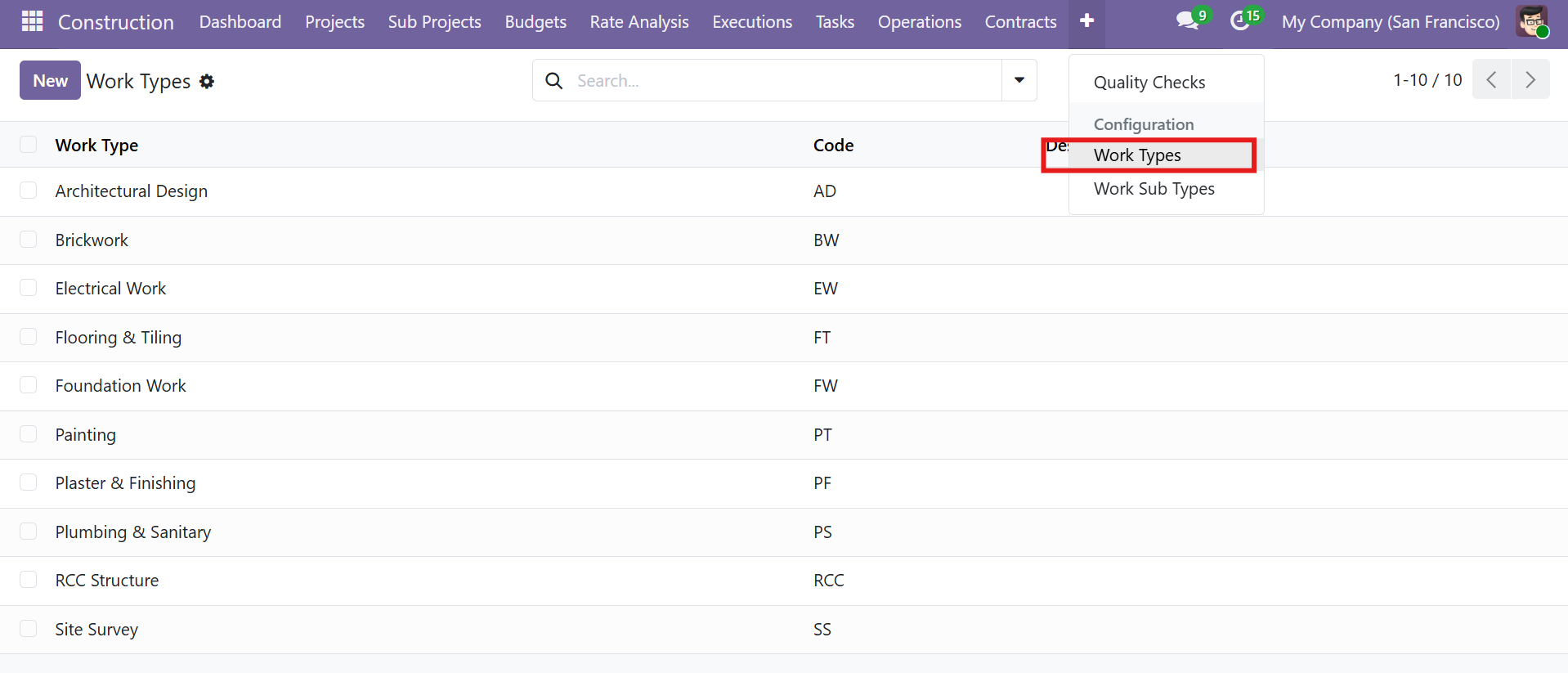 Work Types list with 10 pre-configured types and their codes
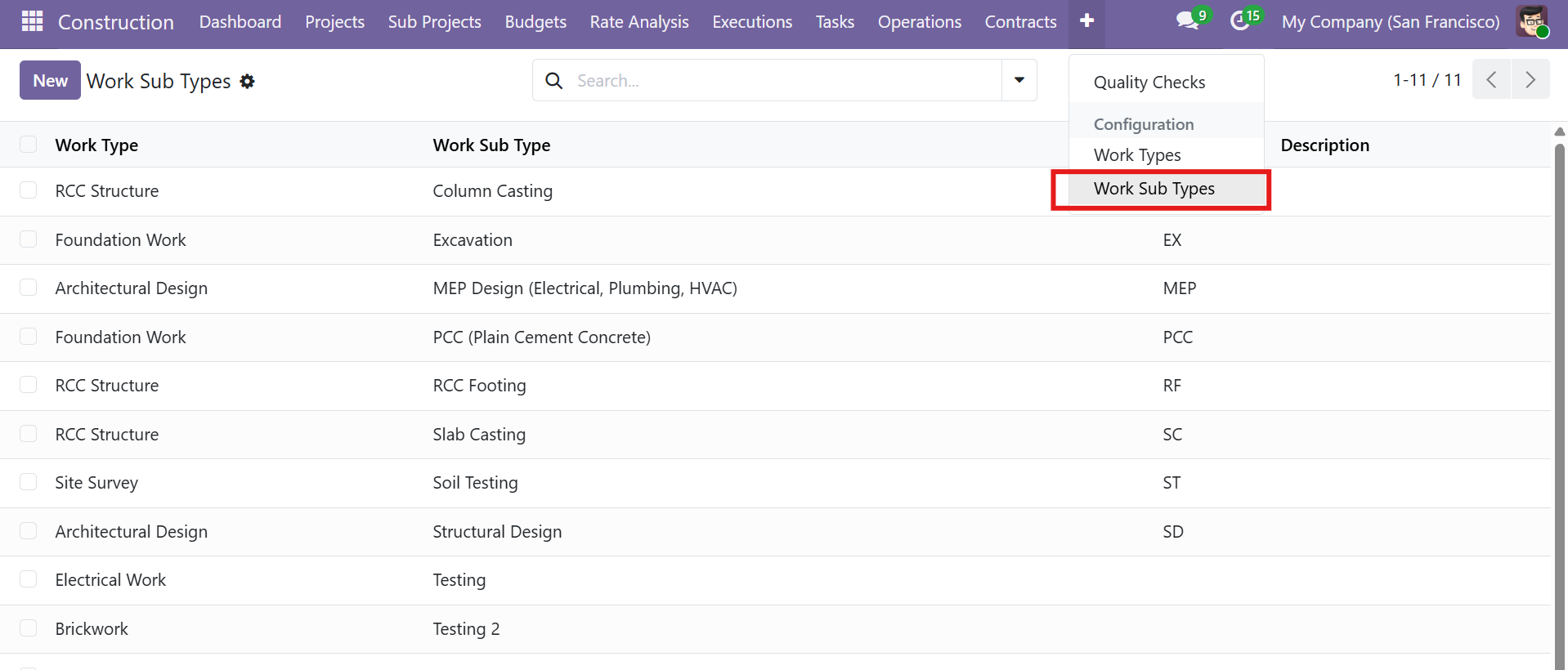 Work Sub Types list showing parent Work Type, Sub Type name, and code
You can create custom Work Types and Sub Types to match your organization's specific construction activities. These are used for classification in BOQ, Rate Analysis, Phases, and Budget records.
Access Rights & Security
The module provides two security groups with different permission levels:
| Security Group | Read | Write | Create | Delete |
|---|---|---|---|---|
| Construction User | Yes | Yes | Yes | No |
| Construction Manager | Yes | Yes | Yes | Yes |
To assign groups, go to Settings > Users & Companies > Users and set the Construction field under the Application Accesses section.
Only Construction Managers can delete records. Construction Users have full read/write/create access but cannot delete any construction records.
Warehouse Setup
Each project requires a Warehouse assignment for material requisitions and internal transfers. Ensure your warehouses are properly configured in Inventory > Configuration > Warehouses before creating projects.
Construction Menu Structure
After installation, the Construction menu provides access to all features:
| Menu | Sub-menus |
|---|---|
| Construction > Projects | Projects |
| Construction > Sub Projects | Sub Projects |
| Construction > Tasks | Tasks |
| Construction > Budgets | Bill of Quantities, Budgets |
| Construction > Rate Analysis | Rate Analysis |
| Construction > Executions | Phases (WBS), Work Orders |
| Construction > Operations | Material Requisitions, Extra Expenses, Progress Billing |
| Construction > Contracts | Subcontracting, Consume Orders, RA Billings |
| Construction > Quality Checks | Quality Checks |
| Construction > Configuration | Work Types, Work Sub Types |
| Construction > Dashboard | Dashboard |
Contact SDLC Corp at sdlccorp.com/contact-us or email sales@sdlccorp.com