Work Orders
Work Orders define specific pieces of construction work within a phase. Navigate to Construction > Executions > Work Orders.
Phases (WBS)
Before creating work orders, organize your project execution using Phases. Navigate to Construction > Executions > Phases (WBS).
Phases List View
| Column | Description |
|---|---|
| Reference | Auto-generated (PHS/XXXX) |
| Phase Title | Name of the phase |
| Project / Sub Project | Parent project linkage |
| Start/End Dates | Phase timeline |
| Total Cost | Computed total cost |
| Progress (%) | Completion percentage |
| Status | Current state |
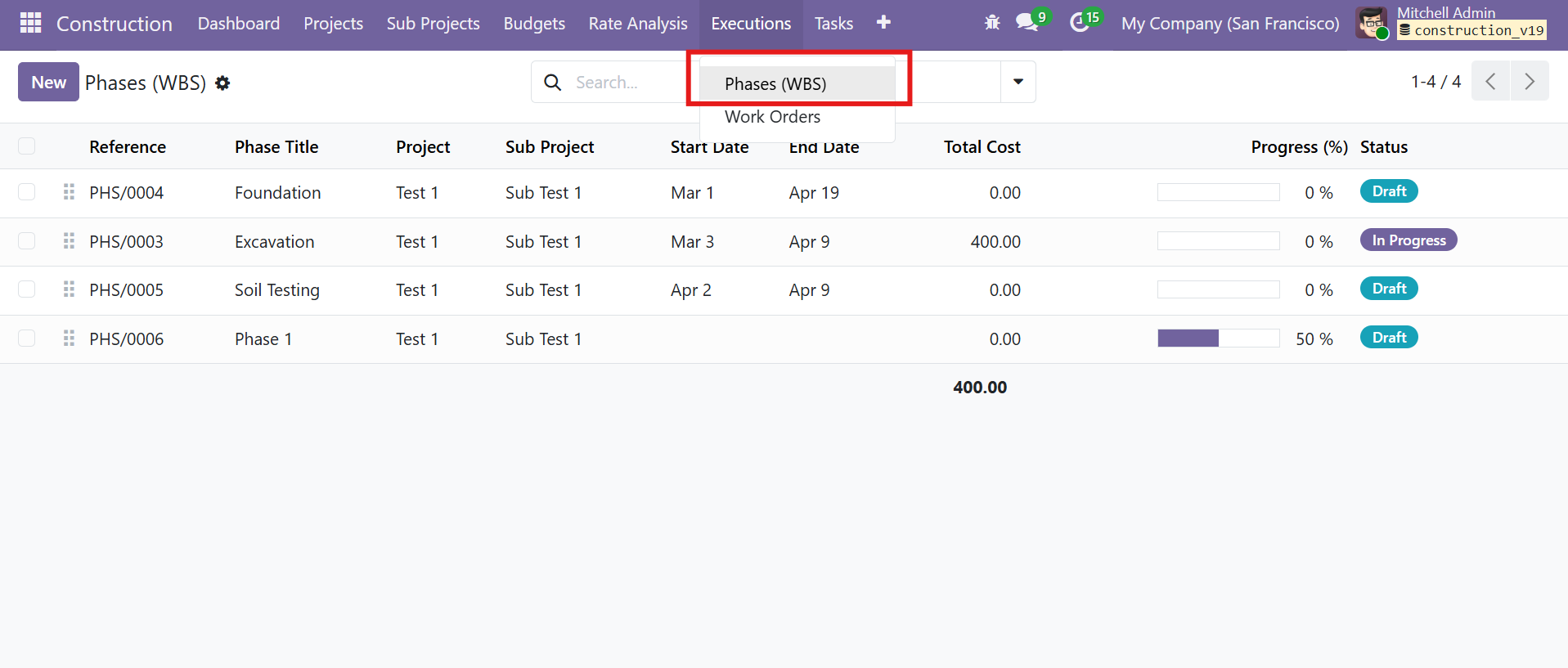 Phases (WBS) list view with progress bars and status badges
Phase Workflow
| Stage | Description |
|---|---|
| Draft | Phase created |
| In Progress | Active execution |
| Completed | Phase finished |
Phase Form View
Each phase can have a parent phase for hierarchical WBS structure:
| Tab | Details |
|---|---|
| Costing | Material Cost, Equipment Cost, Labour Cost, Overhead Cost, and computed Total Cost |
| Phase Entries | Detailed cost entries by date |
| Child Phases | Sub-phases under this phase |
| Work Orders | Linked work orders with smart button count |
| Description | Free-text phase description |
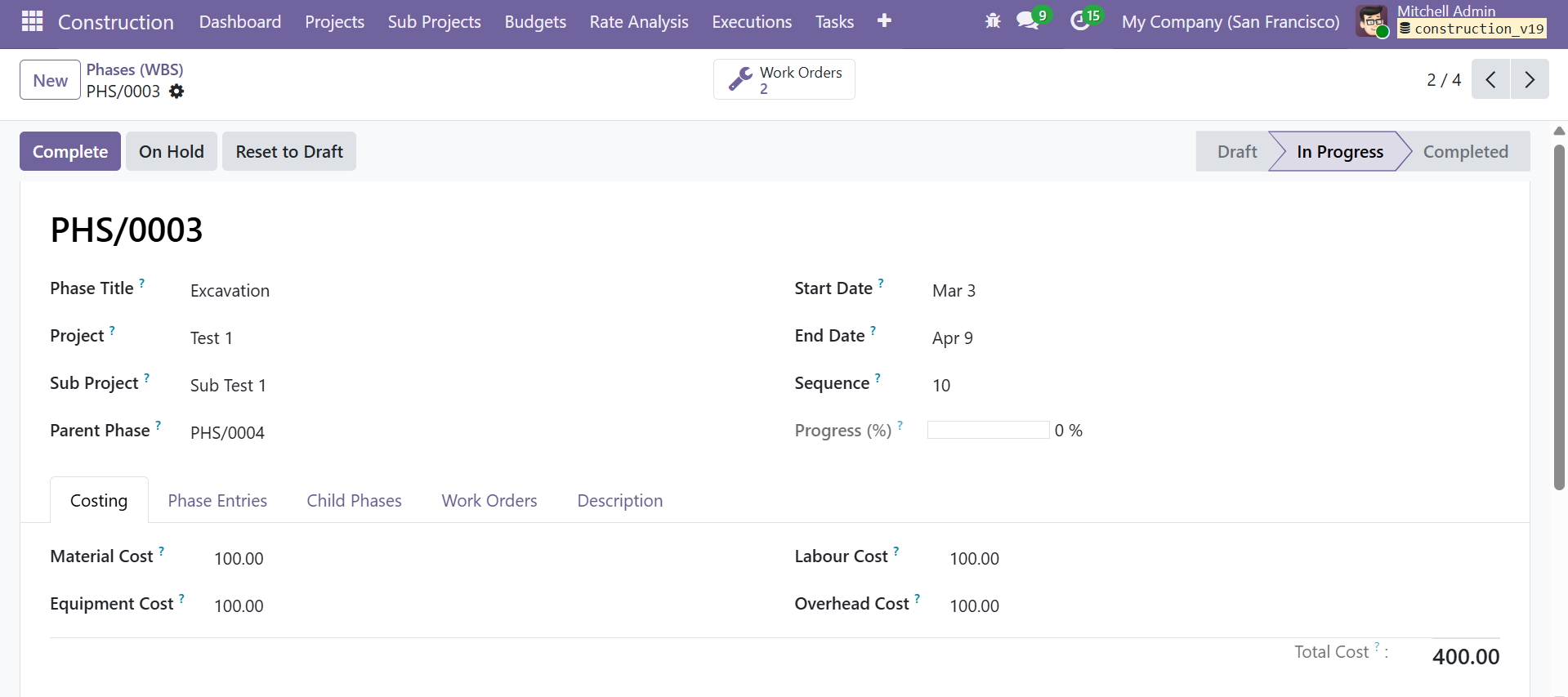 Phase form with parent phase, costing breakdown, progress tracking, and status workflow
Phases support an On Hold action to pause work temporarily. Use Complete to mark the phase as finished.
Work Orders
Work Orders List View
| Column | Description |
|---|---|
| Reference | Auto-generated (WO/XXXX) |
| Project / Sub Project | Parent project linkage |
| Phase | Linked phase |
| Date | Work order date |
| Responsible | Assigned employee |
| Total Amount | Computed total |
| Status | Current state with color-coded badges |
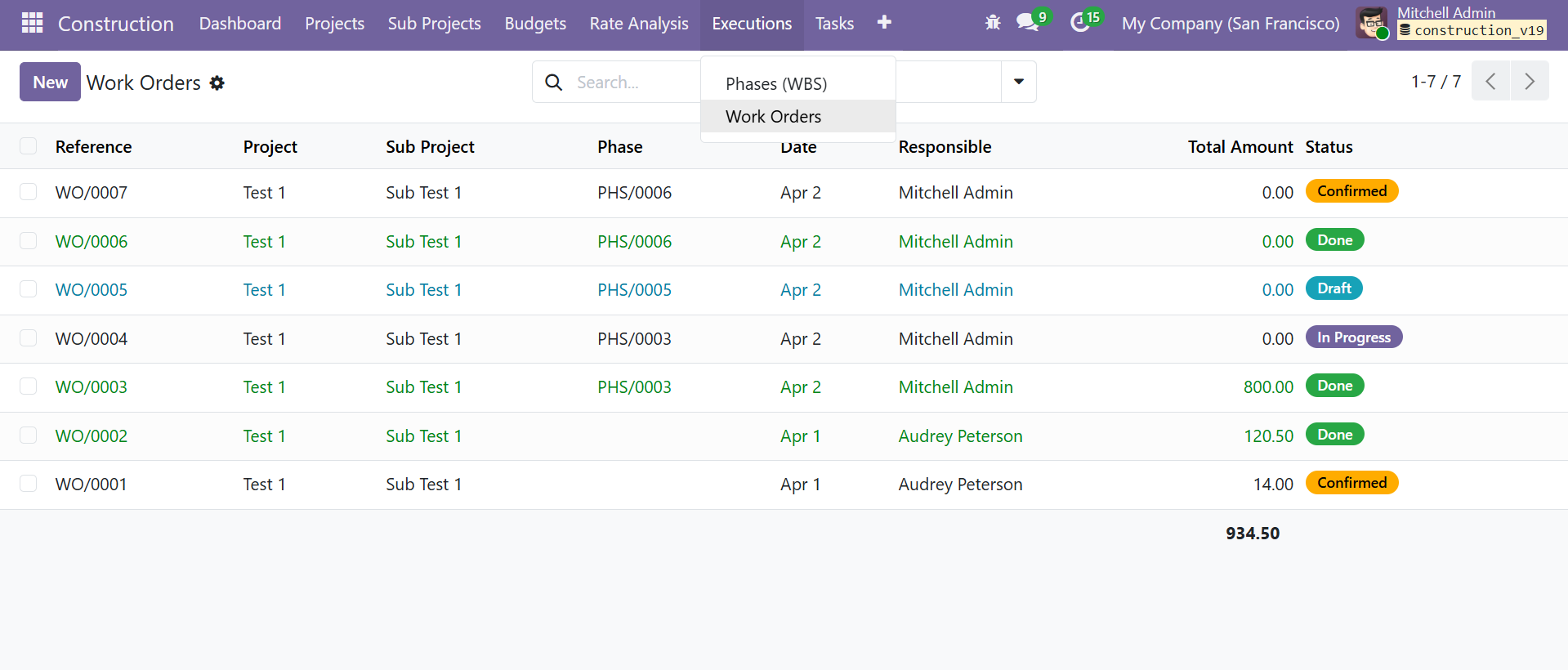 Work Orders list view with multiple status states and total amounts
Work Order Workflow
| Stage | Description |
|---|---|
| Draft | Work order created |
| Confirmed | Submitted for execution |
| In Progress | Work actively being performed |
| Done | Work completed |
Work Order Form View
The form has four categorized line item tabs plus a description tab:
| Tab | Details |
|---|---|
| Materials | Products, quantities, and costs for raw materials |
| Equipment | Machinery and tool usage |
| Labour | Labour hours and costs |
| Overhead | Indirect costs |
| Description | Work order details |
Each tab computes a category total. The Material Total, Equipment Total, Labour Total, and Overhead Total roll up into the Total Amount.
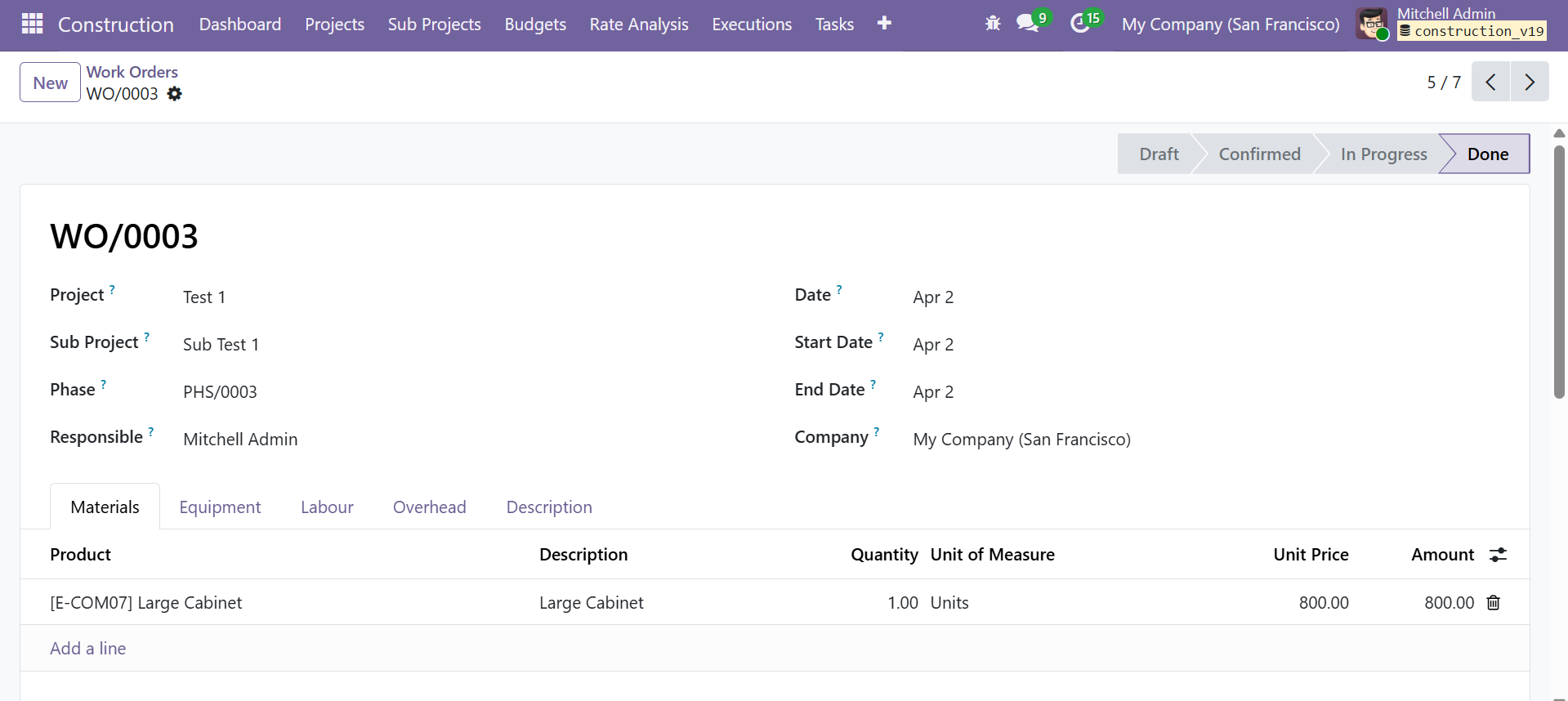 Work Order form with project/phase linkage and material lines
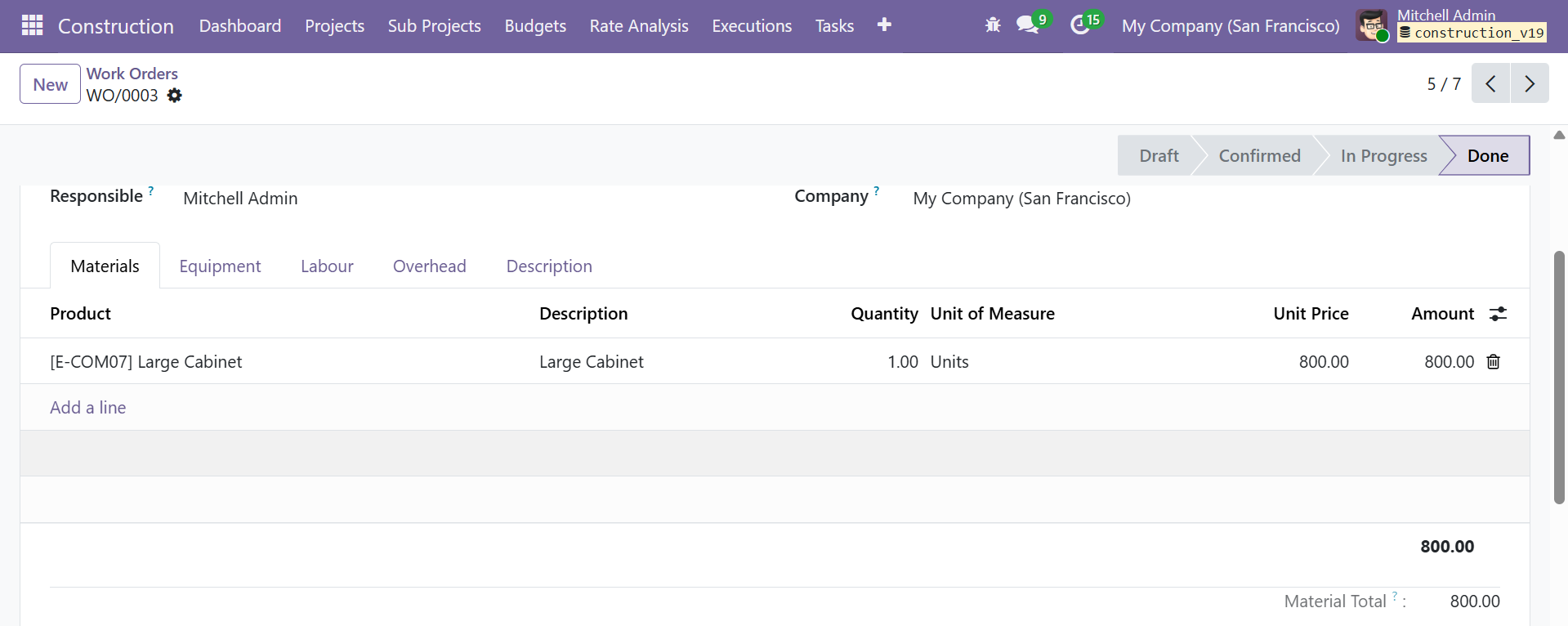 Work Order material lines with category totals
Contact SDLC Corp at sdlccorp.com/contact-us or email sales@sdlccorp.com