Project Management
Projects are the top-level entity in the construction hierarchy. This section covers creating and managing construction projects and sub-projects.
Construction Projects
Navigate to Construction > Projects to manage your construction projects.
Project List View
The list view displays all projects with key information at a glance:
| Column | Description |
|---|---|
| Reference | Auto-generated (PRJ/XXXX) |
| Project Name | Name of the construction project |
| Warehouse | Assigned warehouse for materials |
| Start Date | Project start date |
| End Date | Expected completion date |
| City | Project location city |
| Country | Project location country |
| Status | Current project state |
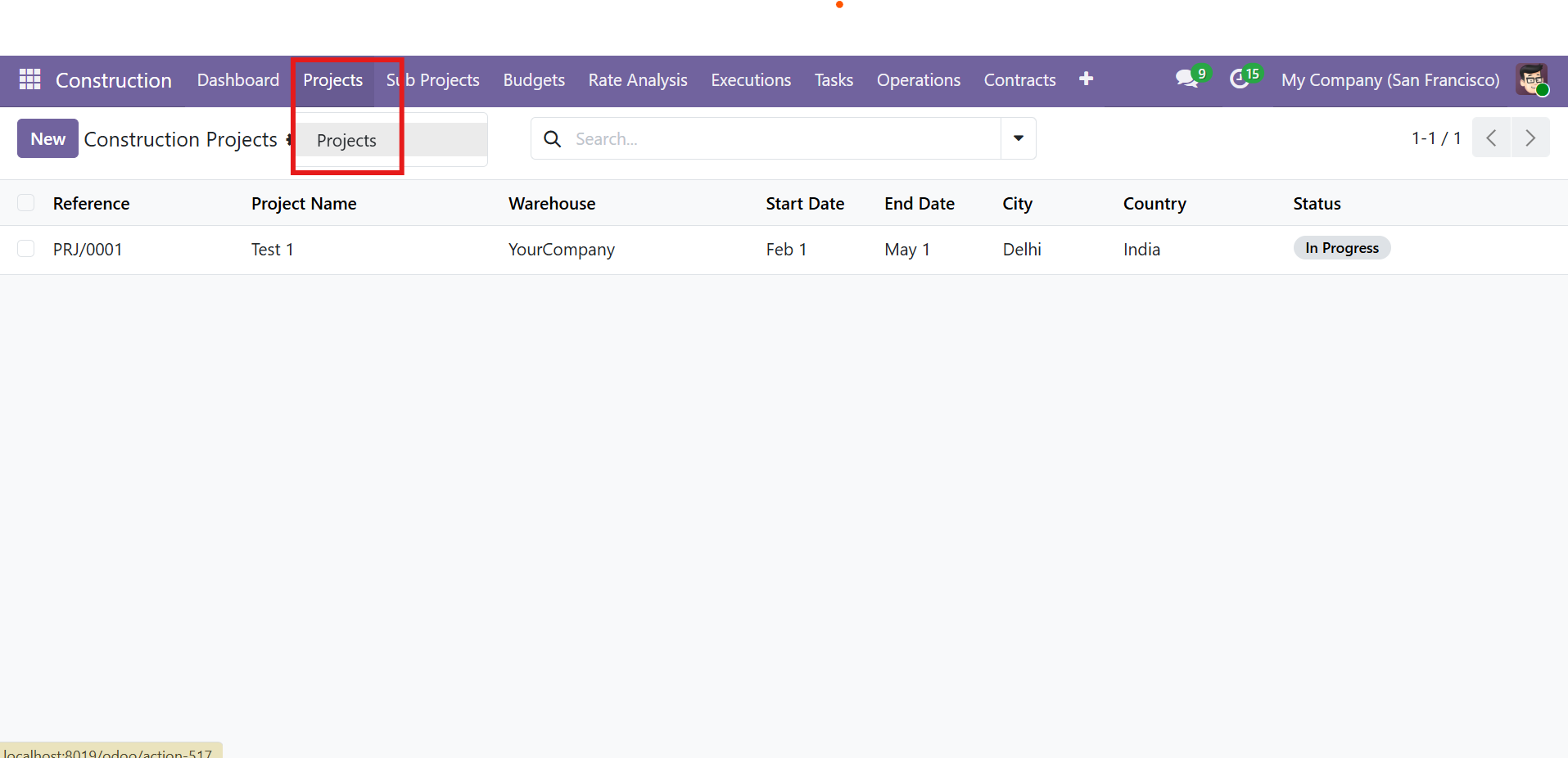 Construction Projects list view with menu navigation highlighted
Project Form View
The project form contains complete project details organized into multiple sections:
Header Fields:
- Auto-generated Reference (PRJ/XXXX)
- Project Name, Warehouse, Company
- Start Date and End Date
Smart Buttons provide quick access to related records with counts:
- Sub Projects
- Budgets
- Phases
- Work Orders
- Material Requisitions (MREQs)
- Tasks
- Extra Expenses
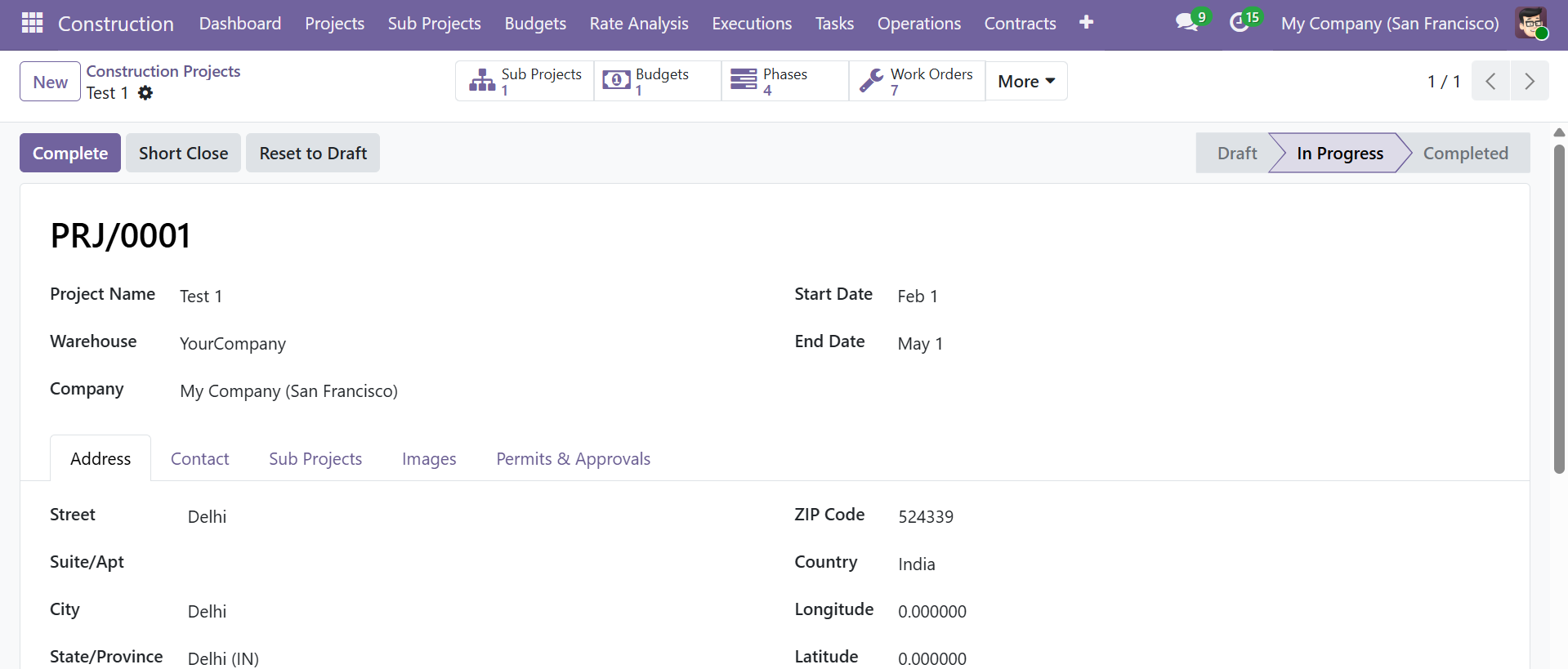 Project form view with smart buttons, status bar, address tab, and action buttons
Project Workflow
Projects follow a three-stage workflow:
| Stage | Description |
|---|---|
| Draft | Initial project creation |
| In Progress | Active construction work |
| Completed | All work finished |
Action buttons include Complete, Short Close, and Reset to Draft. Short Close allows ending a project early while preserving all records.
Project Tabs
| Tab | Details |
|---|---|
| Address | Street, City, State, ZIP Code, Country, GPS Longitude & Latitude |
| Contact | Phone, Mobile, Email |
| Sub Projects | List of associated sub-projects |
| Images | Attach project site photos |
| Permits & Approvals | Track up to 8 permit types with expiry dates |
Sub Projects
Sub-projects break down a main project into manageable units (e.g., buildings, wings, floors). Navigate to Construction > Sub Projects.
Sub Project List View
| Column | Description |
|---|---|
| Reference | Auto-generated (SPRJ/XXXX) |
| Sub Project Name | Name of the sub-project |
| Project | Parent project |
| Customer | Associated customer |
| Start/End Dates | Timeline |
| Status | Current state |
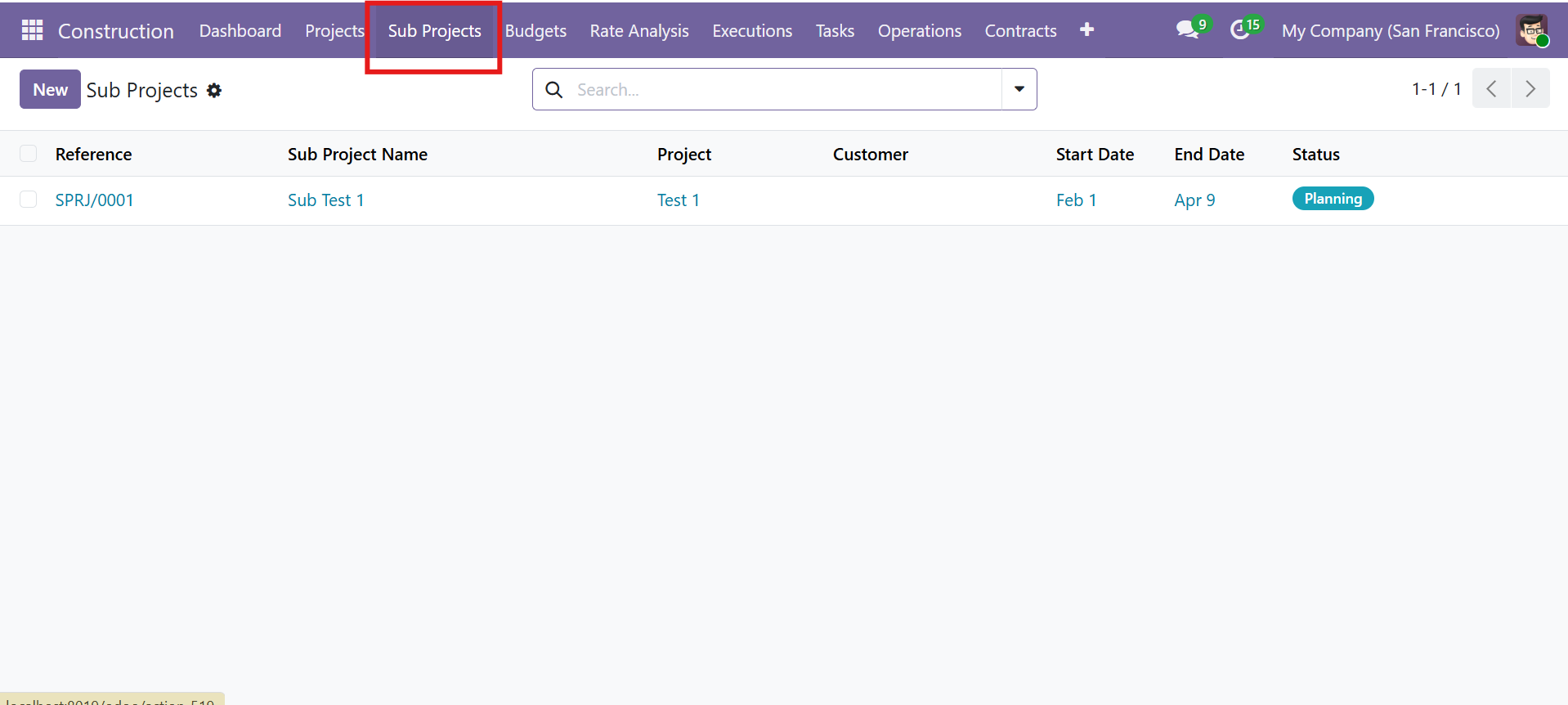 Sub Projects list view
Sub Project Workflow
Sub-projects follow a four-stage pipeline:
| Stage | Description |
|---|---|
| Planning | Initial planning and design phase |
| Procurement | Material and resource procurement |
| Construction | Active construction execution |
| Handover | Final handover to client |
Sub Project Form View
The form includes smart buttons for Tasks, Phases, Work Orders, and MREQs with the following tab sections:
| Tab | Details |
|---|---|
| BOQ | Linked Bill of Quantities records |
| Tasks | Associated construction tasks |
| Project Phase (WBS) | Work breakdown structure phases |
| Work Orders | All work orders for this sub-project |
| Material Requisitions | Material requests |
| Budget Lines | Budget allocations |
| Engineers | Assigned engineers (multi-select from HR employees) |
| Documents | Upload drawings, specifications, contracts, reports |
| Insurance | Insurance company, policy number, dates, amount, documents |
| Extra Expenses | Additional cost tracking |
| Progress Billing | Milestone billing records |
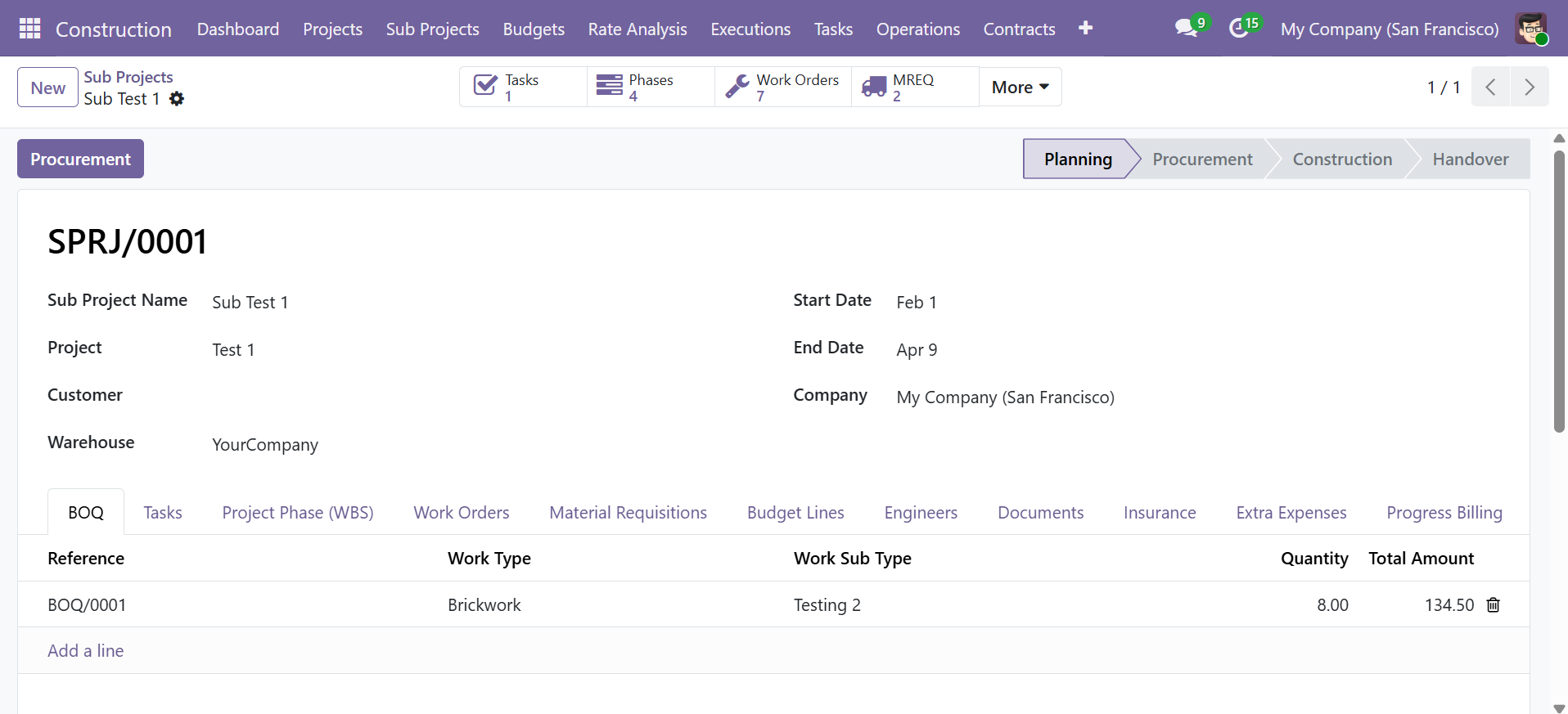 Sub Project form view with smart buttons and tab sections showing BOQ entries
Tasks
Tasks allow granular tracking of individual work items. Navigate to Construction > Tasks.
Tasks List View
| Column | Description |
|---|---|
| Reference | Auto-generated (TSK/XXXX) |
| Task Name | Name of the task |
| Project / Sub Project | Parent project linkage |
| Assigned To | Responsible employee |
| Start Date / Deadline | Timeline |
| Priority | Normal, Low, High, or Urgent (star rating) |
| Progress (%) | Completion percentage |
| Status | Current state |
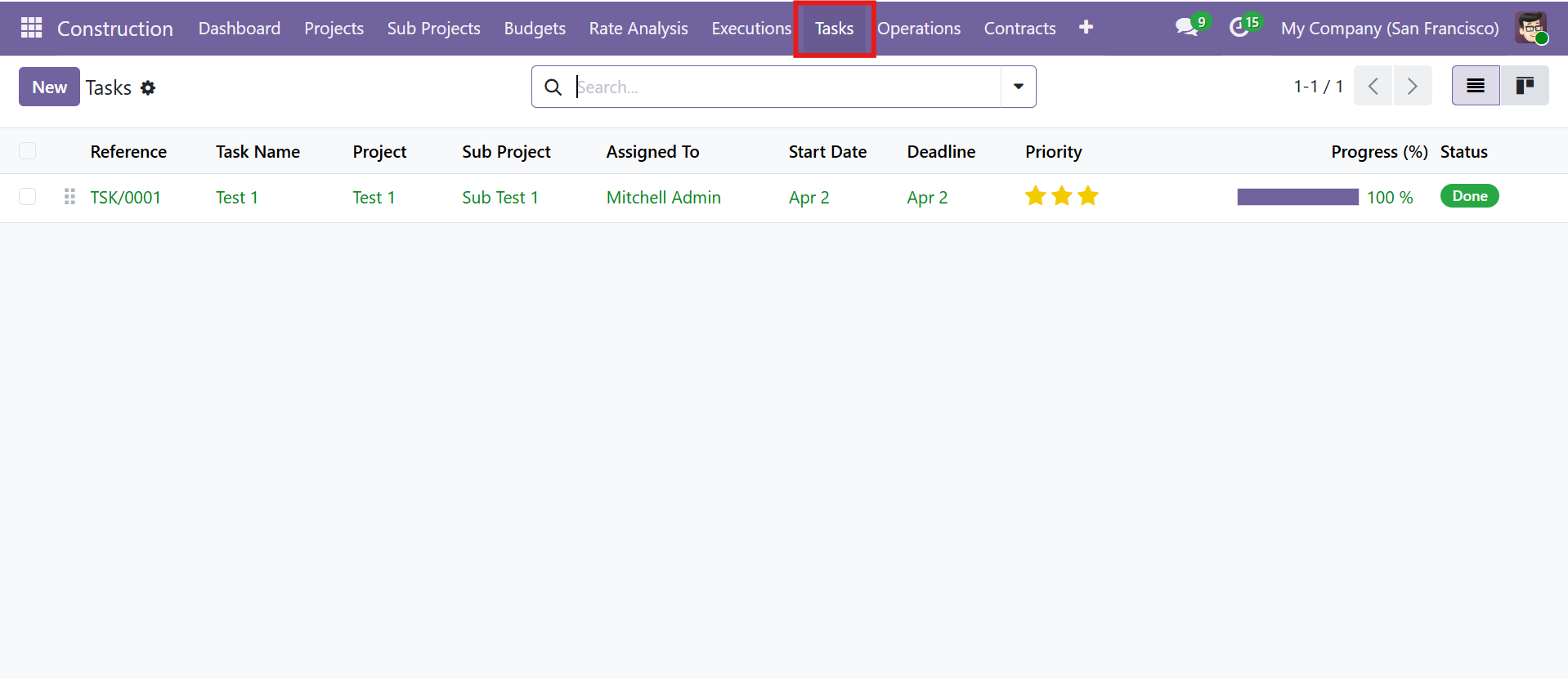 Tasks list view with priority stars and progress bar
Task Workflow
| Stage | Description |
|---|---|
| Draft | Task created |
| In Progress | Work underway |
| Done | Task completed |
Task Form View
| Field / Tab | Details |
|---|---|
| Project & Sub Project | Parent project linkage |
| Phase & Work Order | Optional linkage to execution hierarchy |
| Assigned To | Employee assignment |
| Department | Department classification |
| Priority | Normal, Low, High, or Urgent (star rating) |
| Progress (%) | Manual progress tracking with visual bar |
| Timesheet Tab | Log employee hours against the task |
| Description Tab | Rich text HTML description |
| Notes Tab | Additional notes |
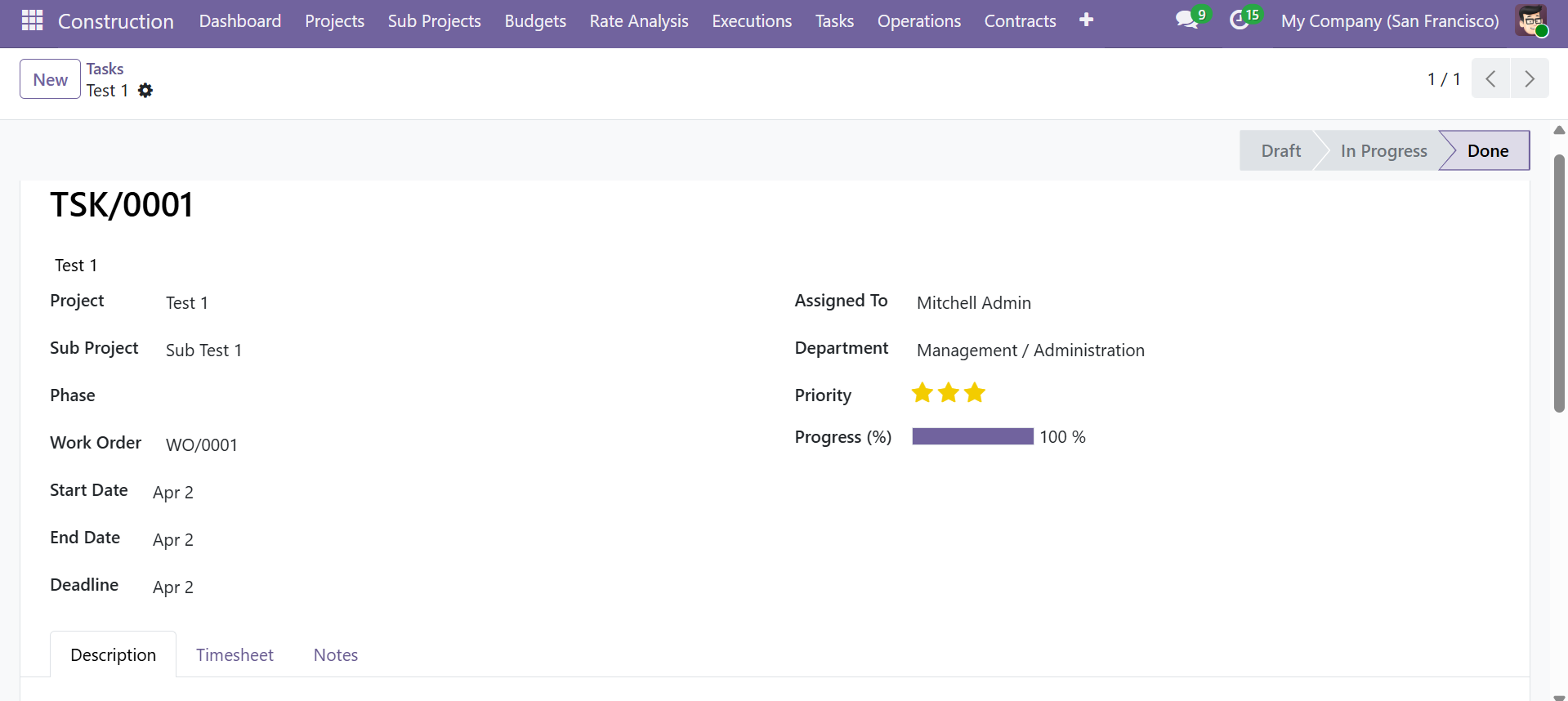 Task form with priority, progress tracking, timesheet, and work order linkage
Contact SDLC Corp at sdlccorp.com/contact-us or email sales@sdlccorp.com