Dashboard & Analytics
The Construction Dashboard provides a real-time overview of your entire construction operations. Access it from Construction > Dashboard.
Dashboard KPIs
The dashboard header displays six KPI cards showing total counts for key entities:
| KPI Card | Description |
|---|---|
| Projects | Total number of construction projects |
| Sub Projects | Total sub-projects across all projects |
| Material Requisitions | Total material requisition records |
| Phases (WBS) | Total work breakdown structure phases |
| Work Orders | Total work orders |
| Budgets | Total budget records |
Use the All Projects and All Sub Projects filter dropdowns to scope the dashboard data to specific projects.
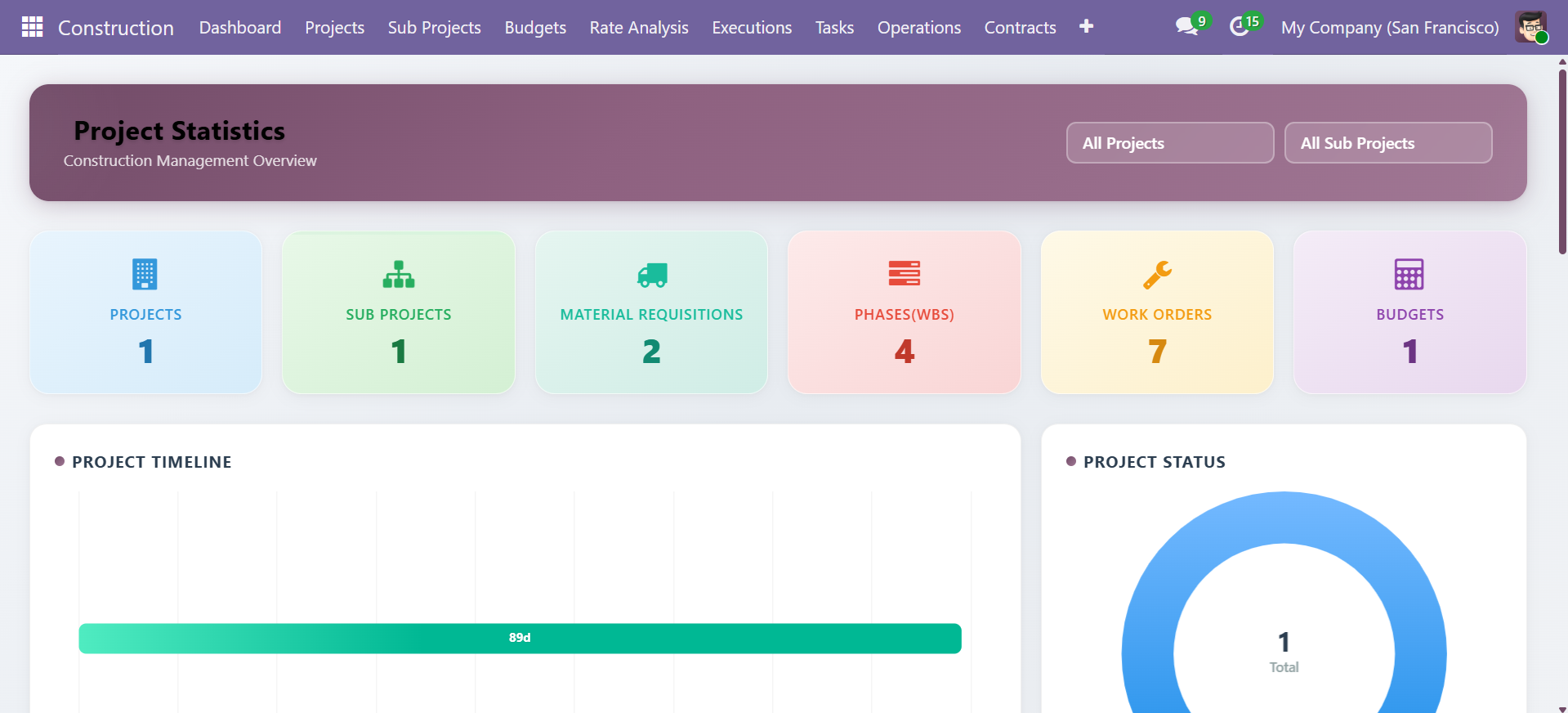 Dashboard KPI cards with project and sub-project filters
Project Analytics
Project Timeline
The Project Timeline chart shows the duration of each project on a horizontal bar chart, allowing you to visualize project schedules and identify overlapping timelines.
Project Status
The Project Status donut chart shows the distribution of projects across states:
- Draft -- Projects in planning
- In Progress -- Active projects
- Completed -- Finished projects
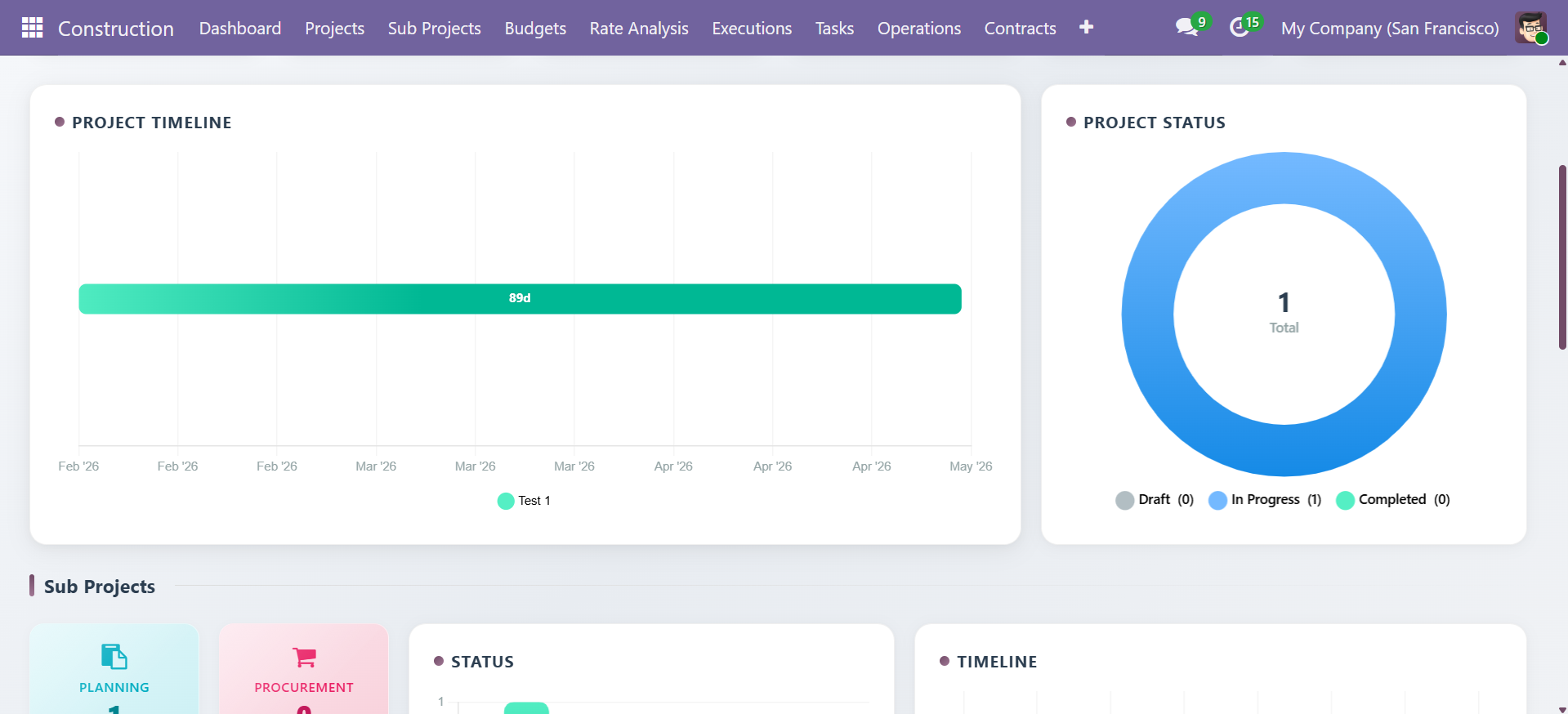 Project Timeline bar chart and Project Status donut chart
Sub Project Analytics
Track sub-project status across three pipeline stages:
| Stage | Description |
|---|---|
| Planning | Sub-projects in planning phase |
| Procurement | Materials and resources being procured |
| Construction | Active construction work |
Includes status bar charts and timeline visualization for each sub-project.
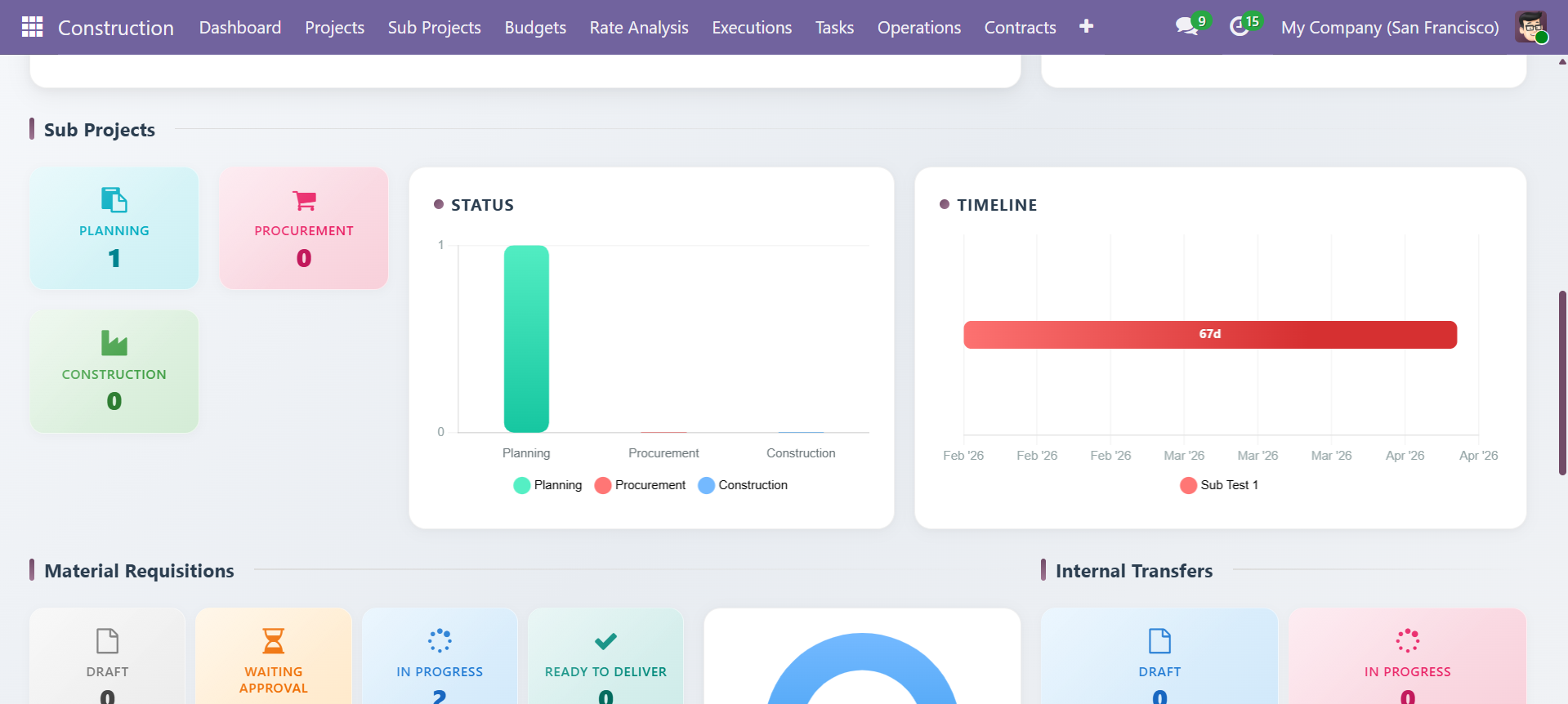 Sub-project status cards, bar chart, and timeline visualization
Material Requisition Analytics
Monitor material requisition statuses with status cards and a donut chart:
| Status | Description |
|---|---|
| Draft | New requisitions |
| Waiting Approval | Pending manager approval |
| In Progress | POs being processed |
| Ready to Deliver | Materials at warehouse |
| MRQ Done | Requisition complete |
| Material Orders | Related purchase orders |
| Internal Transfers | Warehouse transfers |
The Internal Transfers section tracks Draft, In Progress, Done, and Forward Transfer counts.
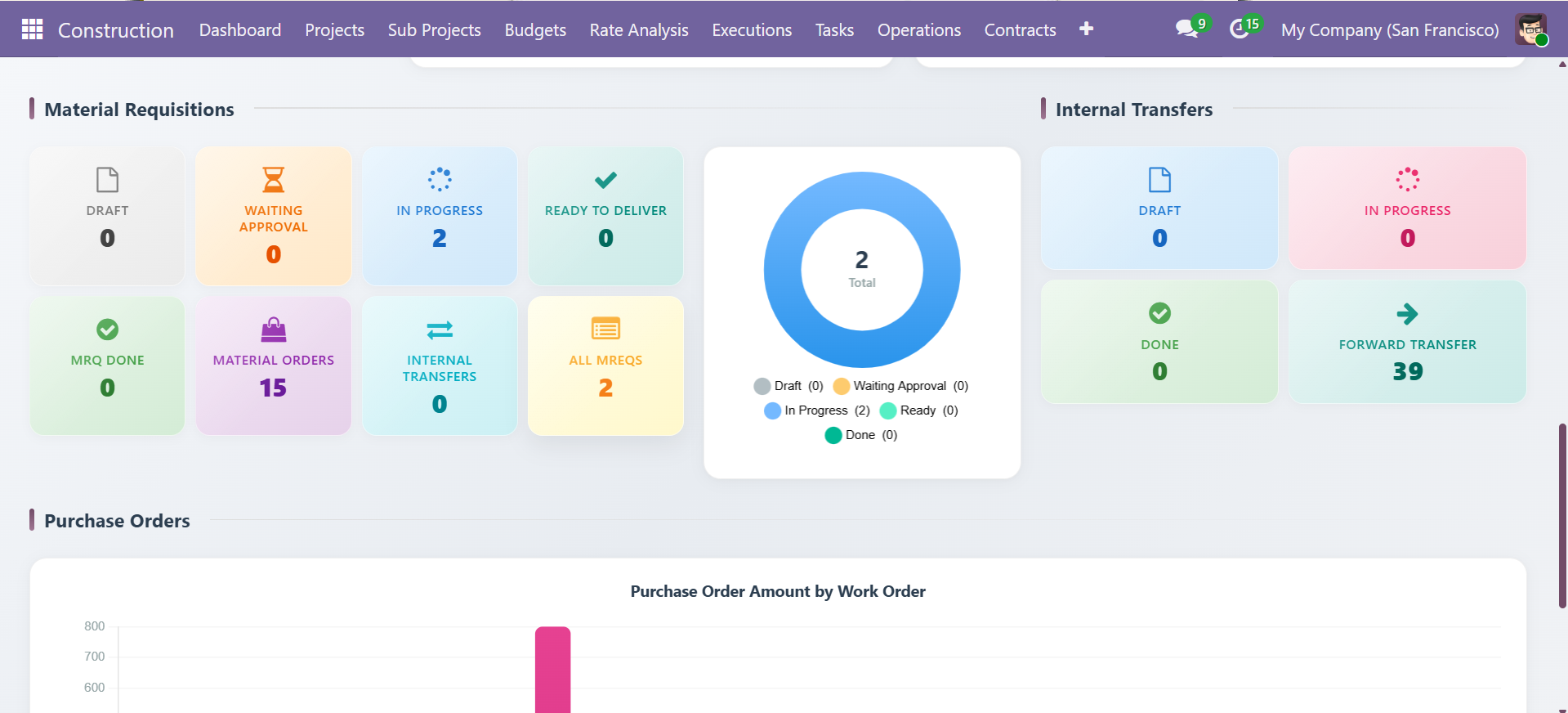 Material requisition status cards, donut chart, and internal transfer tracking
Purchase Order Analysis
The Purchase Order Amount by Work Order bar chart visualizes purchase amounts broken down by category across all work orders:
| Category | Description |
|---|---|
| Material | Raw material purchase amounts |
| Equipment | Equipment procurement costs |
| Labour | Labour-related purchase costs |
| Overhead | Overhead purchase amounts |
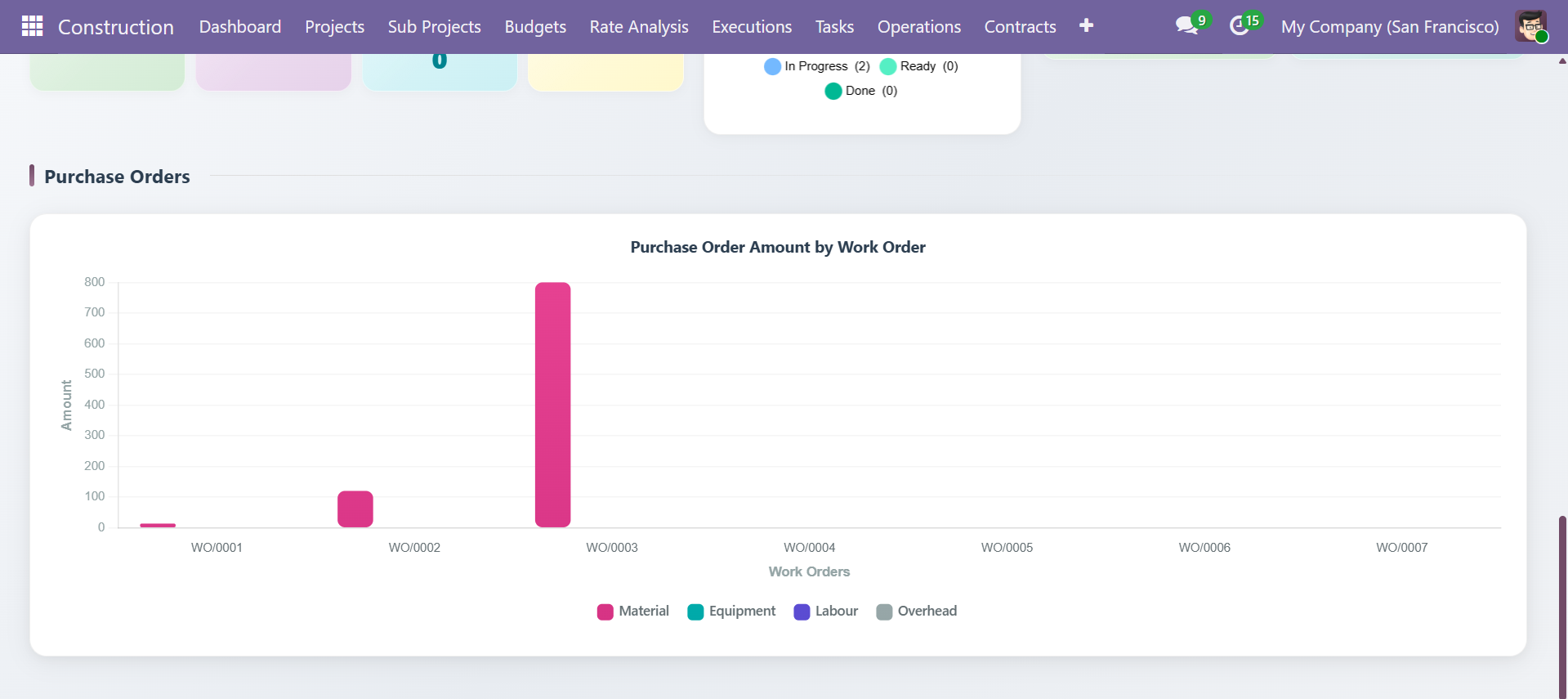 Purchase order amounts by work order with category breakdown
Cost Tracking
Budget Variance
Access budget variance data from Construction > Budgets > Budgets:
- Total Planned vs Total Actual amounts per budget
- Variance column showing cost overruns or savings
- Filter by project, sub-project, or status
Rate Analysis
Rate Analysis records at Construction > Rate Analysis provide per-unit cost breakdowns:
- Category-wise totals (Materials, Equipment, Labour, Overhead, Others)
- Grand total computation across all categories
Extra Expense Tracking
Track unplanned costs from Construction > Operations > Extra Expenses:
- Filter by expense type (Material, Equipment, Labour, Transport, Permit/Fees, Other)
- Approval status tracking (Draft, Confirmed, Approved)
Contact SDLC Corp at sdlccorp.com/contact-us or email sales@sdlccorp.com