SDLC Financial Reports
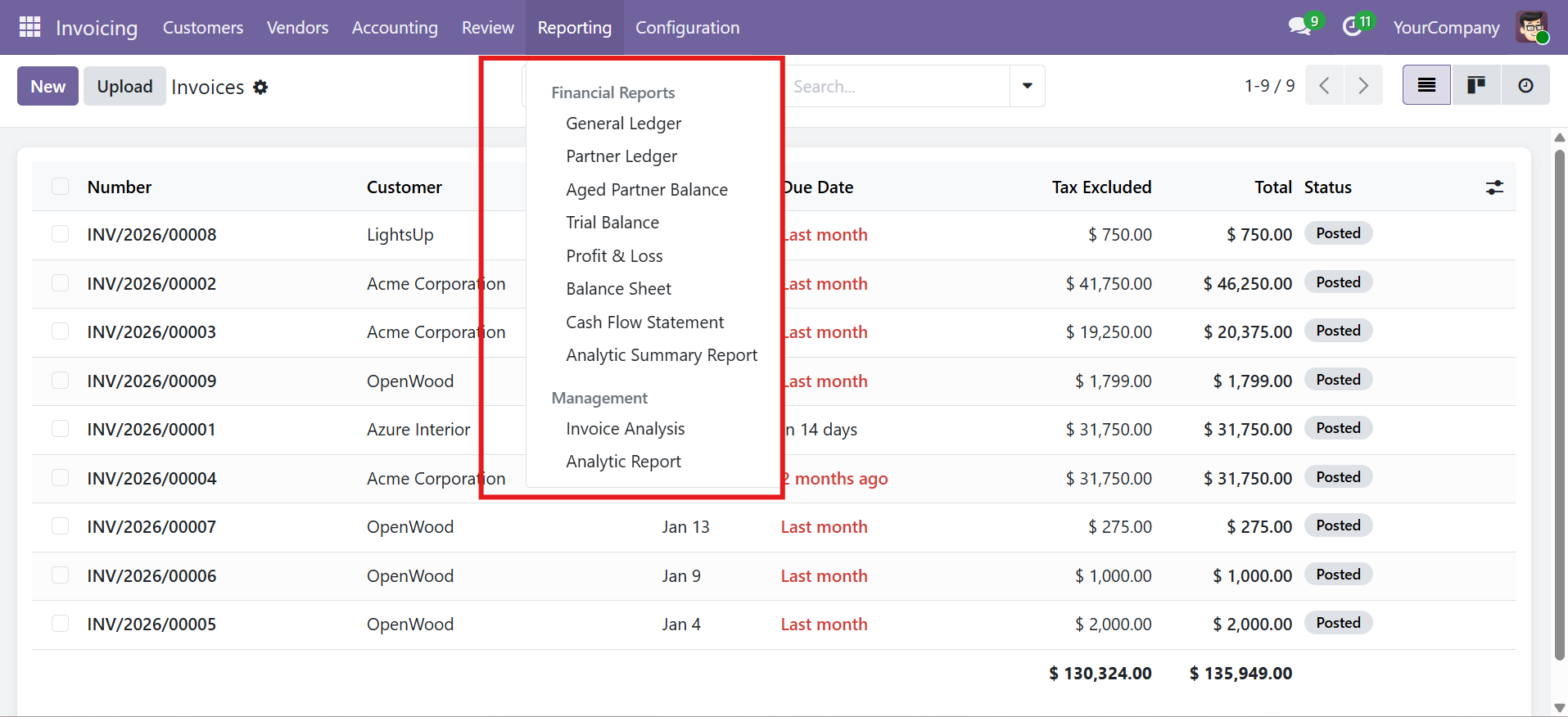
A comprehensive dynamic financial reporting module for Odoo 17, 18, and 19 Community Edition that delivers 8 professional-grade reports with interactive views, PDF export, and Excel export capabilities -- all with zero configuration.
What is SDLC Financial Reports?
SDLC Financial Reports extends Odoo's accounting module with a full suite of dynamic financial reports. Every report is generated automatically from your existing chart of accounts and journal entries -- no manual line setup or templates required. Each report offers an interactive on-screen view, one-click PDF generation, and Excel export with professional formatting.
8 Financial Reports
| Report | Description |
|---|---|
| General Ledger | Complete transaction history by account with running balance, initial balance, and account-level totals |
| Partner Ledger | Receivables and payables breakdown by partner with customer/supplier filtering and running balance |
| Trial Balance | Summary of all account balances with initial balance, debit, credit, ending balance, and comparison periods |
| Aged Partner Balance | Aging analysis with customizable buckets: Not Due, 0-30, 30-60, 60-90, 90-120, and 120+ days |
| Profit & Loss | Automatic income statement with income and expense sections, net profit calculation, and comparison periods |
| Balance Sheet | Assets, Liabilities, and Equity sections with sub-groupings and automatic total validation |
| Cash Flow Statement | Operating, Investing, and Financing activities with net cash change and detailed line items |
| Analytic Summary | Analysis by analytic accounts with debit, credit, and balance columns and plan-based grouping |
Key Capabilities
| Capability | Description |
|---|---|
| Zero Configuration | All reports auto-generated from your chart of accounts -- no manual template setup needed |
| Interactive View | On-screen list view with sorting, searching, and grouping capabilities |
| PDF Export | Professional landscape A4 PDF with company branding and formatted tables |
| Excel Export | Formatted XLSX with frozen headers, number formatting, section highlighting, and auto-column widths |
| Smart Filters | Date range presets, journal, account, partner, analytic, and tag-based filtering |
| Comparison Periods | Period-over-period analysis for Trial Balance and Profit & Loss reports |
| Multi-Company | Full multi-company support with company-level isolation |
| Security Groups | Dedicated User and Manager roles with granular access control |
Supported Versions
| Detail | Value |
|---|---|
| Odoo Version | 17.0, 18.0, 19.0 (Community Edition) |
| Module Version | 17.0.1.0.0 / 18.0.1.0.0 / 19.0.1.0.0 |
| Category | Accounting / Accounting |
| License | LGPL-3 |
Quick Start
- Install the module -- Download and install
sdlc_financial_reportsfrom the Odoo Apps menu. - Navigate to Reports -- Go to Accounting > Reporting > Financial Reports to see all 8 reports.
- Select a Report -- Click any report (e.g., General Ledger) to open the wizard.
- Set Filters -- Choose your date range, accounts, and other options.
- View, Print, or Export -- Click View Report, Print PDF, or Export XLSX.
Need Help?
Contact SDLC Corp at sdlccorp.com/contact-us or email sales@sdlccorp.com