Hotel Management — Reports & Analytics
Comprehensive reporting across revenue, occupancy, guests, and operations.
Report Types
The module includes pre-built reports accessible via Reporting menu:
| Report | Purpose |
|---|---|
| Daily Revenue | Day-by-day revenue breakdown |
| Arrivals & Departures | Expected check-ins/outs for date range |
| Booking Source | Revenue by source (direct, OTA, walk-in, corporate) |
| VIP & Repeat Guests | High-value guest analysis |
| Occupancy Report | Room occupancy over time |
| Folio Report | Individual folio printout |
| Room Revenue | Revenue per room type or room |
| Housekeeping Report | Task completion and staff performance |
| KOT Report | Restaurant kitchen order tickets |
| Reservation Report | Booking details printout |
Daily Revenue Report
Track revenue trends and identify peak days.
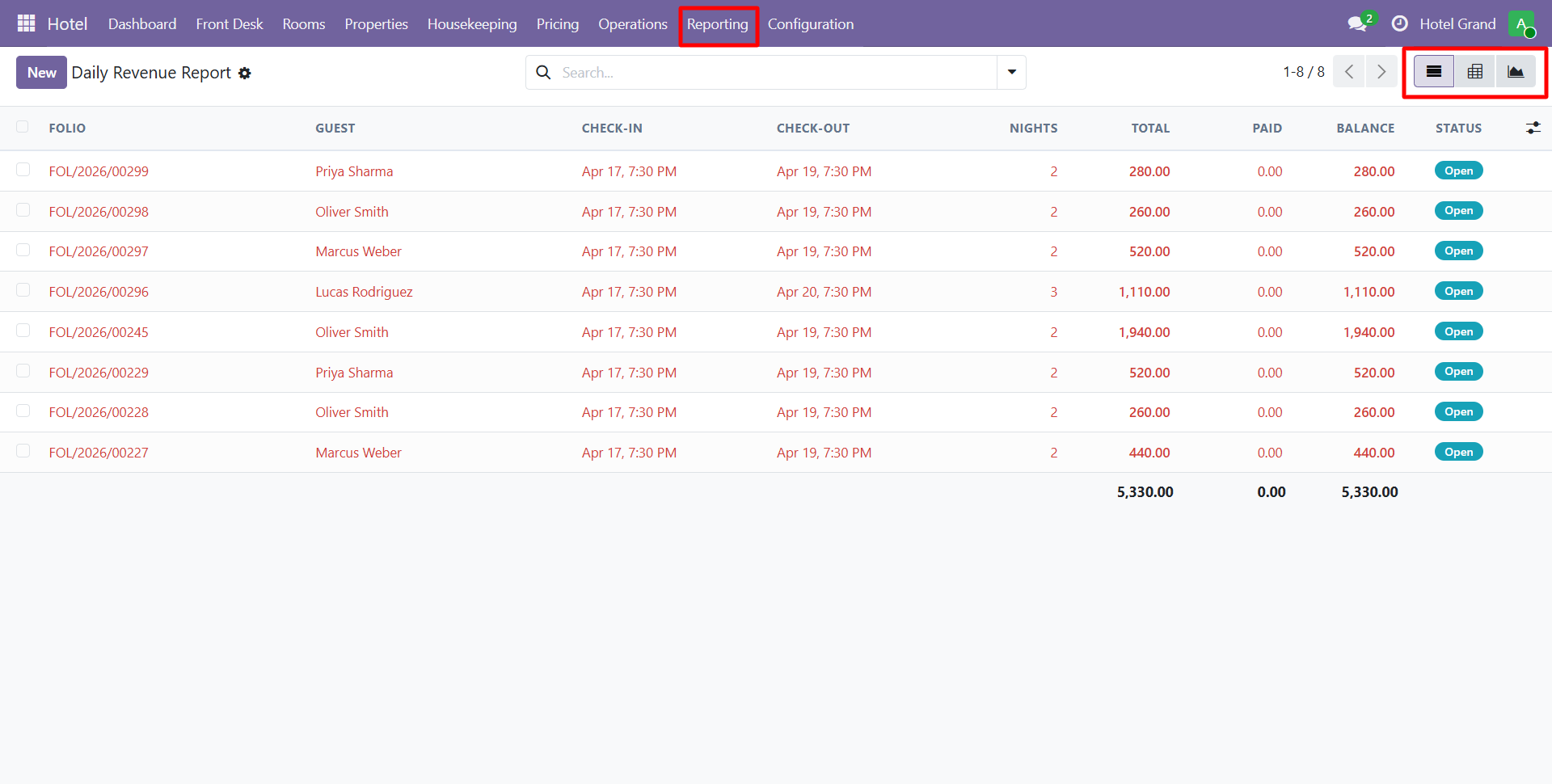
Shows:
- Revenue per day
- Revenue breakdown (rooms, services, restaurant, minibar)
- Tax amounts
- Comparison to previous periods
- Peak vs off-peak analysis
Arrivals & Departures Report
Critical for front desk planning.
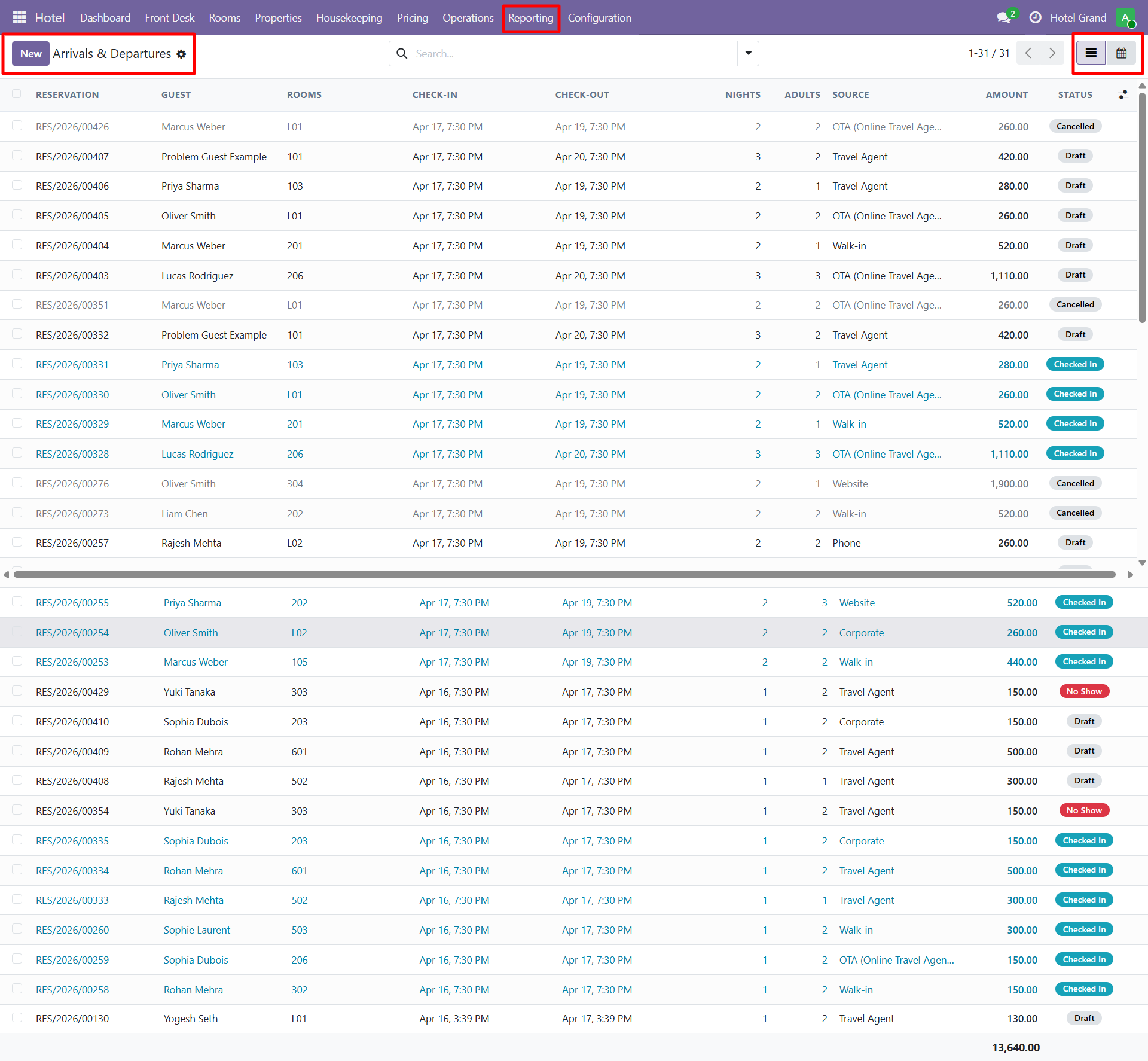
Shows:
- Today's expected arrivals with guest details
- Today's expected departures
- Room assignments
- Special requests flags
- VIP arrivals highlighted
Use this report during:
- Morning staff briefings
- Housekeeping preparation
- Restaurant reservations anticipation
Booking Source Report
Understand where your bookings come from.
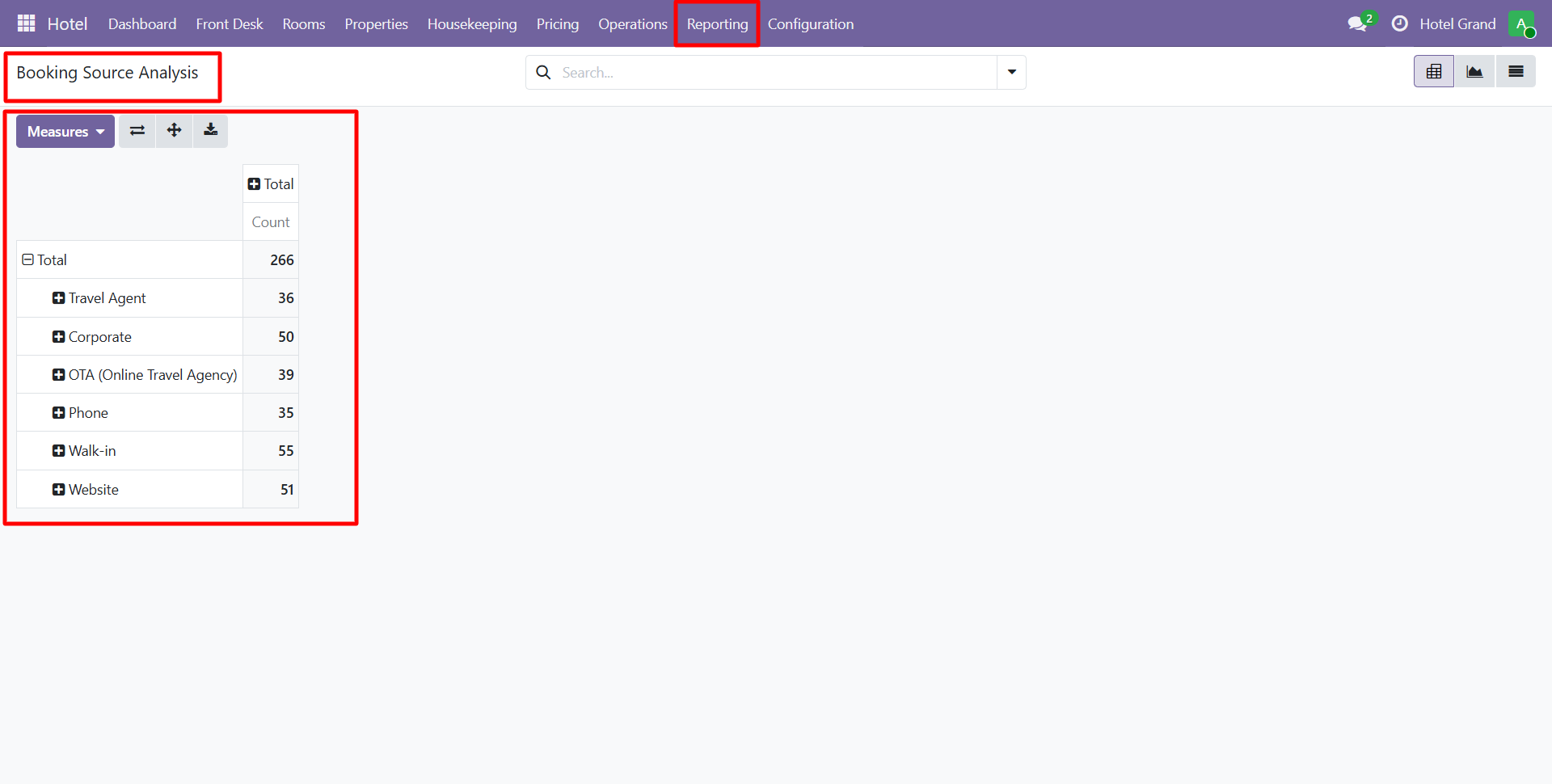
Breakdown by:
- Direct (hotel website, phone, walk-in)
- OTAs (Booking.com, Expedia, Airbnb)
- Corporate (direct business accounts)
- Travel Agencies (commissioned partners)
- Groups (weddings, conferences, tours)
Metrics per Source
- Number of bookings
- Total revenue
- Average rate
- Cancellation rate
- ADR (Average Daily Rate)
Use this to:
- Evaluate OTA commission ROI
- Identify growth channels
- Negotiate with corporate partners
VIP & Repeat Guests Report
Identify your best customers.
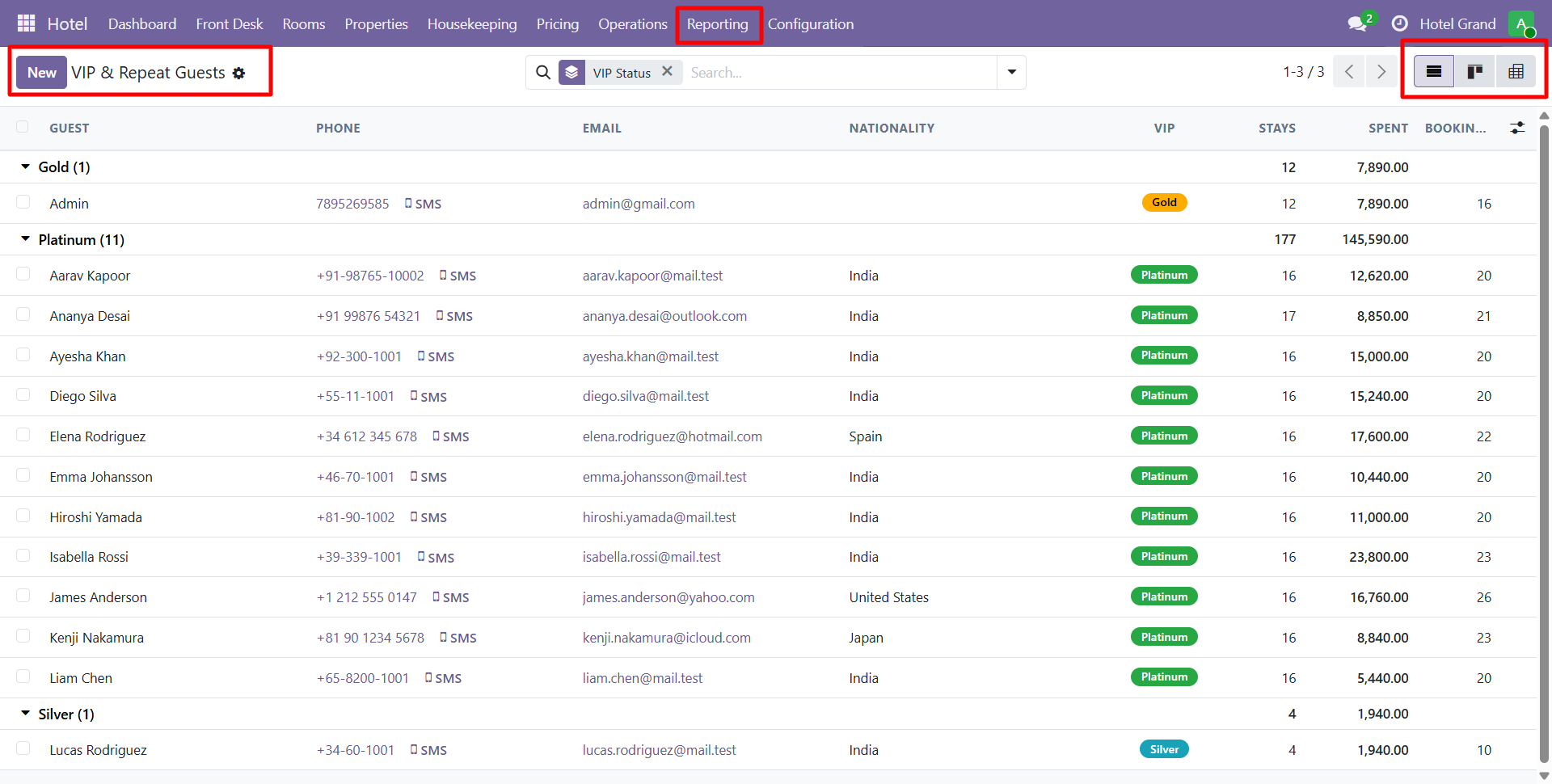
Tracks:
- Number of stays
- Total nights stayed
- Lifetime revenue
- Last visit date
- Average stay length
- Average spending per stay
Use this to:
- Launch loyalty programs
- Send targeted promotions
- Personalize future stays
- Upgrade VIPs preemptively
Key Hotel Metrics
The system calculates industry-standard KPIs automatically:
| Metric | Formula | What It Shows |
|---|---|---|
| ADR | Room Revenue / Rooms Sold | Average nightly rate |
| RevPAR | Room Revenue / Rooms Available | Revenue per available room |
| Occupancy % | Rooms Sold / Rooms Available × 100 | Fill rate |
| Length of Stay | Total Nights / Reservations | Average stay duration |
| Booking Lead Time | Avg days between booking & arrival | Planning insight |
Custom Reports
Beyond pre-built reports, you can:
- Build custom Odoo Studio reports (Enterprise)
- Use pivot/graph views on any data
- Export to Excel/CSV
- Schedule email delivery of reports
Exporting
All reports support:
- PDF — Printable format
- Excel — Data analysis
- CSV — Import to other systems
- Email — Direct send from Odoo
tip
Schedule the Daily Revenue Report to email every morning to the owner/manager. It takes 30 seconds to set up and provides executive visibility with zero daily effort.
Need Help?
Contact SDLC Corp at sdlccorp.com/contact-us or email sales@sdlccorp.com