Alerts, Reorder Suggestions & Vendor Scorecard
Reorder Suggestions
Go to Inventory Analytics > Reports > Reorder Suggestions:
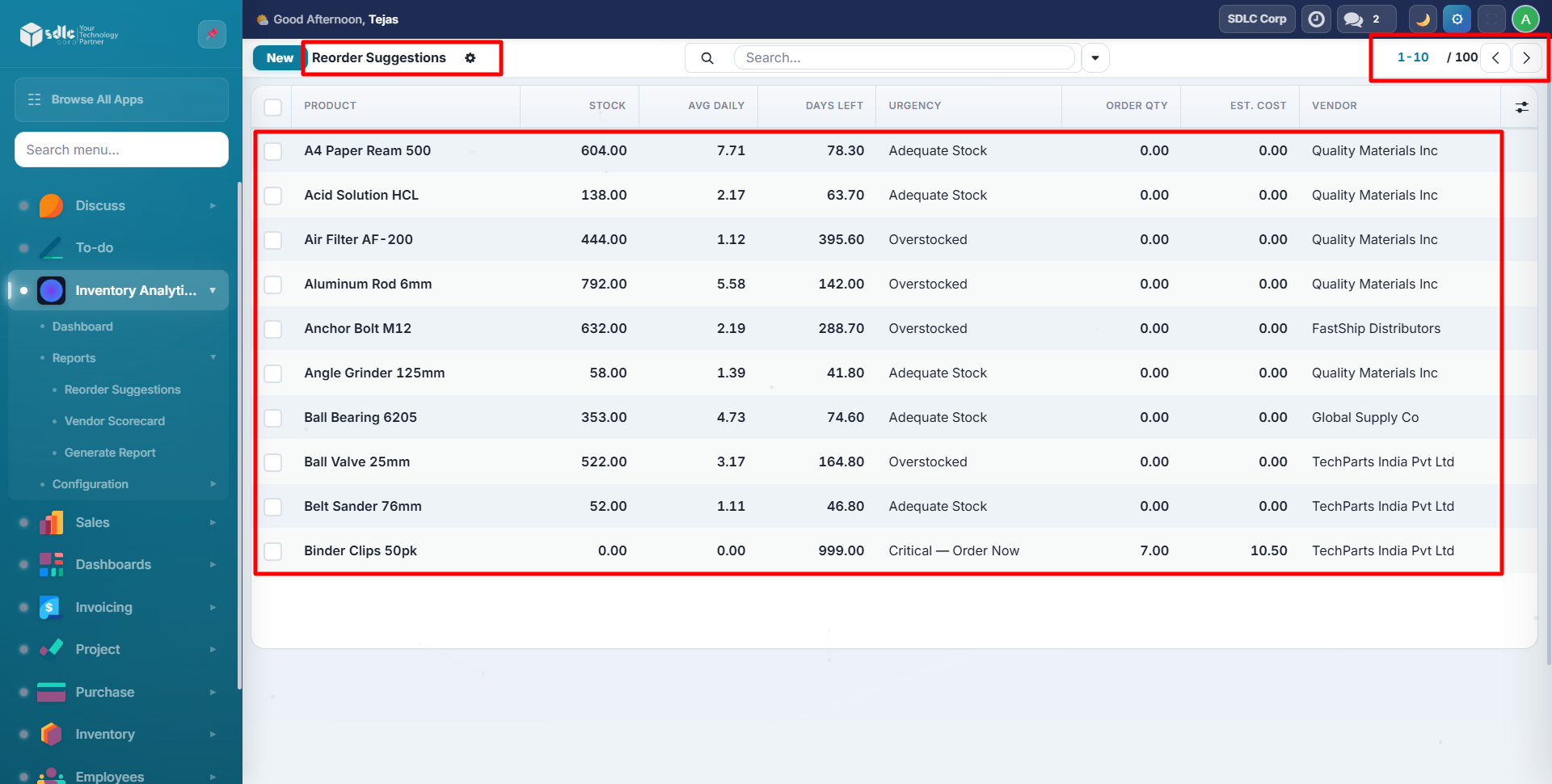
The system auto-calculates for every product:
| Field | Formula |
|---|---|
| Avg Daily Sales | Total sold / days in period |
| Days of Stock | Current stock / avg daily sales |
| Safety Stock | Avg daily x lead time x 1.5 |
| Reorder Point | (Avg daily x lead time) + safety stock |
| Suggested Qty | (30 days demand + safety stock) - current stock |
Urgency Levels
| Urgency | Condition | Color |
|---|---|---|
| Critical: Order Now | Zero stock or days left under lead time | Red |
| Order Soon | Days left under 2x lead time | Orange |
| Adequate Stock | Normal stock levels | Green |
| Overstocked | Days of stock > 90 | Gray |
Create RFQ
Select products and click Create RFQ from Selected to generate draft purchase orders:
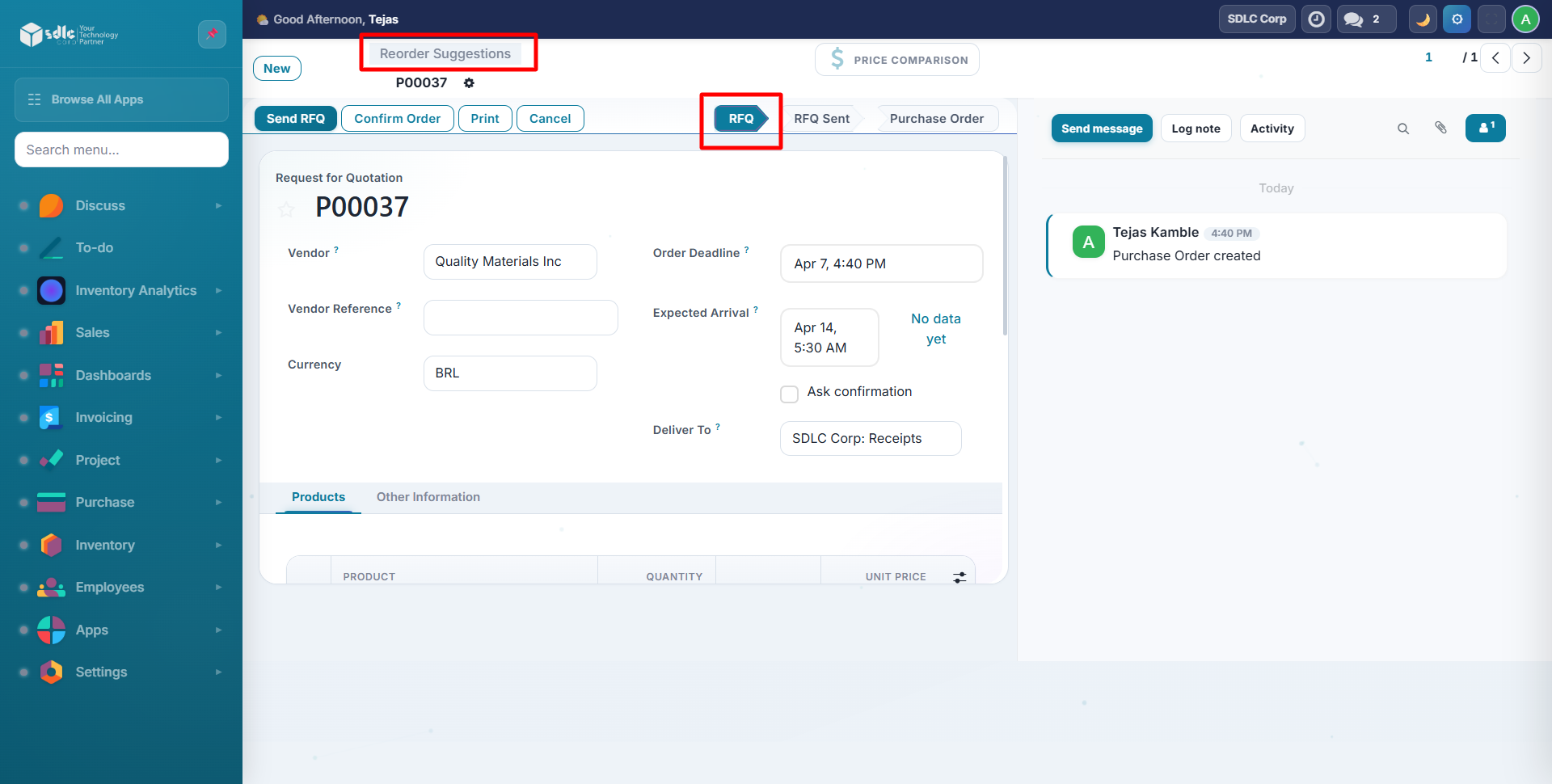
- Groups products by preferred vendor
- Creates one PO per vendor
- Pre-fills quantity, price, and planned delivery date
- Opens the created PO for review
Vendor Scorecard
Go to Inventory Analytics > Reports > Vendor Scorecard:
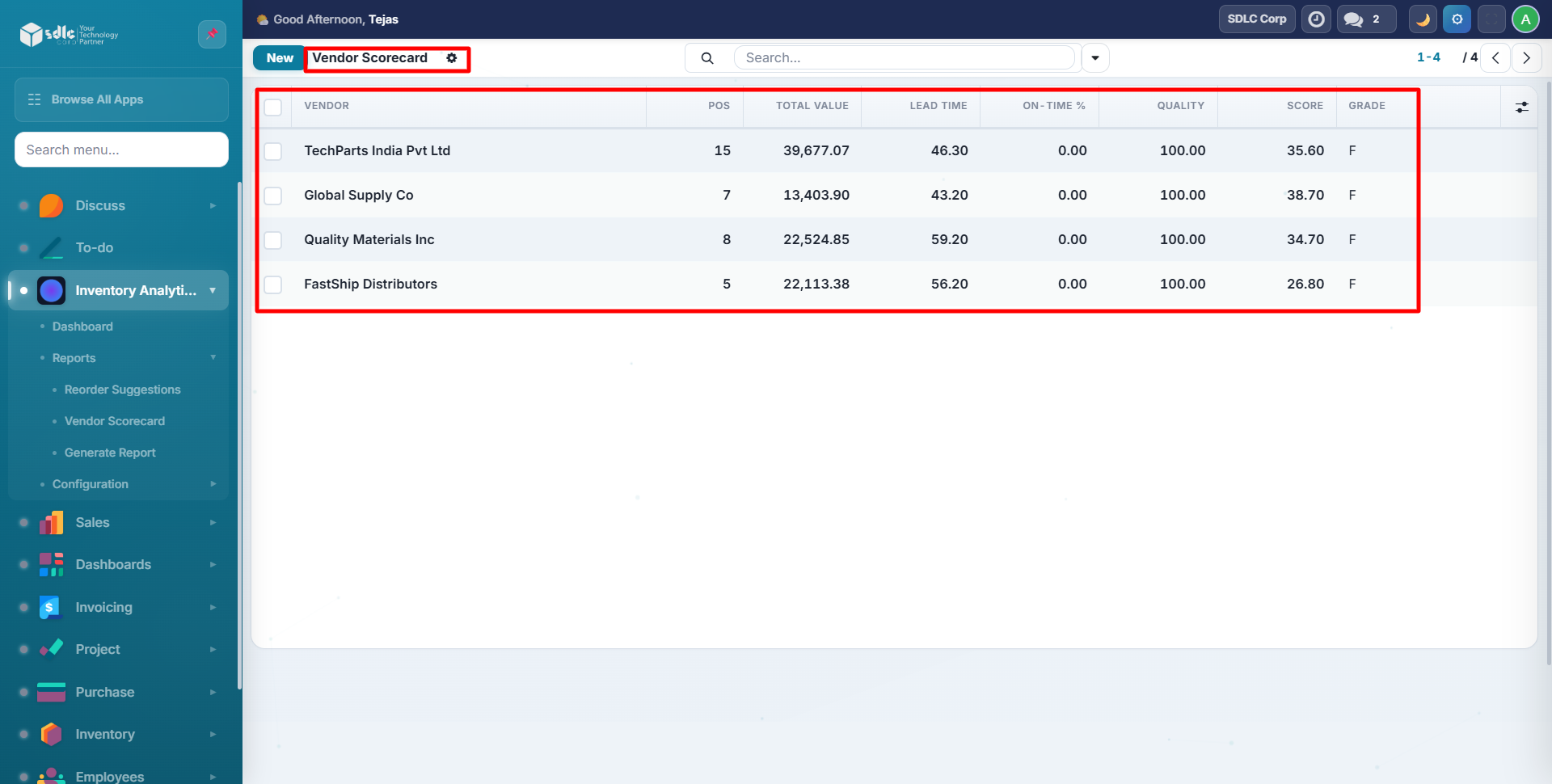
Scoring Methodology
| Metric | Weight | Description |
|---|---|---|
| On-Time Delivery % | 35% | Percentage of lines delivered within 7 days |
| Quality Score | 25% | 100 minus return rate |
| Price Competitiveness | 20% | Lower avg price = higher score |
| Lead Time Score | 20% | Faster delivery = higher score |
Grades: A (85+), B (70-84), C (55-69), D (40-54), F (under 40). Color-coded: Green (A/B), Yellow (C), Red (D/F).
Alert Configuration
Go to Inventory Analytics > Configuration > Alerts:
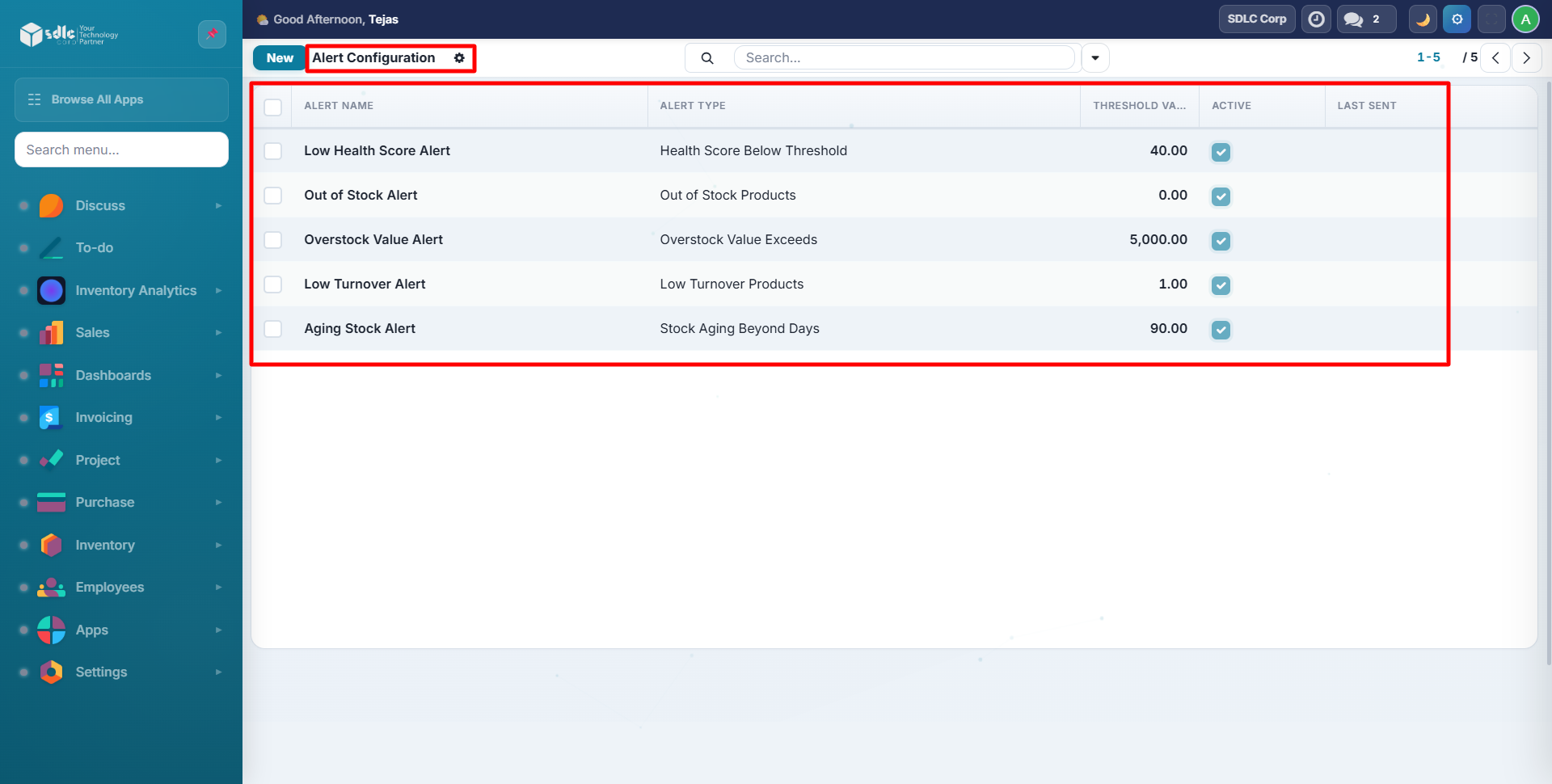
Creating an Alert
Click New to create an alert rule:
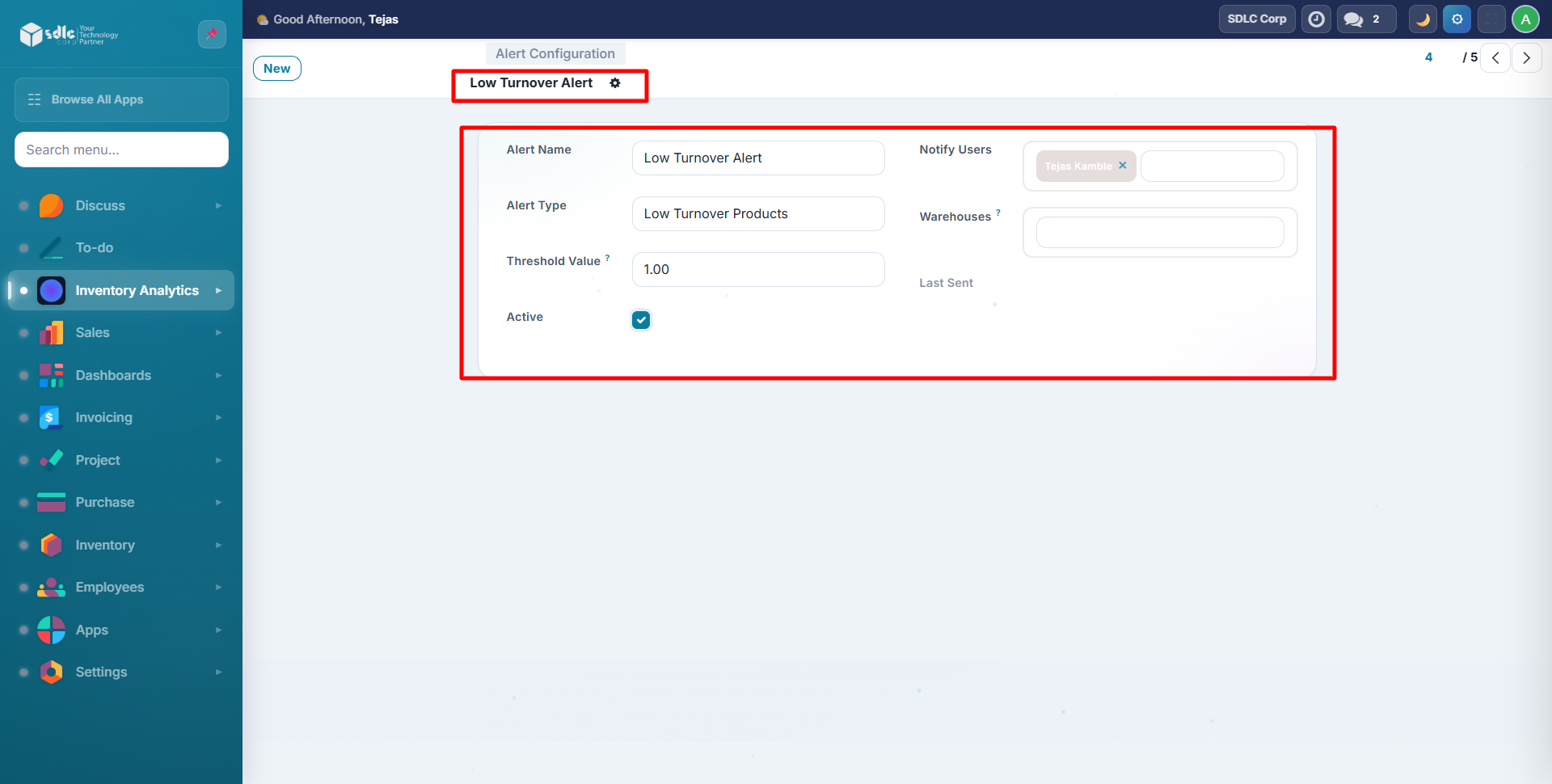
| Field | Description |
|---|---|
| Name | Human-readable alert name |
| Alert Type | What condition to check (see below) |
| Threshold | Numeric trigger value |
| Notify Users | Users who receive the notification |
| Warehouses | Limit to specific warehouses (empty = all) |
Alert Types
| Type | Triggers When |
|---|---|
| Health Score Below Threshold | Any product's health score below threshold |
| Out of Stock Products | Any product has zero stock |
| Overstock Value Exceeds | Any product's overstock value > threshold |
| Low Turnover Products | Any product's turnover ratio below threshold |
| Stock Aging Beyond Days | Any product's oldest stock > threshold days |
How Alerts Work
- A daily cron job runs automatically
- Checks all active alert rules against a 90-day analysis
- Creates mail activity (Todo) for each configured user
- Includes product names and a link to the dashboard
tip
Start with these 5 alerts: Health below 40, Out of Stock, Overstock over 5000, Turnover below 1, Aging over 90 days.
Need Help?
Contact SDLC Corp at sdlccorp.com/contact-us or email sales@sdlccorp.com