Inventory Analytics Pro — Getting Started
Why install Inventory Analytics Pro
Out of the box, Odoo's inventory app shows you stock-on-hand and incoming/outgoing pickings — but not whether your inventory is healthy. Inventory Analytics Pro answers questions like:
- Which products are tying up cash without selling?
- Which products are at stockout risk and should be reordered now?
- Which suppliers are reliable?
- Which categories are growing or shrinking?
All from a single dashboard that runs on top of your existing Odoo data — no separate database, no manual classification, no spreadsheets.
Prerequisites
- Odoo 19 (Community or Enterprise)
- Modules installed: Inventory, Sales, Purchase, Accounting
- Administrator access
Installation
Go to Apps, search for "Inventory Analytics", and click Install:
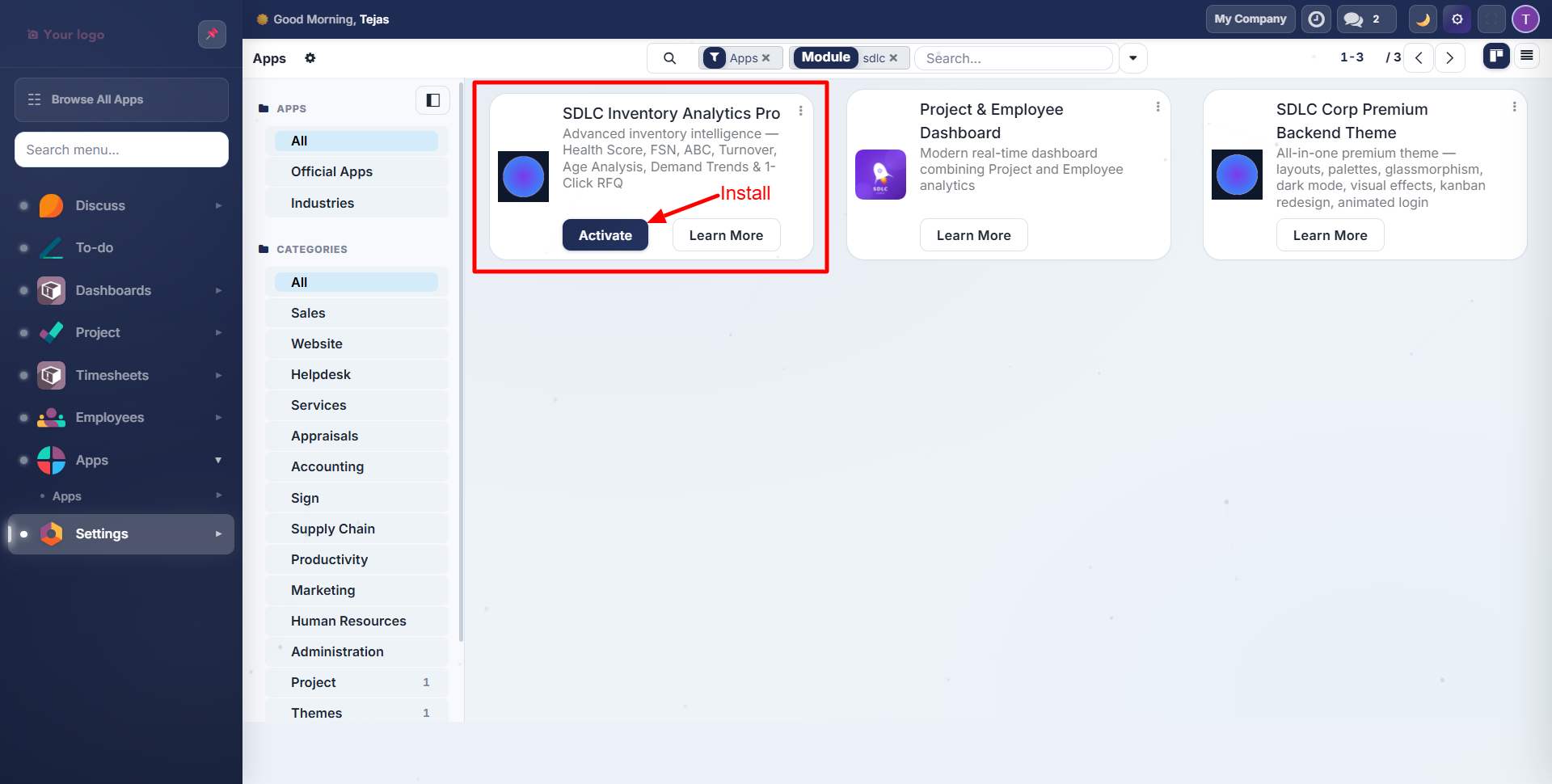
The module auto-installs its dependencies (stock, sale_management, purchase, account, mail).
After Installation
A new Inventory Analytics menu appears in the sidebar:
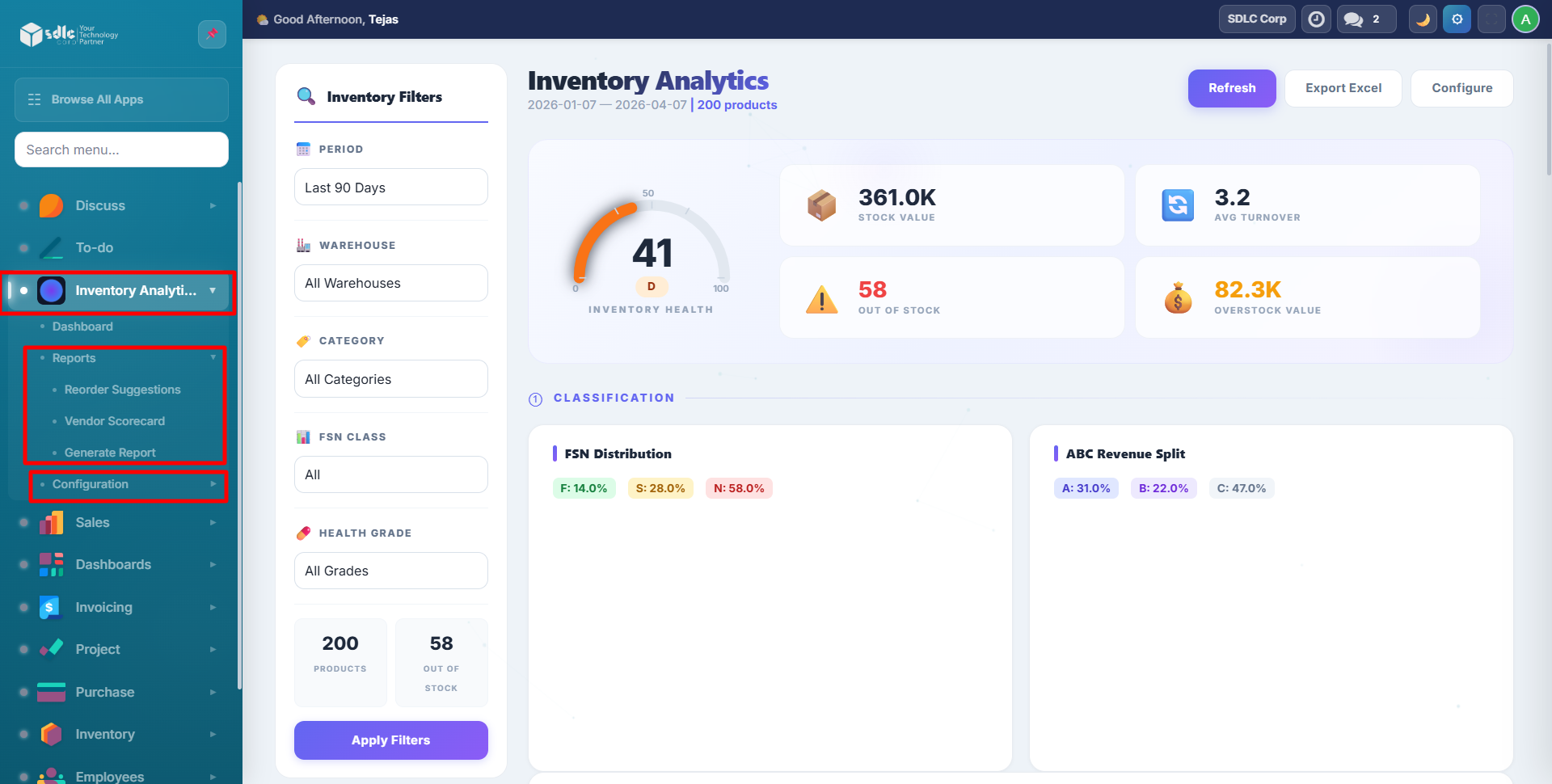
| Menu | Purpose |
|---|---|
| Dashboard | Interactive analytics with charts and KPIs |
| Reports > Generate Report | Wizard to create specialized reports |
| Reports > Reorder Suggestions | Auto-calculated reorder recommendations |
| Reports > Vendor Scorecard | Vendor performance analysis |
| Configuration > Alerts | Threshold-based notification rules |
No Configuration Needed
The module immediately analyzes your existing Odoo data. If you have products, sales orders, and stock movements, the dashboard populates automatically.
For best results, ensure you have at least 30 days of sales history and active stock in your warehouses.
Contact SDLC Corp at sdlccorp.com/contact-us or email sales@sdlccorp.com