Category Management
The Magento 2 Connector synchronizes product categories between Odoo and Magento, preserving the parent-child hierarchy. Categories can be pulled from Magento or created in Magento directly from Odoo.
Accessing Magento Categories
Navigate to Magento > Magento Data > Categories to view all synced categories.
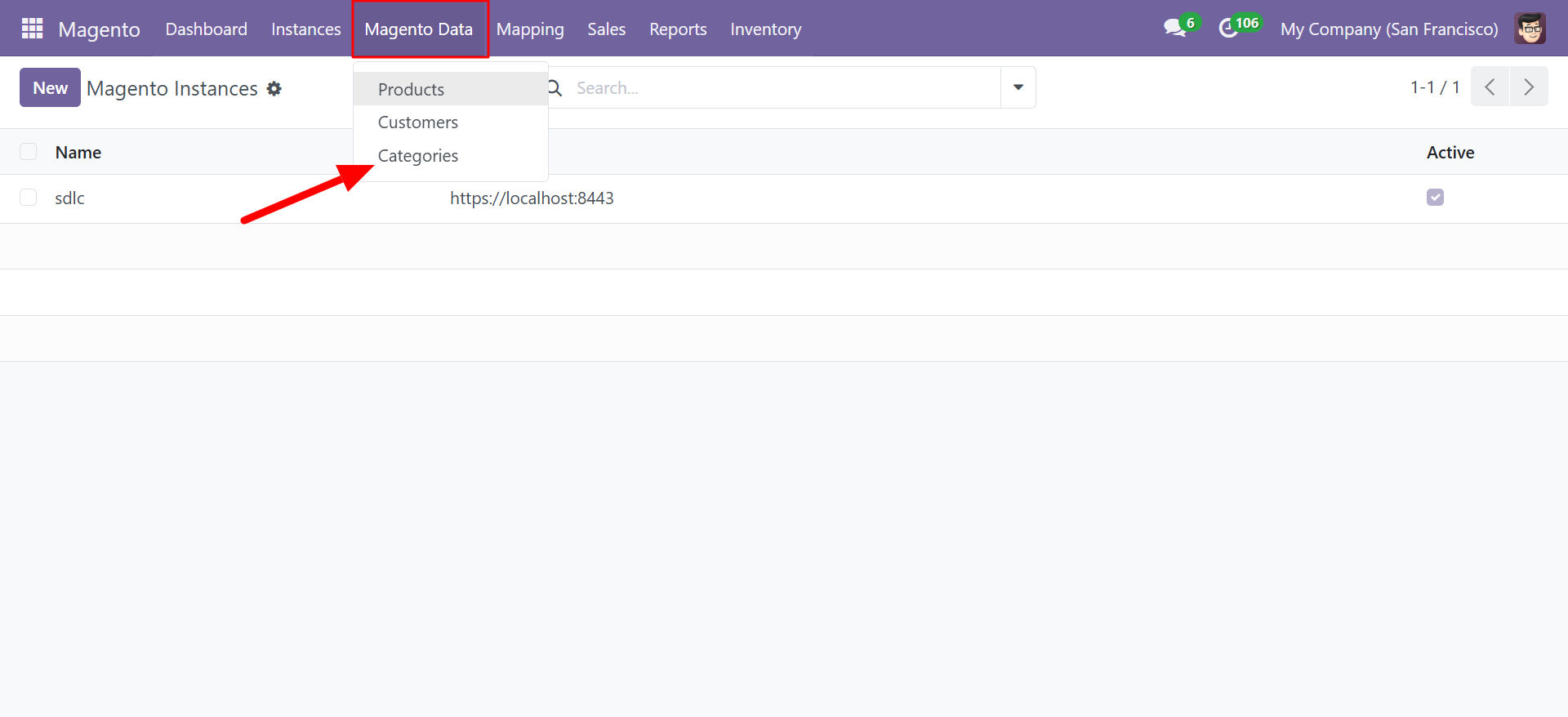
Category List View
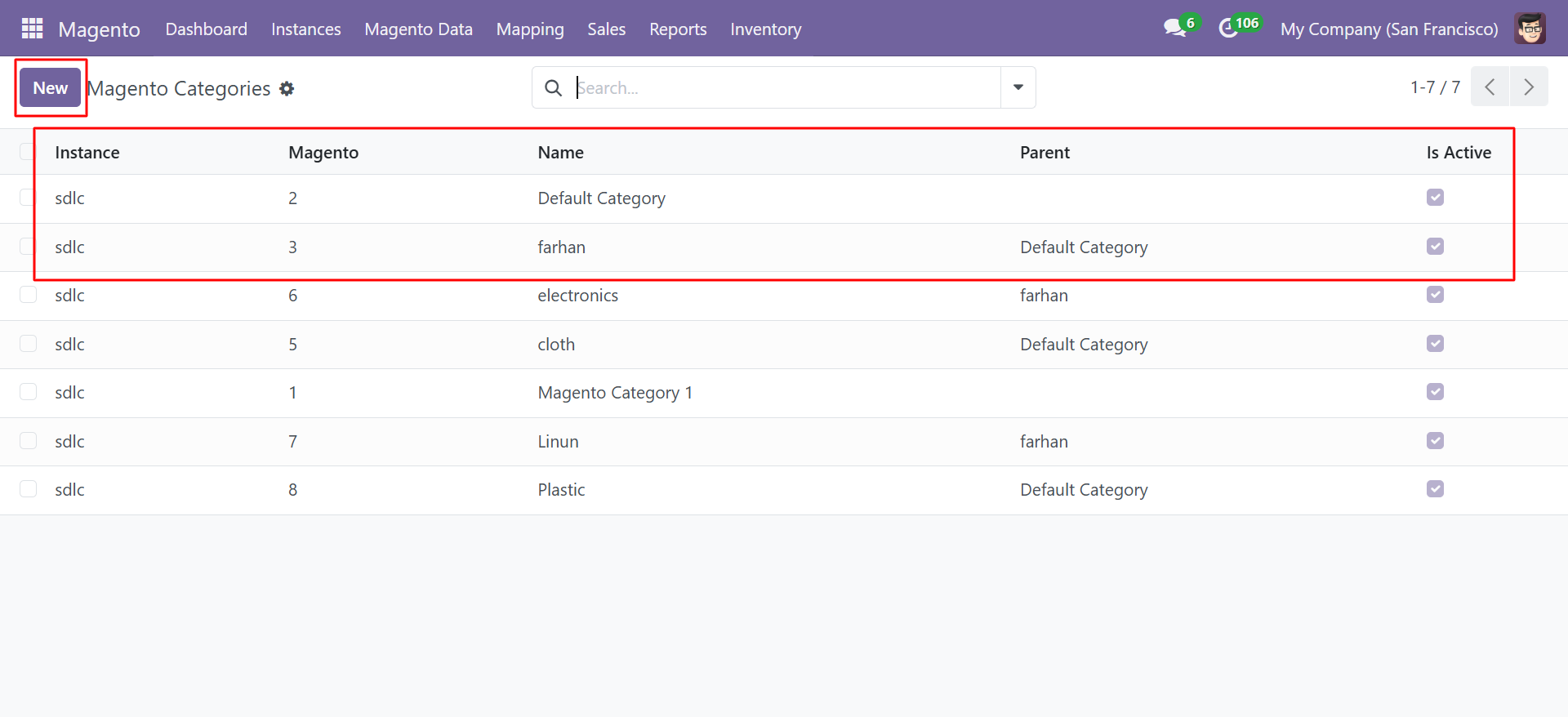
The category list displays all synchronized categories with their hierarchy:
| Column | Description |
|---|---|
| Instance | The Magento instance this category belongs to |
| Magento | The Magento category ID |
| Name | Category name |
| Parent | Parent category name (for subcategories) |
| Is Active | Whether the category is active in Magento |
The list view clearly shows the category hierarchy. For example:
- Default Category (root)
- farhan (child of Default Category)
- electronics (child of farhan)
- cloth (child of Default Category)
- Plastic (child of Default Category)
- farhan (child of Default Category)
- Magento Category 1 (root)
- Limon (child of farhan)
Category Form
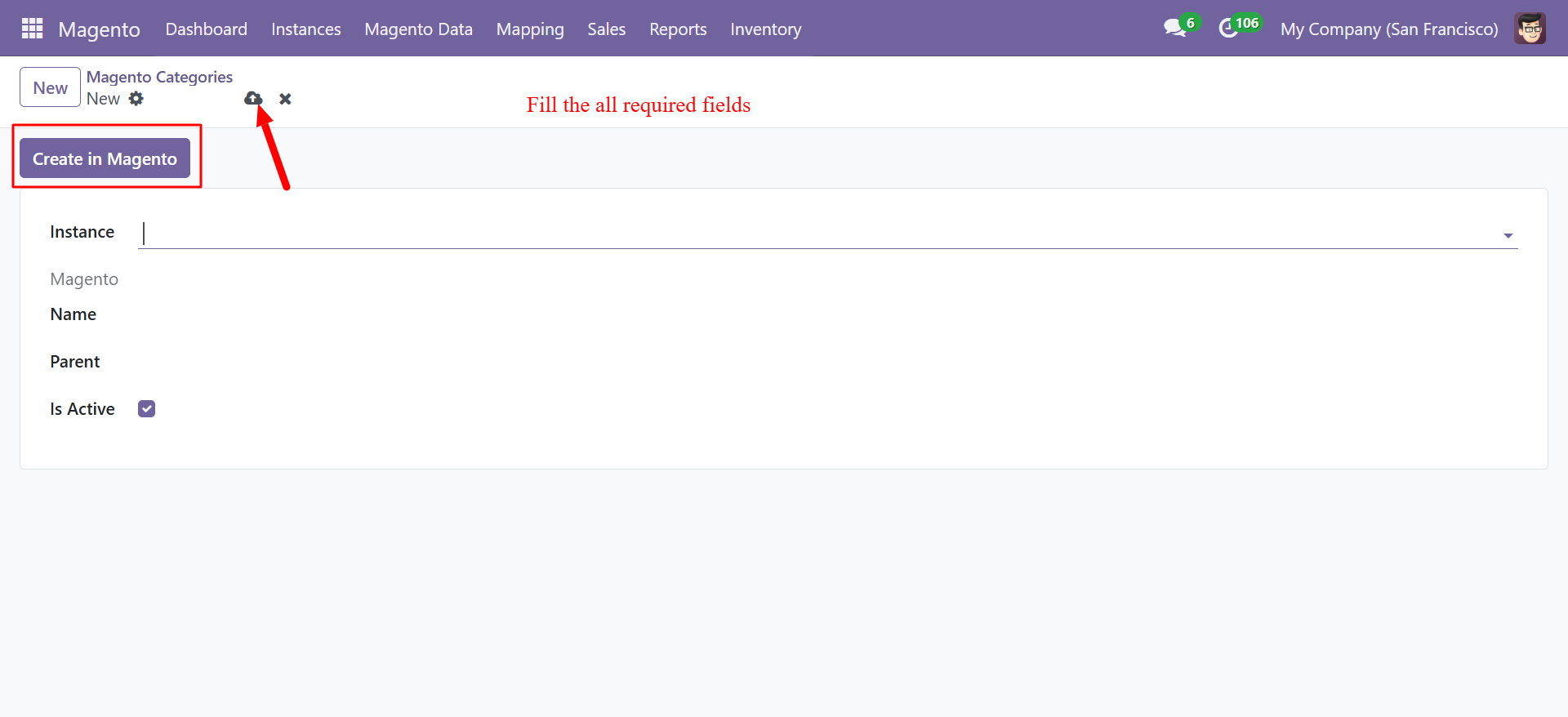
Click New to create a new category or click an existing category to edit it.
| Field | Description |
|---|---|
| Instance | Select the Magento instance |
| Magento | The Magento category ID (auto-populated on sync) |
| Name | Category name |
| Parent | Select the parent category for hierarchy placement |
| Is Active | Enable or disable the category |
Category Actions
| Action | Description |
|---|---|
| Sync Categories (from Instance) | Pull all categories from Magento into Odoo, preserving hierarchy |
| Create in Magento | Push a new category from Odoo to Magento |
Syncing Categories
Pull Categories from Magento
- Navigate to Magento > Instances.
- Open your instance.
- Click Sync Categories.
- The connector imports all Magento categories with their parent-child relationships.
Create a Category in Magento
- Go to Magento > Magento Data > Categories.
- Click New.
- Select the Instance.
- Enter the Name.
- Select a Parent category (or leave blank for a root category).
- Ensure Is Active is checked.
- Click Create in Magento.
Category hierarchy is fully preserved during synchronization. When you sync categories, child categories are automatically linked to their parent categories in Odoo.
Categories synced from Magento can be used in product records to maintain consistent categorization across both platforms.