Product Management
The Magento 2 Connector provides full bidirectional product synchronization between Odoo and Magento. Products can be pulled from Magento into Odoo, or pushed from Odoo to Magento, with all key attributes mapped automatically.
Accessing Magento Products
Navigate to Magento > Magento Data > Products to view all synced products.
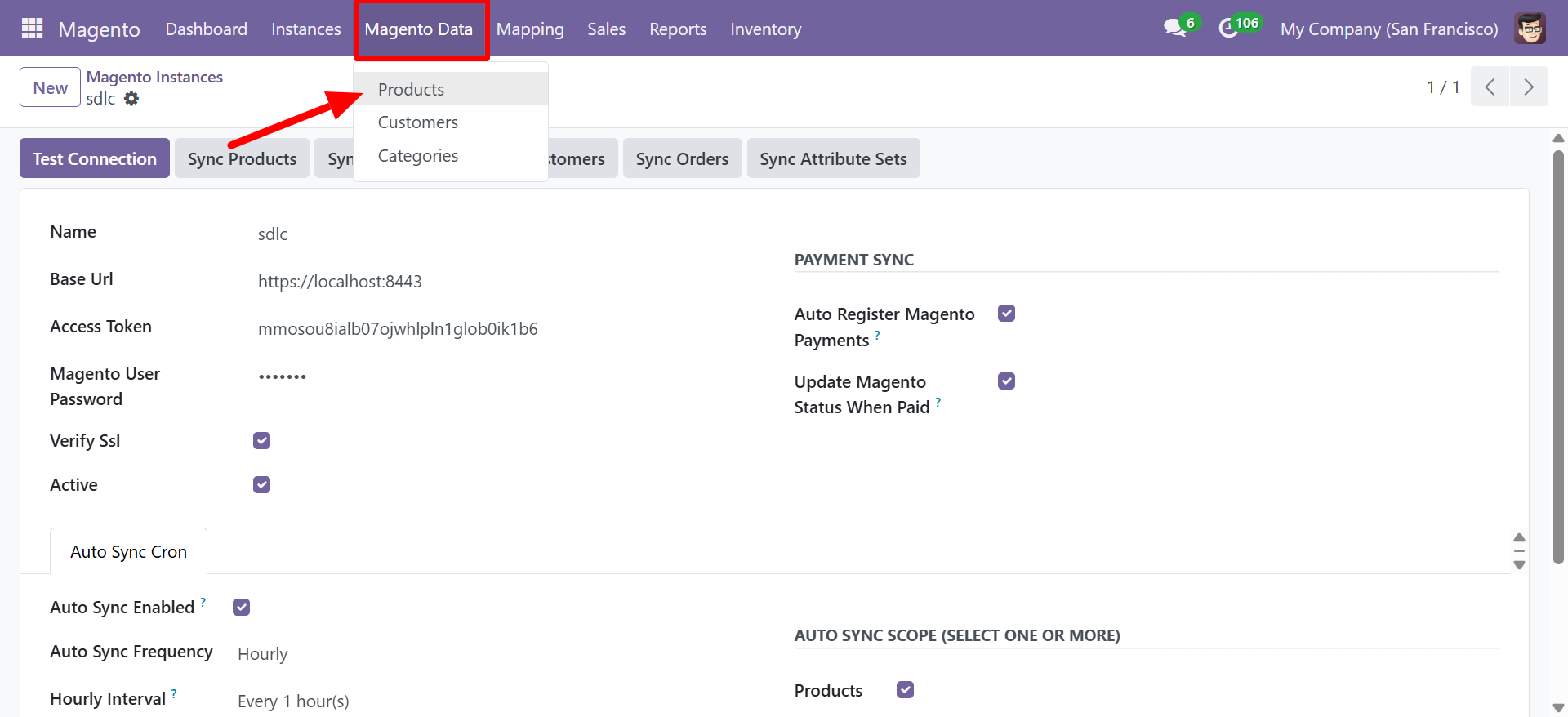
Product List View
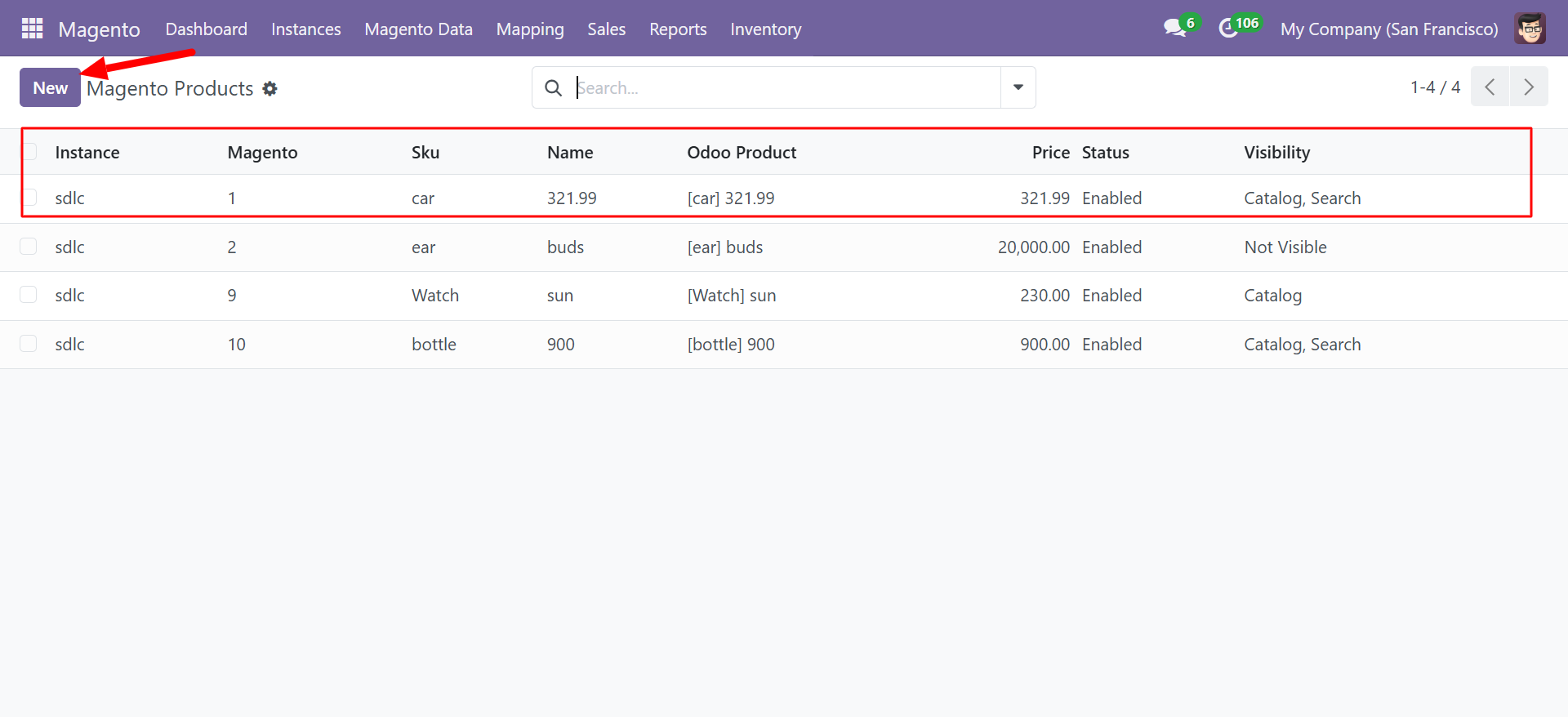
The product list displays all synchronized products with the following columns:
| Column | Description |
|---|---|
| Instance | The Magento instance this product belongs to |
| Magento | The Magento product ID |
| SKU | The product SKU from Magento |
| Name | Product name |
| Odoo Product | The corresponding product record in Odoo (e.g., [car] 321.99) |
| Price | Product price |
| Status | Product status in Magento (Enabled / Disabled) |
| Visibility | Magento visibility setting (Catalog, Search, Catalog & Search, Not Visible) |
Product Mapping Model
Each Magento product record maps to an Odoo product with the following field correspondence:
| Magento Field | Odoo Field | Direction |
|---|---|---|
name | product_template.name | Bidirectional |
sku | product_template.default_code | Bidirectional |
price | product_template.list_price | Bidirectional |
status | product_template.active | Magento to Odoo |
visibility | Custom field | Magento to Odoo |
weight | product_template.weight | Bidirectional |
description | product_template.description | Bidirectional |
short_description | product_template.description_sale | Bidirectional |
qty | product.product.qty_available | Bidirectional (via Inventory) |
Product Actions
You can perform the following actions on Magento products:
- Sync Products (from Instance) -- Pull all products from Magento into Odoo. New products are created; existing products are updated.
- Create in Magento -- Push a new Odoo product to Magento.
- Update in Magento -- Push changes made in Odoo back to the Magento store.
- Pull from Magento -- Refresh a specific product's data from Magento.
When auto-sync is enabled on the instance, products are synchronized automatically at the configured interval. See Auto Sync Cron Jobs for details.
Creating a Product in Magento from Odoo
- Navigate to Magento > Magento Data > Products.
- Click New.
- Select the Instance to connect to.
- Fill in the product details (Name, SKU, Price, etc.).
- Click Create in Magento.
The connector will push the product to your Magento store via the REST API and store the returned Magento product ID for future reference.
Pulling Products from Magento
To import all products from Magento:
- Go to Magento > Instances.
- Open your instance.
- Click Sync Products.
The connector fetches all products from Magento, creates or updates the corresponding Odoo product records, and links them via the Magento product ID.
Use Field Mapping to customize which fields are synced and in which direction.