Premium Backend Theme — Getting Started
This guide walks you through the complete installation of the SDLC Corp Premium Backend Theme for Odoo 19.
Prerequisites
- A working Odoo 19 instance (Community or Enterprise)
- Administrator access to Odoo
- Developer Mode activated (recommended)
Installation Steps
Step 1: Download the Module
- Visit the Odoo App Store and search for SDLC Corp Premium Backend Theme
- Click Buy or Try (for evaluation)
- Download the zip file
Step 2: Upload to Odoo
- Go to Settings > Technical > Update Apps List
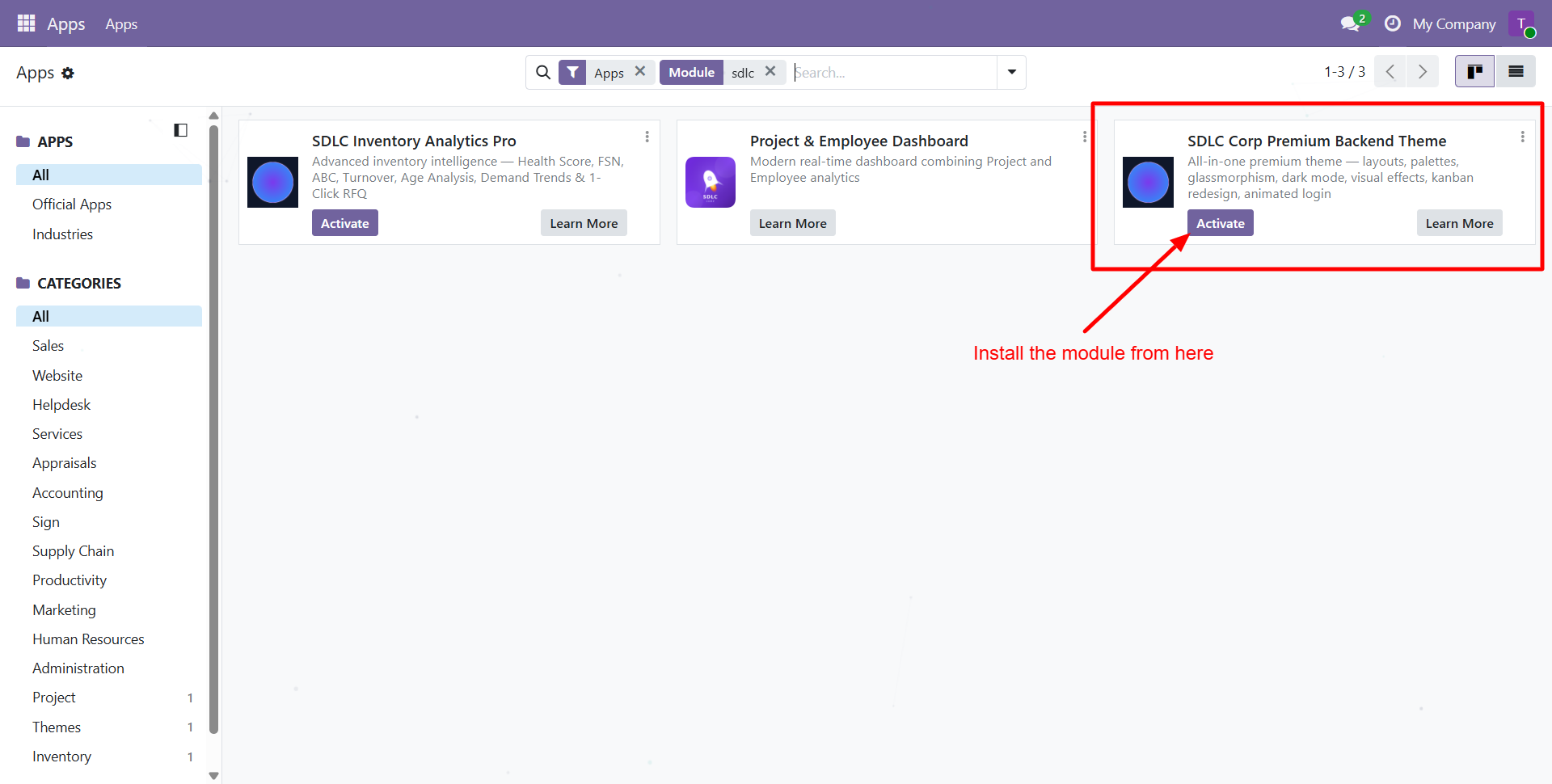
- Navigate to Apps and search for "SDLC Theme"
- Click Install on the SDLC Corp Premium Backend Theme module
tip
Alternatively, place the sdlc_theme folder in your Odoo addons directory, restart the service, then install from Apps.
Step 3: Verify Installation
After installation:
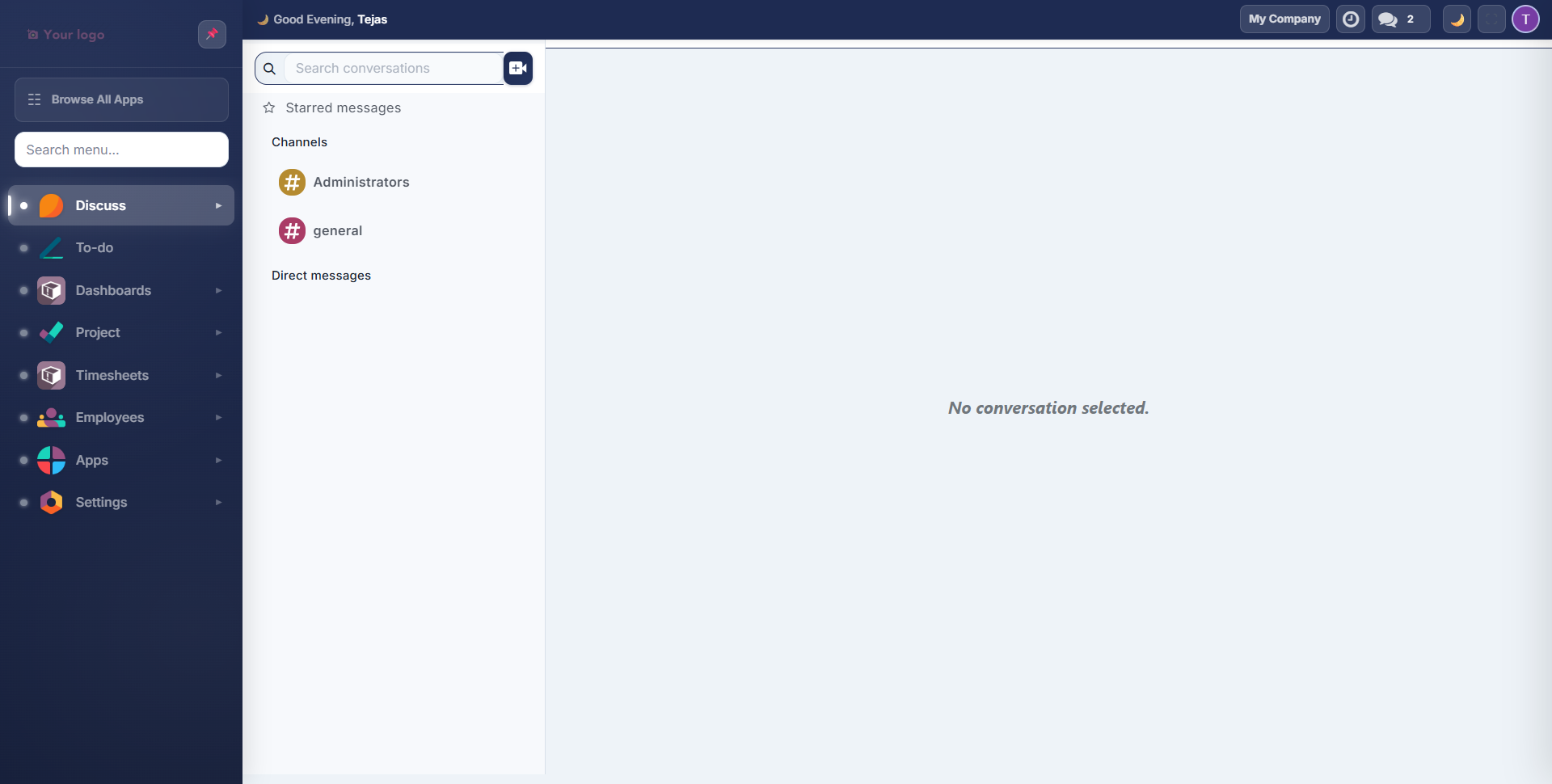
- The Odoo backend immediately switches to the new theme layout
- A dark sidebar with colored app icons replaces the default top navigation
- A top bar displays a greeting, company switcher, and action buttons
- A gear icon appears in the top bar for Quick Settings access (if enabled for your user)
First-Time Admin Configuration
After installing, configure the global defaults that apply to all users:
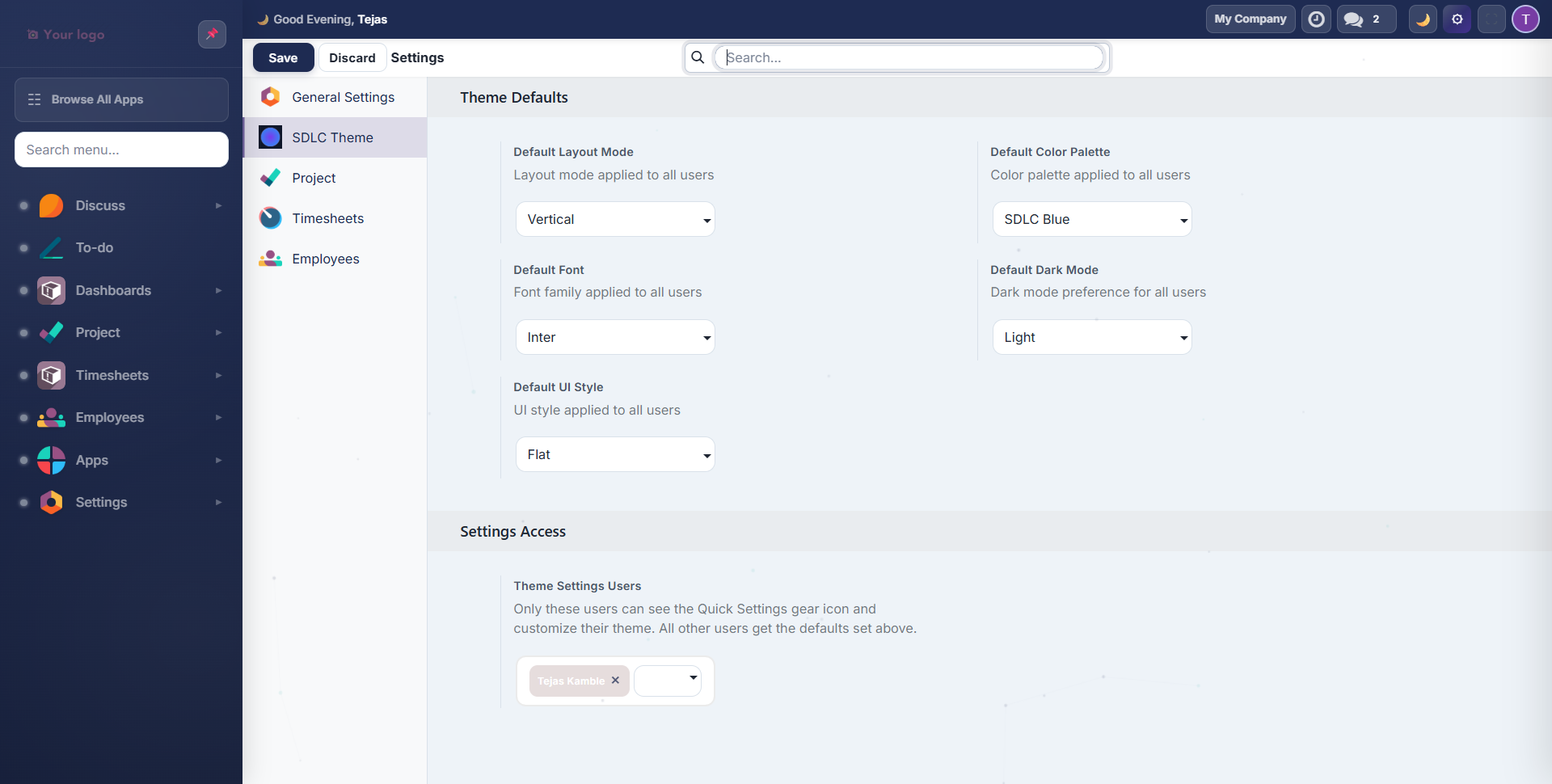
- Go to Settings and click SDLC Theme in the left menu
- Set the system-wide defaults:
| Setting | Options | Default |
|---|---|---|
| Default Layout Mode | Vertical, Mini | Vertical |
| Default Color Palette | 12 palettes | SDLC Blue |
| Default Font | 13 Google Fonts | Inter |
| Default Dark Mode | Light, Dark, Auto | Light |
| Default UI Style | Flat, Glass, Neumorphism | Flat |
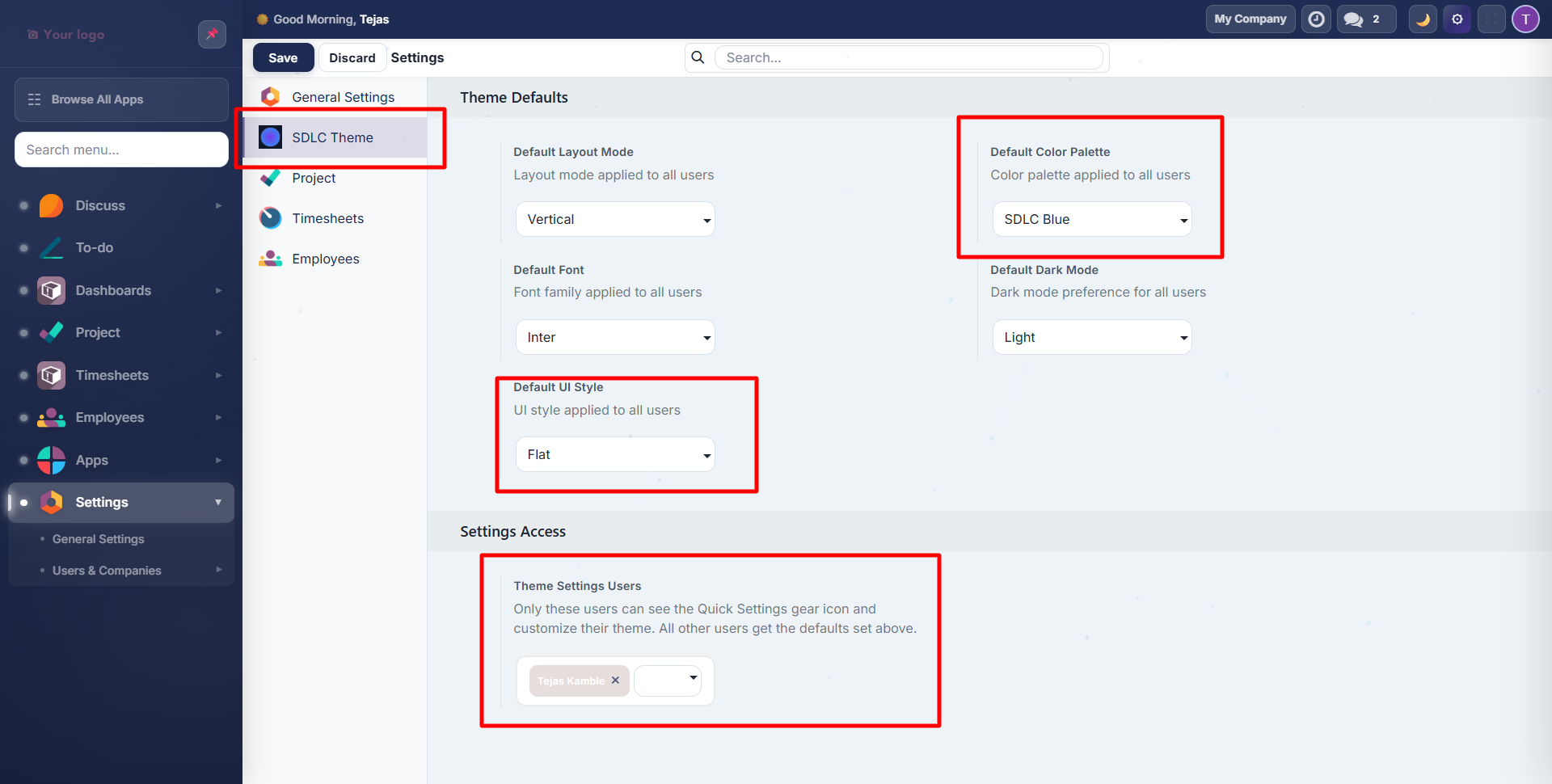
- Under Settings Access, select which users can access the Quick Settings panel to customize their own theme
info
Users without Settings Access will see the global defaults you configure here. Only users you explicitly grant access to will see the gear icon for personal customization.
User Experience by Role
| User Type | What They See |
|---|---|
| Admin | Full control: global defaults + personal Quick Settings |
| User with Settings Access | Gear icon visible: 80+ personal customizations via Quick Settings |
| Regular User | Global defaults applied: clean, polished theme with no customization UI |
Next Steps
Need Help?
Contact SDLC Corp at sdlccorp.com/contact-us or email sales@sdlccorp.com