PrestaShop Connector — Customer Management
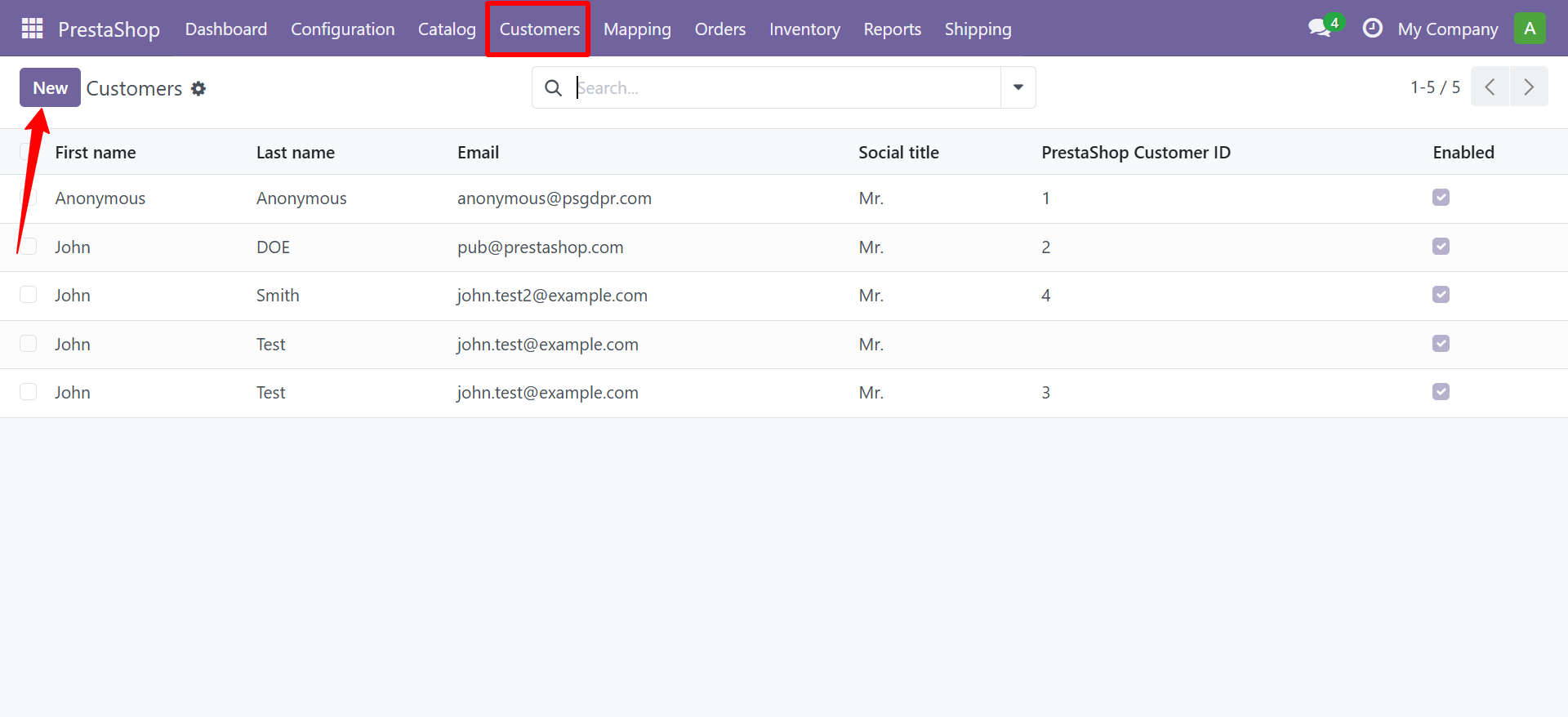
Navigate to PrestaShop > Customers.
Customer Records
Each customer record contains:
- Name, Email, Birthday, Social Title
- Default Group (Visitor / Guest / Customer)
- Partner Offers opt-in, Newsletter subscription
- Addresses (one-to-many with full address details)
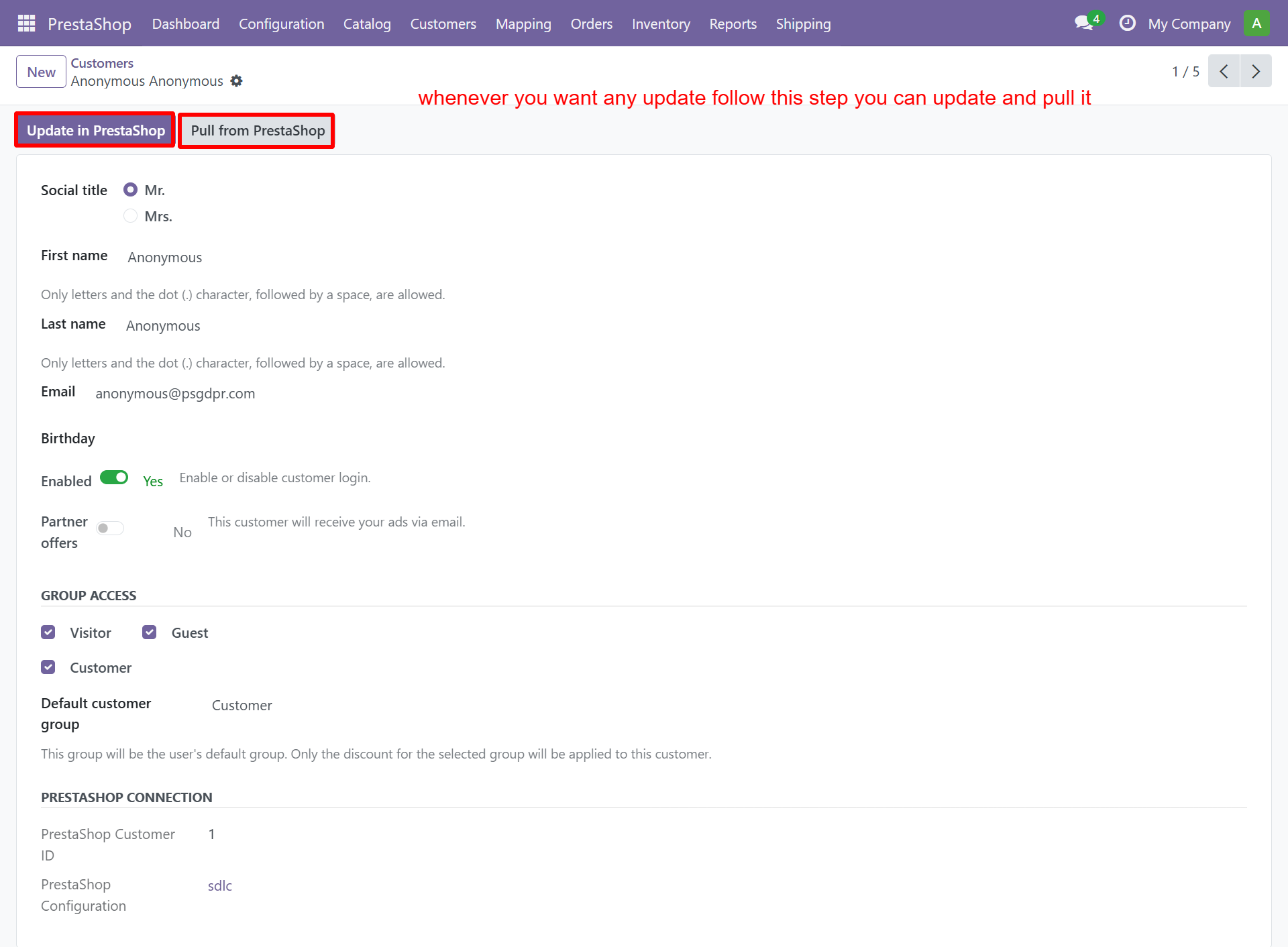
- Push/Pull buttons for bidirectional sync
Customer Form
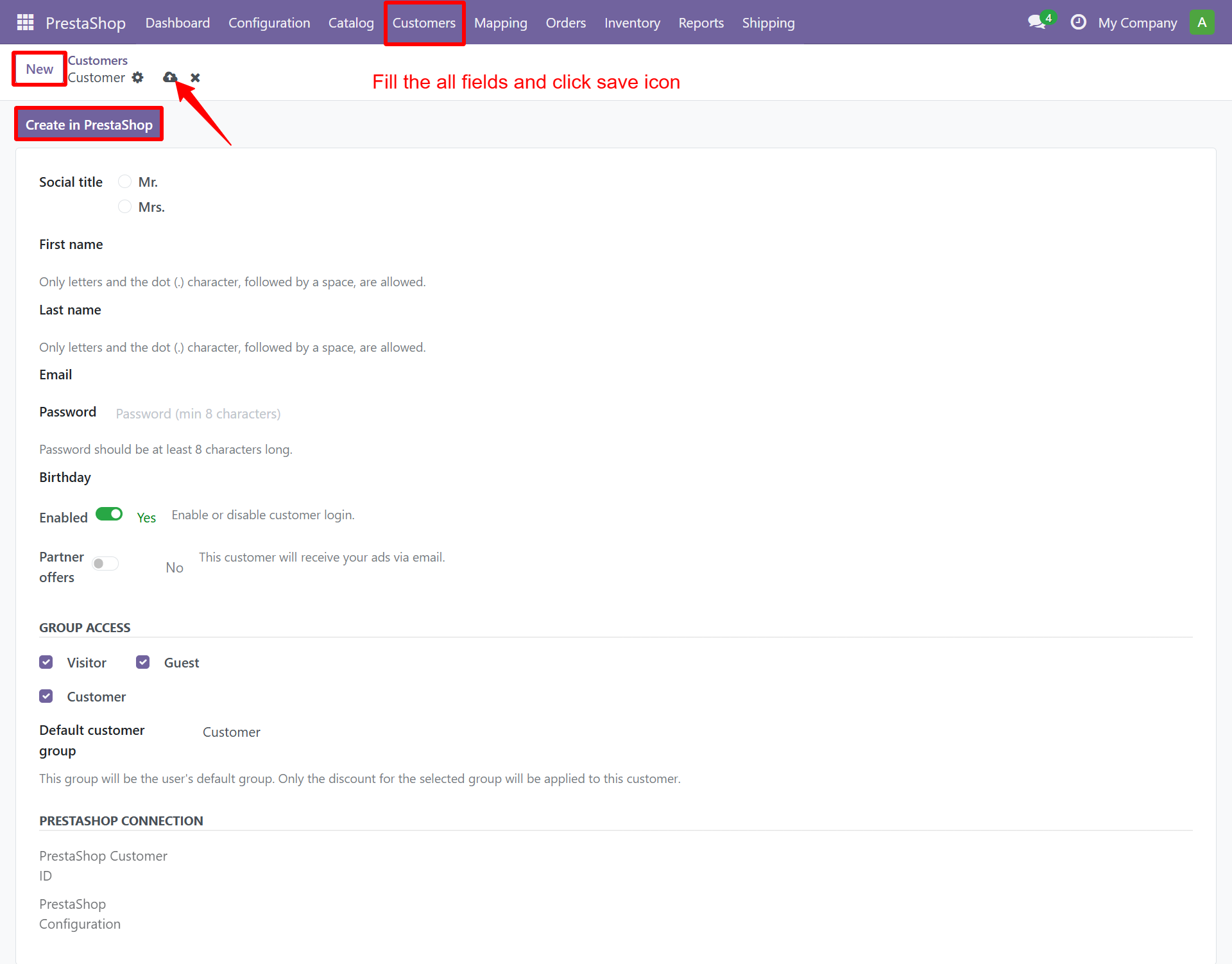
| Field | Description |
|---|---|
| Social ID | Title (Mr., Mrs., Ms.) |
| First Name / Last Name | Customer name |
| Customer email address | |
| Password | Account password |
| Birthday | Date of birth |
| Newsletter | Newsletter subscription toggle |
| Partner Offers | Third-party offers toggle |
| Group Access | Visitor, Guest, Customer roles |
| Default Group | Primary customer group |
| PrestaShop Connection | Customer ID mapping |
Updating a Customer
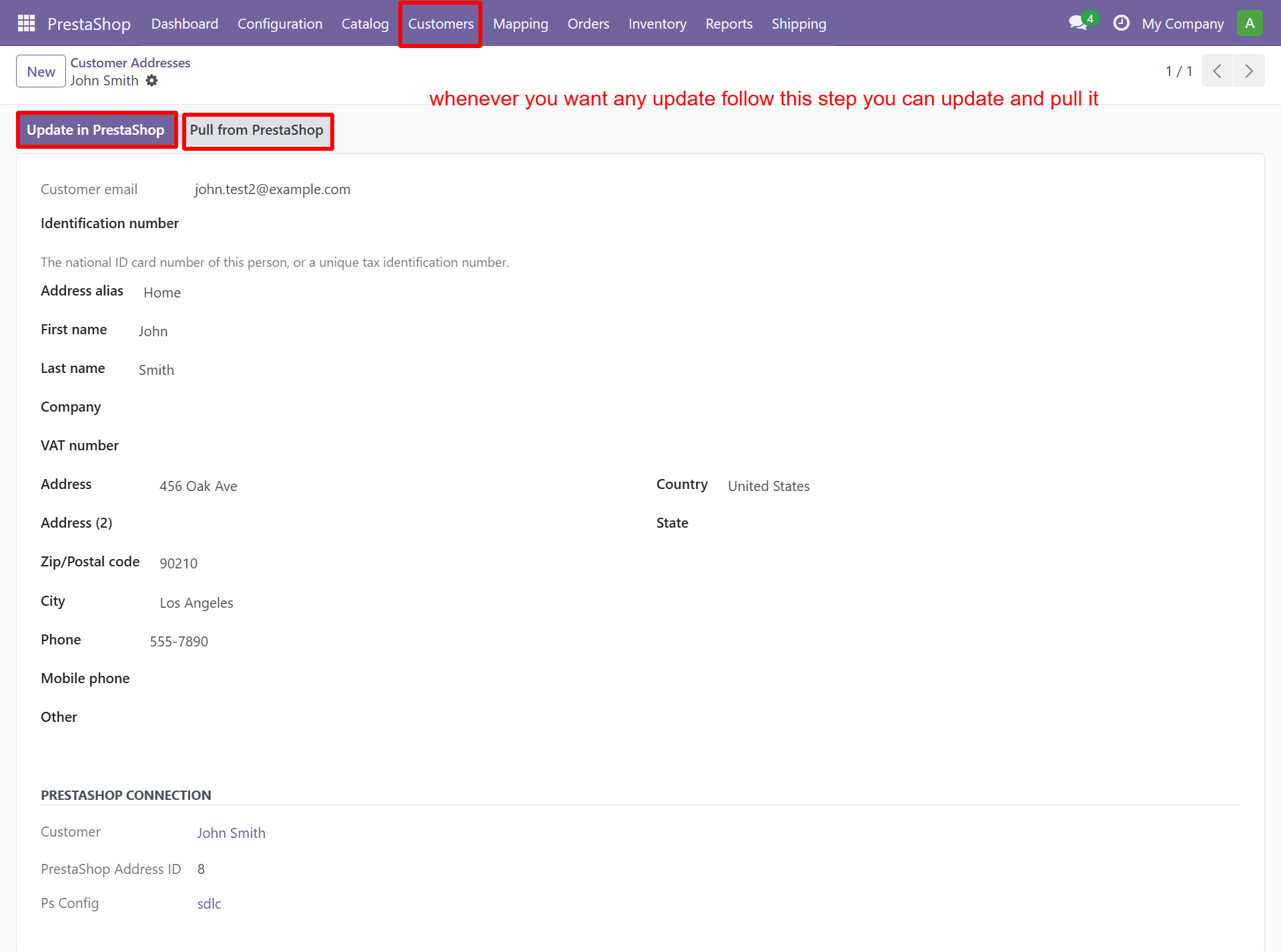
Edit any field and click save. Use the push/pull buttons for bidirectional sync:
Customer Addresses
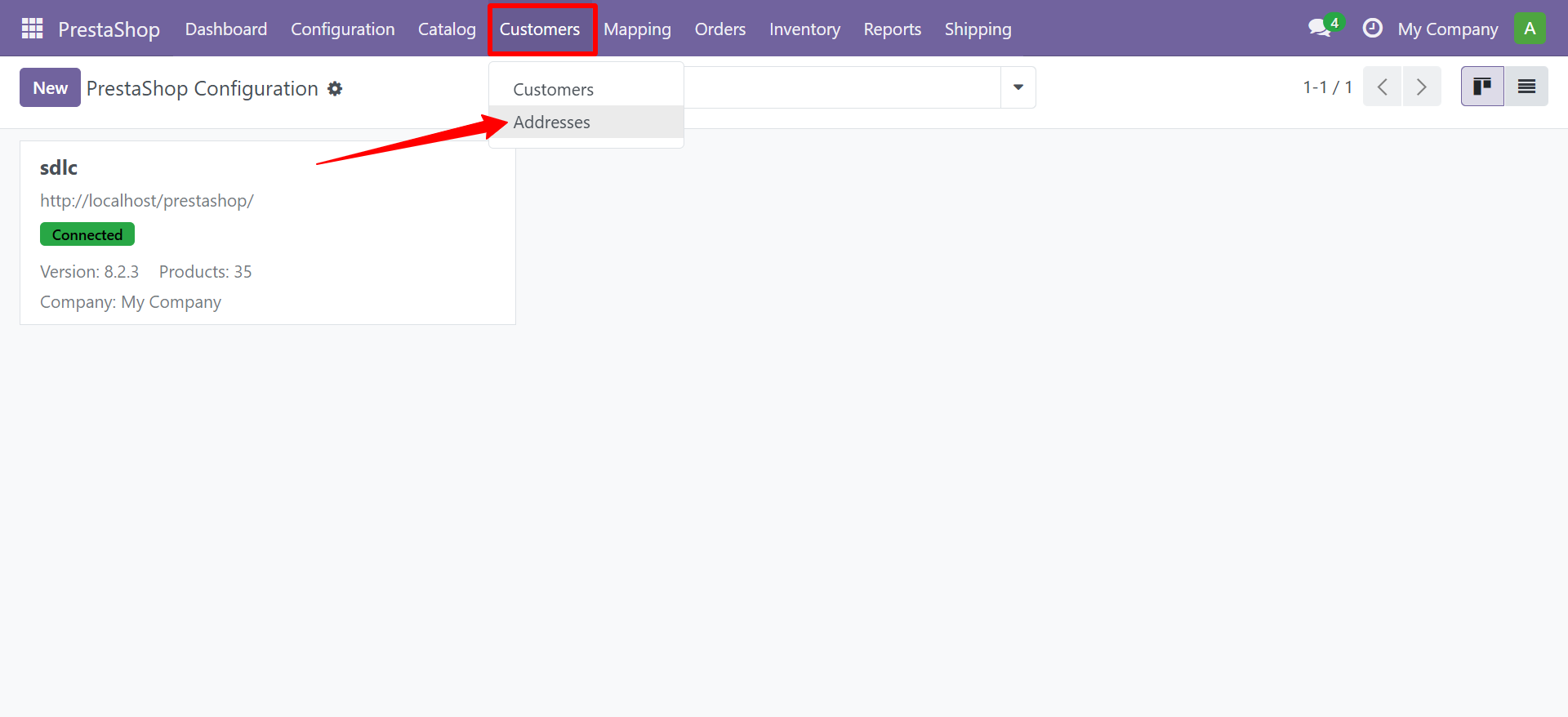
Navigate to PrestaShop > Customers > Addresses.
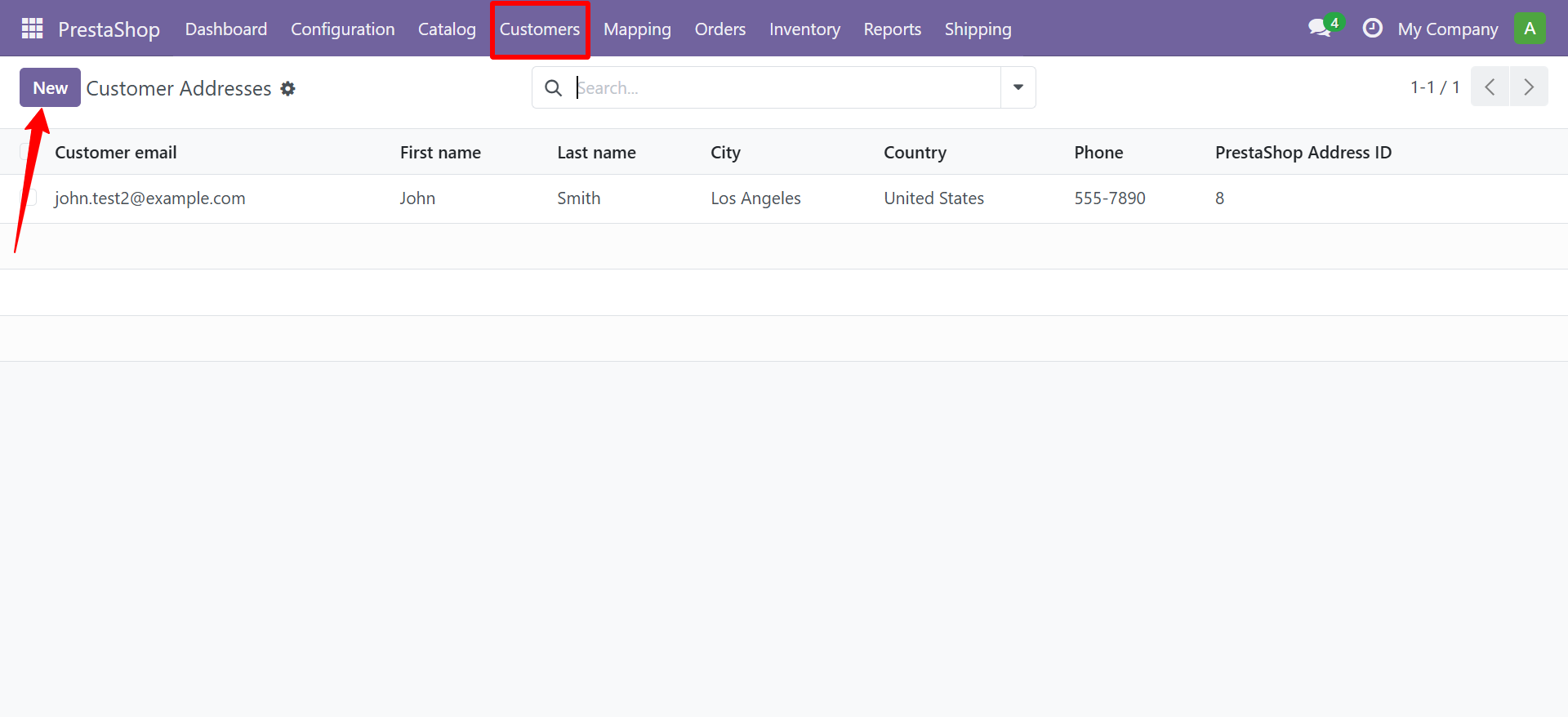
Creating an Address
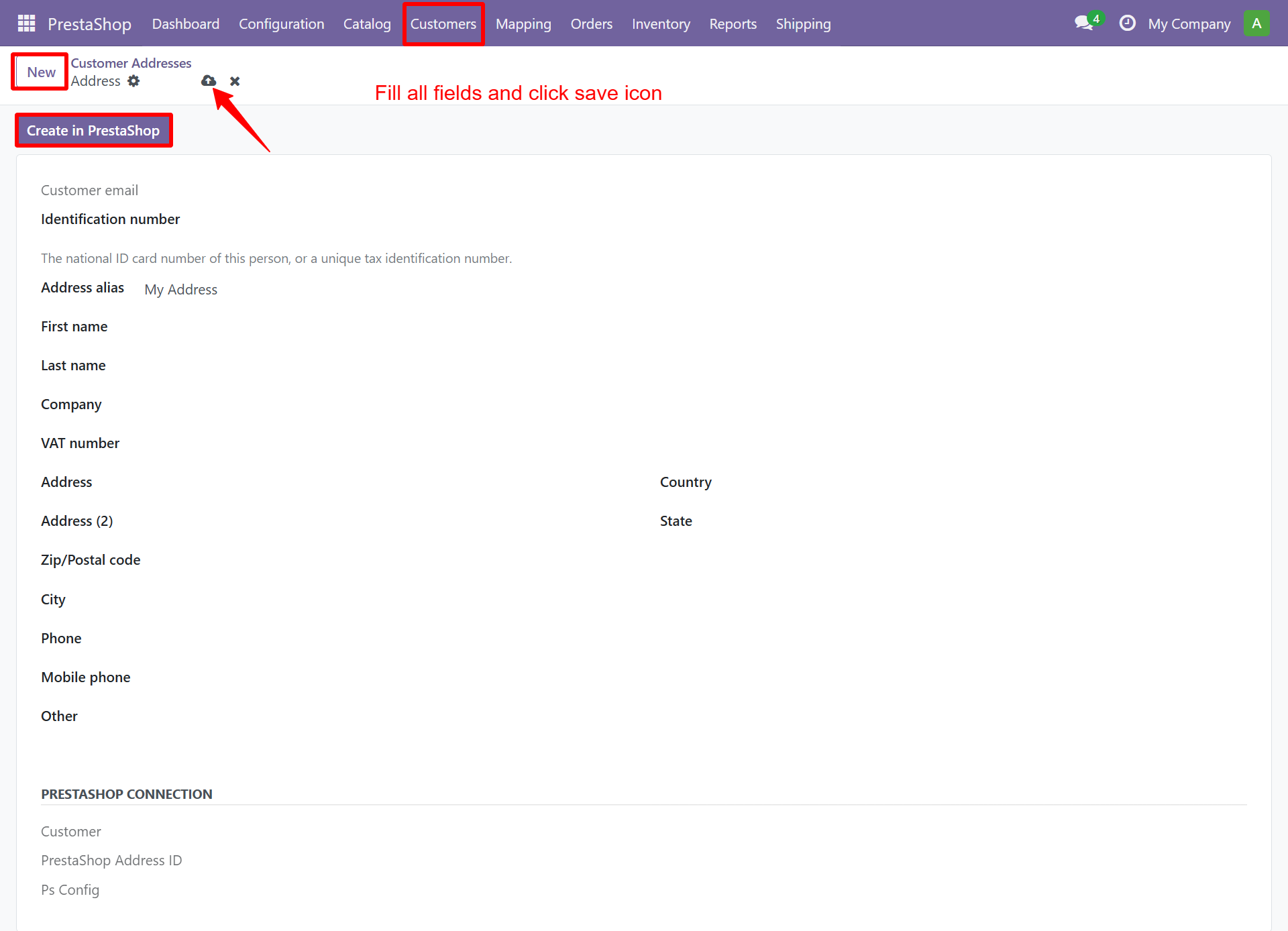
| Field | Description |
|---|---|
| Address Alias | Friendly name (e.g. "My Address") |
| First / Last Name | Contact name for this address |
| Company | Company name |
| VAT Number | Tax identification number |
| Address / Address 2 | Street address lines |
| Zip / City | Postal code and city |
| Country / State | Location |
| Phone / Mobile | Contact numbers |
tip
Each customer can have multiple addresses (billing, shipping, etc.). All addresses sync bidirectionally.
Need Help?
Contact SDLC Corp at sdlccorp.com/contact-us