PrestaShop Connector — Sync Reports & Logs
What to look for
The Sync Reports page is your audit trail for every record the connector has moved. Use it to:
- Confirm an expected sync actually ran (sometimes a cron job is disabled silently).
- Spot records that failed — they're highlighted with the underlying error.
- Re-run individual failures without touching the records that worked.
If failures are recurring on the same kind of record, the root cause is almost always a field mapping mismatch — see Field Mapping.
Overview
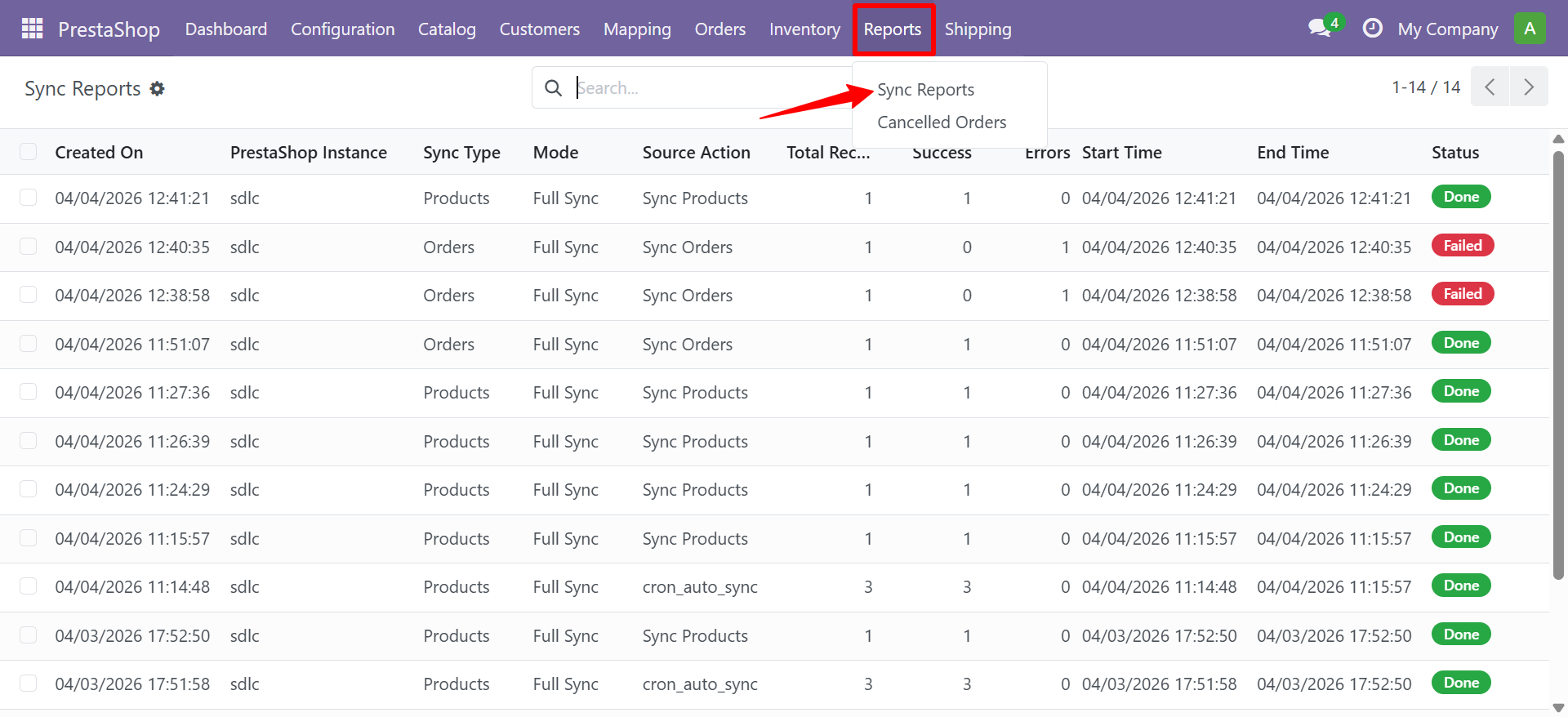
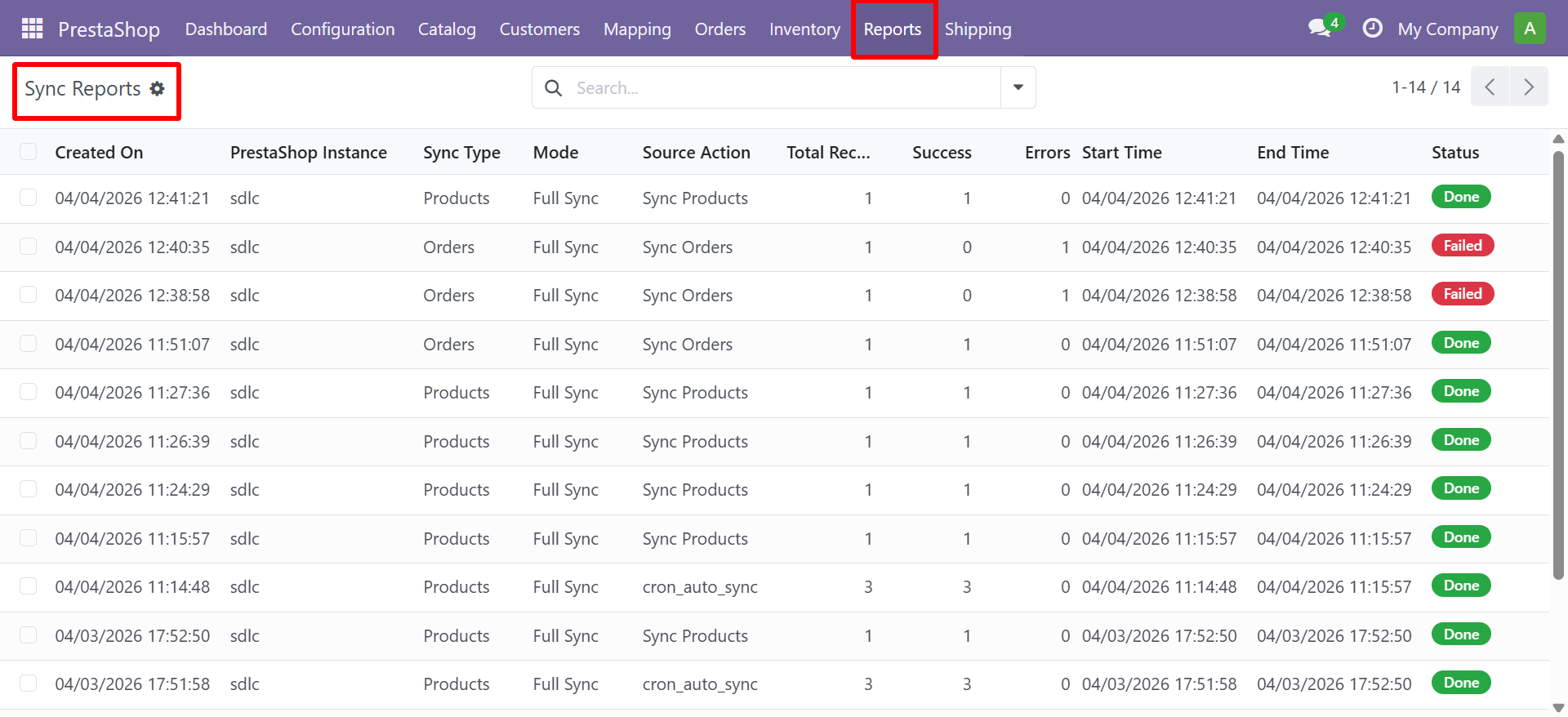
Sync reports are the audit trail for every record the connector has moved between PrestaShop and Odoo. Use this page to confirm a sync ran successfully, find the records that failed, and re-run the failures without touching the ones that worked. Navigate to PrestaShop > Reports > Sync Reports.
Every sync operation generates a report with:
- Instance name, Sync Type, Mode (Pull/Push/Sync)
- Source Action (manual button, cron, auto_sync)
- Start Time, End Time
- Total Records, Success Count, Error Count
- Status: Running (blue) / Done (green) / Failed (red)
- Individual log entries with level (Success/Error/Info) and message
Using Sync Reports
Use sync reports to:
- Track which records synced successfully
- Identify and troubleshoot errors
- Monitor sync frequency and performance
- Verify auto sync cron is running as expected
Need Help?
Contact SDLC Corp at sdlccorp.com/contact-us