SDLC Project Costing
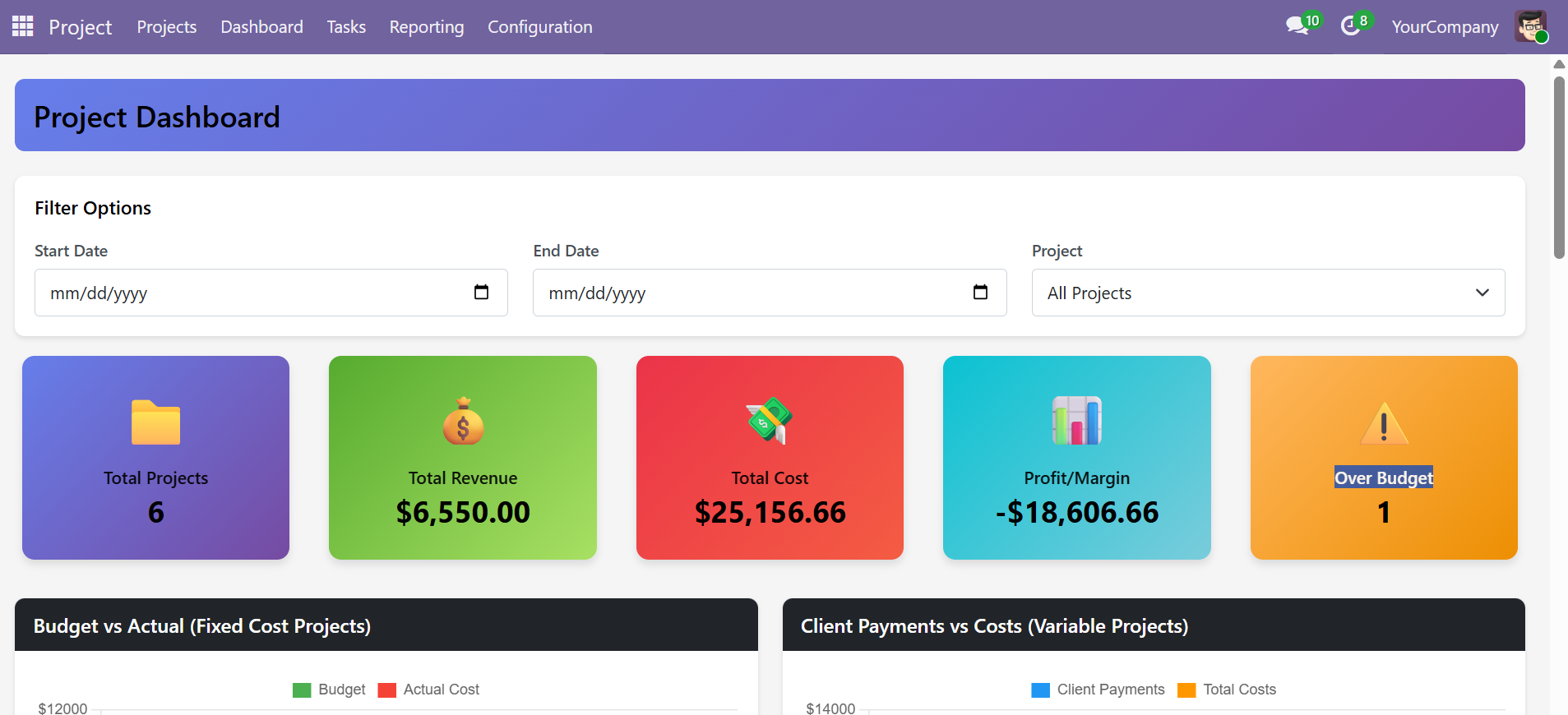
A comprehensive project financial management module for Odoo that enables businesses to track, analyze, and control project costs with precision. Manage budgets for fixed-cost projects, record client payments for variable-cost engagements, track labor costs through timesheets, log extra expenses, and monitor profitability through an interactive financial dashboard -- all within your existing Odoo Project workflow.
Key Features
| Feature | Description |
|---|---|
| Project Types | Classify projects as Fixed Cost or Variable Cost to drive different financial workflows |
| Budget Management | Define and track approved budgets per project with automatic over-budget alerts |
| Extra Costs | Log miscellaneous project expenses (software, travel, subcontractors) with date, description, and amount |
| Client Payments | Record installment or milestone payments from clients for variable cost projects |
| Timesheet Costing | Auto-calculate labor costs based on employee hourly rates and hours logged on timesheets |
| Financial Dashboard | Interactive KPI cards, bar charts, cost/revenue breakdowns, and detailed budget tables |
| Security & Access | Dedicated Project Finance Management security group with granular access control |
Supported Versions
| Platform | Version |
|---|---|
| Odoo | 17.0, 18.0, 19.0 |
| Module Version | 17.0, 18.0, 19.0 |
| License | LGPL-3 |
| Author | SDLC Corp |
| Technical Name | project_costing |
Quick Start
- Install the module -- Download and install
project_costingfrom the Odoo Apps menu - Set Project Types -- Open each project and select Fixed Cost or Variable Cost
- Enter Budgets -- For fixed-cost projects, set the approved Project Budget
- Configure Employee Costs -- Ensure each employee has an Hourly Cost in their HR Settings
- Explore the Dashboard -- Navigate to Project > Dashboard to view your financial overview
Documentation Guide
- Installation & Setup -- Prerequisites, installation steps, and initial configuration
- Cost Tracking & Management -- Extra costs, client payments, and timesheet costing
- Reports & Analysis -- Dashboard, KPI cards, charts, and budget details
- FAQ & Troubleshooting -- Common questions, troubleshooting, and support
Need Help?
Contact SDLC Corp at sdlccorp.com/contact-us or email sales@sdlccorp.com