Import Cancel Orders
Why this matters
When a Shopify order is cancelled — by the customer, by the merchant, or by Shopify's automated fraud filter — the matching Odoo sale order needs to follow suit. Otherwise it sits "open" forever, distorting sales reports, confusing the fulfilment team, and (if invoicing is configured) potentially generating an invoice for a transaction that never happened.
This sync is one-way: cancellations from Shopify land in Odoo. To cancel from the Odoo side and push it to Shopify, use Cancel Shopify Order.
Overview
If a customer cancels an order in Shopify (or the Shopify Fraud Filter cancels one for you), this action mirrors that cancellation in Odoo. Without it, the order stays "open" in Odoo's sales pipeline forever, distorting reports and confusing fulfilment.
Sync cancelled orders from Shopify to Odoo.
Steps
- Navigate to Shopify → Orders → Import Cancel Orders
- Select your Shopify Instance
- Click Import
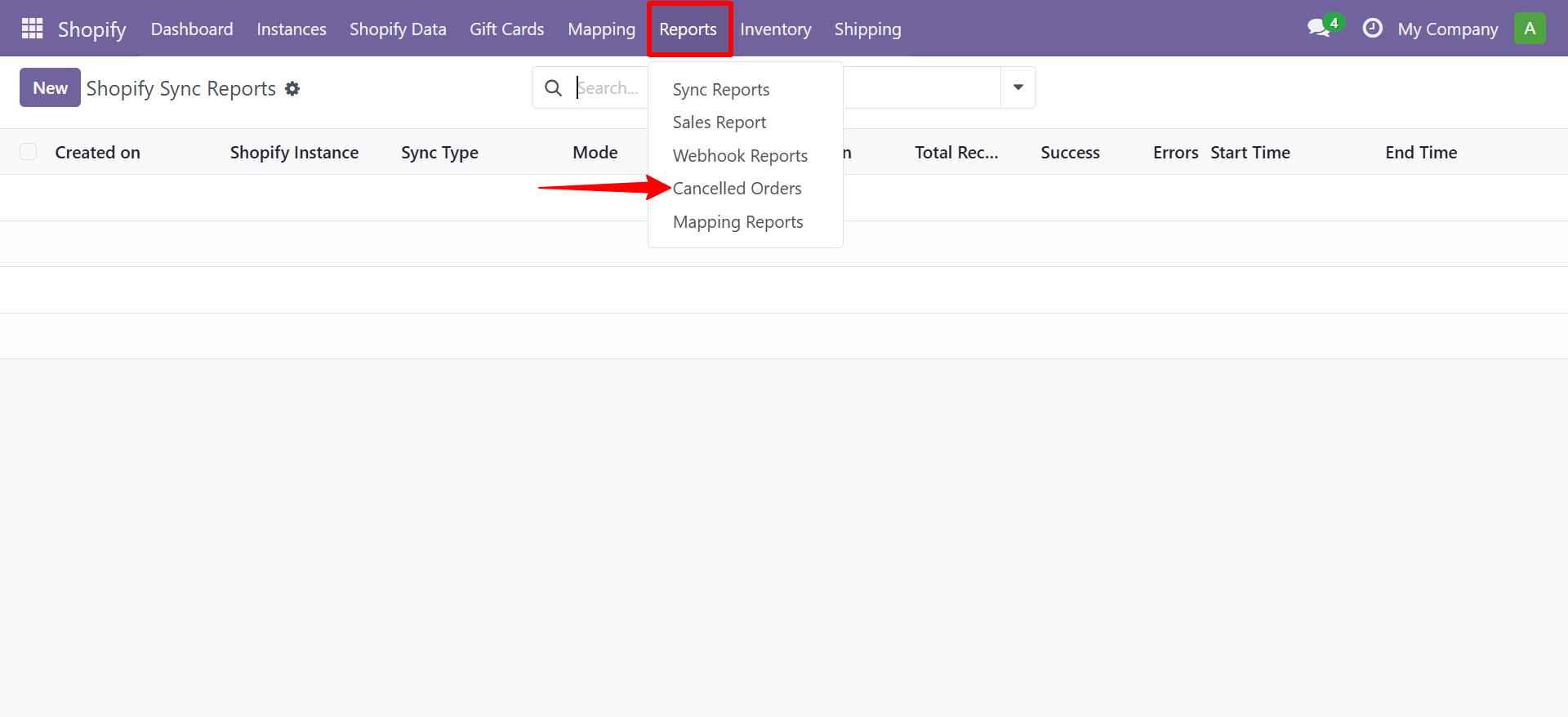
You can view cancelled order reports by navigating to Shopify → Reports → Cancelled Orders.
Contact SDLC Corp at sdlccorp.com/contact-us or email sales@sdlccorp.com
Related
- Cancel Shopify Order — the opposite direction (Odoo → Shopify).
- Auto-Scheduler — keep cancellation sync running on a schedule.
- Webhooks — push cancellations in real-time instead of polling.