Map Products
When manual mapping helps
Manual mapping pairs an existing Odoo product with an existing Shopify product so future syncs treat them as one. Typical cases:
- The same SKU exists in both systems but got created independently.
- A merge after a data-migration project where both sides have stale data.
- Fixing a one-off mismatch without re-running a full import.
Overview
Sometimes the same product exists in both Shopify and Odoo but the connector hasn't paired them — usually because the SKU differs or one side was created manually before the other. Manual mapping pairs them up by ID so future syncs treat them as the same product.
Link existing Odoo products to their Shopify equivalents without re-importing.
Mapping Steps
- Navigate to Shopify → Mapping → Product Mapping
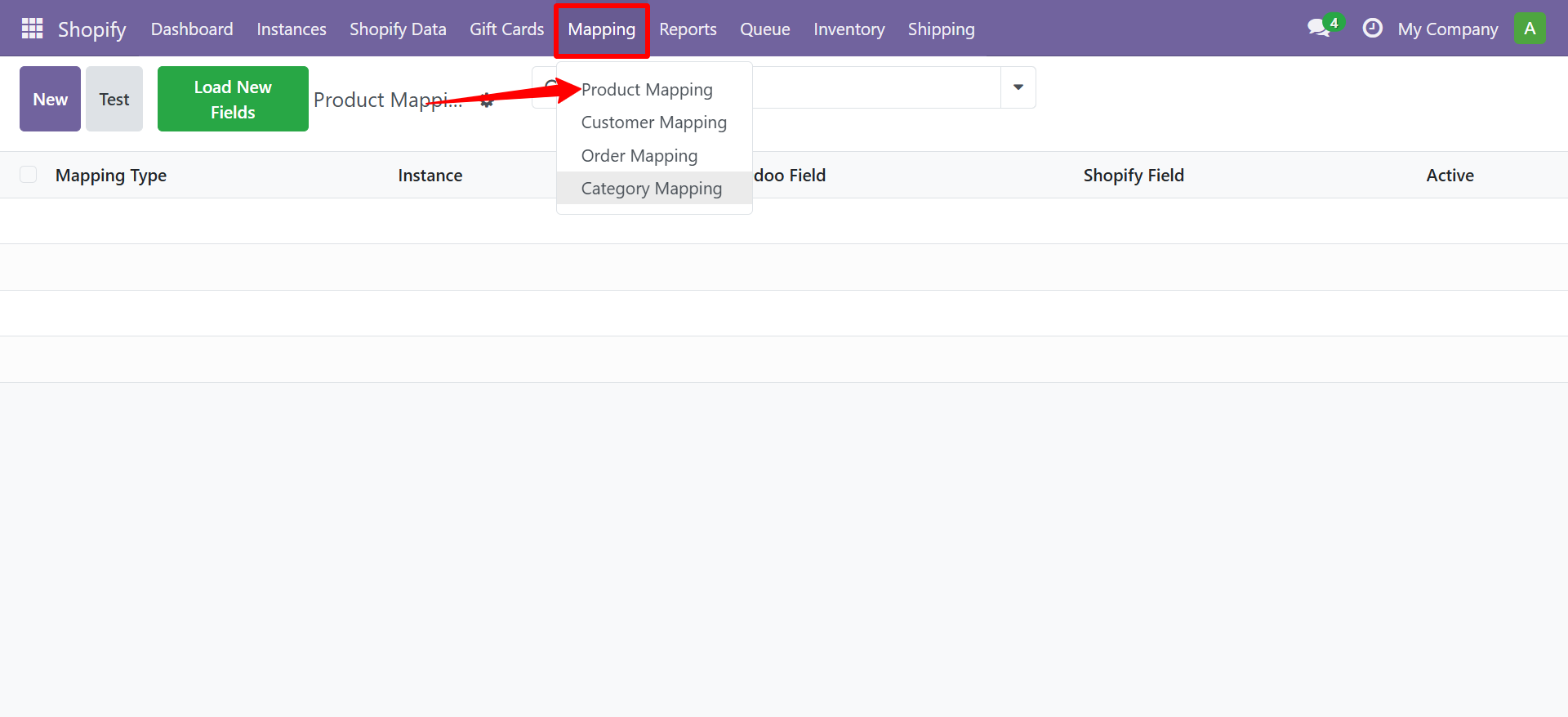
- The Product Mapping list view shows all existing field mappings.
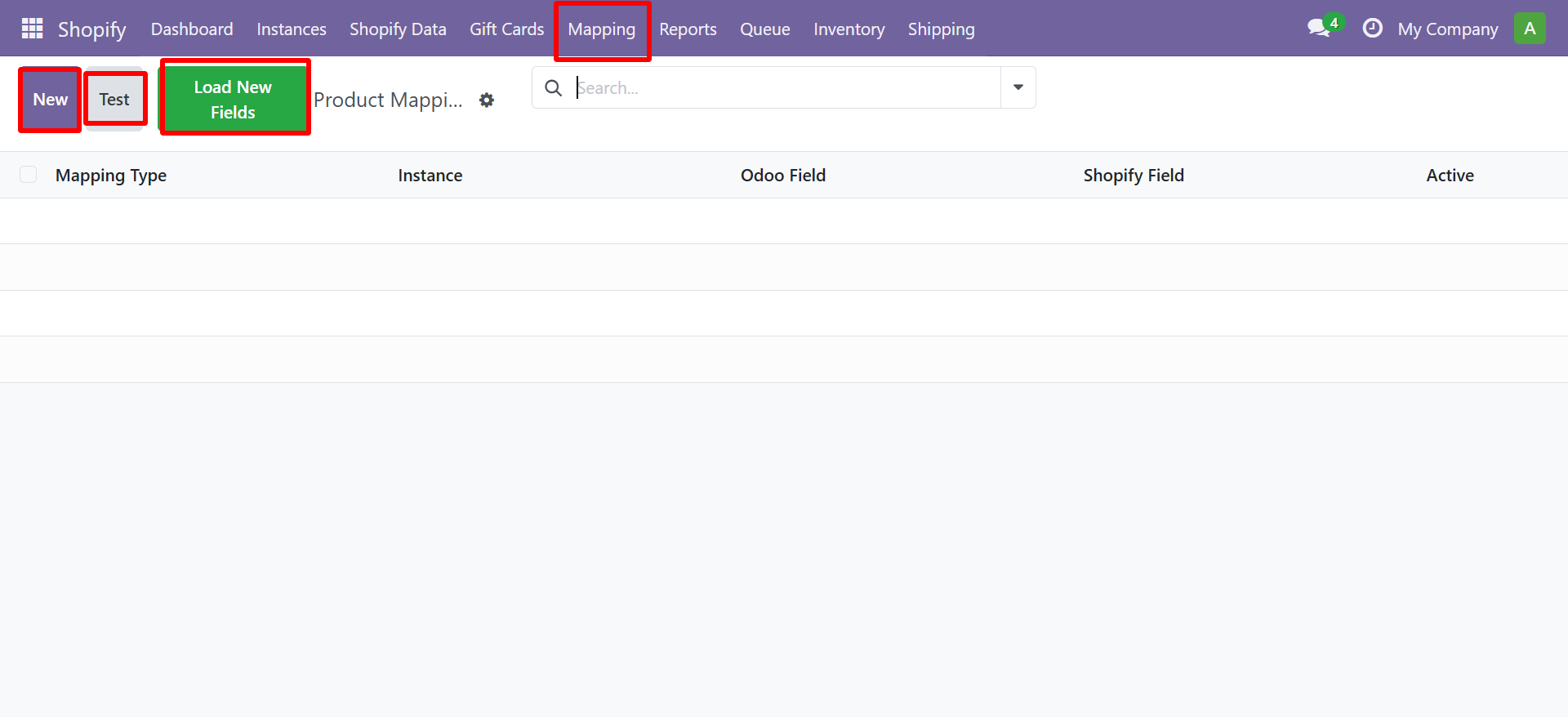
- Click New to create a new mapping. Select the fields and click Test to verify.
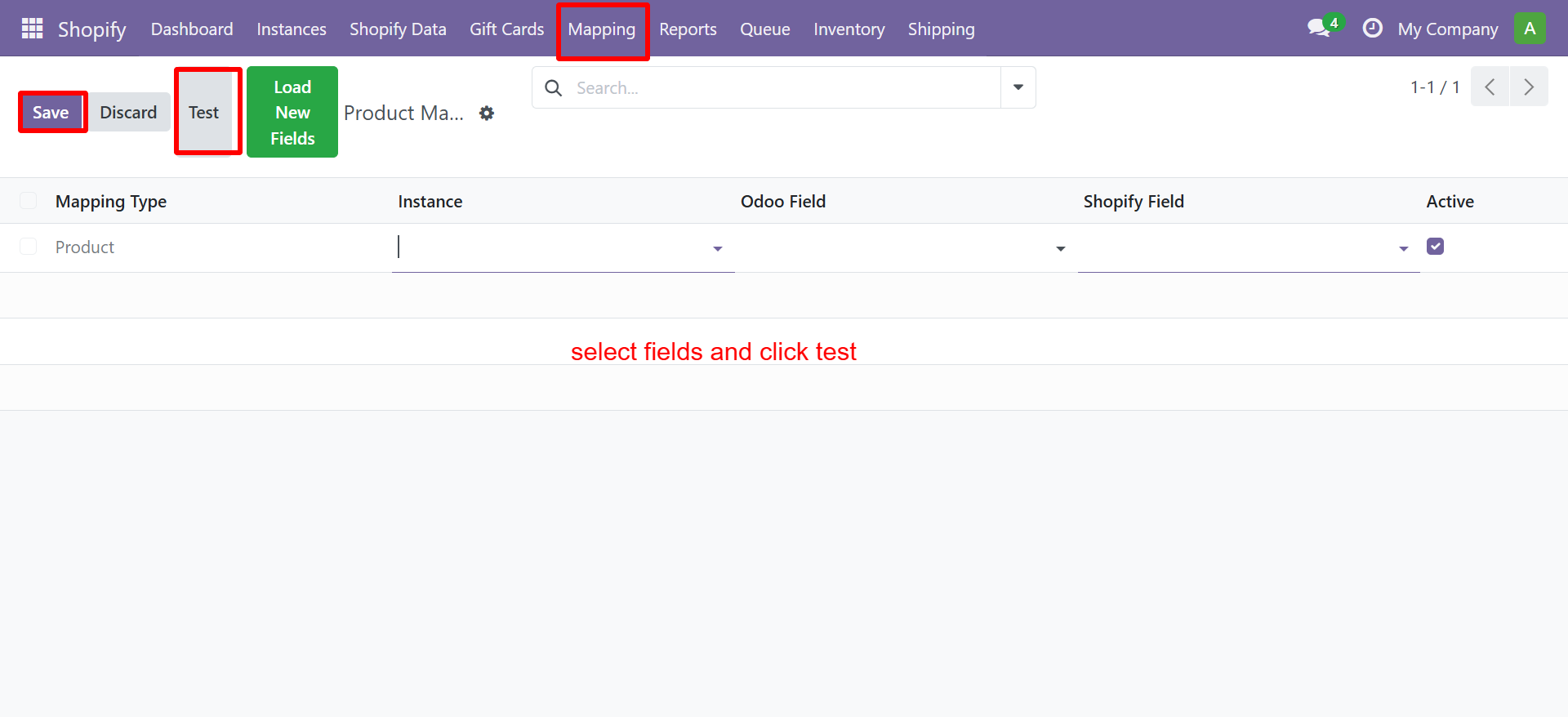
- Select the Odoo Product
- Enter the Shopify Product ID
- Enter the Shopify Variant ID (if applicable)
- Save
Need Help?
Contact SDLC Corp at sdlccorp.com/contact-us or email sales@sdlccorp.com