Update Products in Shopify
Which fields get pushed
By default the connector pushes the full set of mapped product fields back to Shopify — name, description, attributes, images, pricing. Narrow what gets pushed under Product Configuration.
Overview
Update is the Odoo-to-Shopify direction of the product sync. When you change a product in Odoo (price, name, image, description, etc.) and you want that change to land in Shopify, this is the action that does it.
By default the connector pushes the full set of mapped fields. You can narrow what gets pushed in Product Configuration.
Push product changes from Odoo back to Shopify.
Updating a Single Product
- Open the product in Odoo. The product form shows Create in Shopify and Update in Shopify buttons.
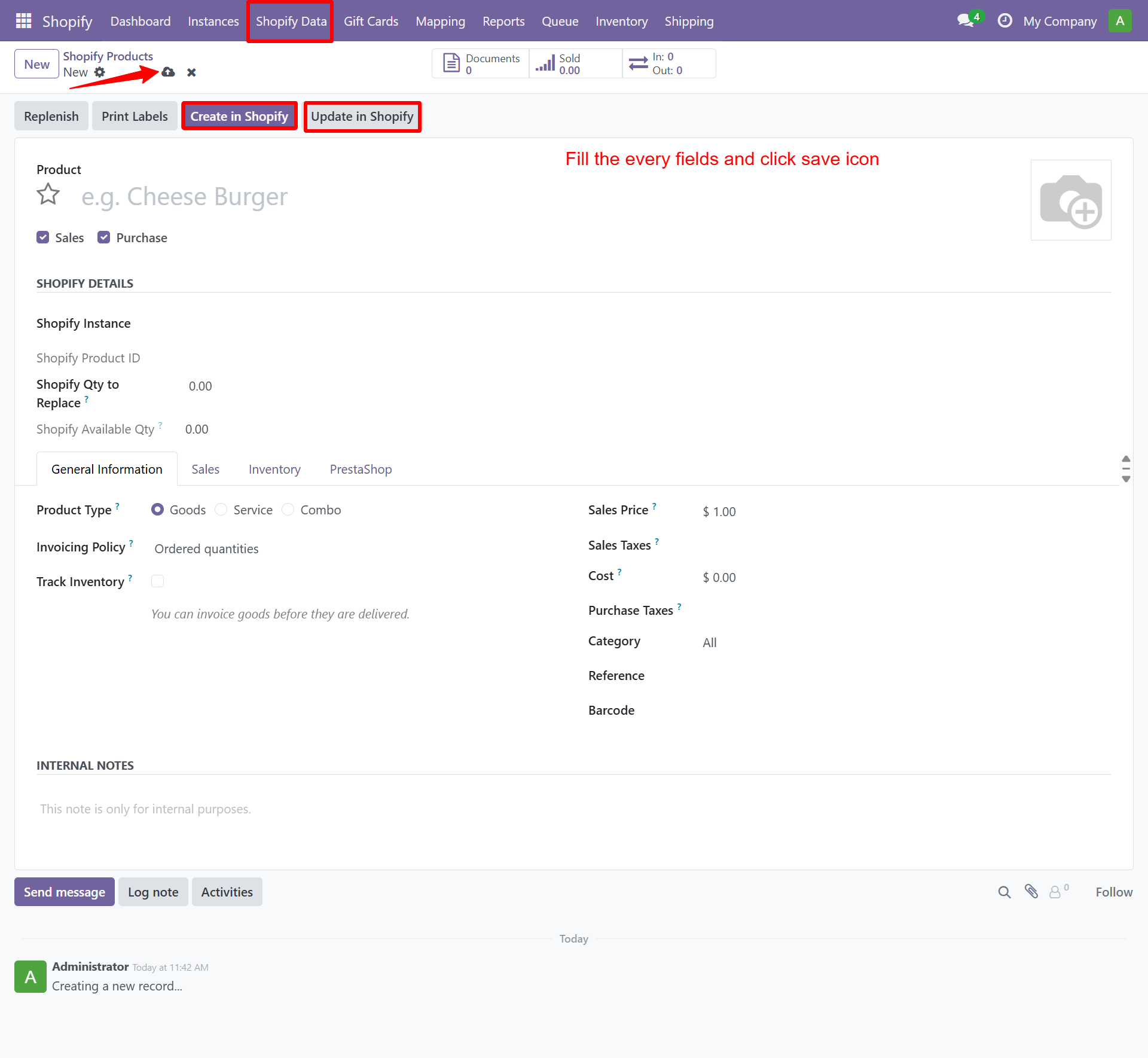
- Click Shopify → Update in Shopify
Bulk Update
- Navigate to Shopify → Products → Update Products
- Select your Shopify Instance
- Choose products to update (or select all)
- Click Update
Need Help?
Contact SDLC Corp at sdlccorp.com/contact-us or email sales@sdlccorp.com
Related
- Import Products — pull catalog from Shopify first.
- Product Configuration — narrow which fields get pushed.
- Auto-Scheduler — schedule automatic Odoo→Shopify product updates.