Configuration & Templates
Manage WhatsApp accounts, connection status, default settings, and message templates.
WhatsApp Settings
Go to Settings and find the WhatsApp Configuration section:
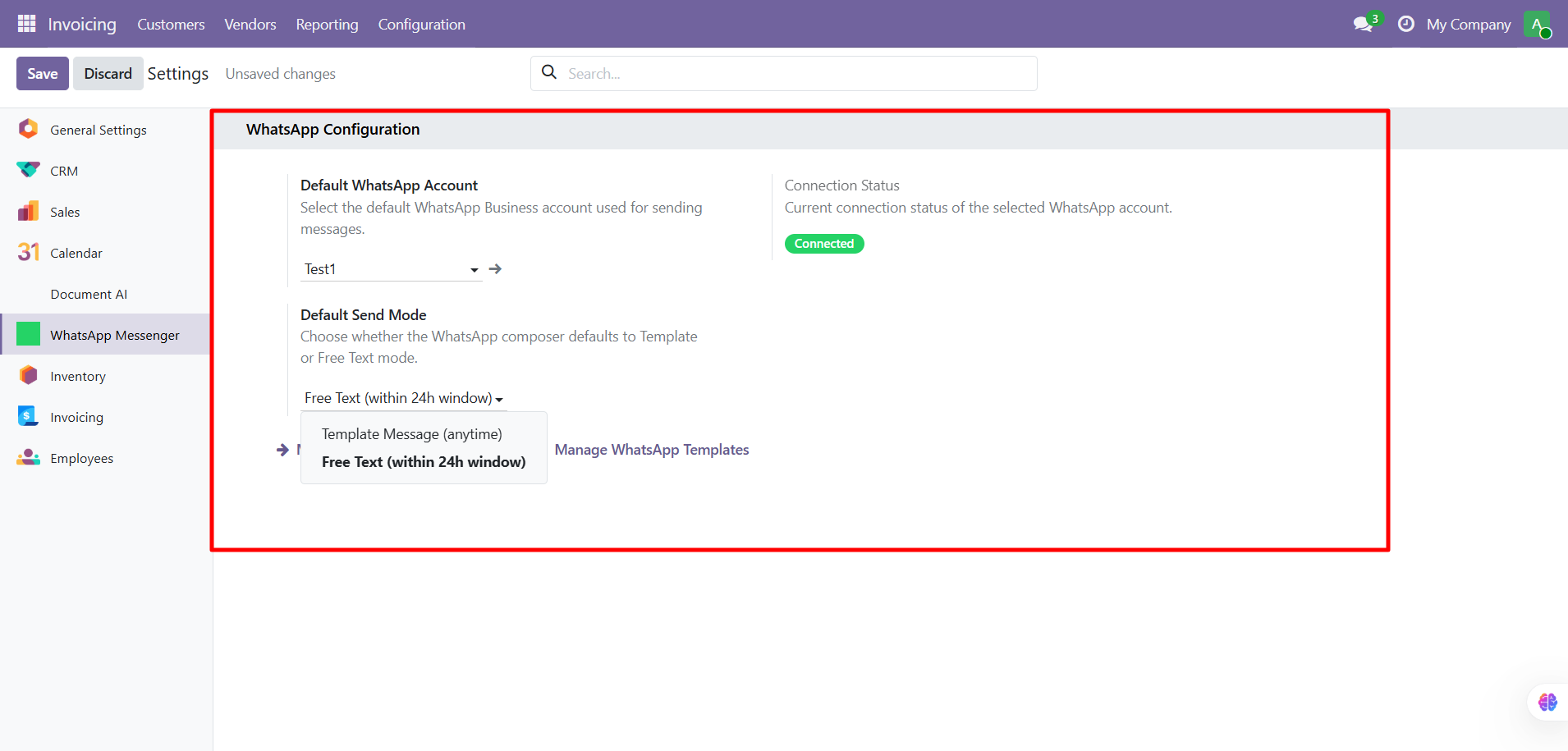
| Setting | Description |
|---|---|
| Default WhatsApp Account | The WhatsApp Business account used for sending |
| Connection Status | Shows "Connected" (green) or "Disconnected" |
| Default Send Mode | Template Message (anytime) or Free Text (24h window) |
Connection Status
Verify your account is connected by checking the status badge:
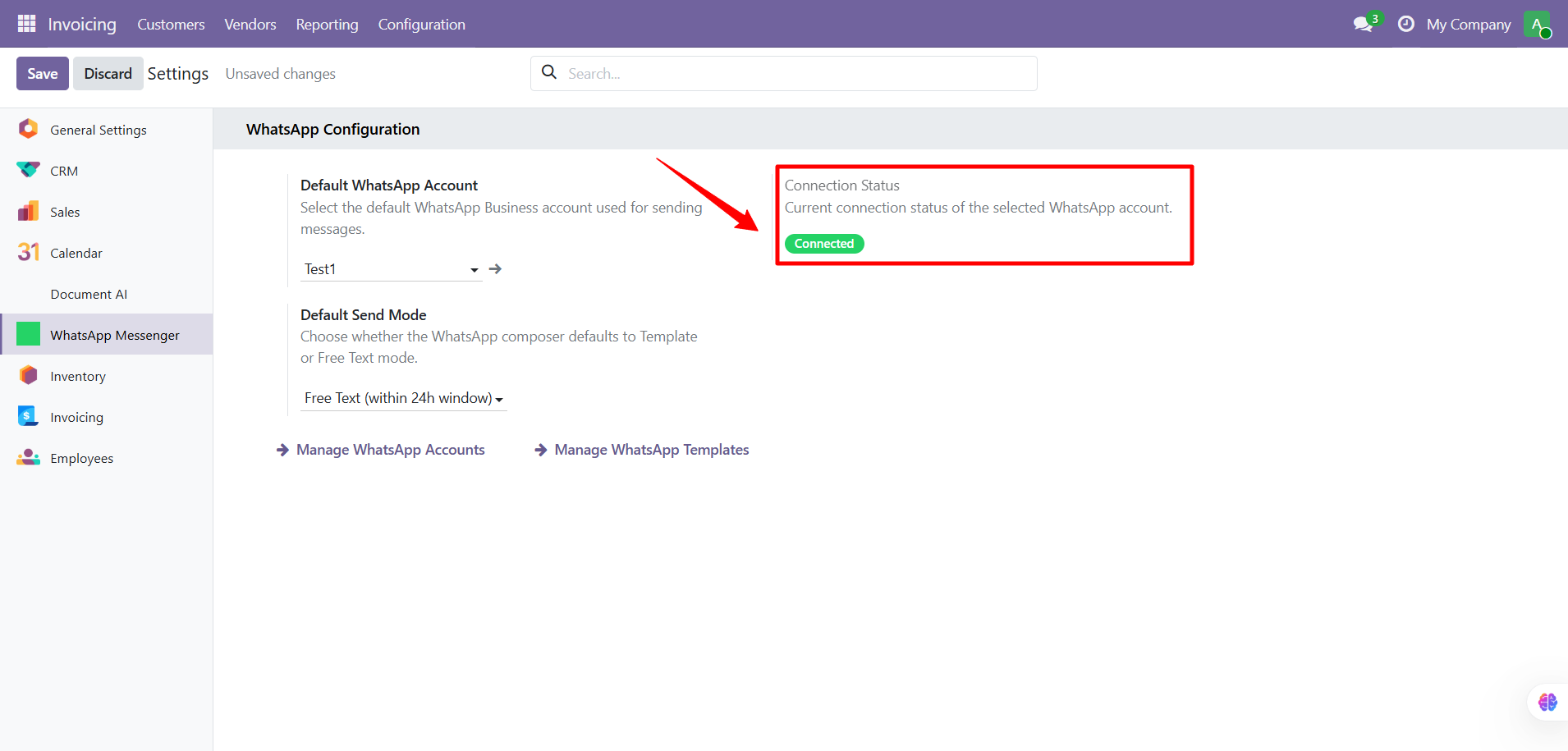
If disconnected, click Manage WhatsApp Accounts to reconnect.
Message Templates
Go to WhatsApp Messenger > Configuration > WhatsApp Templates:
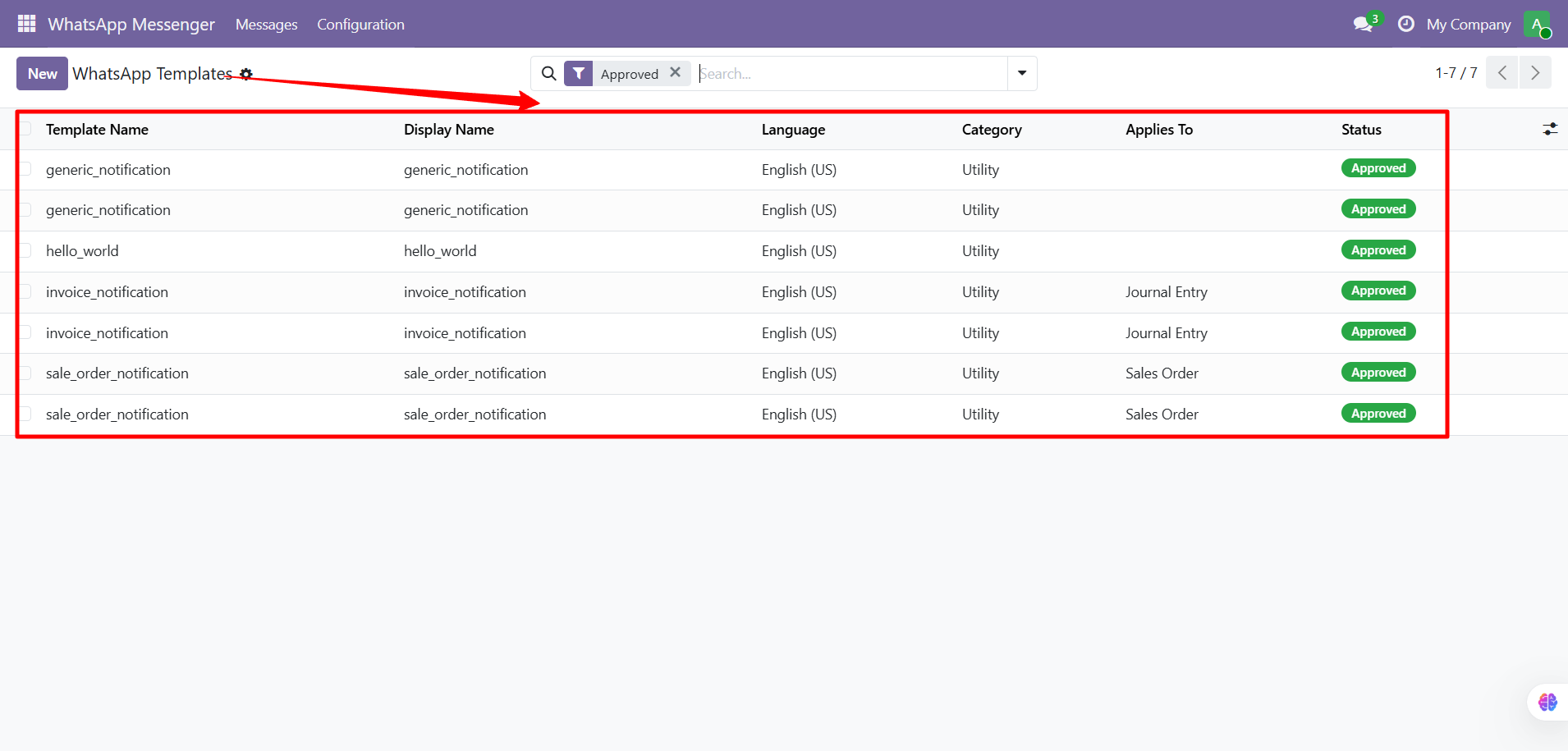
Templates have the following fields:
| Field | Description |
|---|---|
| Template Name | Internal technical name |
| Display Name | Human-readable name |
| Language | Message language |
| Category | Template category (utility, marketing, etc.) |
| Applies To | Odoo model (Sales Order, Journal Entry, etc.) |
| Status | Approval status (Approved, Pending, Rejected) |
tip
Templates must be approved by WhatsApp before they can be used for sending. Use the "Template Message" send mode for templates that need to work outside the 24-hour window.
Quick Reference
| Task | How To |
|---|---|
| Send from quotation | Sales > Orders > open order > Send WhatsApp |
| Send from invoice | Invoicing > Invoices > open invoice > Send WhatsApp |
| See all messages | WhatsApp Messenger > Messages |
| Retry failed message | Open failed message > Retry |
| View delivery status | WhatsApp Messenger > Messages > Status column |
| Change default account | Settings > WhatsApp Configuration |
| Manage templates | WhatsApp Messenger > Configuration > Templates |
Common Issues
| Problem | Solution |
|---|---|
| "Send WhatsApp" button not visible | Check user belongs to WhatsApp User group |
| Empty phone number | Add Mobile/Phone to contact with country code |
| No account configured | Settings > WhatsApp Configuration > set default account |
| Account not connected | Click Manage WhatsApp Accounts > reconnect |
| 24-hour window expired | Switch to Template Message mode |
| Template not found | Check WhatsApp Messenger > Configuration > Templates |
| Status stuck on "Sent" | Webhook not configured: contact admin |
| PDF not attached | Ensure "Attach PDF Document" checkbox is enabled in composer |
Need Help?
Contact SDLC Corp at sdlccorp.com/contact-us or email sales@sdlccorp.com