Send WhatsApp from an Invoice
Identical to the Sale Order flow
The composer, the templates, the delivery tracking — everything works the same way as on a Sale Order. The only difference is the context the form is opened from: an invoice gives you the invoice number, amount due, and the invoice partner's phone number pre-filled instead of a quotation.
If you've already read Send from Sale Orders, the same steps apply here.
Overview
Sending WhatsApp from an invoice works the same way as sending from a Sale Order — same composer, same templates, same delivery tracking. The only difference is the context: the composer pre-fills with the invoice number, amount due, and the customer's phone from the invoice partner.
Refer to Send from Sale Orders for the full step-by-step.
The process is identical to sending from a Sale Order.
Steps
- Go to Invoicing > Customers > Invoices
- Open the invoice
- Click the Send WhatsApp button in the header
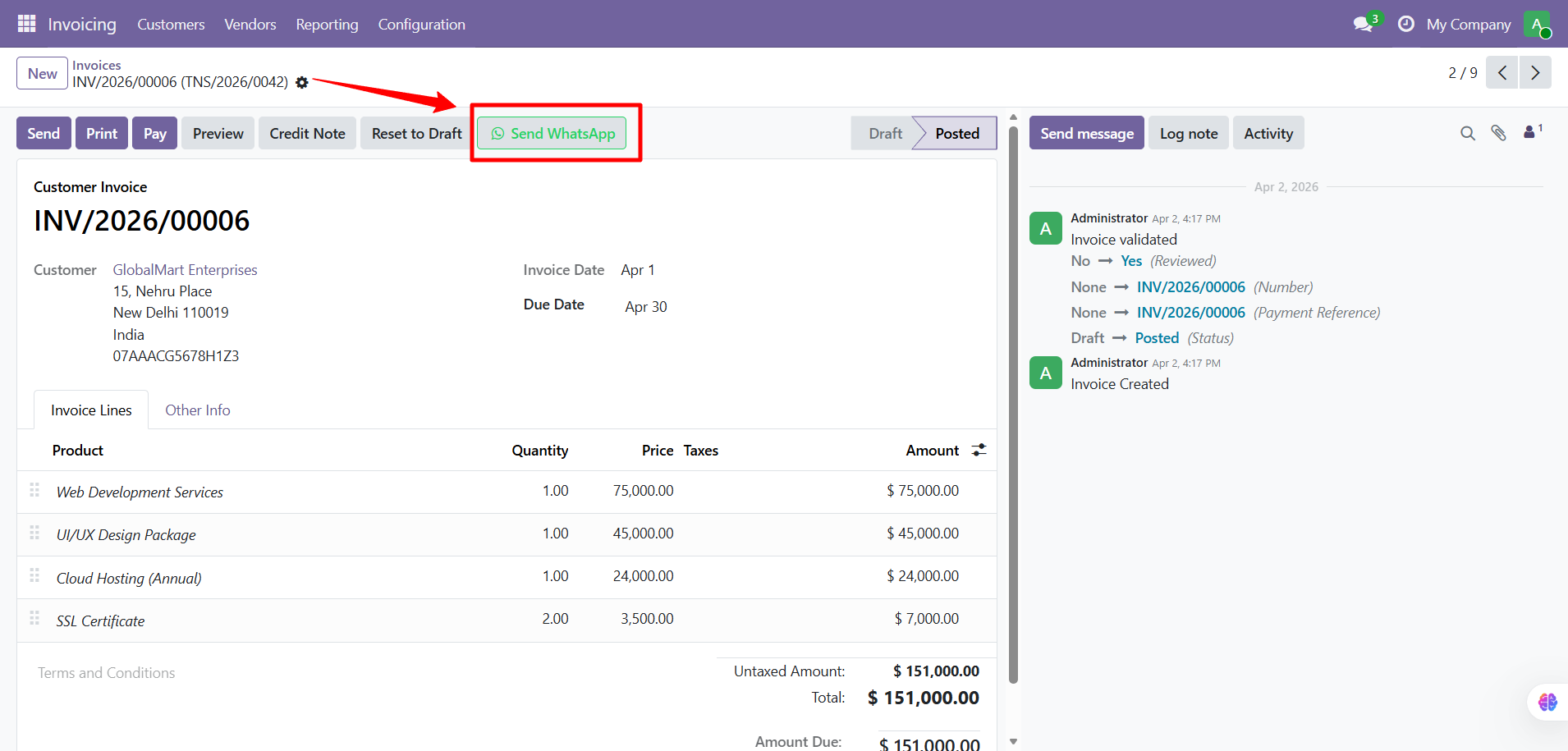
- The composer popup opens with invoice-specific template text
- Review the message, attachments, and preview tabs
- Click Send
The invoice PDF is automatically attached. The message is logged in the invoice's chatter.
The same composer popup, attachment options, and preview functionality work exactly as described in the Sale Orders guide.
Contact SDLC Corp at sdlccorp.com/contact-us or email sales@sdlccorp.com