Odoo AI Assistant - Getting Started
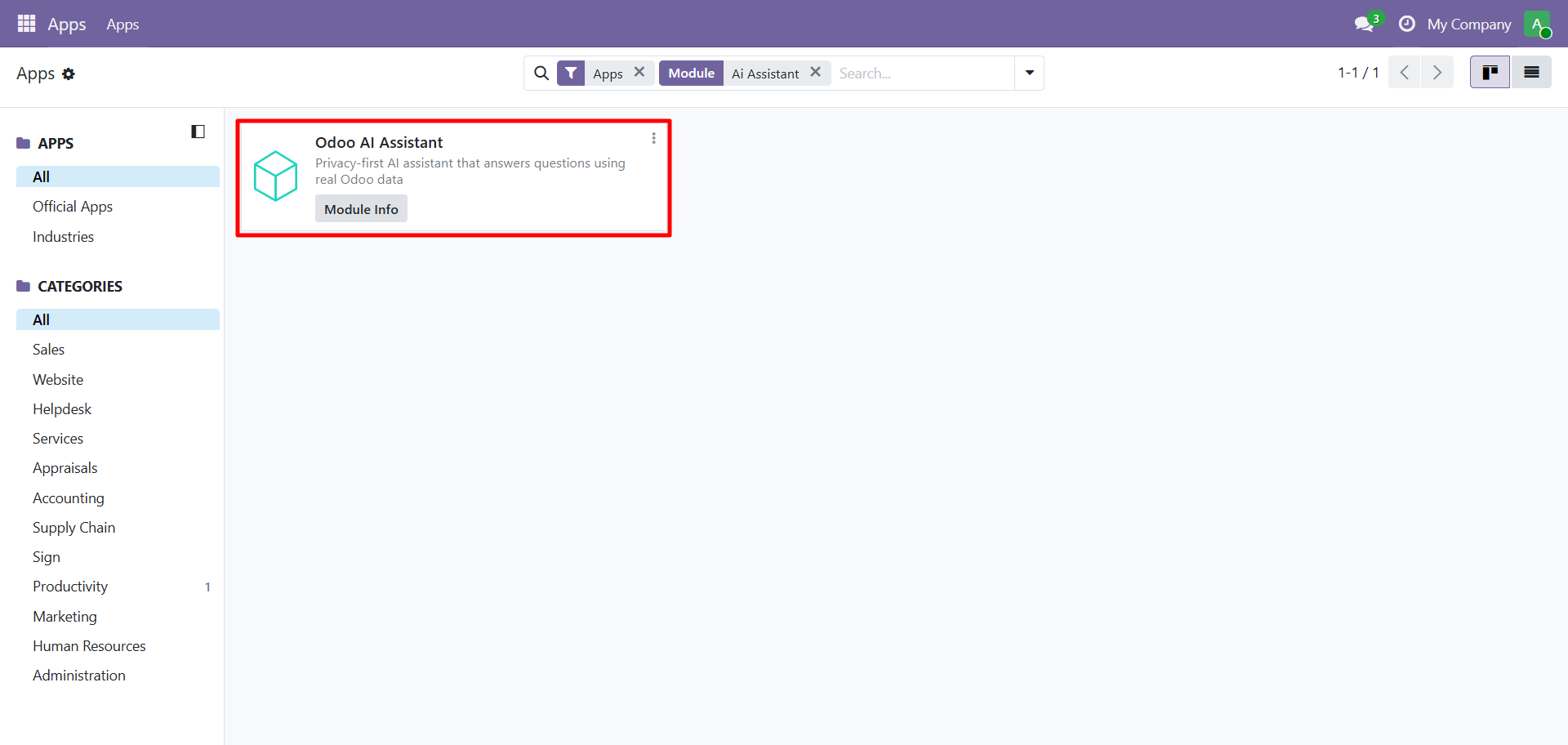
Step 1: Install the Module
Go to Apps, search for "AI Assistant", and click Install:
Step 2: Open AI Assistant
Click AI Assistant in the Odoo sidebar. You'll see the welcome screen with example prompts:
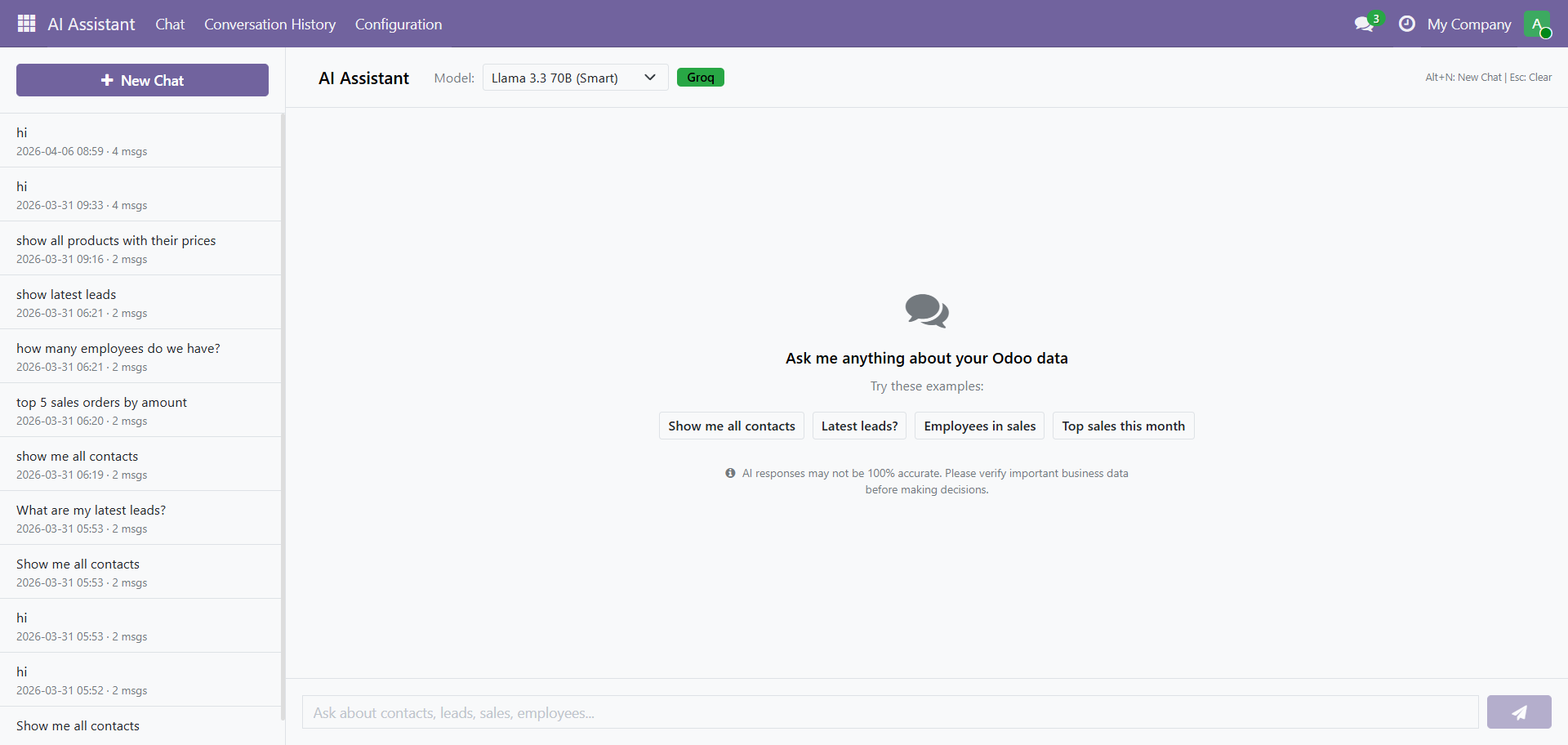
Try clicking any suggestion chip:
- "Show me all contacts"
- "Latest leads?"
- "Employees in sales"
- "Top sales this month"
Step 3: Select an AI Model
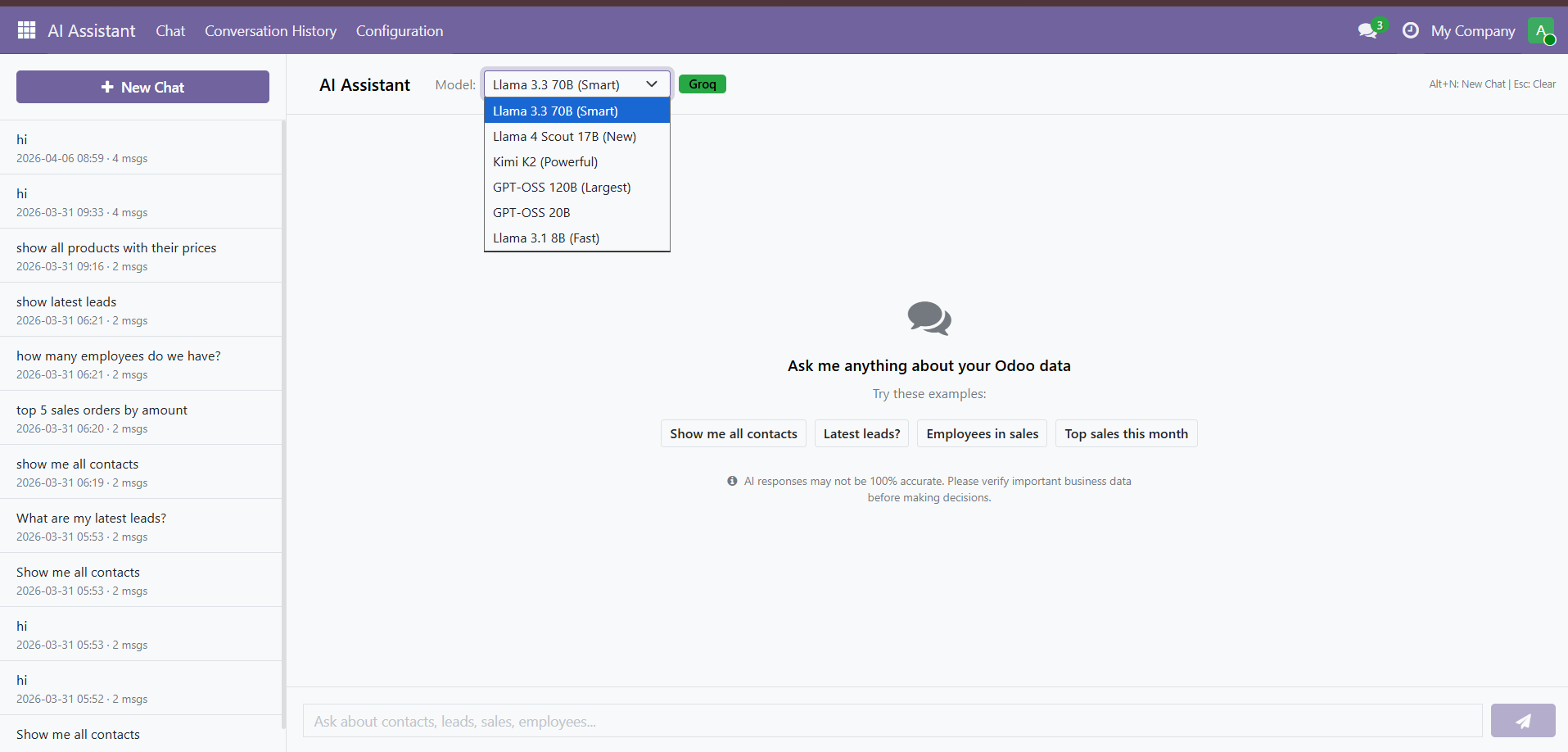
Choose your preferred AI model from the dropdown at the top:
| Model | Best For |
|---|---|
| Llama 3.3 70B (Smart) | Best accuracy. recommended for most queries |
| Llama 3.1 8B (Fast) | Fastest responses for simple questions |
| DeepSeek R1 (Deep) | Complex analytical queries |
| Kimi K2 (Powerful) | Advanced reasoning |
| GPT O3 128k (Largest) | Very large context queries |
| GPT O3 20B | Balanced performance |
Start with Llama 3.3 70B (Smart). it offers the best accuracy for business queries. You can switch models anytime without losing your conversation.
Step 4: Ask Your Question
Type your question in plain English and press Enter. The AI understands natural language including slang, abbreviations, and business terms.
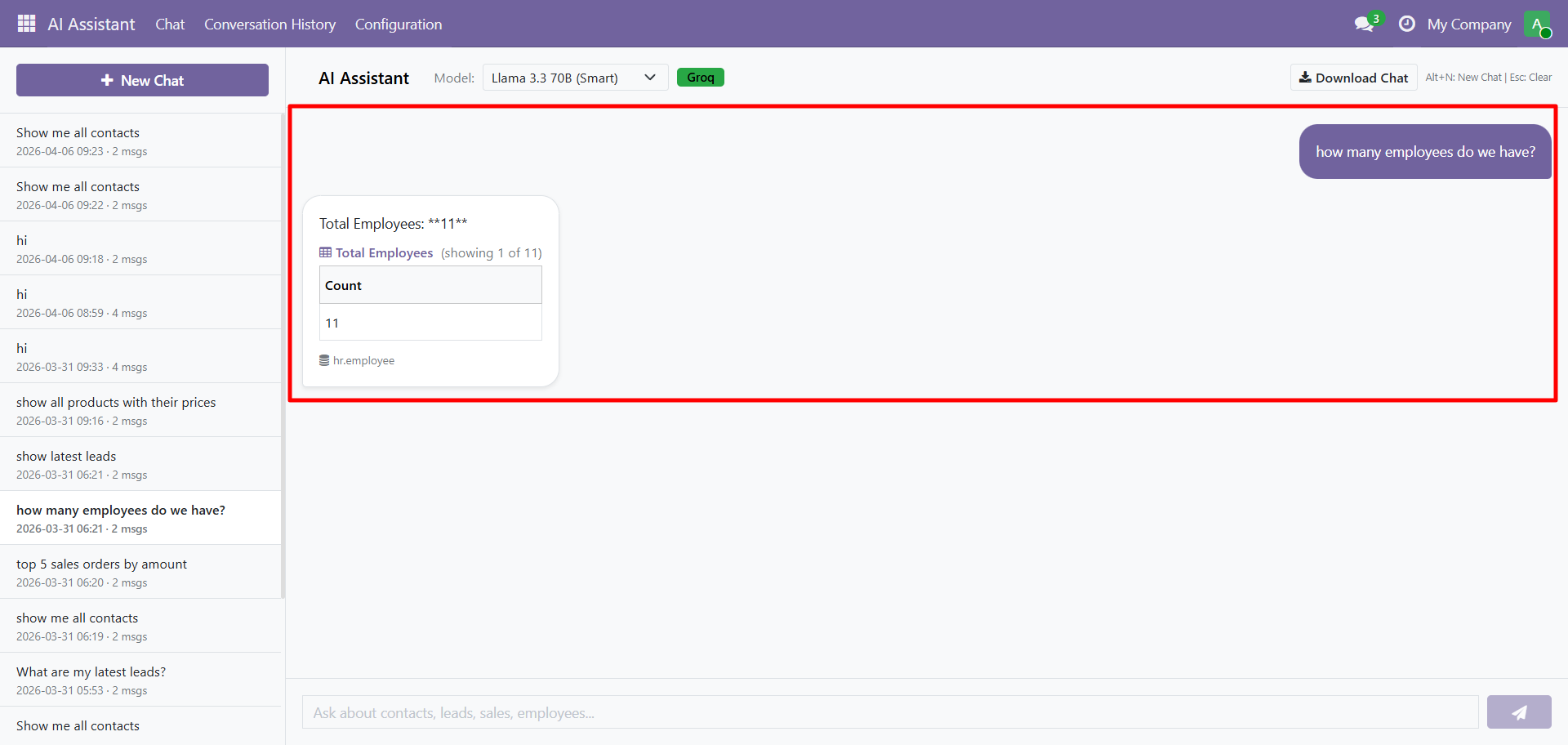
The AI returns:
- Formatted text answers for simple queries
- Tables for list-type data
- Charts for numerical summaries
- Export buttons for CSV/JSON download
Example Queries
Contacts & CRM:
- "Show me all contacts from India"
- "How many leads are in Won stage?"
- "What is the email of Mitchell Admin?"
Sales & Invoices:
- "What is the total sales amount?"
- "Which customer placed the highest order?"
- "List all unpaid invoices"
HR & Employees:
- "How many employees in each department?"
- "Who is the manager of Sales?"
Products & Inventory:
- "What is the most expensive product?"
- "Show me current stock levels"
AI responses may not be 100% accurate. Please verify important business data before making decisions.
Contact SDLC Corp at sdlccorp.com/contact-us or email sales@sdlccorp.com