Progress Tracking & Billing
Monitor construction progress, manage milestone-based billing, and ensure quality compliance across your projects.
Progress Billing
Progress Billing enables milestone-based customer invoicing. Navigate to Construction > Operations > Progress Billing.
Progress Billing List View
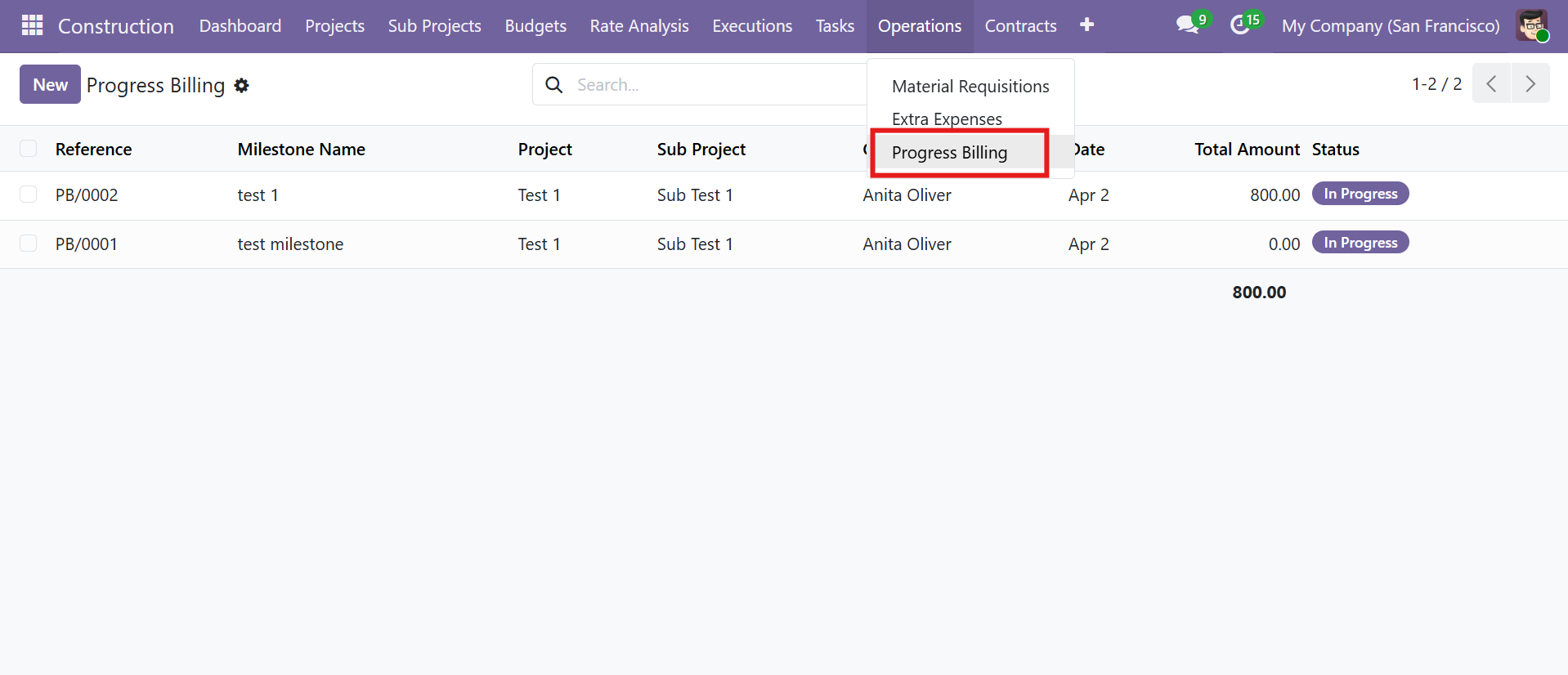 Progress Billing list view with milestone names and total amounts
Progress Billing Workflow
| Stage | Description |
|---|---|
| Draft | Billing milestone created |
| In Progress | Work being invoiced |
| Completed | Billing finalized |
Progress Billing Form View
| Field / Feature | Details |
|---|---|
| Milestone Name | Descriptive name for the billing milestone |
| Customer Details | Customer selection and Invoice Type (Type Wise or Single Invoice) |
| Phase & Work Order | Link to specific phase and work order |
| Include Work Order Lines | Checkboxes for Material, Equipment, Labour, and Overhead lines |
| Load Work Order Lines | Auto-populate lines from the selected work order |
| Five Line Tabs | Materials, Equipment, Labour, Overhead, Others -- each with tax support |
| Create Invoice | Generate a customer invoice directly from the billing record |
| Invoices Smart Button | View all generated invoices |
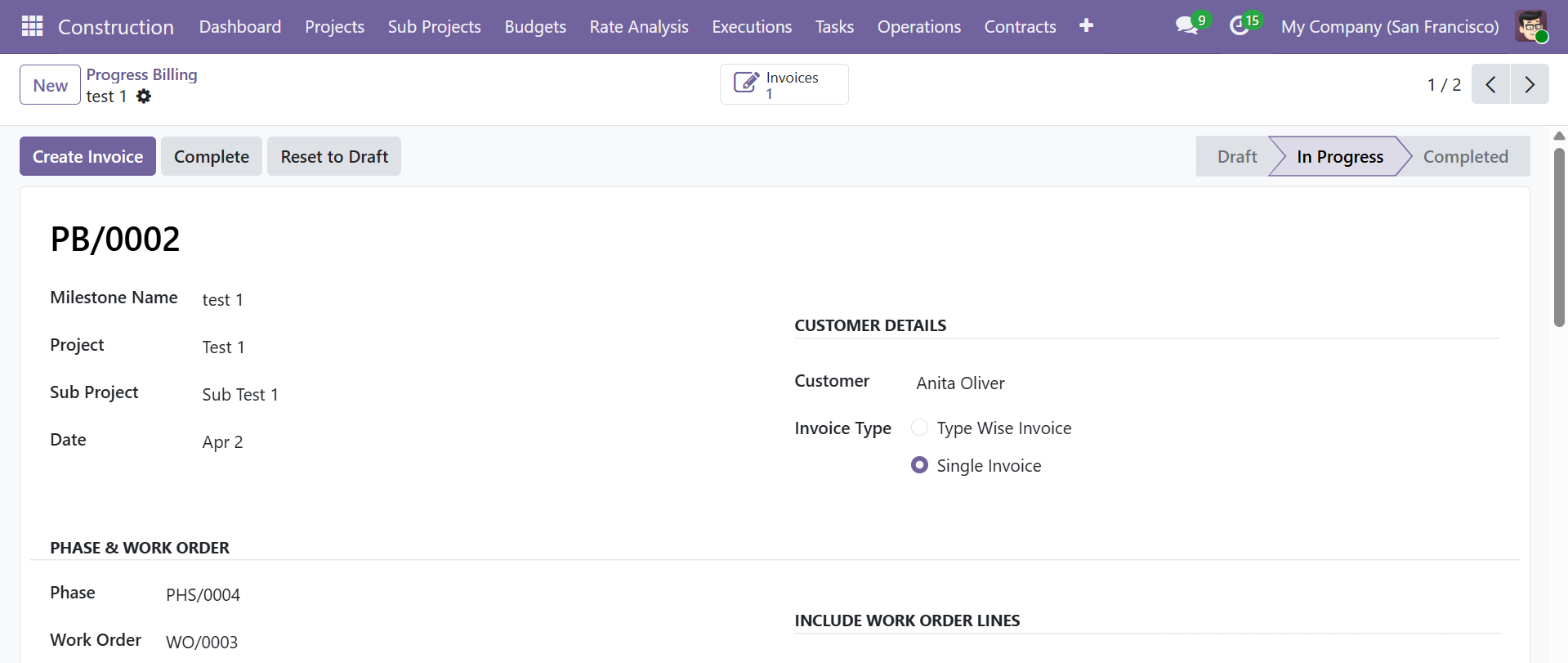 Progress Billing form with milestone, customer details, and invoice type selection
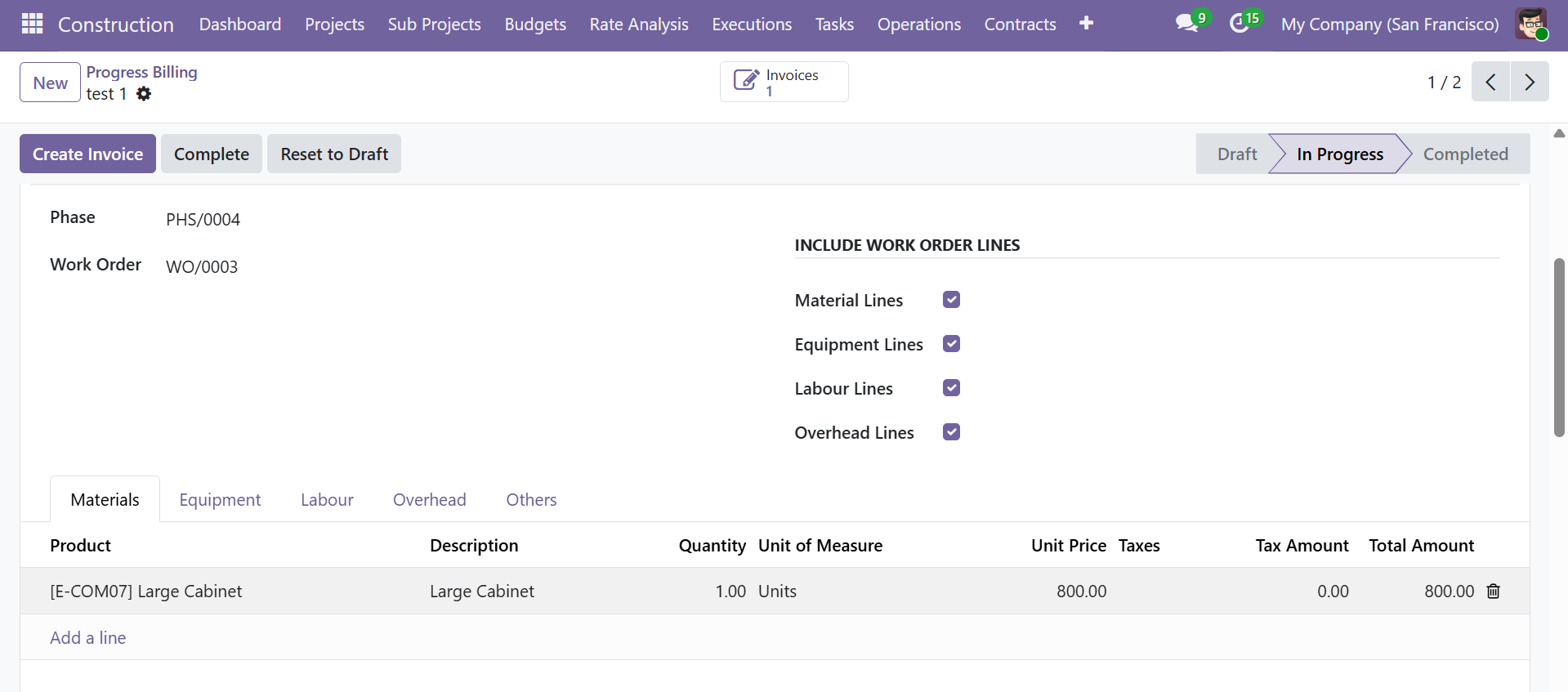 Work order line inclusion checkboxes and material lines with tax computation
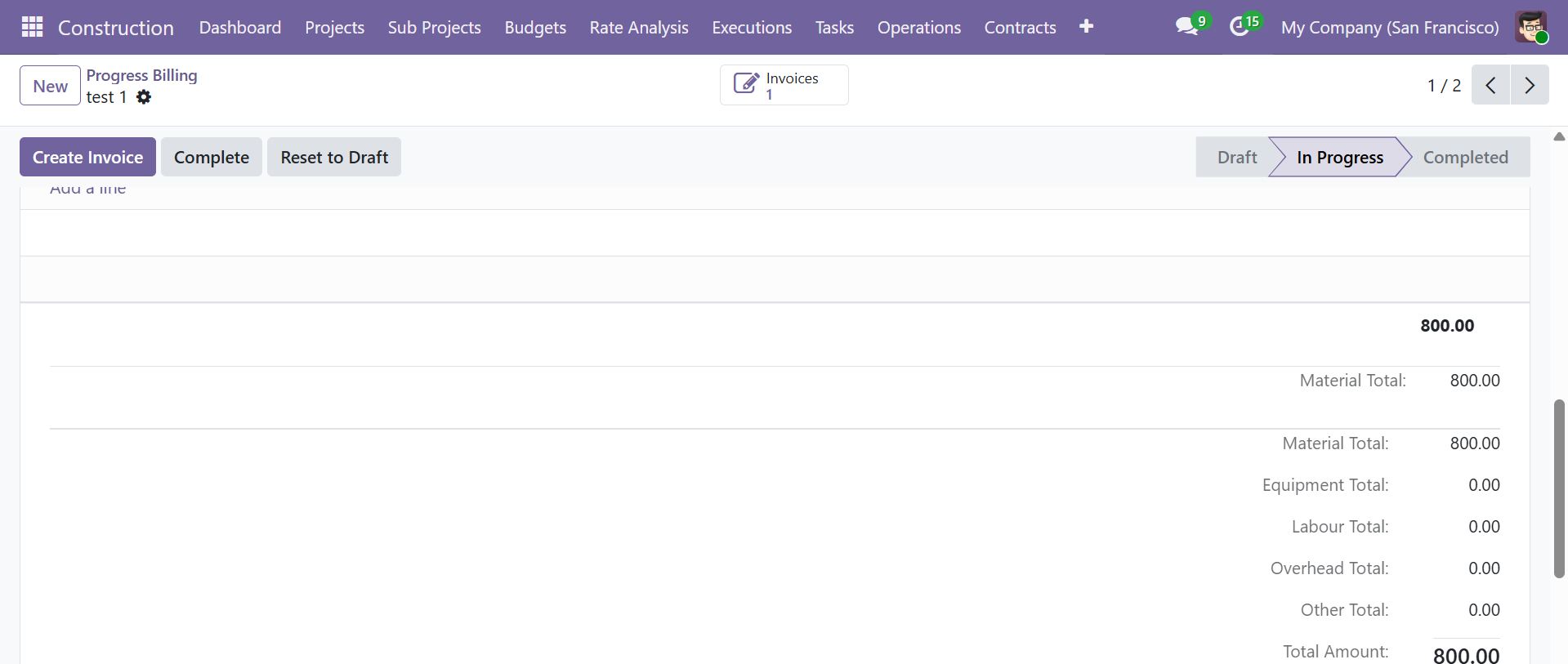 Category-wise totals: Material, Equipment, Labour, Overhead, Other, and Total Amount
Use the "Load Work Order Lines" button to automatically pull all line items from the linked work order. You can then adjust quantities and prices before creating the invoice.
Quality Checks
Perform construction quality inspections with detailed check points. Navigate to Construction > Quality Checks.
Quality Checks List View
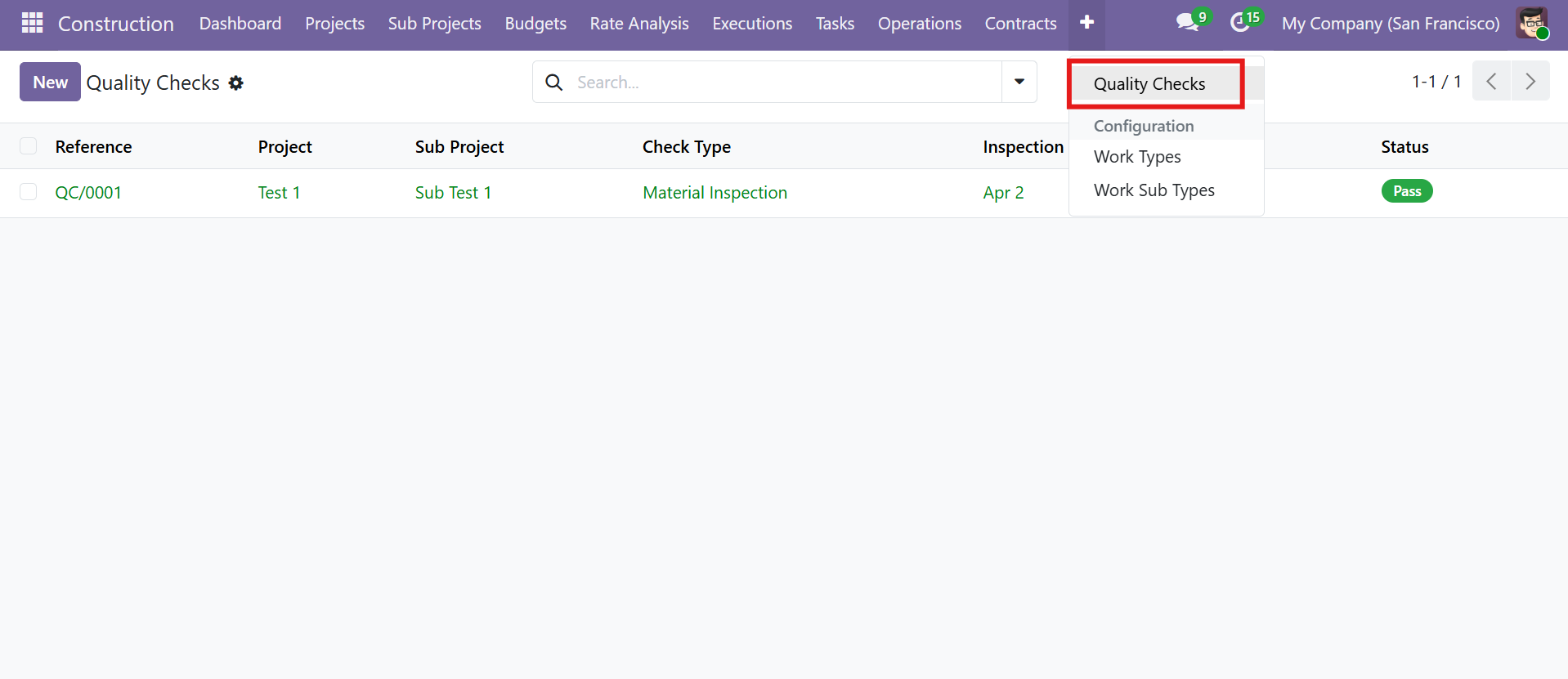 Quality Checks list view with Configuration menu showing Work Types and Work Sub Types
Quality Check Workflow
| Stage | Description |
|---|---|
| Draft | Check created |
| In Progress | Inspection underway |
| Pass | Quality standards met |
| Fail | Quality standards not met |
| Conditional | Passed with conditions |
Inspection Types
The module supports 8 different inspection types:
| Check Type | Description |
|---|---|
| Material Inspection | Verify quality of incoming materials |
| Workmanship | Assess quality of construction work |
| Safety | Safety compliance checks |
| Structural | Structural integrity verification |
| Electrical | Electrical installation checks |
| Plumbing | Plumbing and sanitary checks |
| Final Inspection | Final quality assessment before handover |
| Other | Custom inspection types |
Quality Check Form View
| Tab | Details |
|---|---|
| Check Points | Detailed check items with Standard/Specification, Result (Pass/Fail/N/A), and Remarks |
| Results | Corrective action notes and recheck date |
| Documents | Attach inspection documents and images |
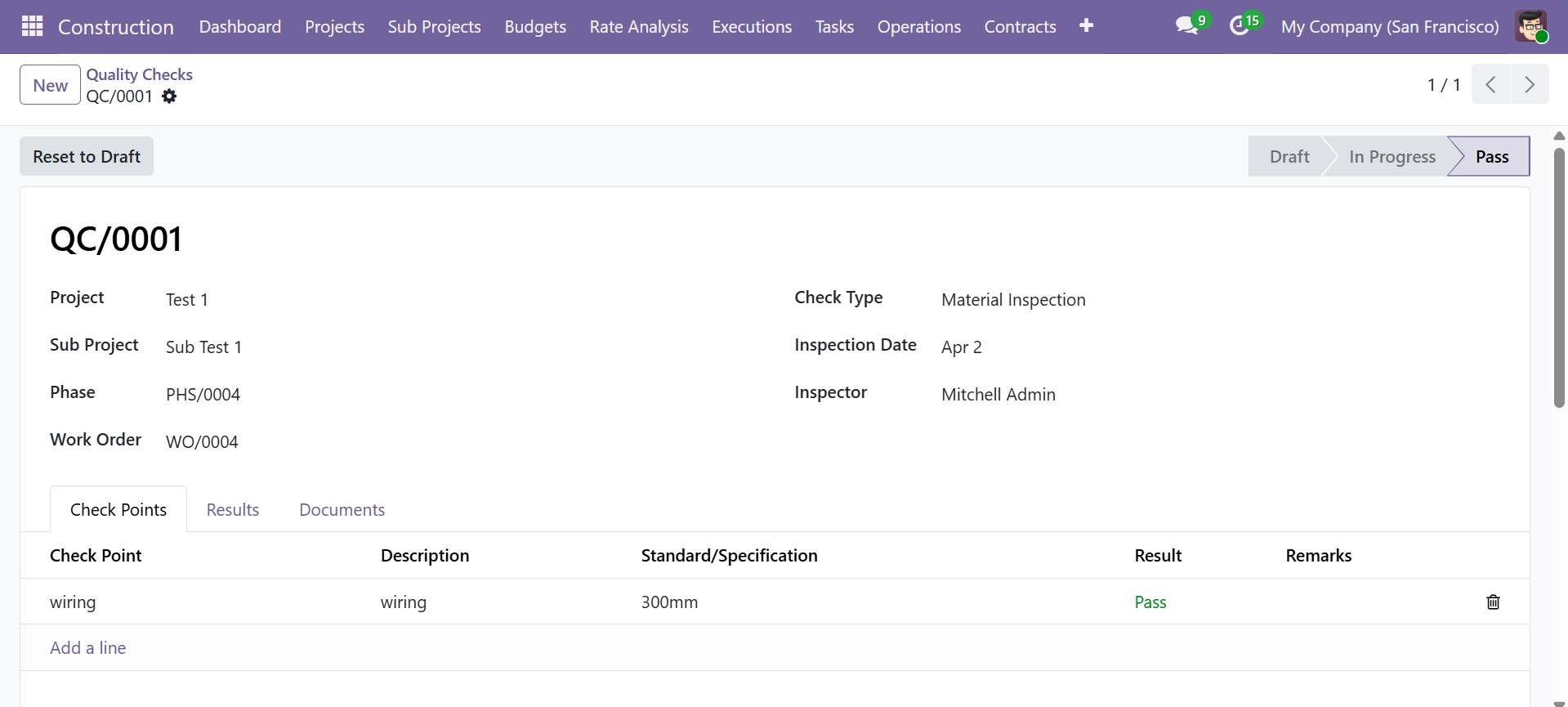 Quality Check form with check points, standards, results, and inspector details
Tracking Project Progress
The Construction Management module provides multiple ways to monitor project progress:
Phase-Level Progress
Each Phase (WBS) includes a progress percentage that reflects the completion status of work within that phase. The costing tab shows Material Cost, Equipment Cost, Labour Cost, and Overhead Cost against the total.
Task-Level Progress
Individual Tasks include:
- Progress (%) -- Manual progress tracking with visual progress bar
- Priority -- Normal, Low, High, or Urgent classification
- Timesheet logging -- Employee hours tracked against each task
Budget Variance Tracking
Budgets provide real-time financial tracking:
- Planned Amount vs Actual Amount per line item
- Variance auto-computed (Planned - Actual)
- Progress (%) showing budget utilization
Smart Button Navigation
Both Projects and Sub Projects provide smart buttons with counts for quick navigation to:
- Sub Projects, Budgets, Phases, Work Orders
- Material Requisitions, Tasks, Extra Expenses
Contact SDLC Corp at sdlccorp.com/contact-us or email sales@sdlccorp.com