Resource & Material Management
The Construction Management module provides comprehensive tools for managing materials, procurement, subcontracting, and expenses throughout your construction projects.
Material Requisitions
Material Requisitions manage the procurement workflow from request to delivery. Navigate to Construction > Operations > Material Requisitions.
Material Requisition List View
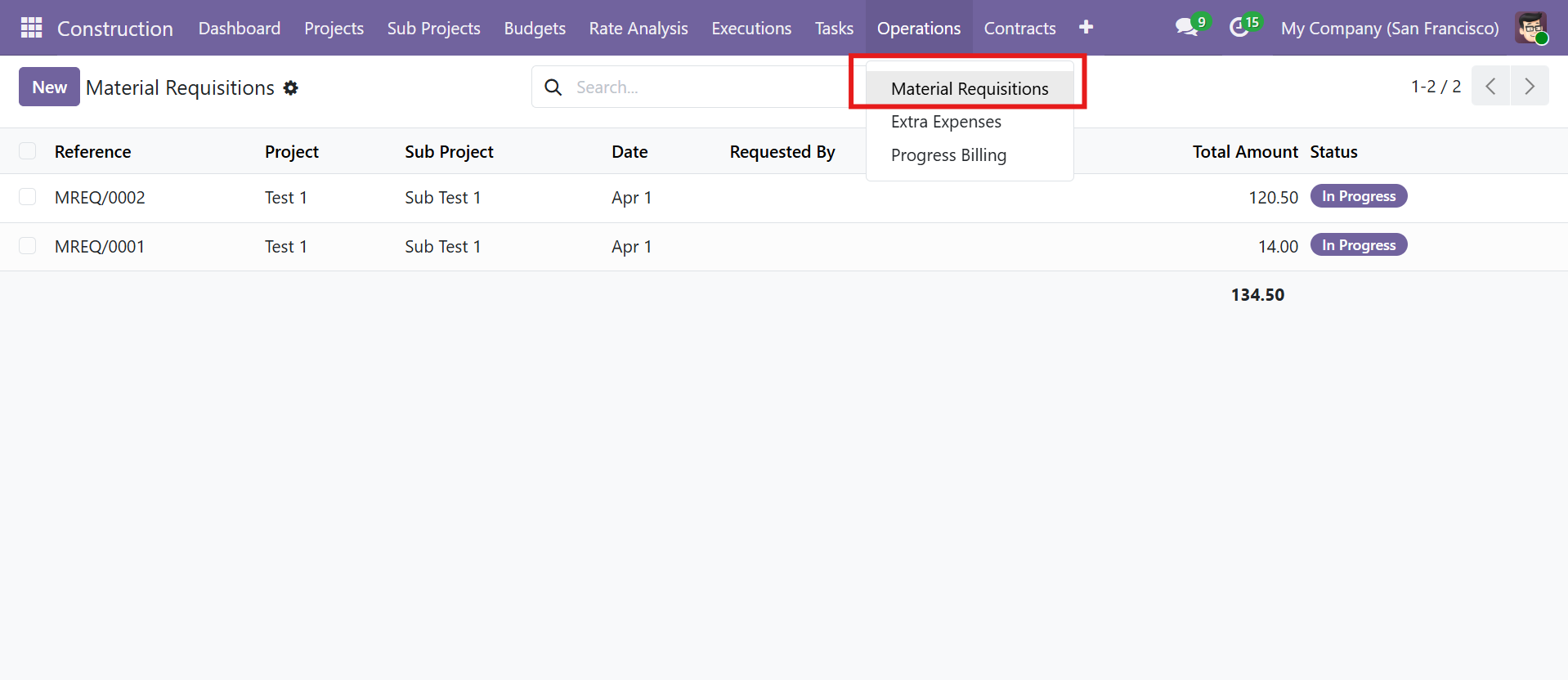 Material Requisitions list view with Operations menu dropdown
Material Requisition Workflow
The MREQ has the most comprehensive approval workflow in the module:
| Stage | Description |
|---|---|
| Draft | Requisition created |
| Under Approval | Submitted for manager approval |
| Approved | Approved by manager |
| In Progress | Purchase orders being processed |
| Ready for Delivery | Materials ready at warehouse |
| Withdrawal | Materials being withdrawn |
| Done | Requisition complete |
Material Requisition Form View
| Field / Feature | Details |
|---|---|
| Smart Buttons | Purchase Orders count and Internal Transfers count |
| Work Order Link | Link to the work order requiring materials |
| Requested By / Approved By | Track who requested and approved |
| Warehouse & Department | Source warehouse and department |
| Requisition Lines | Products with quantities, prices, vendors, and notes |
| Create Purchase Order | Auto-generate PO from approved requisition lines |
| Create Internal Transfer | Auto-create stock transfer for warehouse fulfillment |
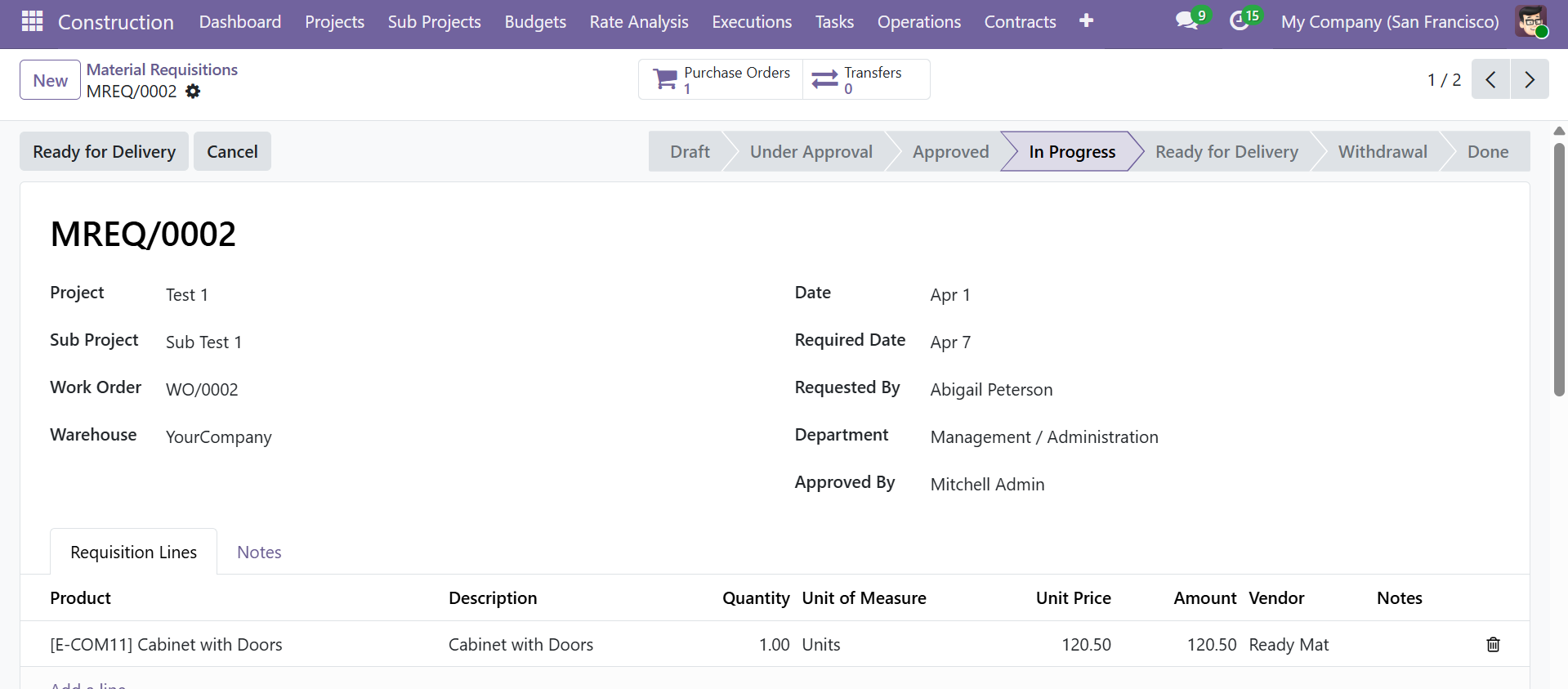 Material Requisition form with 7-stage status bar, smart buttons, and requisition lines
Only requisitions in the Approved state can generate Purchase Orders. The system validates vendor assignment on each line before PO creation.
Extra Expenses
Track additional costs outside the regular budget. Navigate to Construction > Operations > Extra Expenses.
Extra Expenses List View
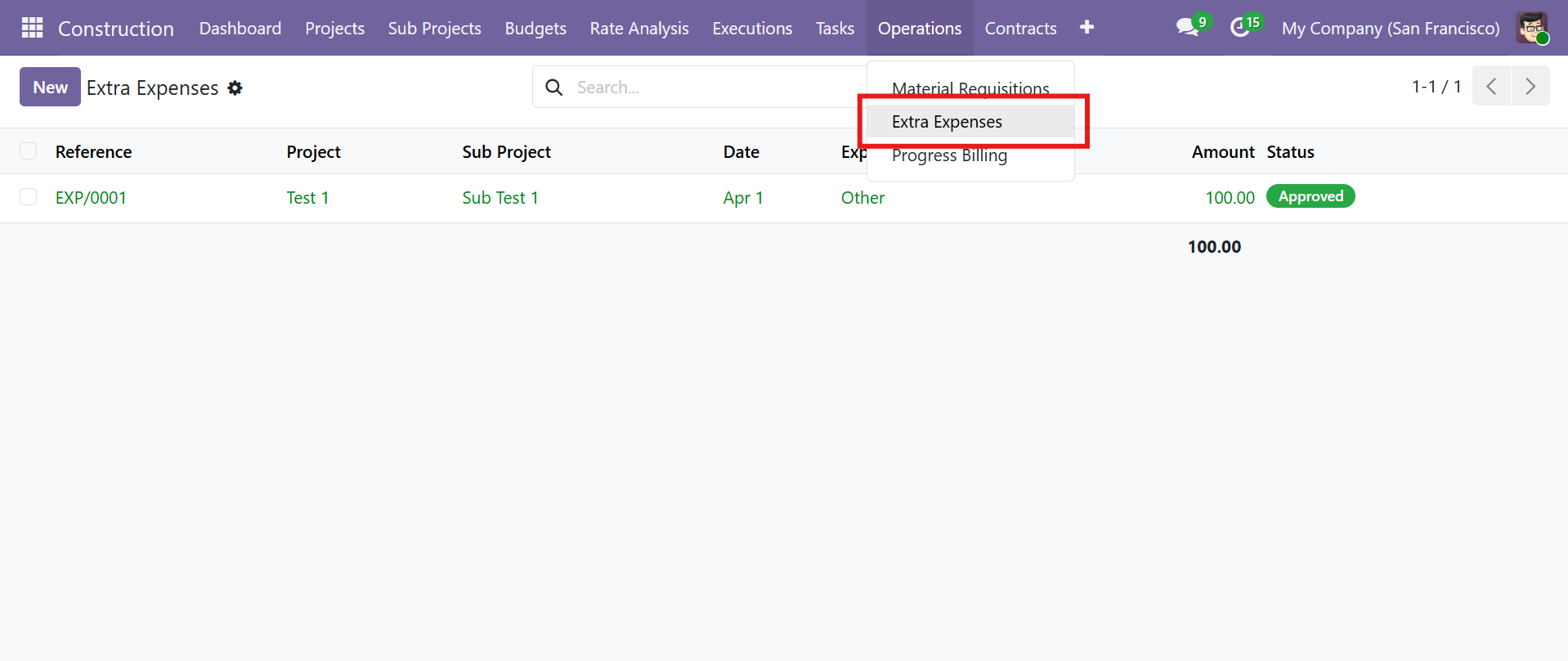 Extra Expenses list view with Operations menu dropdown
Extra Expense Workflow
| Stage | Description |
|---|---|
| Draft | Expense created |
| Confirmed | Submitted for review |
| Approved | Expense approved |
Extra Expense Form View
Expense types include:
| Type | Description |
|---|---|
| Material | Additional material costs |
| Equipment | Extra equipment expenses |
| Labour | Unplanned labour costs |
| Transport | Transportation expenses |
| Permit/Fees | Permit and fee costs |
| Other | Miscellaneous expenses |
Each expense captures Product, Quantity, Unit Price, and auto-computed Amount.
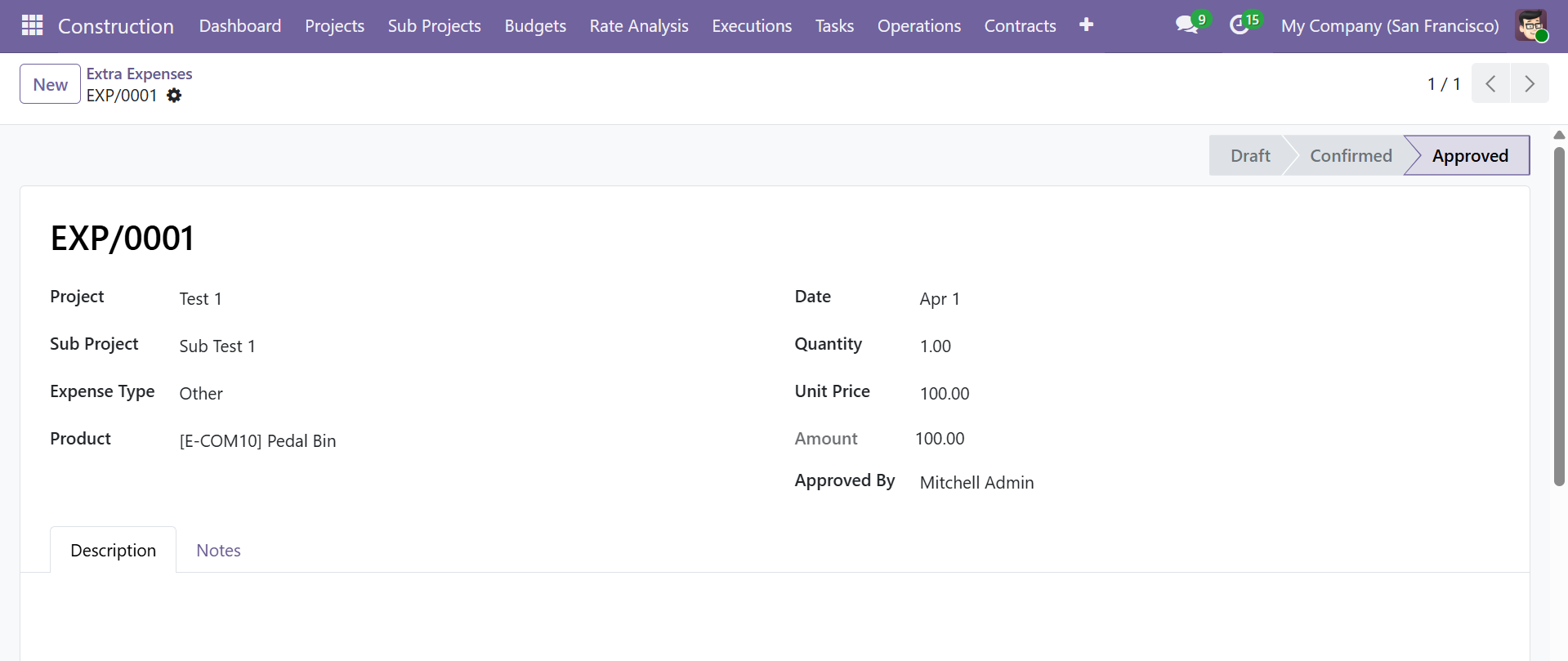 Extra Expense form with expense type, product details, and approval tracking
Subcontracting
Manage subcontractor agreements, material consumption, and running account billings. Navigate to Construction > Contracts > Subcontracting.
Subcontracting List View
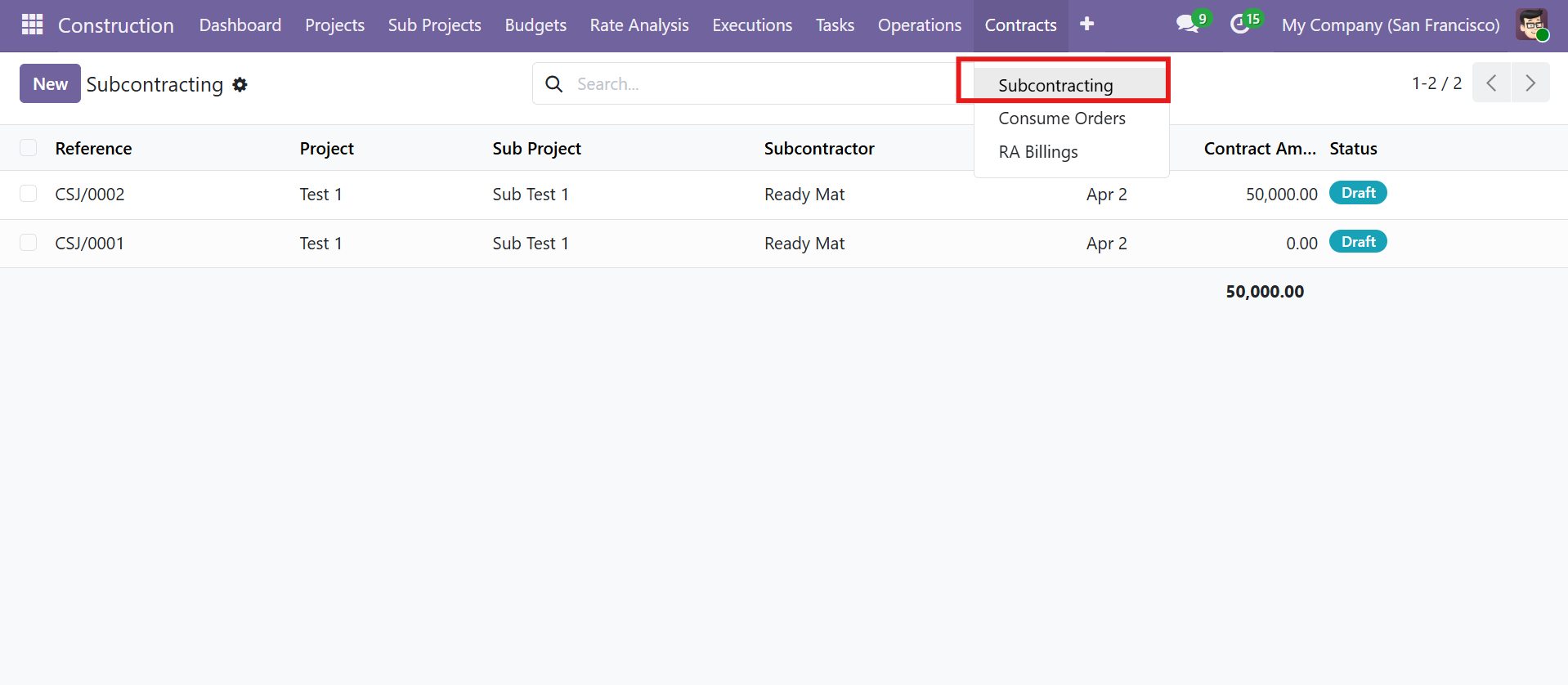 Subcontracting list view with Contracts menu dropdown
Subcontract Workflow
| Stage | Description |
|---|---|
| Draft | Contract created |
| Confirmed | Contract terms agreed |
| In Progress | Work underway |
| Completed | Contract fulfilled |
Subcontract Form View
| Field / Tab | Details |
|---|---|
| Subcontractor | Vendor partner selection |
| Start/End Date | Contract duration |
| Smart Buttons | Consume Orders count and RA Billings count |
| Scope of Work Tab | Detailed work description |
| Work Lines Tab | Work items with description, quantity, rate, and amount |
| Work Completion Tab | Upload completion certificate, enter completion date and notes |
| Notes Tab | Additional contract notes |
| Contract Amount | Auto-computed from work lines |
| Billed Amount | Auto-computed from approved RA billings |
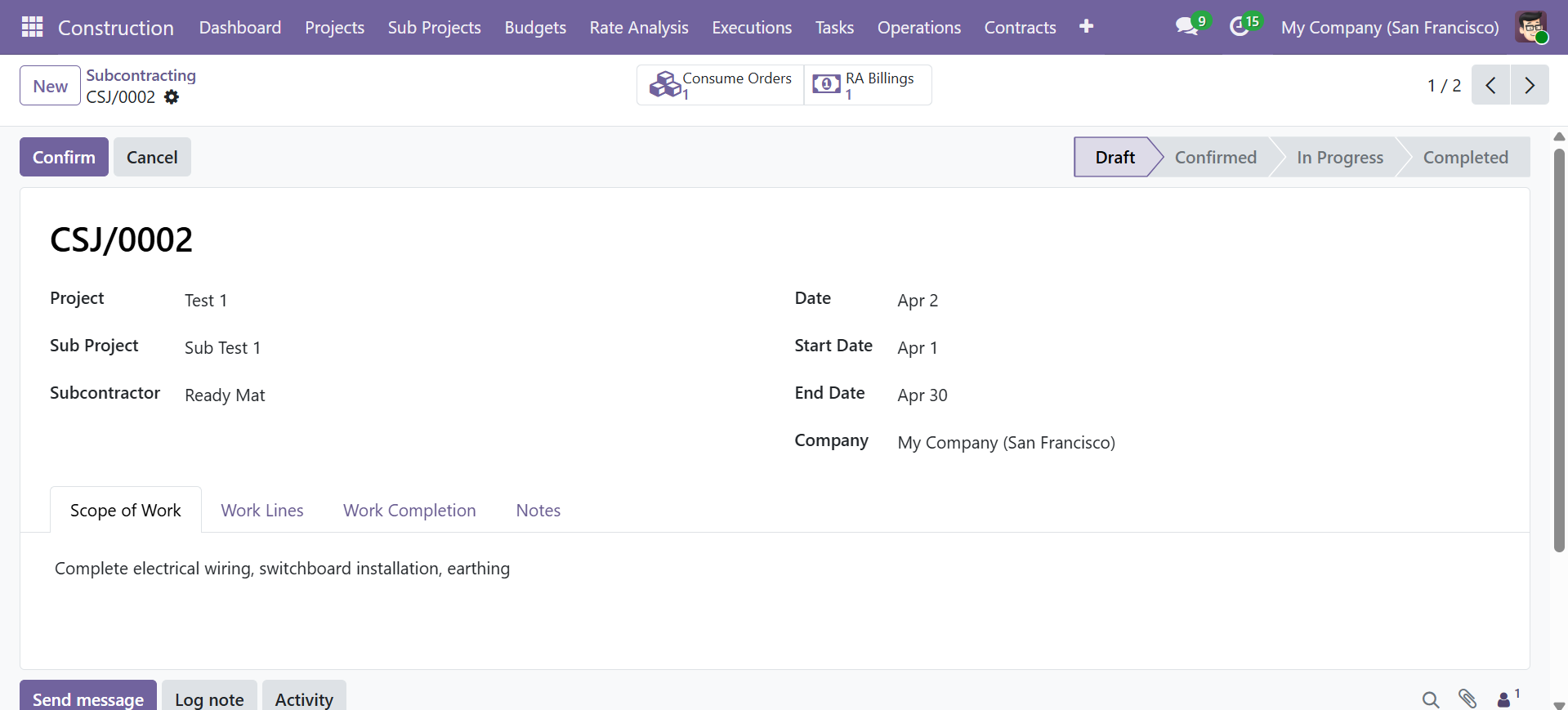 Subcontract form with scope of work, smart buttons, and status workflow
Consume Orders
Track materials consumed by subcontractors. Navigate to Construction > Contracts > Consume Orders.
Consume Orders List View
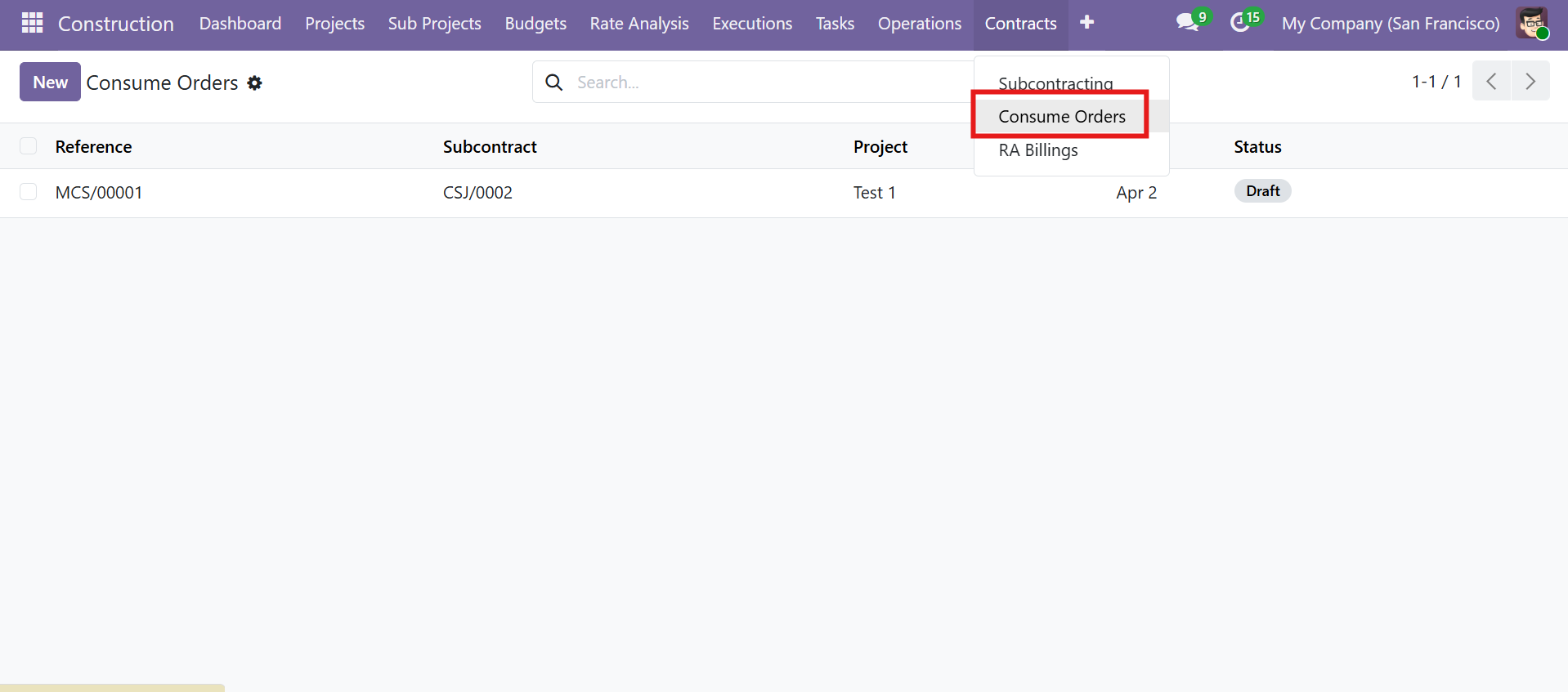 Consume Orders list view under Contracts menu
Consume Order Workflow
| Stage | Description |
|---|---|
| Draft | Order created |
| Confirmed | Order confirmed |
| Done | Materials consumed |
Each consume order is linked to a subcontract and contains product lines with quantity and UOM. This tracks materials provided to the subcontractor for their work.
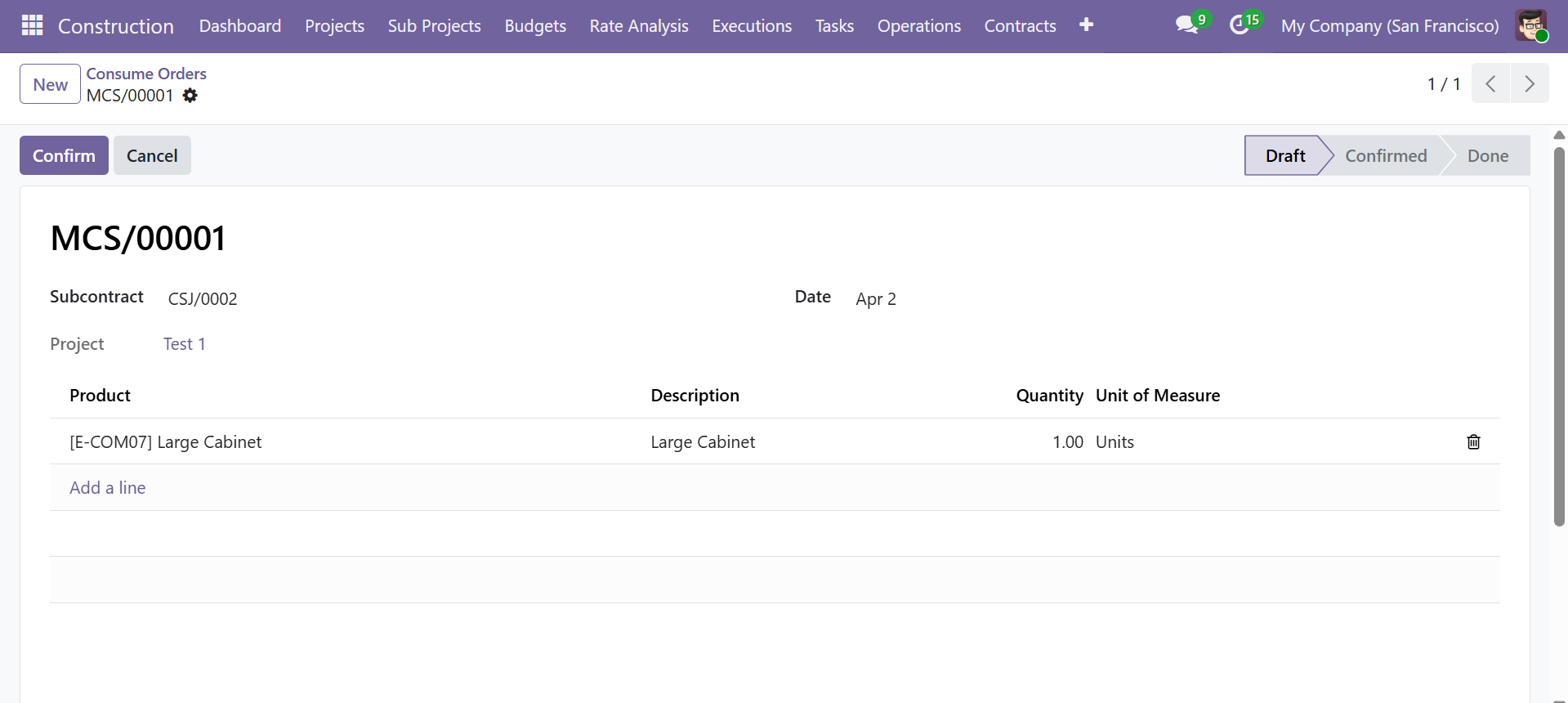 Consume Order form with subcontract linkage and product lines
RA Billings (Running Account)
RA Billings track progressive payments to subcontractors. Navigate to Construction > Contracts > RA Billings.
RA Billings List View
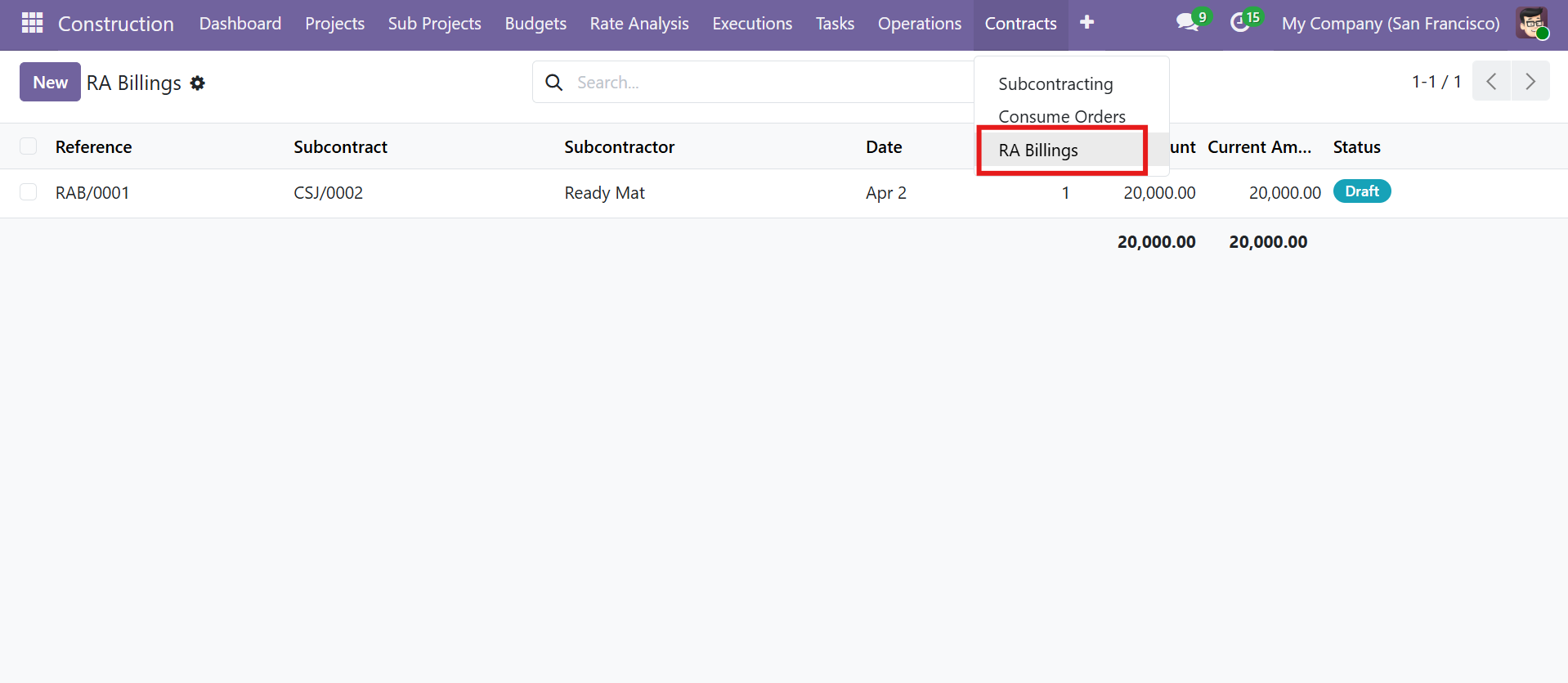 RA Billings list view showing billing amounts and status
RA Billing Workflow
| Stage | Description |
|---|---|
| Draft | Billing created |
| Submitted | Sent for approval |
| Approved | Payment authorized |
RA Billing Form View
| Field | Details |
|---|---|
| Subcontract | Linked subcontract record |
| Billing No. | Sequential billing number |
| Previous Billing Amount | Amount billed in previous RA bills |
| Billing Lines | Description, Quantity, UOM, Rate, Amount, and Completion % |
| Current Amount | Auto-computed (Total - Previous Billing) |
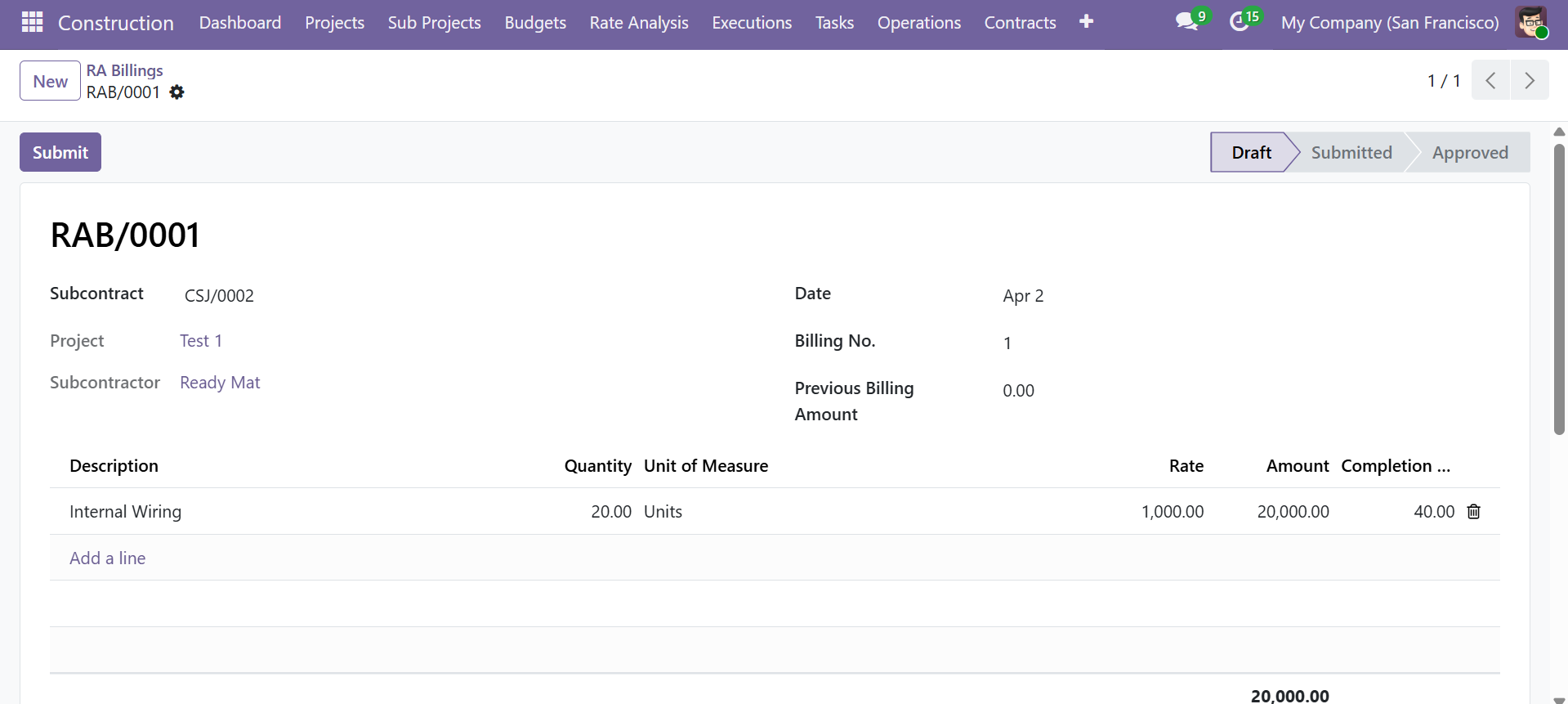 RA Billing form with billing lines, completion tracking, and amount computation
Contact SDLC Corp at sdlccorp.com/contact-us or email sales@sdlccorp.com