ShipStation Connector - Configuration and Settings
Field Mapping
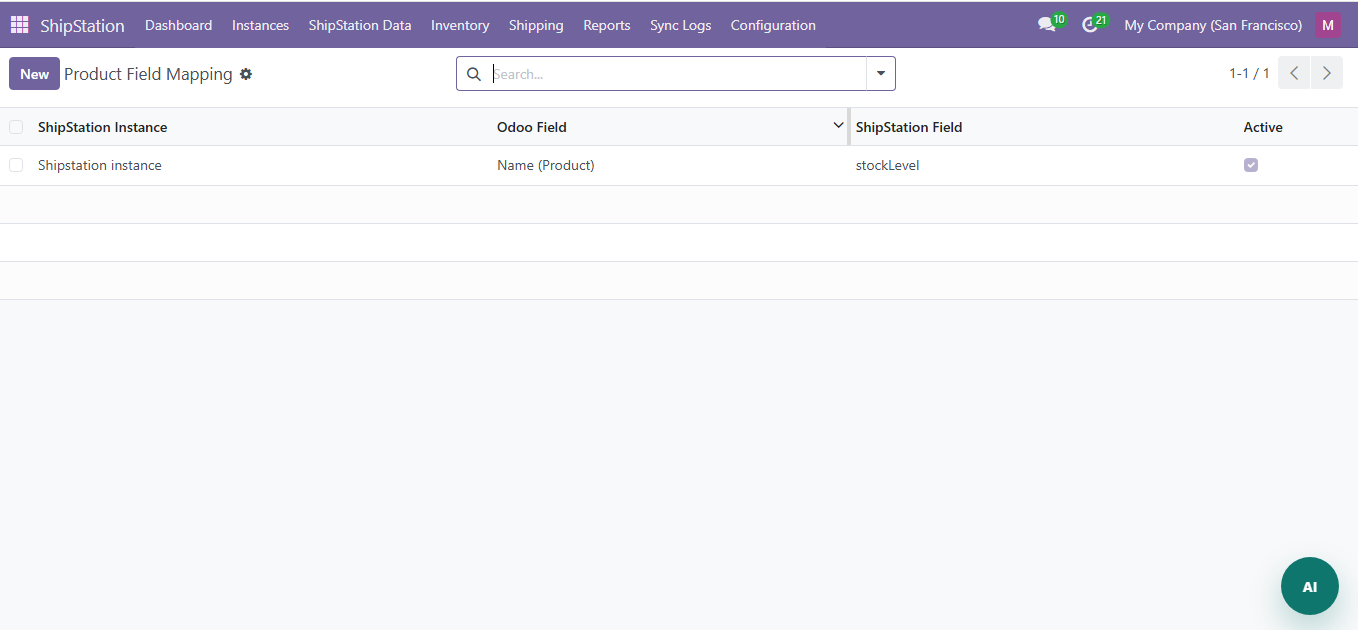
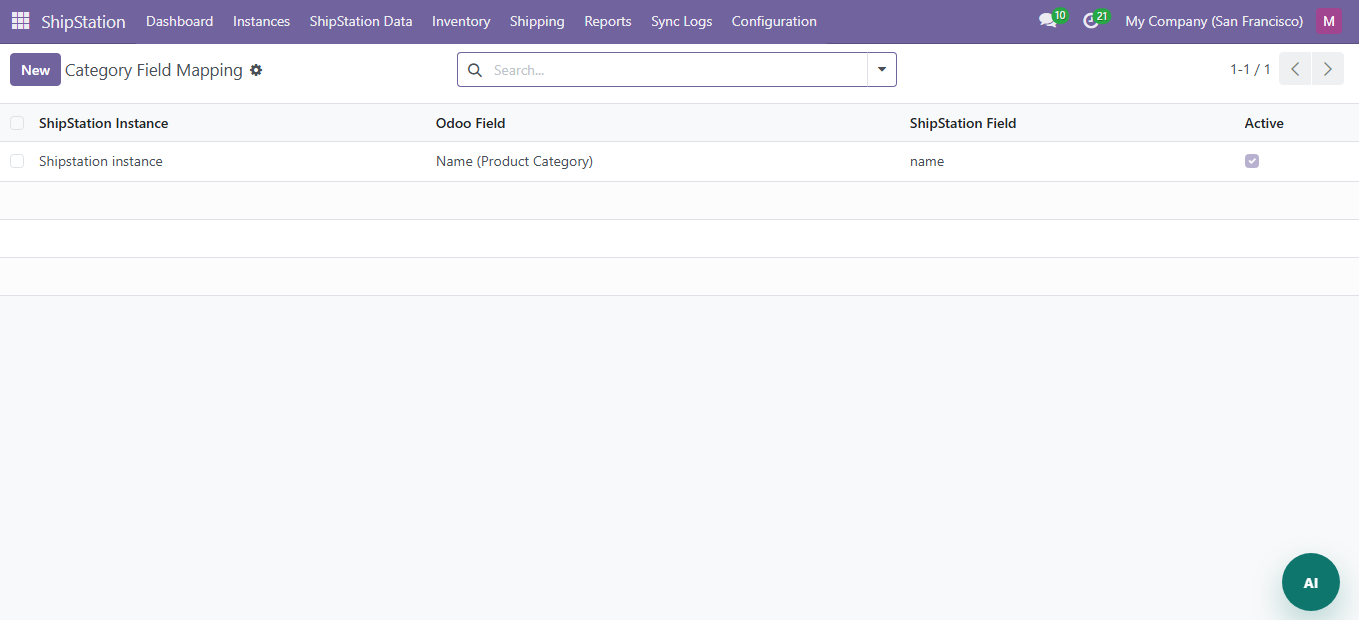
Navigate to ShipStation > Configuration > Field Mapping.
Mapping Types
| Type | Description |
|---|---|
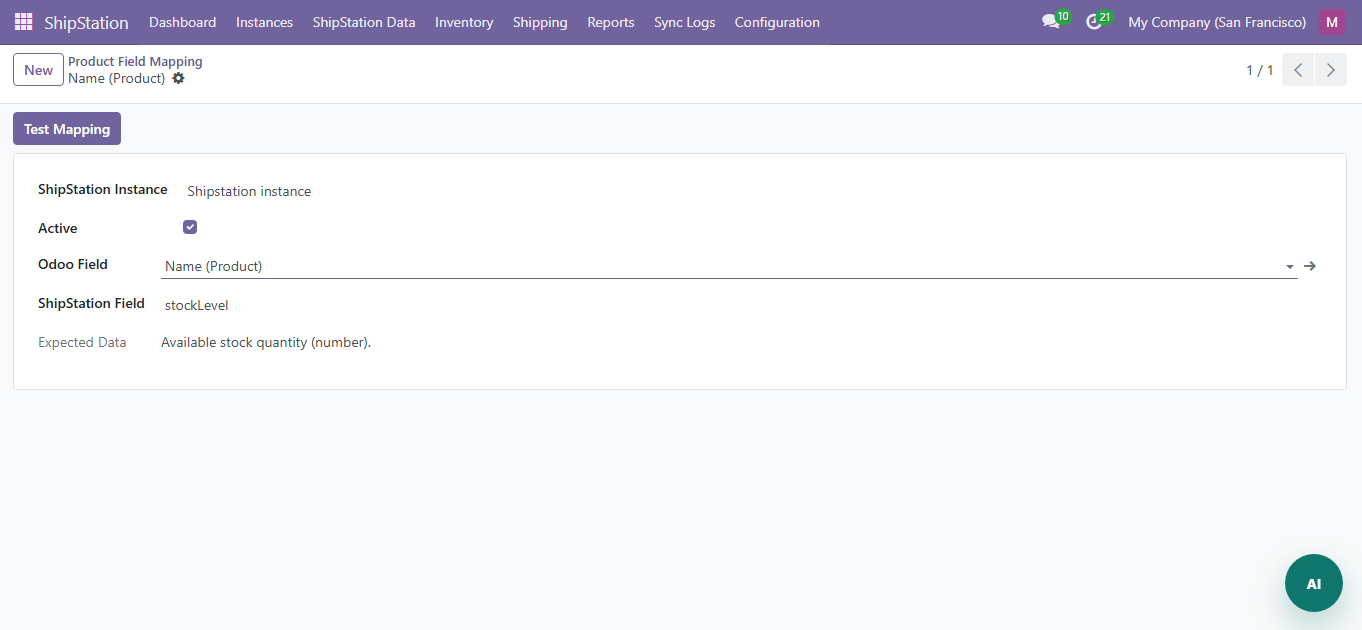
| Product Mapping | Map Odoo product fields to ShipStation product fields |
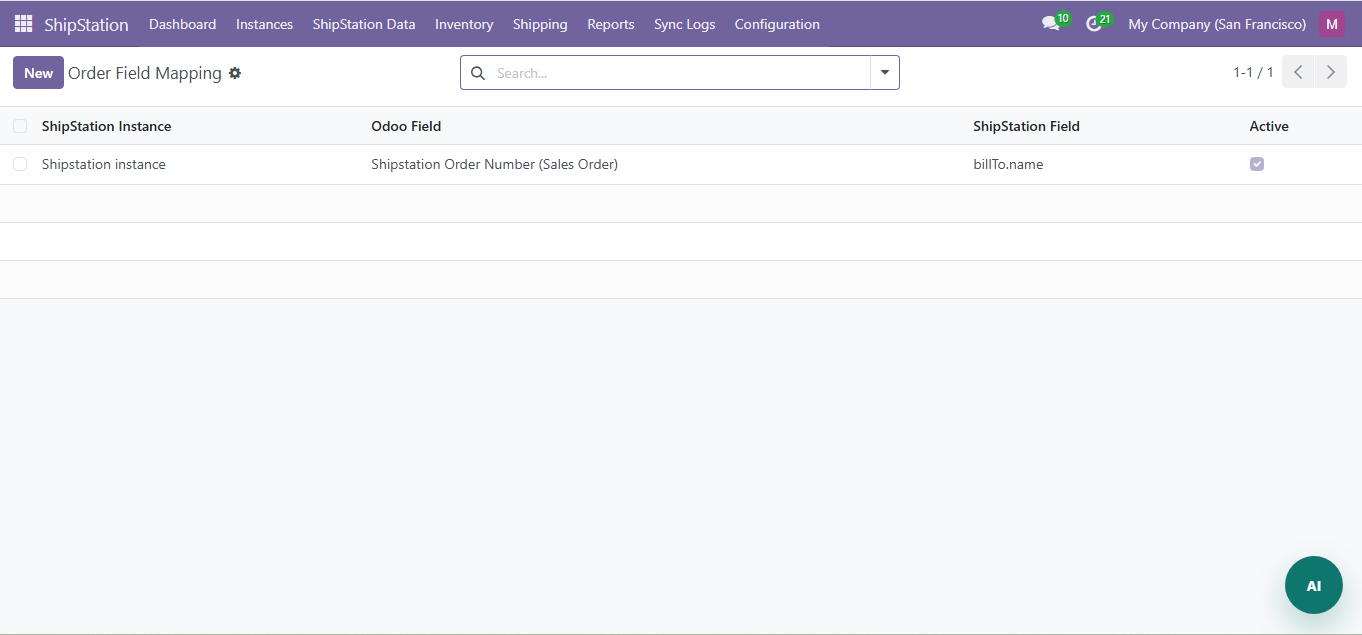
| Order Mapping | Map Odoo order fields to ShipStation order fields |
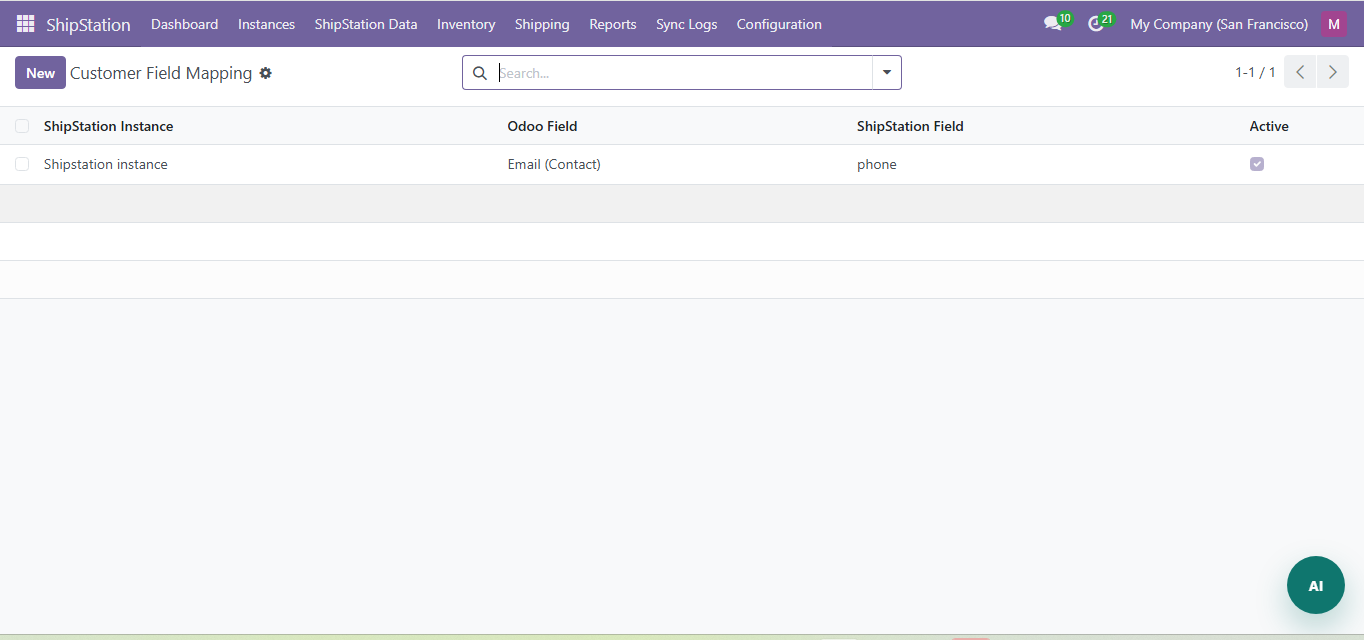
| Customer Mapping | Map Odoo customer fields to ShipStation customer fields |
| Category Mapping | Map Odoo category fields to ShipStation category fields |
| Attribute Mapping | Map product attribute fields |
How Mapping Works
- Each mapping row defines: Odoo Field to ShipStation Field
- Supports dot-notation paths for nested data (e.g., 'dimensions.length')
- Mappings are applied during sync to transform data in both directions
Field Keys
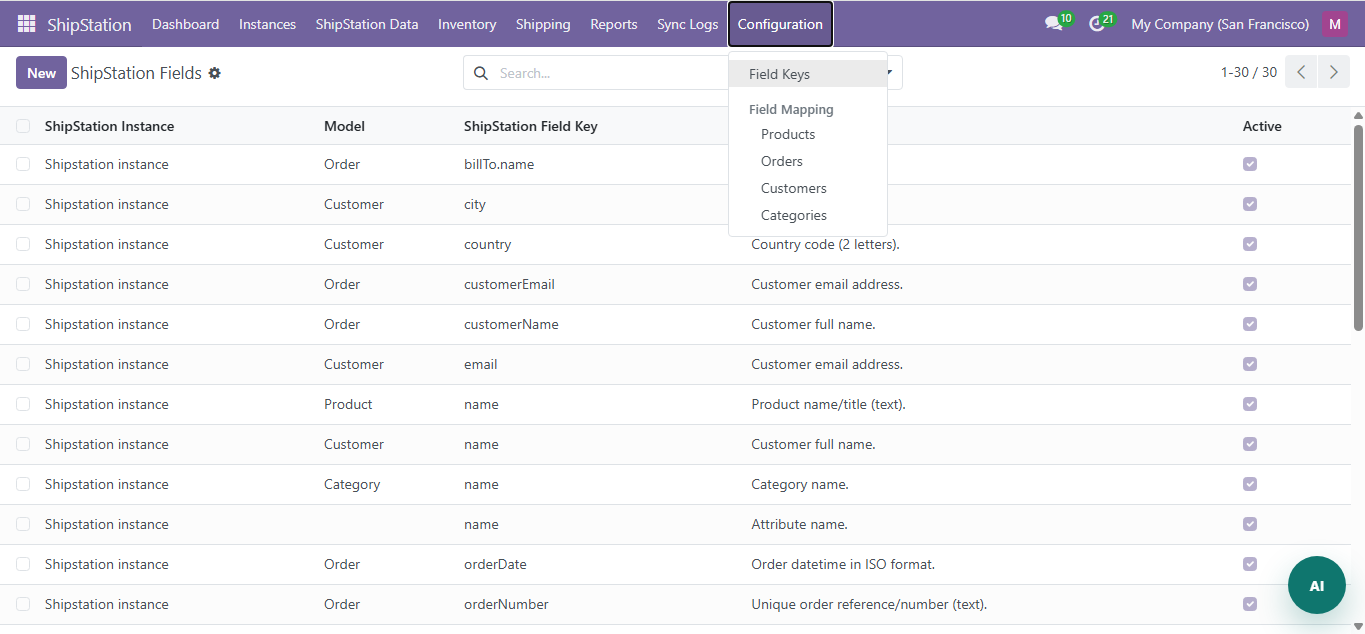
Navigate to Configuration > Field Keys to manage ShipStation API field names used in field mapping.
Reports and Sync Logs
Navigate to ShipStation > Reports for sync operation reports.
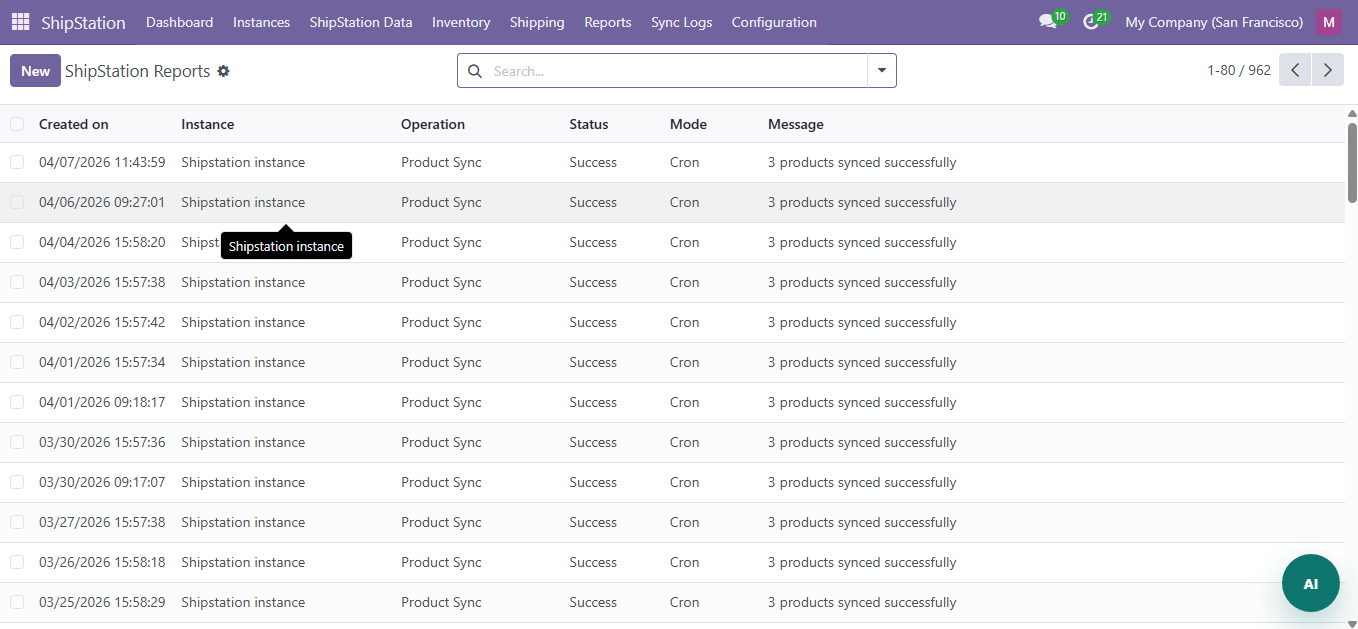
- Each report shows: operation type, mode (manual/cron/webhook), status, record counts
- Success, failed, and running states with color-coded badges
Sync Logs
Navigate to ShipStation > Sync Logs for raw API request/response logs.
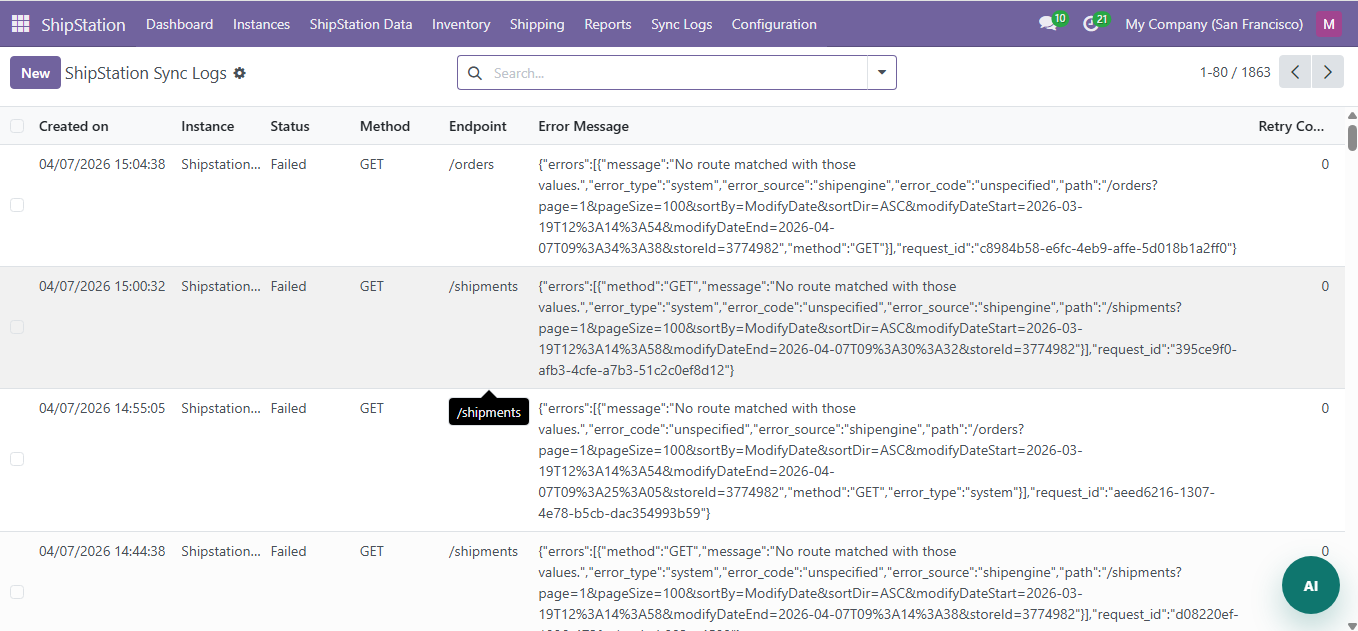
- Shows the full API URL, method, request body, and response
- Useful for debugging sync issues
Cron Jobs
| Cron Job | Interval | Default | Description |
|---|---|---|---|
| Order Sync | Every 10 min | Enabled | Pulls new/updated orders |
| Shipment Sync | Every 15 min | Enabled | Pulls shipment and tracking updates |
| Product Sync | Daily | Enabled | Syncs product catalog changes |
| Customer Sync | Every 30 min | Disabled | Imports new customers |
| Inventory Sync | Every 60 min | Disabled | Refreshes stock levels |
General Settings
Navigate to Settings > ShipStation for global configuration:
- Default Instance: Select the default ShipStation instance
- Sync Log Retention: Number of days to keep sync logs (default: 30)
- Enable Webhooks: Turn on/off webhook processing
Dashboard
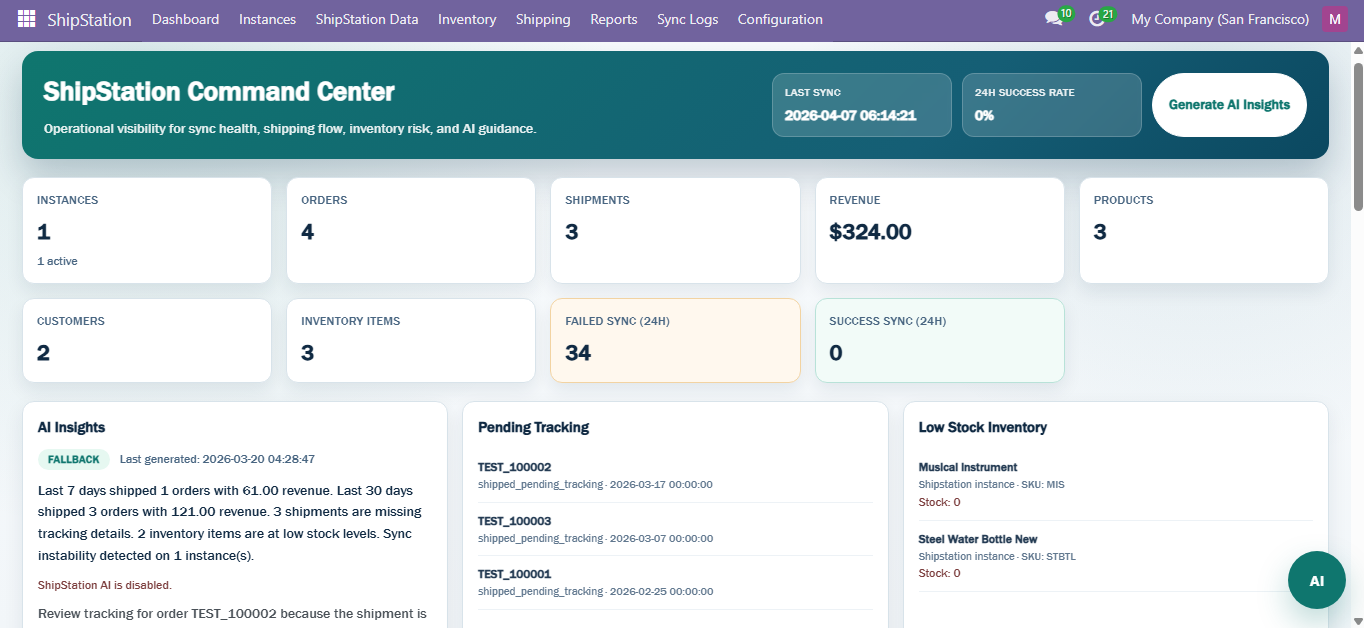
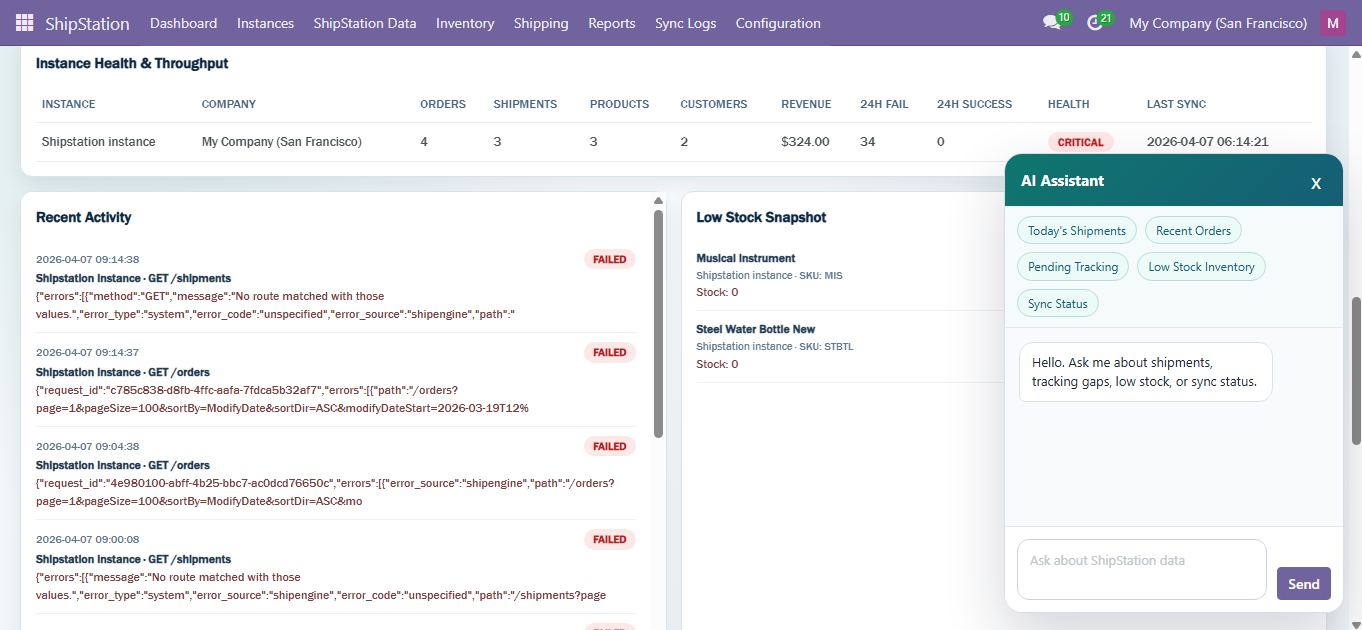
The dashboard includes AI-powered insights:
- Pending shipment alerts
- Low stock alerts
- Instance health monitoring
- Carrier trends and recommendations
Need Help?
Contact SDLC Corp at sdlccorp.com/contact-us or email sales@sdlccorp.com