Admin Settings & Access Control
As an administrator, you control the default theme settings for all users and decide who gets access to personal customization.
Accessing Admin Settings
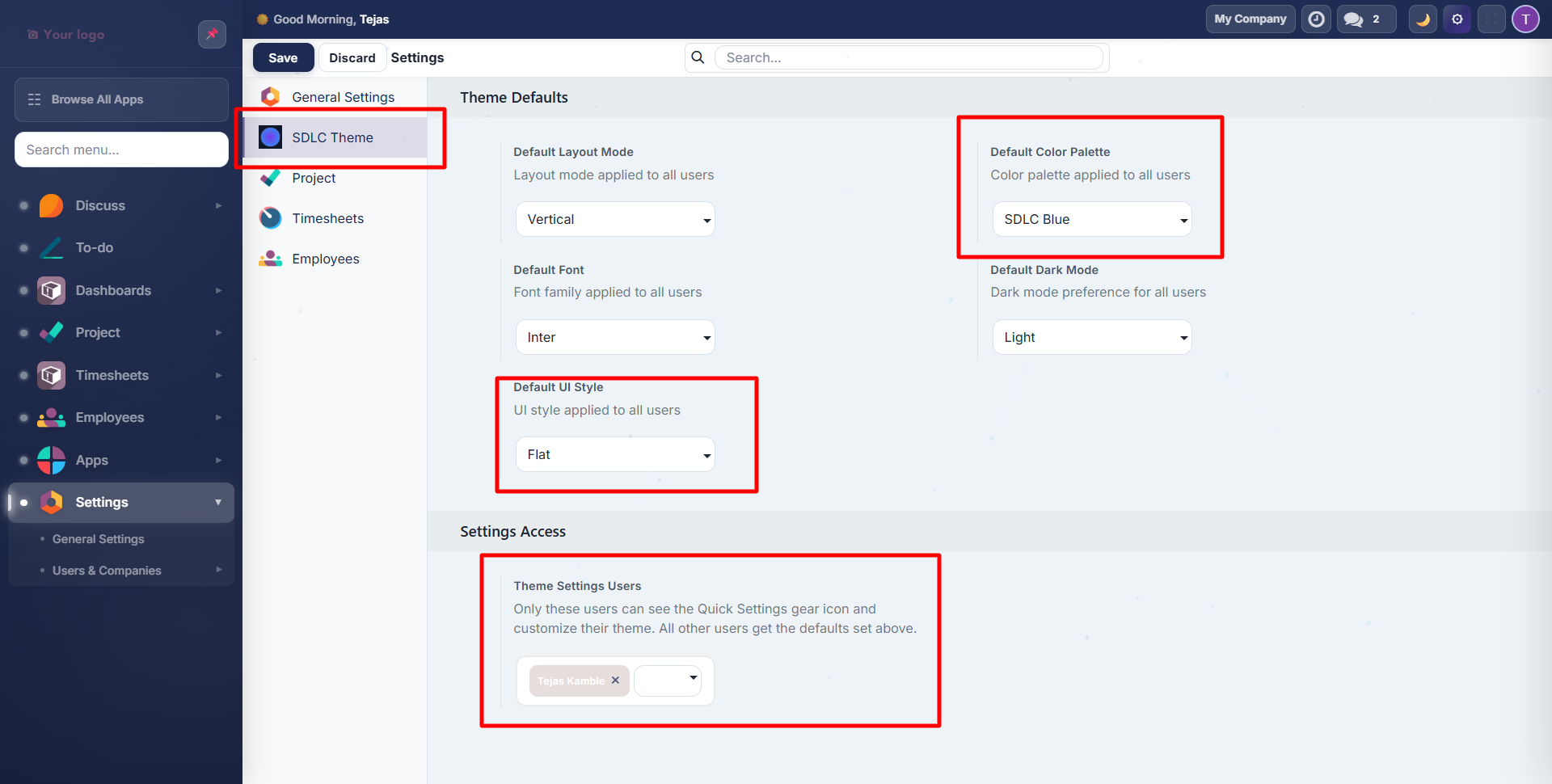
Navigate to Settings and click SDLC Theme in the left menu.
Theme Defaults
These defaults apply to all users unless they have Settings Access and customize their own:
| Setting | Options | Default | Description |
|---|---|---|---|
| Default Layout Mode | Vertical, Mini | Vertical | Sidebar style for all users |
| Default Color Palette | 12 presets | SDLC Blue | Brand color across the UI |
| Default Font | 13 Google Fonts | Inter | Typography for all text |
| Default Dark Mode | Light, Dark, Auto | Light | Background appearance |
| Default UI Style | Flat, Glass, Neumorphism | Flat | Surface and shadow treatment |
Settings Access Control
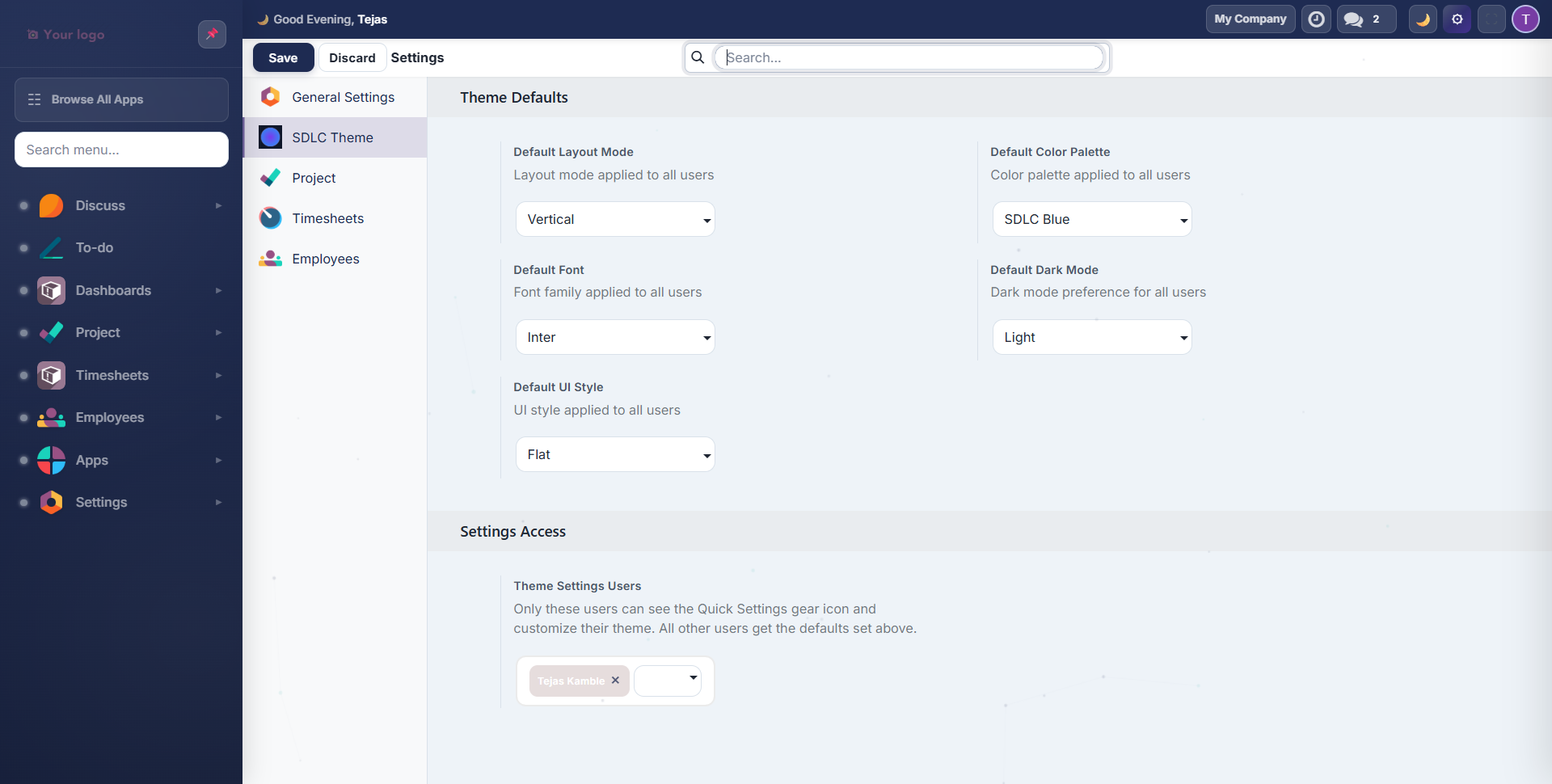
The Theme Settings Users field controls which users see the Quick Settings gear icon in the top bar.
- Users with access: see the gear icon, can customize 80+ personal settings
- Users without access: see only the global defaults you configure above
To grant access:
- In the Settings Access section, toggle Theme Settings Users
- Add users to the list using the tag selector
- Click Save
Grant Settings Access to team leads or power users who want to personalize their workspace. Keep it disabled for users who prefer a consistent, uniform experience.
How Settings Cascade
Admin Defaults (Settings > SDLC Theme)
    |
    v
User opens Odoo --> Loads admin defaults
    |
    v
Has Settings Access? --> YES --> Can customize via Quick Settings (overrides defaults)
                     --> NO  --> Uses admin defaults only
Quick Settings Panel
Users with Settings Access see a gear icon in the top bar. Clicking it (or pressing Alt+T) opens the Quick Settings panel:
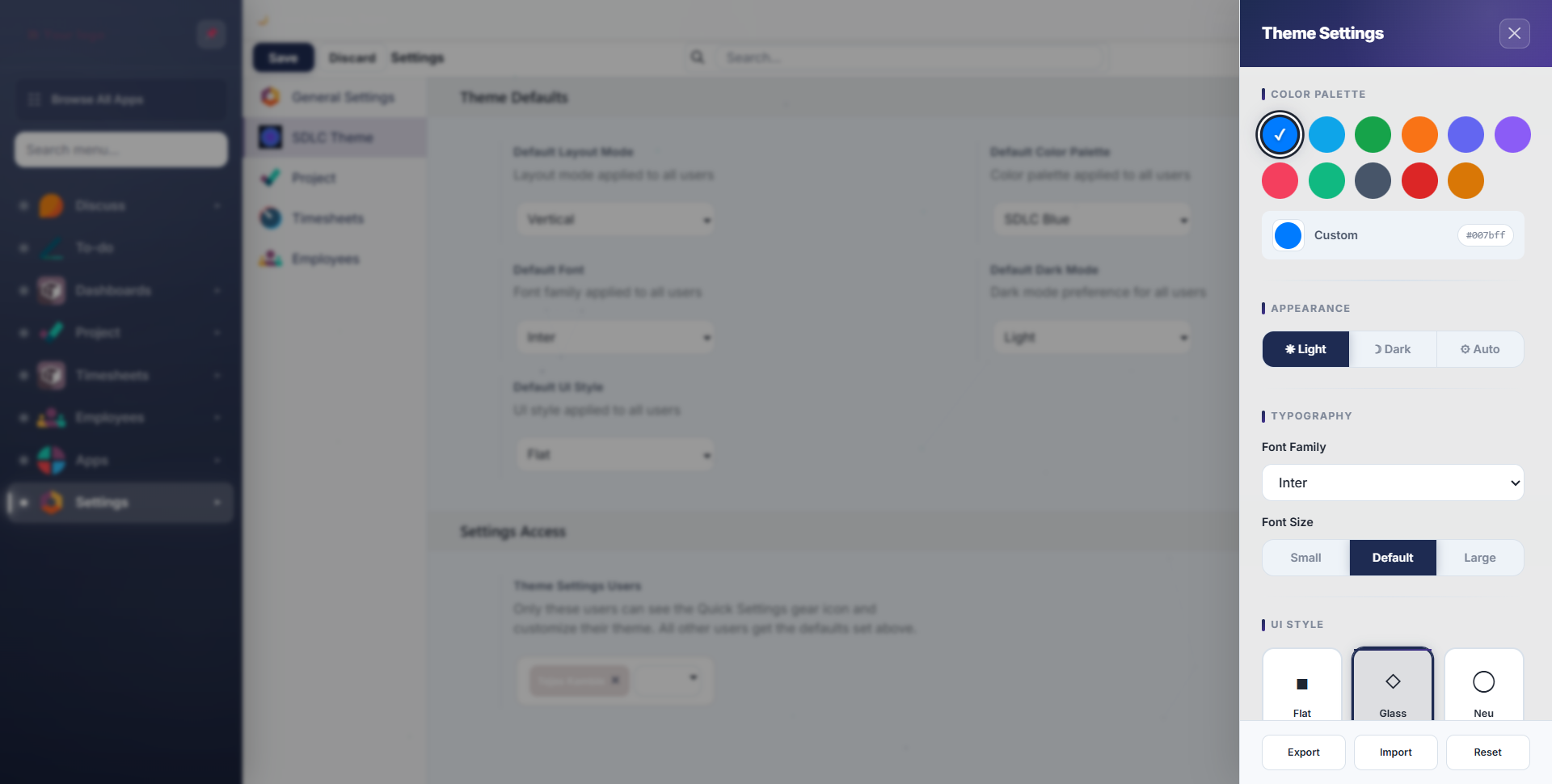
The panel provides access to:
- Color palette selection
- Dark mode toggle
- Typography settings
- UI style selection
- Component styles
- View preferences
- Theme export/import/reset
Each section is covered in detail in the Colors & Dark Mode and Layout & Typography guides.
Contact SDLC Corp at sdlccorp.com/contact-us or email sales@sdlccorp.com