Keyboard Shortcuts
How shortcuts are mapped
Shortcuts follow OS conventions where possible:
- Cmd / Ctrl for primary actions.
- Shift modifies the action (search → search in current model).
- Alt opens secondary panels or theme controls.
Hit ? at any time in the backend to bring up the full shortcut overlay - it stays in sync with whichever release of the theme you have installed.
Press ? at any time to see the full shortcut overlay:
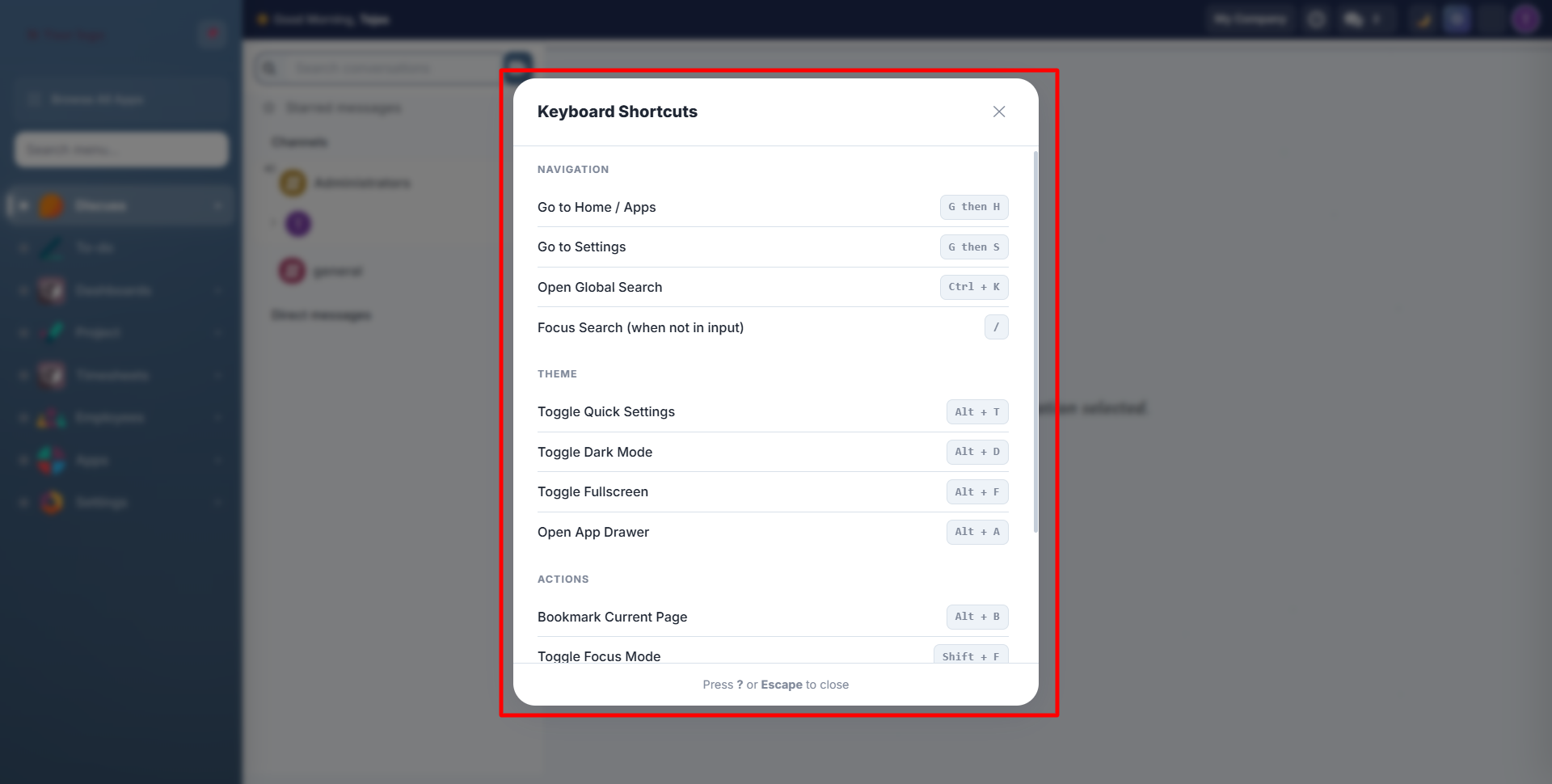
Navigation Shortcuts
| Shortcut | Action |
|---|---|
| Ctrl+K | Open Global Search / Command Palette |
| / | Focus search bar (when not in an input field) |
| G then H | Go to Home / Apps |
| G then S | Go to Settings |
Theme Shortcuts
| Shortcut | Action |
|---|---|
| Alt+T | Toggle Quick Settings panel |
| Alt+D | Toggle Dark Mode (light/dark) |
| Alt+F | Toggle Fullscreen mode |
| Alt+A | Open App Drawer |
Action Shortcuts
| Shortcut | Action |
|---|---|
| Alt+B | Bookmark current page |
| Shift+F | Toggle Focus Mode (hide sidebar & UI chrome) |
| Alt+S | Toggle click sounds |
| ? | Show/hide keyboard shortcuts overlay |
| Escape | Close any open panel, dialog, or overlay |
Tips
- Shortcuts work from any page as long as you're not typing in an input field
- Escape is the universal "close" key: it works for Quick Settings, Global Search, App Drawer, Keyboard Overlay, and Focus Mode
- Ctrl+K is the fastest way to navigate: type any menu name and press Enter
Need Help?
Contact SDLC Corp at sdlccorp.com/contact-us or email sales@sdlccorp.com