Premium Backend Theme - Frequently Asked Questions
Common Questions
Does it work with Odoo Community and Enterprise?
Yes. The theme supports both Odoo 19 Community and Enterprise editions.
Can different users have different themes?
Yes. Each user with Settings Access can customize their own layout, colors, fonts, and effects independently. All preferences are stored per-user in the database.
What happens if a user doesn't have Settings Access?
They see the global defaults configured by the administrator in Settings > SDLC Theme. The Quick Settings gear icon is not visible to them.
How do I grant Settings Access to users?
Go to Settings > SDLC Theme > Settings Access > Theme Settings Users and add the users who should have access to personal theme customization.
Does dark mode work with Odoo charts?
Yes. The theme syncs dark mode with Chart.js via a cookie, so all graphs and charts automatically adjust their colours.
Can I share my theme with other users?
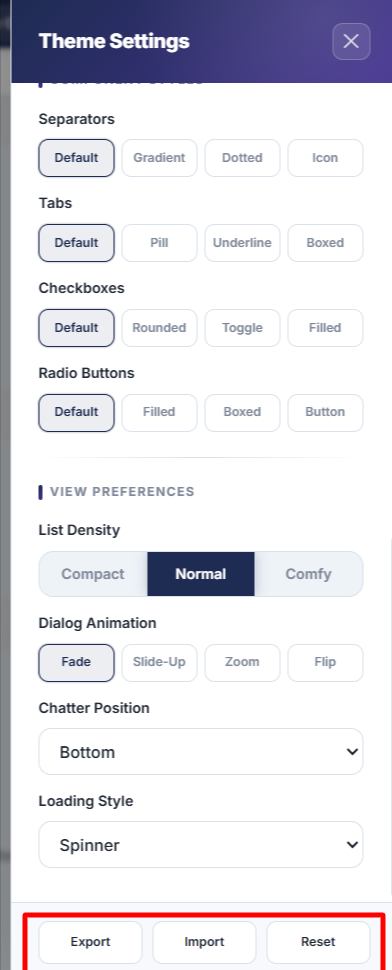
Yes. Use Export Theme in Quick Settings to save your configuration as a JSON file. Other users can import it via Import Theme in their Quick Settings panel.
Will the theme break my existing Odoo modules?
No. The theme uses non-destructive CSS overrides and does not modify core Odoo models. Uninstalling the theme returns Odoo to its default appearance.
How do I reset to defaults?
Open Quick Settings (Alt+T) and click Reset at the bottom of the panel. This restores all your personal settings to the global defaults.
Does it affect performance?
Minimal impact. Visual effects (particles, tilt, magnetic, etc.) are individually toggleable. Disable them for better performance on slower connections or older hardware.
What keyboard shortcuts are available?
Press ? on any page to see the full shortcut overlay. Key shortcuts include Ctrl+K (search), Alt+D (dark mode), Alt+T (settings), and Shift+F (focus mode).
How do I get support?
Contact SDLC Corp via sdlccorp.com/contact-us or email sales@sdlccorp.com.