Hotel Management Dashboard Overview
The Hotel Management System provides 5 role-specific dashboards accessible from the Dashboard menu, each tailored to a specific user role.
All / Executive Summary
The main dashboard with a complete overview of hotel operations.
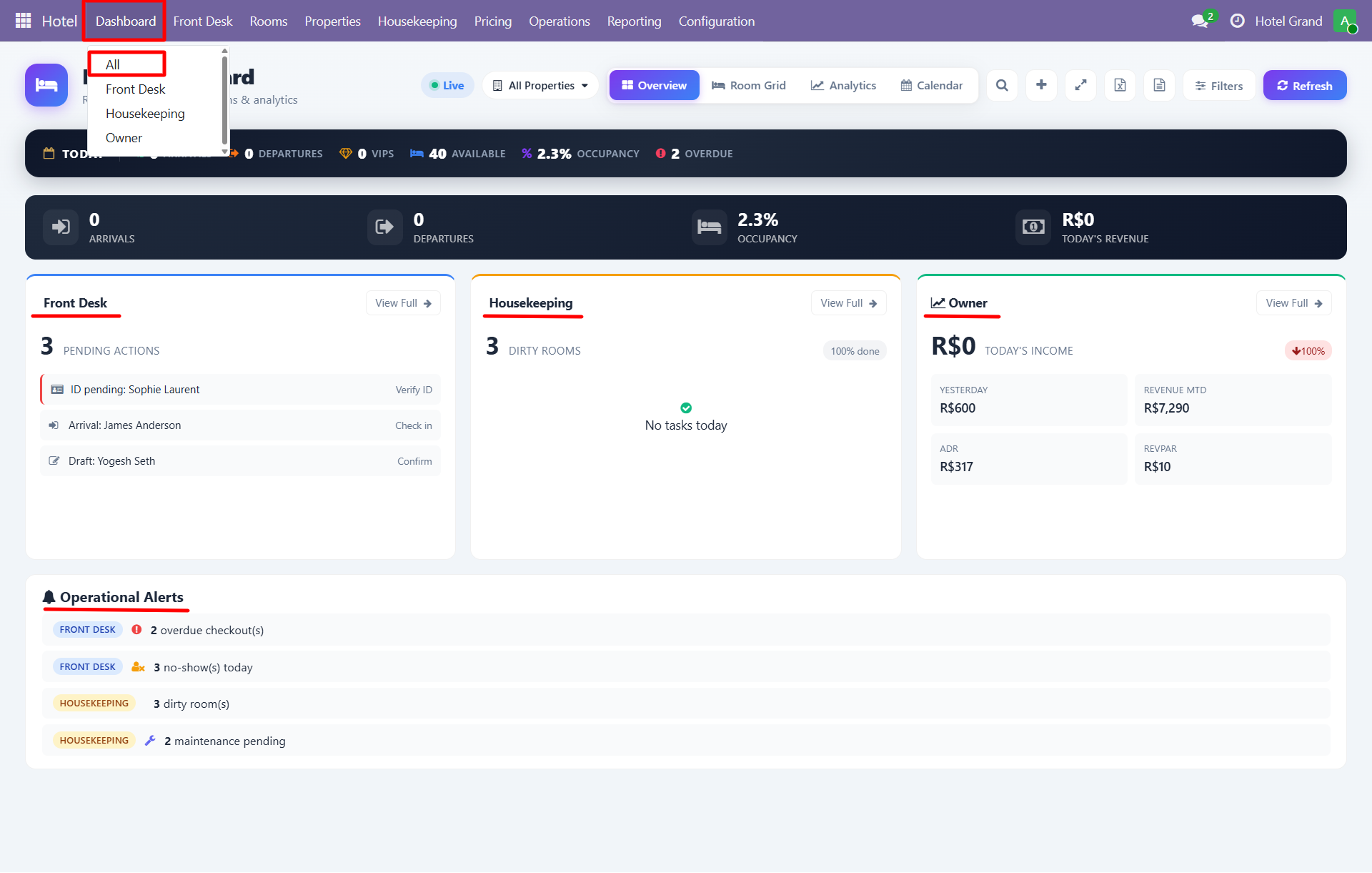
Top Cards
| Card | What It Shows |
|---|---|
| Arrivals | Today's expected check-ins |
| Departures | Today's expected check-outs |
| VIPs | Upcoming VIP guests |
| Available | Rooms available for booking |
| Occupancy | Current occupancy percentage |
| Today's Revenue | Revenue generated today |
Sections
- Front Desk - Pending actions for staff
- Housekeeping - Dirty rooms, tasks status
- Owner - Revenue metrics, RevPAR, ADR
- Operational Alerts - Overdue checkouts, no-shows, dirty rooms, maintenance pending
Front Desk Dashboard
Focused view for front desk staff showing pending actions and arrivals.
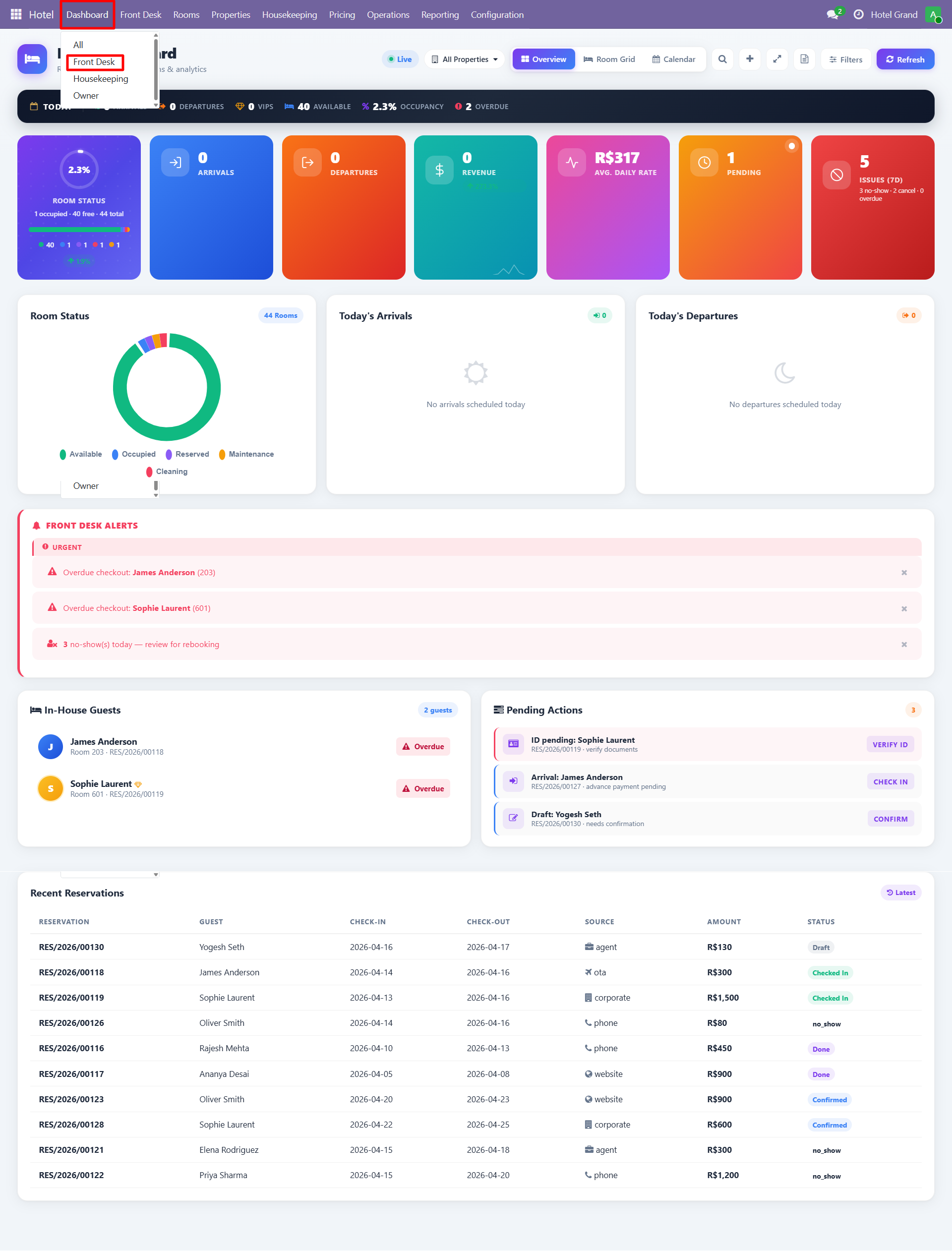
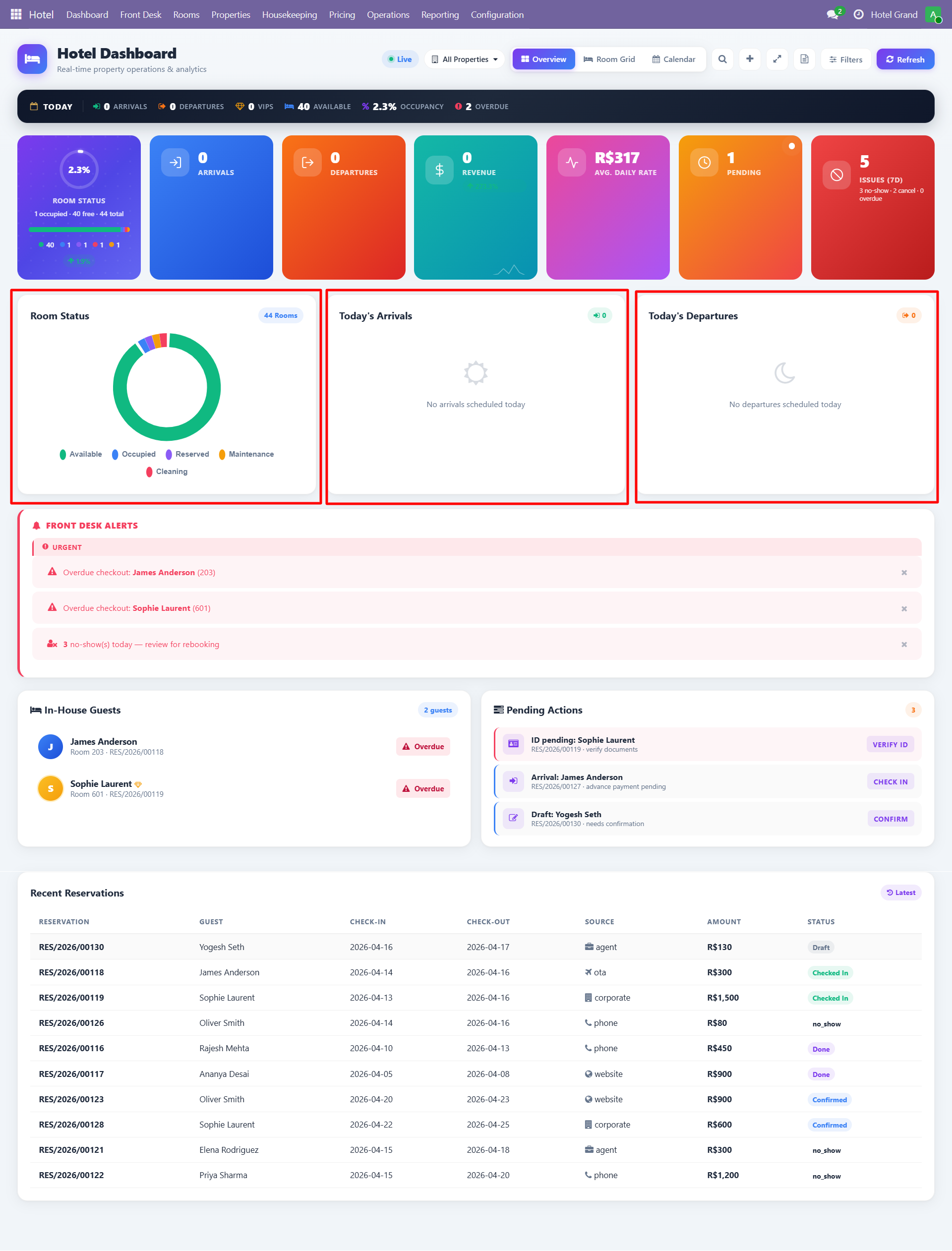
Key widgets:
- Pending actions list
- Today's arrivals and departures
- Quick check-in / check-out buttons
- Operational alerts (overdue checkouts, no-shows)
Housekeeping Dashboard
Housekeeping-focused view for cleaning staff and supervisors.
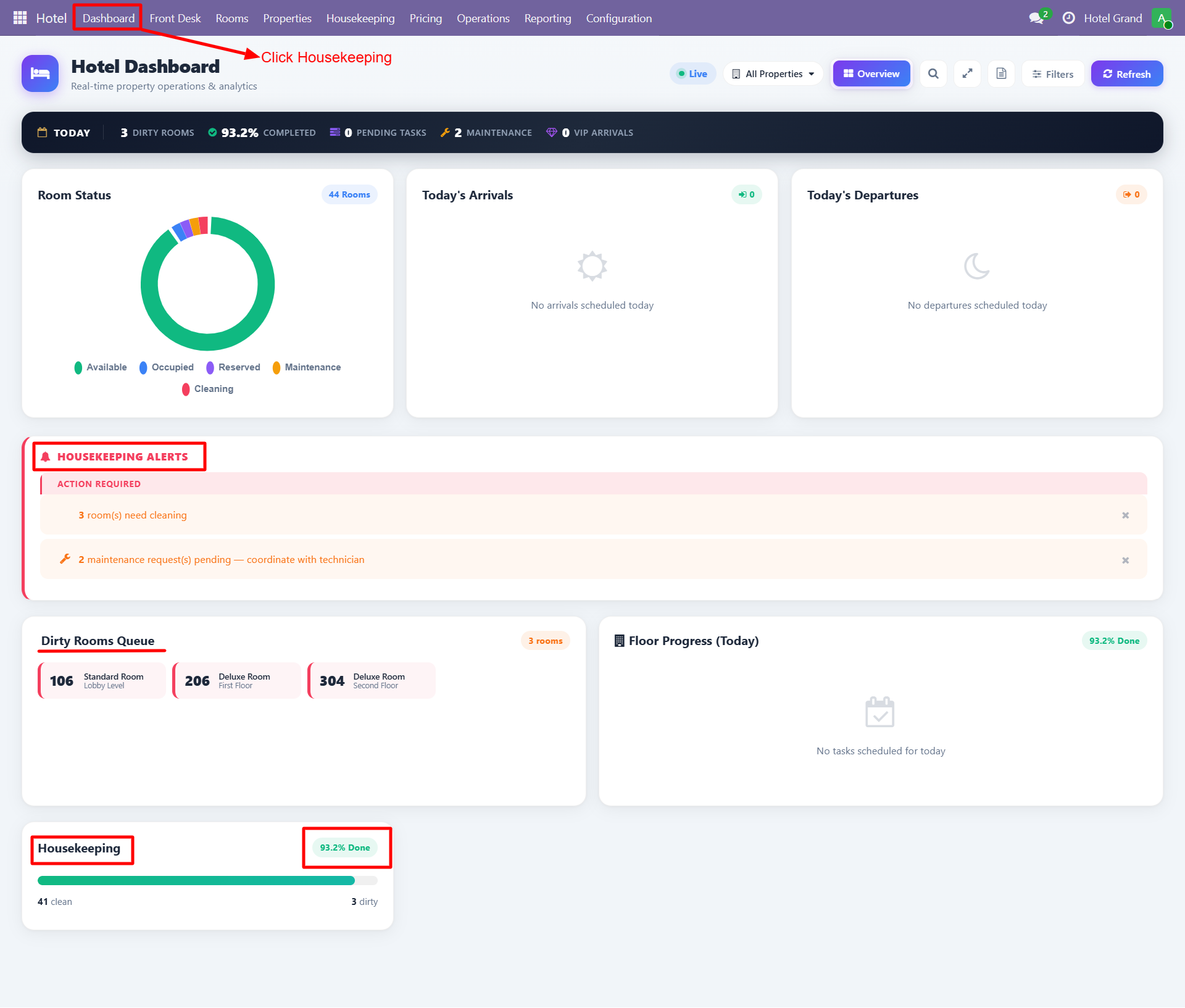
Shows:
- Dirty rooms count
- Tasks completed today
- Staff workload
- Maintenance alerts
Owner Dashboard
Financial overview for property owners and managers.
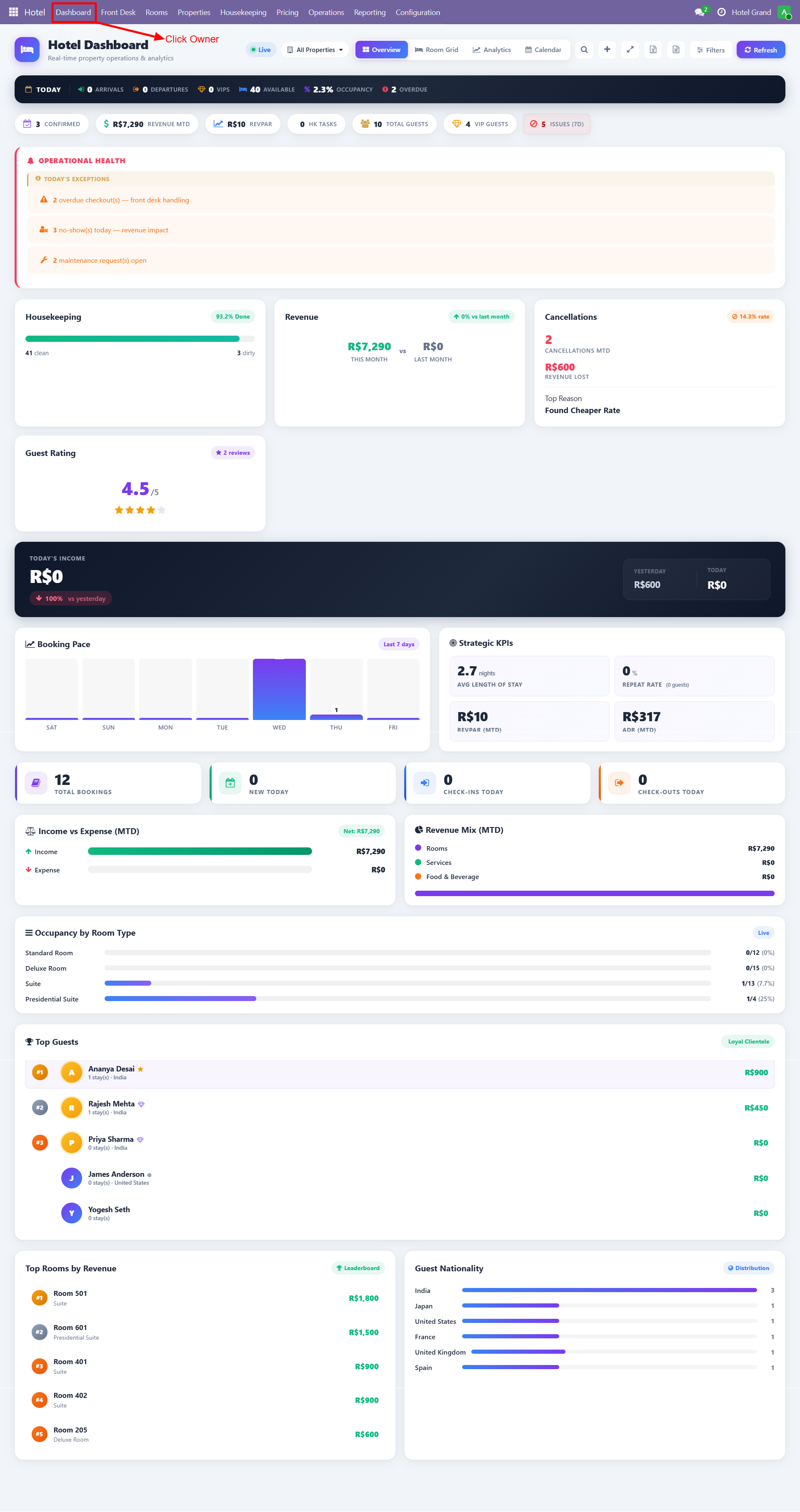
Metrics include:
| Metric | Description |
|---|---|
| Today's Revenue | Revenue recognized today |
| Booking Rate | Current booking velocity |
| ADR | Average Daily Rate |
| RevPAR | Revenue Per Available Room |
| Yesterday Revenue | Previous day comparison |
| Month Revenue | Current month total |
Analytics Dashboard
Visual analytics with charts and trend analysis.
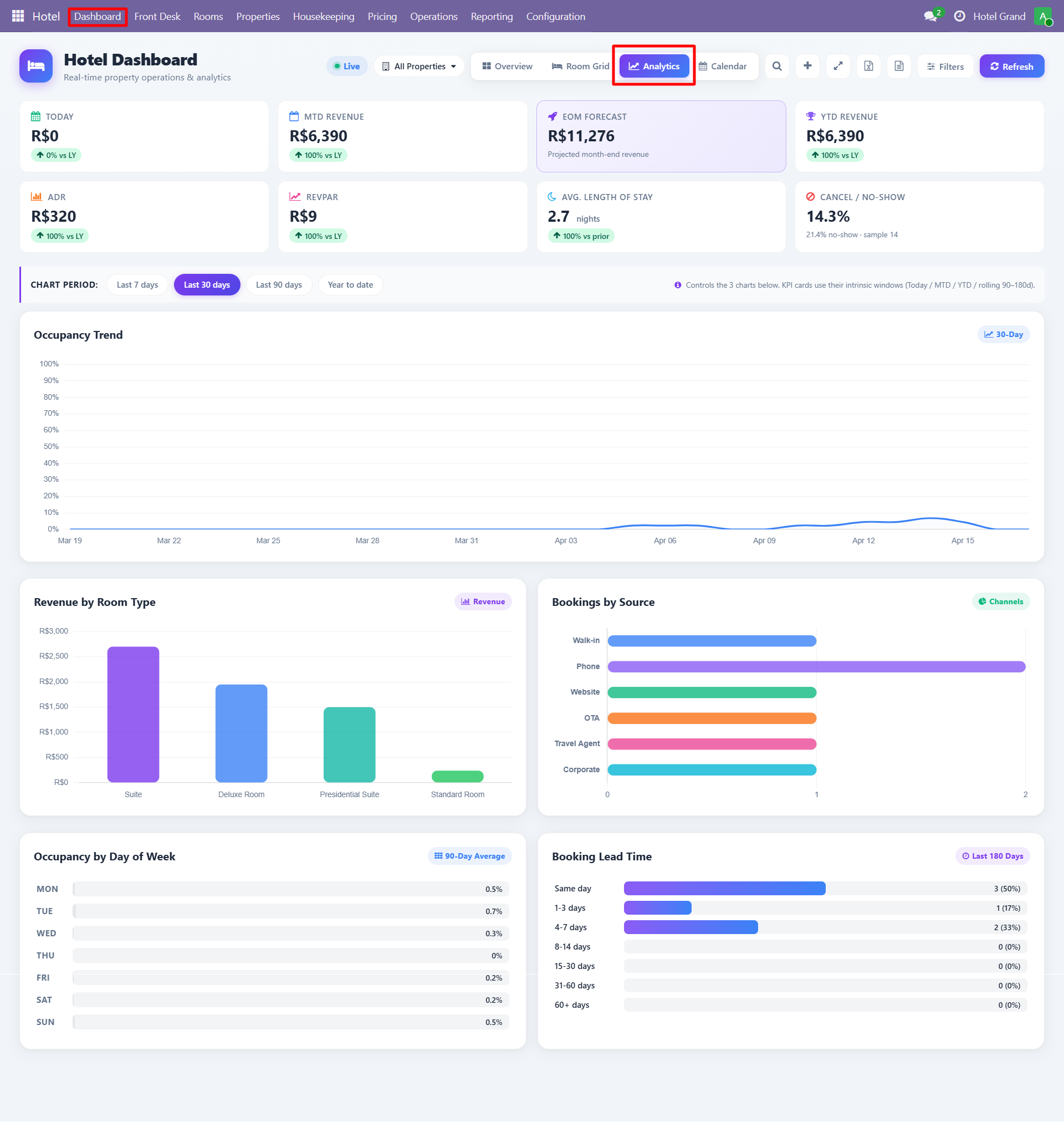
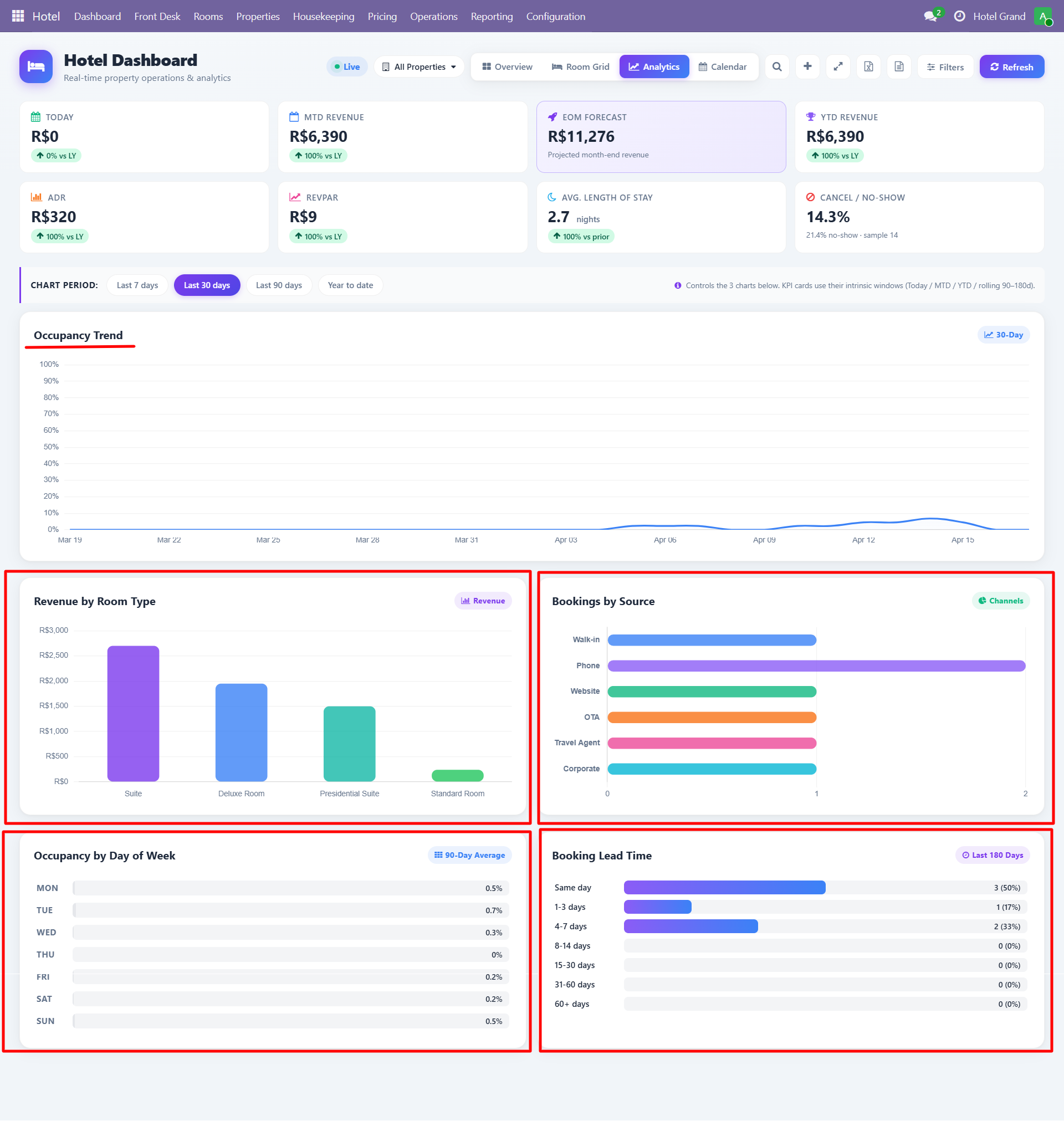
Includes:
- Occupancy trend charts
- Revenue trend over time
- Booking source distribution
- Room type performance
- Average stay duration
- Guest demographics
Quick Actions
Every dashboard includes quick-access buttons:
- Room Grid - Visual room layout with status colors
- Analytics - Jump to analytics view
- Calendar - Calendar view of reservations
- Refresh - Manual data refresh
- Filters - Filter by property, date range
Multi-Property Switching
If you manage multiple properties, use the All Properties dropdown in the dashboard header to switch between them or view consolidated data.
Need Help?
Contact SDLC Corp at sdlccorp.com/contact-us or email sales@sdlccorp.com