Folio & Billing
Every reservation automatically generates a guest folio - an itemized record of all charges including room rates, services, taxes, and payments.
What's a Folio?
A folio is the complete financial record of a guest's stay:
- Room charges (per night × nights)
- Extra services (laundry, spa, transport)
- Food and beverage charges
- Minibar consumption
- Taxes and fees
- Payments received
- Balance due / refunds
Folio Form
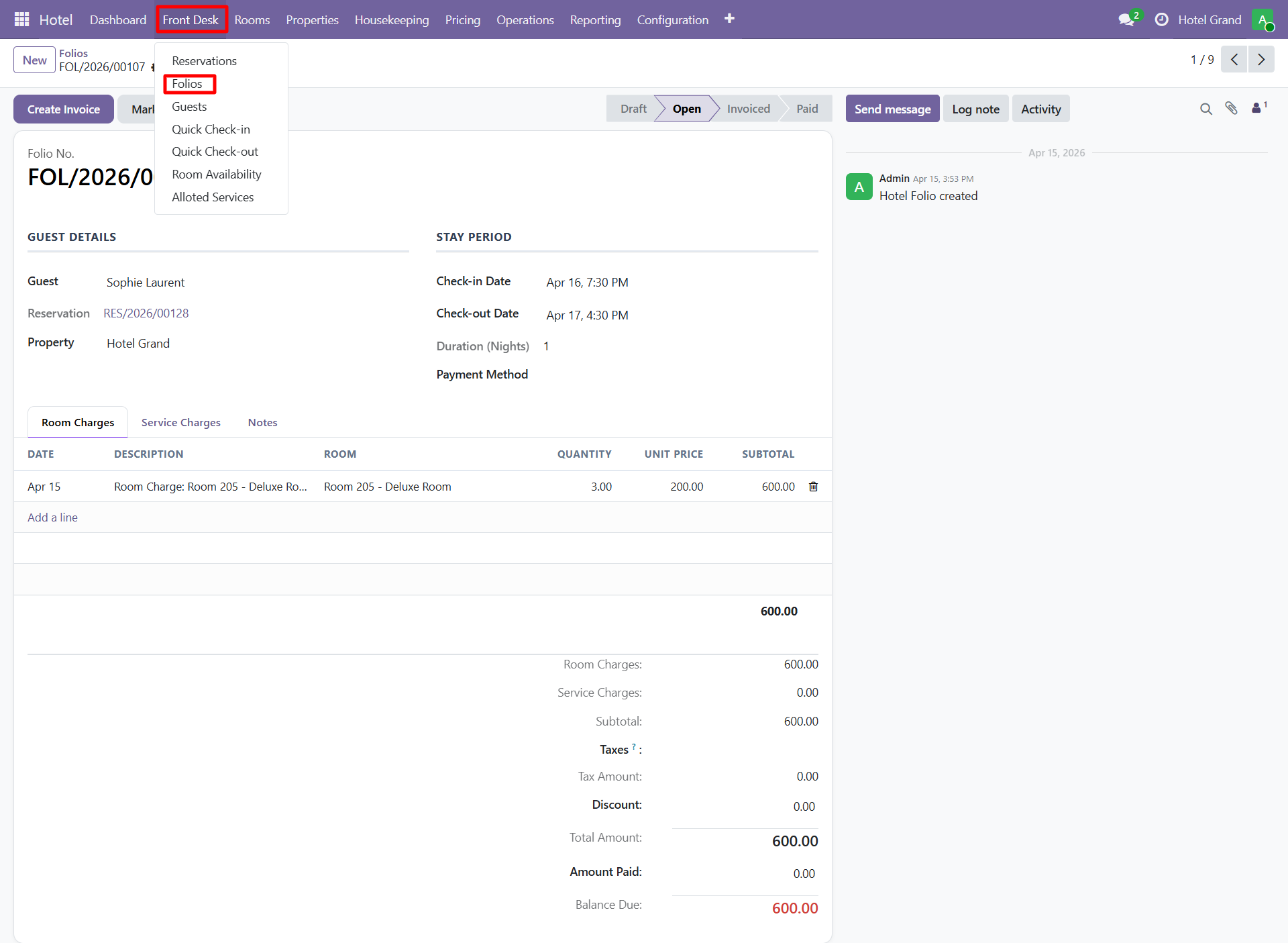
Key Sections
| Section | What's Tracked |
|---|---|
| Guest & Reservation | Linked guest and reservation details |
| Charge Lines | Each billable item with date, description, amount |
| Payments | All payments received (cash, card, bank transfer) |
| Taxes | Applied tax rules per line |
| Totals | Subtotal, tax, total, paid, balance |
| Notes | Internal notes and comments |
Charge Types
- Room - Auto-generated per night
- Service - Laundry, spa, transport, custom services
- Restaurant - Food orders from hotel restaurant
- Minibar - Items consumed from room minibar
- Extra - Miscellaneous charges (phone, parking, etc.)
- Tax - VAT / GST / service tax
Auto-Charge Generation
The system automatically posts charges to the folio:
- Room charges - Posted daily at midnight (configurable via cron)
- Services - When service is completed/delivered
- Restaurant - When KOT (Kitchen Order Ticket) is closed
- Minibar - Manually or via minibar wizard at checkout
Processing Payments
During Stay
Record payments anytime:
- Open the folio
- Click Register Payment
- Enter amount and payment method
- Payment is added to the Payments tab
- Folio balance updates
At Check-Out
The Check-Out Wizard automatically:
- Reviews all charges
- Calculates final total with tax
- Prompts for remaining balance
- Processes payment
- Generates invoice
Generating Invoices
Each folio produces an invoice for the guest.
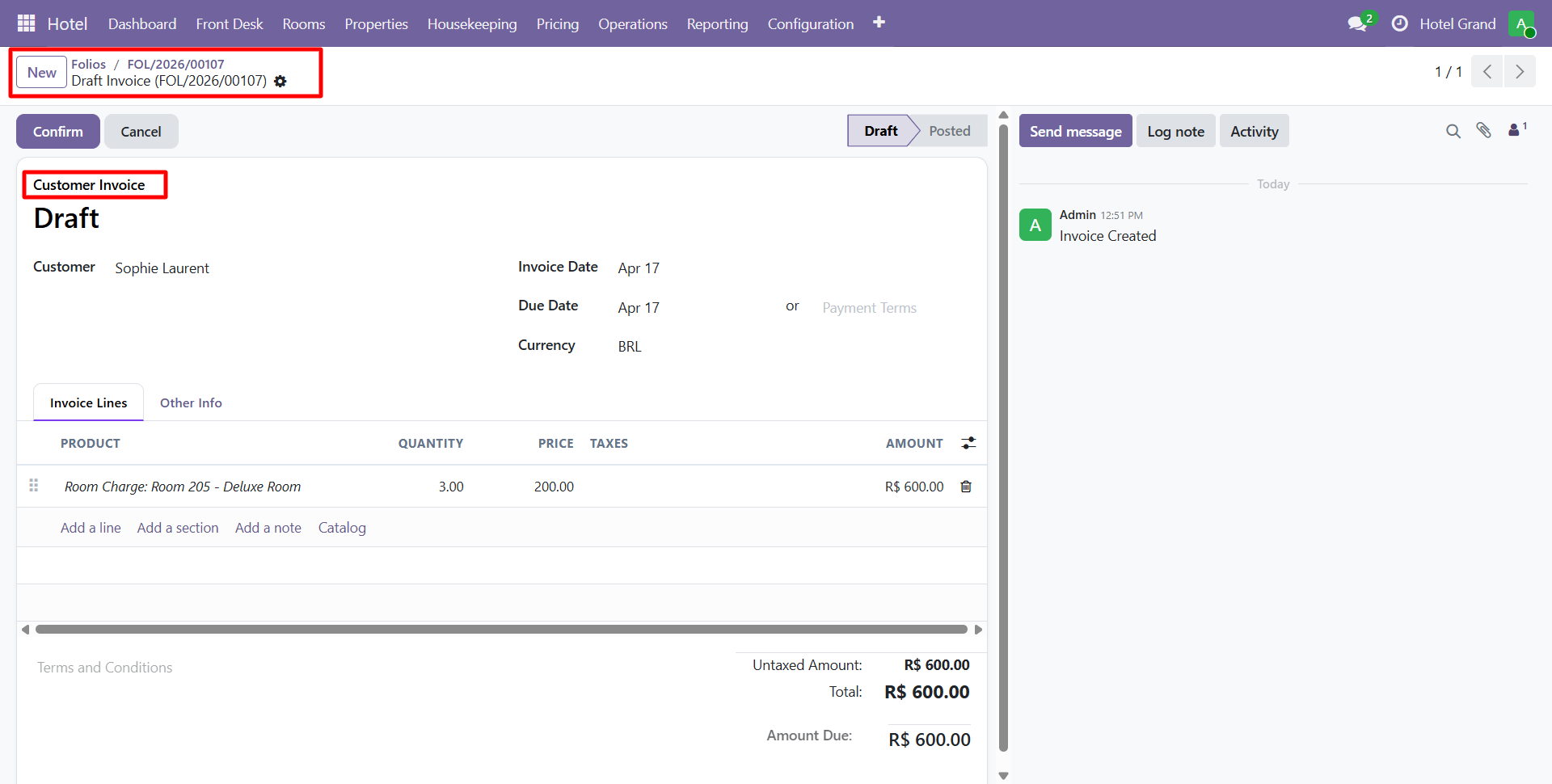
Invoice Features
- Itemized charges with dates
- Tax breakdown (VAT, service tax, etc.)
- Payment history
- Company letterhead
- QR code for digital payments (optional)
- Multi-currency support
Export Options
- PDF - Printable invoice
- Email - Send directly to guest
- Account Move - Posted to Odoo accounting for reconciliation
Integration with Odoo Accounting
Folios integrate fully with Odoo's accounting module:
- Revenue recognition per day (for accrual accounting)
- Tax posting to appropriate accounts
- Payment reconciliation with bank statements
- Analytic accounts per property for revenue tracking
Split Folios
For group bookings or corporate stays, you can split folios:
- Separate folios per occupant
- Group master folio + individual folios
- Company-paid vs guest-paid charges
tip
Configure default tax rules in Configuration > Settings so charges automatically apply the correct tax rates based on property location.
Need Help?
Contact SDLC Corp at sdlccorp.com/contact-us or email sales@sdlccorp.com