Shopify Sales Report
How to read the Sales report
The Sales report groups your imported Shopify orders by whichever dimension you pick - product, category, customer, sales channel, day/week/month - and totals revenue, quantity and discount.
Common uses:
- Top-products view - pivot by product, sort by revenue, spot the 80/20.
- Customer lifetime value - pivot by customer, sort by total revenue, identify VIPs.
- Channel performance - pivot by sales channel to compare retail vs wholesale vs marketplace.
- Period comparison - duplicate the report with a different date range and compare side by side.
Overview
The Sales report joins Shopify order revenue with Odoo's analytics views so you can slice your store's sales by any dimension Odoo knows about - product, customer, period, channel - without exporting to a spreadsheet.
View consolidated sales data from your Shopify stores directly in Odoo.
Accessing the Report
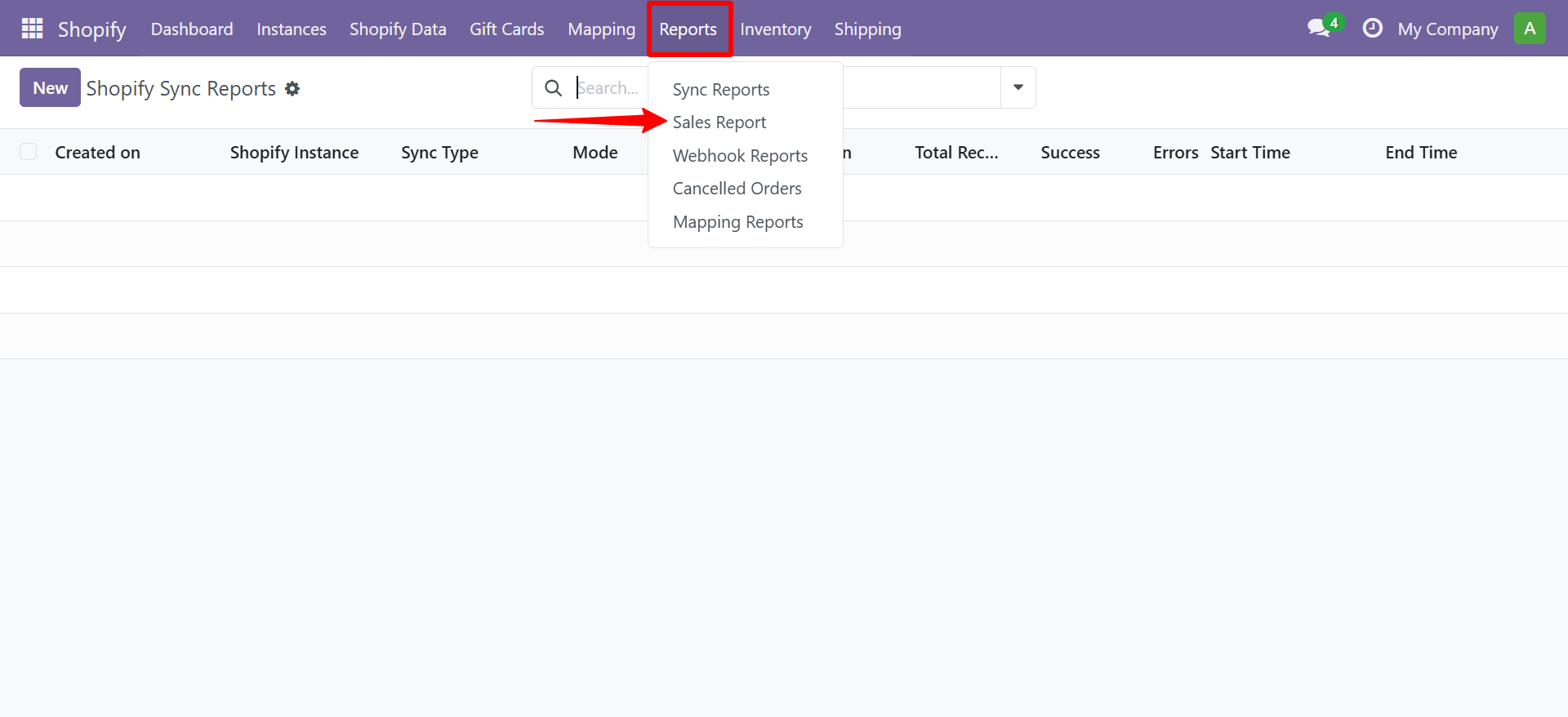
Navigate to Shopify → Reports → Sales Report
Filters
| Filter | Description |
|---|---|
| Instance | Filter by Shopify store |
| Date Range | Set period (daily, weekly, monthly) |
| Order Status | Paid, Pending, Cancelled |
Need Help?
Contact SDLC Corp at sdlccorp.com/contact-us or email sales@sdlccorp.com
Related
- Net Profit Report - Sales minus costs and fees.
- Shopify Payouts - how revenue arrives in your bank account.
- Sales orders inside Odoo - the underlying data the report aggregates.