Budgeting & BOQ
The Construction Management module provides comprehensive financial planning tools including Bill of Quantities (BOQ), Budget Management, and Rate Analysis.
Bill of Quantities (BOQ)
The BOQ module enables precise quantity estimation for construction work. Navigate to Construction > Budgets > Bill of Quantities.
BOQ List View
| Column | Description |
|---|---|
| Reference | Auto-generated (BOQ/XXXX) |
| Project | Associated project |
| Sub Project | Associated sub-project |
| Work Type | Classification of work |
| Work Sub Type | Sub-classification |
| Quantity | Computed quantity |
| Total Amount | Computed total |
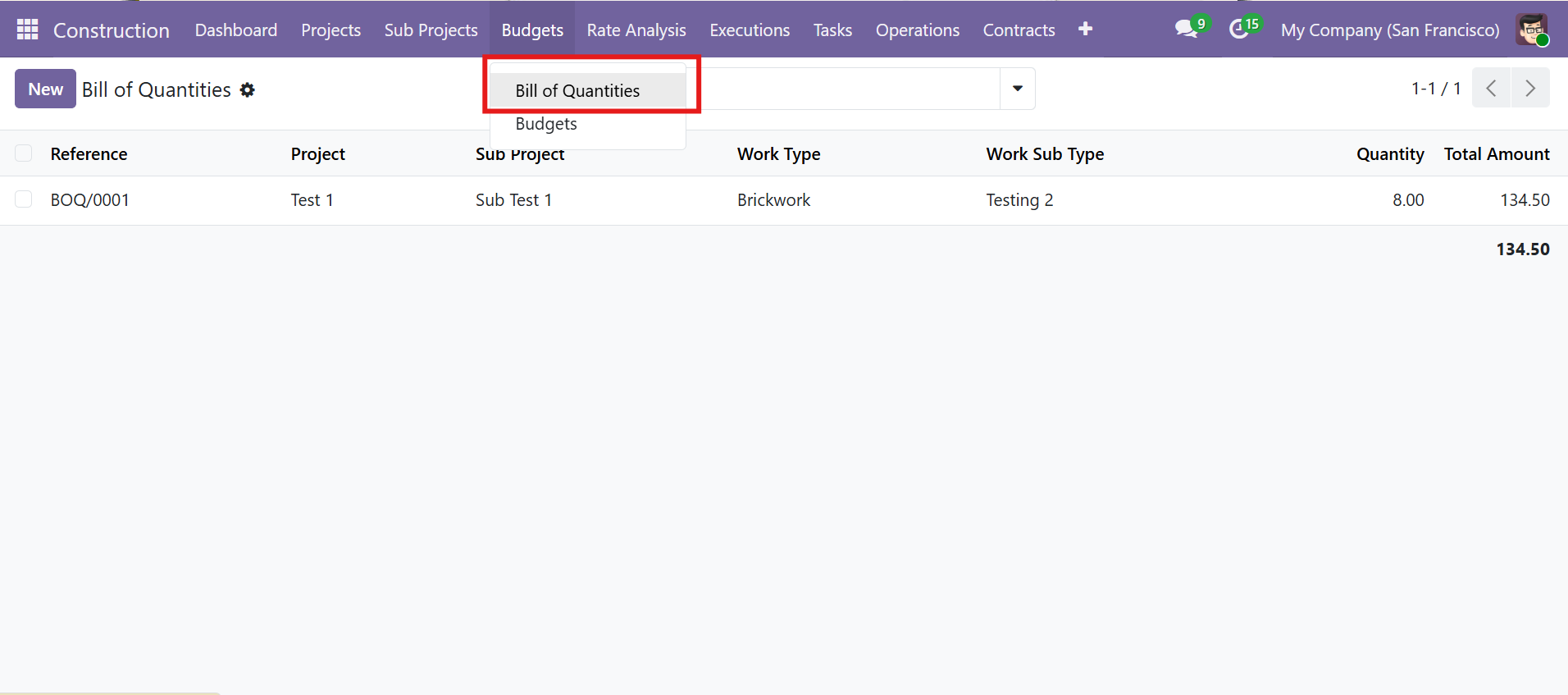 Bill of Quantities list view with Budgets menu dropdown
BOQ Measurements
Each BOQ record captures measurement dimensions for automatic quantity computation:
| Field | Description |
|---|---|
| Work Type / Sub Type | Classification (e.g., Brickwork, Electrical Work) |
| Unit of Measure | UOM for measurement (e.g., sq ft, cubic m) |
| Length x Width x Height x Nos | Dimensions multiplied to compute Quantity automatically |
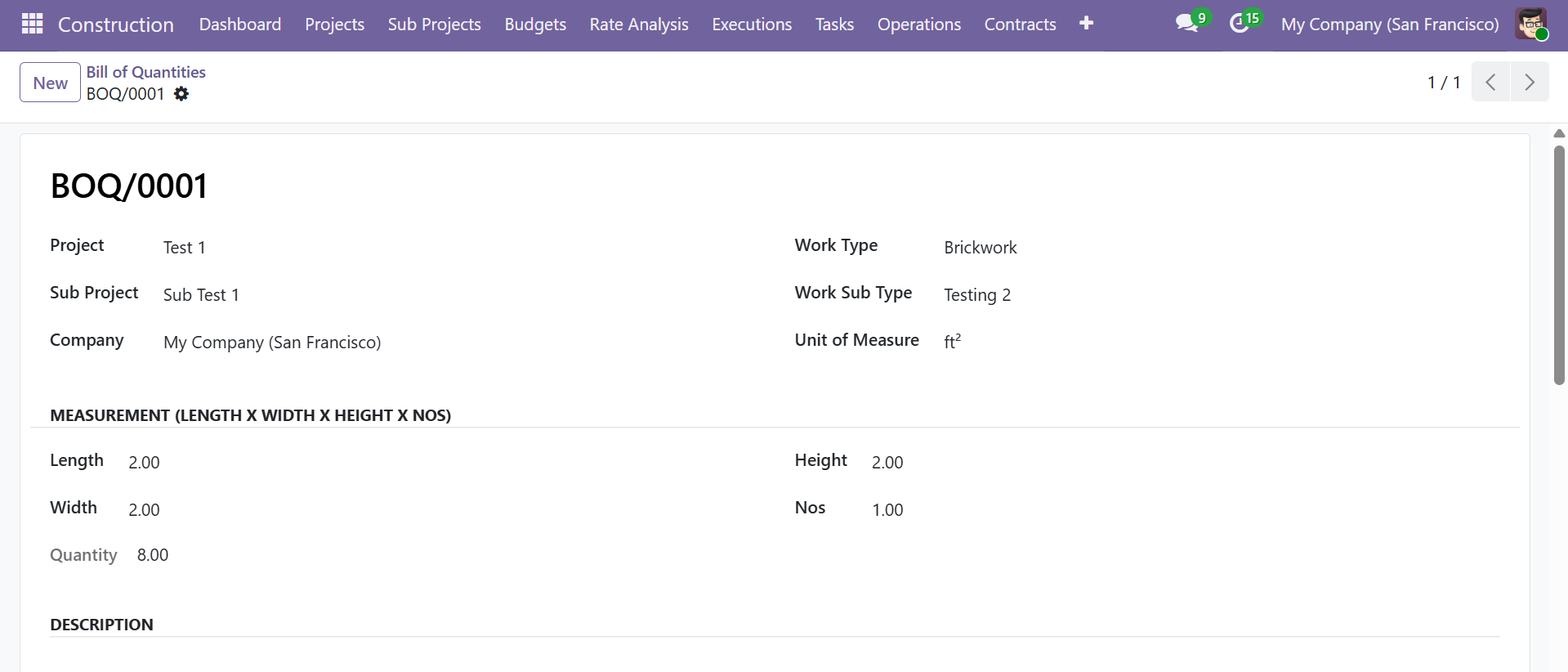 BOQ form with measurement dimensions (Length x Width x Height x Nos = Quantity)
BOQ Lines & Budget Creation
Add product lines with quantity, UOM, unit price, and computed amount. The "Create / Update Budget" button automatically generates a Budget record from the BOQ lines.
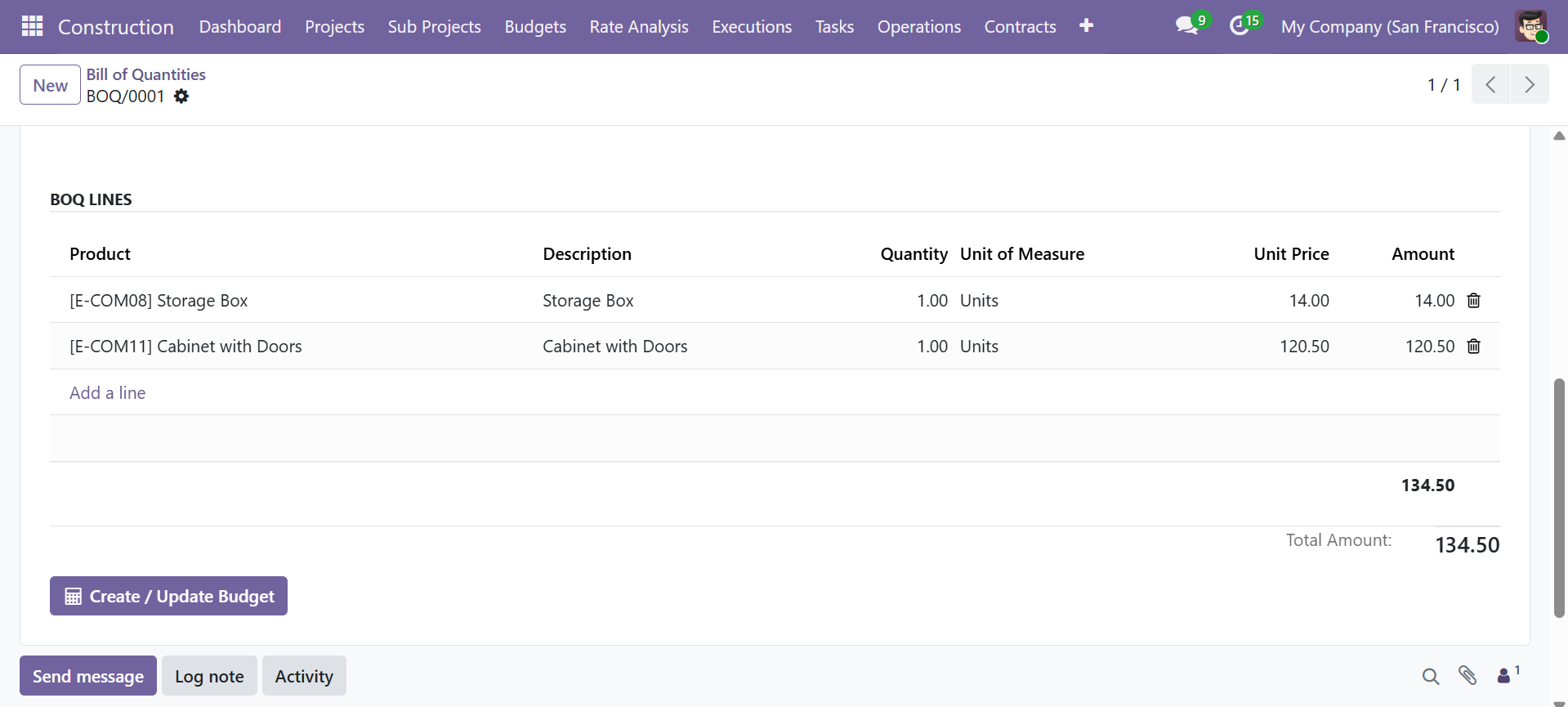 BOQ lines with products and the Create/Update Budget button
When you click "Create / Update Budget", the system automatically creates a new Budget or updates an existing one with the BOQ line items, saving manual data entry.
Budgets
Budget management tracks planned vs actual costs with variance analysis. Navigate to Construction > Budgets > Budgets.
Budget List View
| Column | Description |
|---|---|
| Reference | Auto-generated (BDG/XXXX) |
| Project | Associated project |
| Sub Project | Associated sub-project |
| Date | Budget date |
| Total Planned | Total planned cost |
| Total Actual | Total actual cost incurred |
| Total Variance | Auto-computed (Planned - Actual) |
| Status | Current approval state |
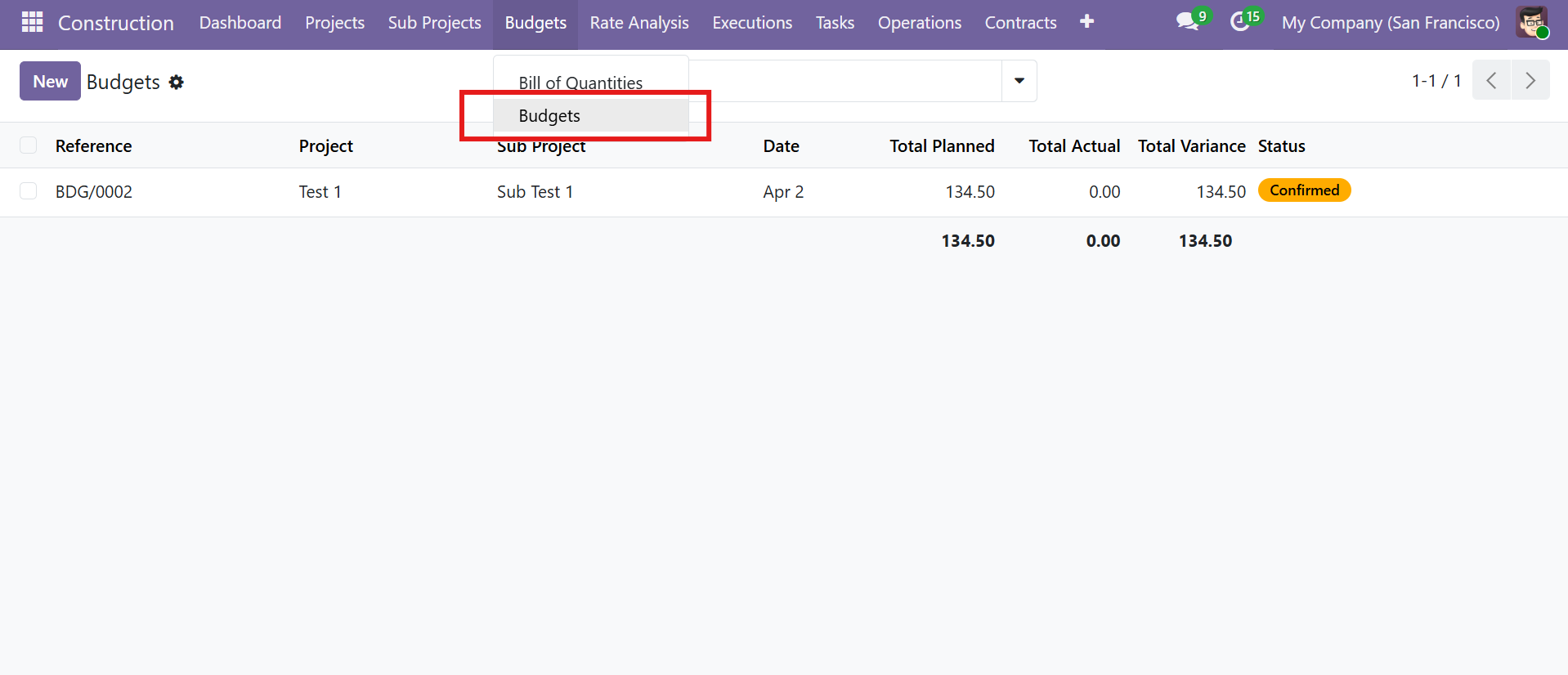 Budgets list view with financial summary columns
Budget Approval Workflow
Budgets follow a multi-stage approval process:
| Stage | Description |
|---|---|
| Draft | Budget created, lines being added |
| Confirmed | Budget submitted for review |
| Approved | Budget approved by manager |
| Done | Budget finalized and locked |
Budget Form View
Budget Lines include the following fields:
| Field | Description |
|---|---|
| Work Type | Category of work (e.g., Brickwork) |
| Product | Specific material or service |
| Planned Amount | Estimated cost |
| Actual Amount | Real cost incurred |
| Variance | Auto-computed (Planned - Actual) |
| Progress (%) | Percentage of budget utilized |
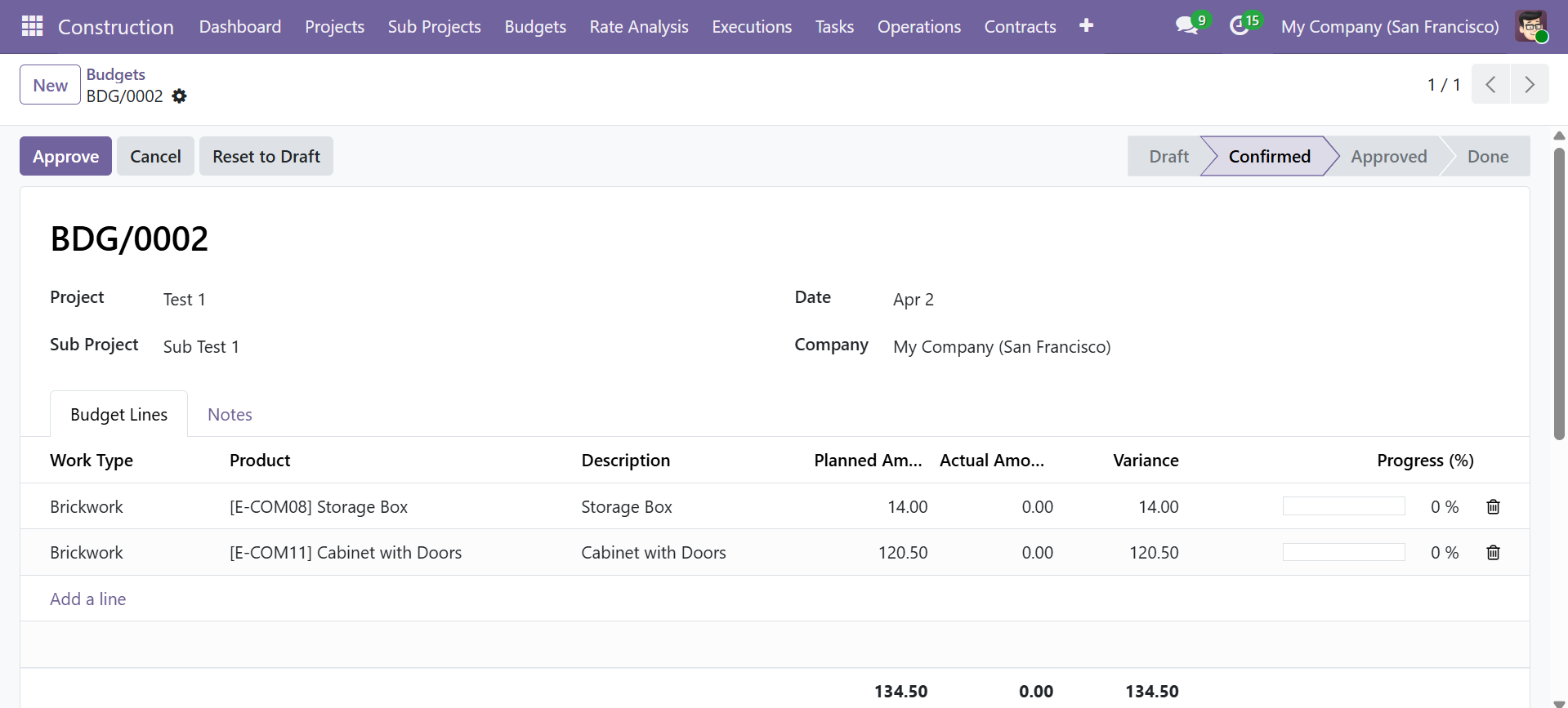 Budget form with status bar and budget lines showing variance tracking
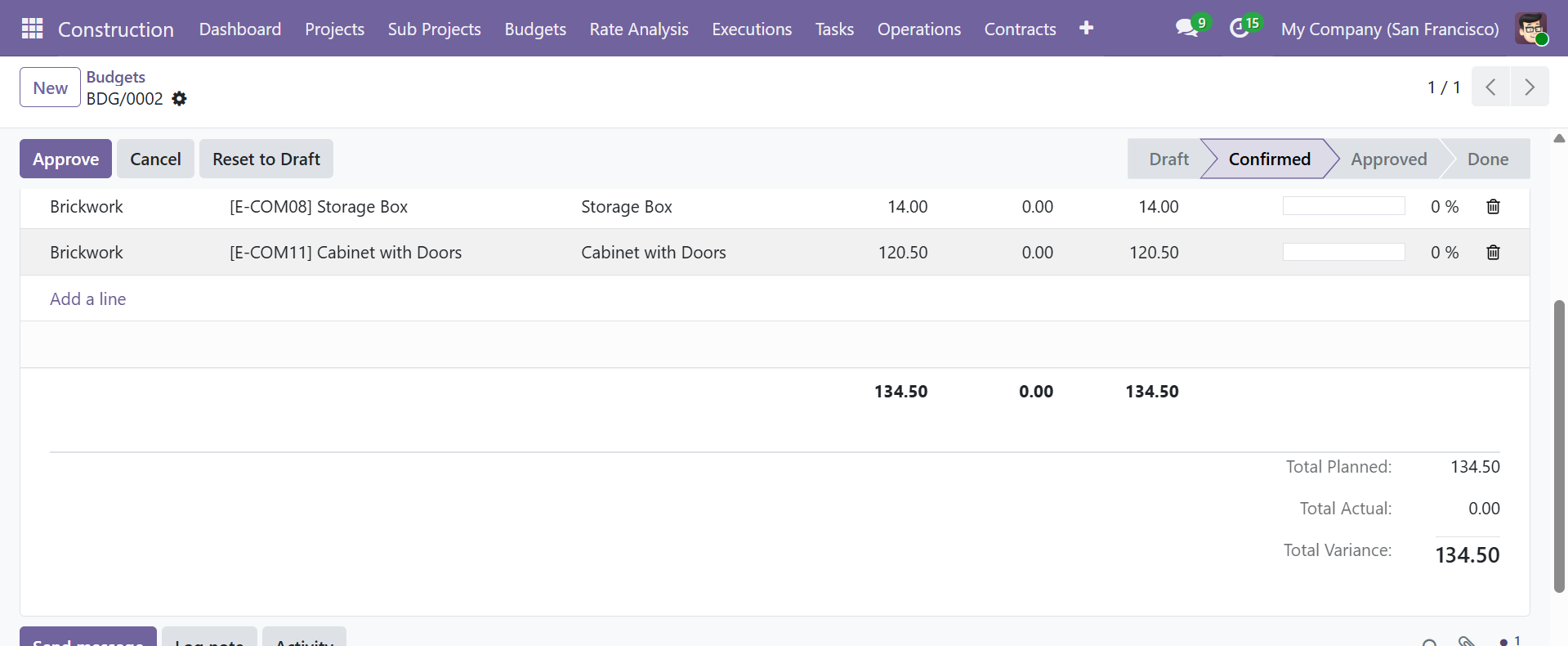 Budget totals summary: Total Planned, Total Actual, and Total Variance
Rate Analysis
Rate Analysis breaks down per-unit costs into five categories. Navigate to Construction > Rate Analysis.
Rate Analysis List View
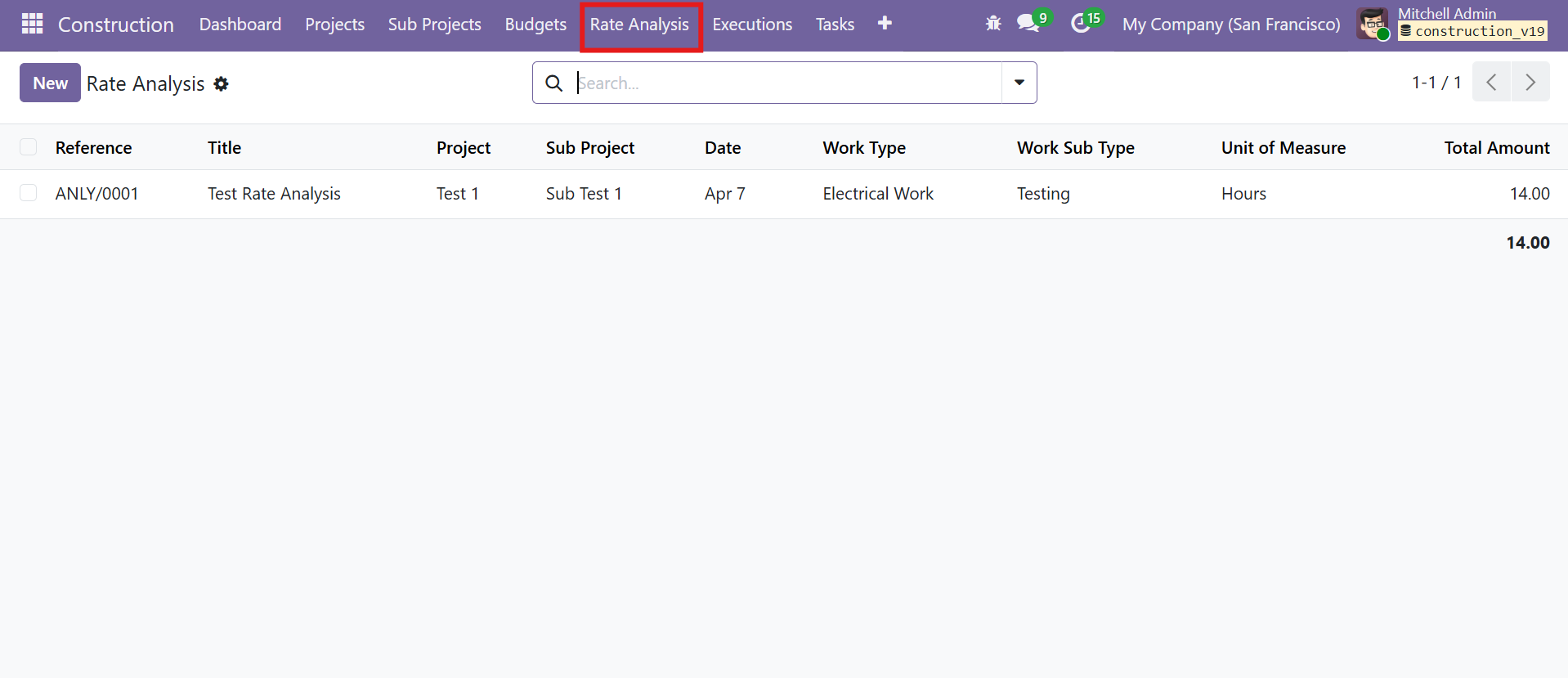 Rate Analysis list view with Reference, Title, Work Type, and Total Amount
Rate Analysis Form View
The form provides five categorized tabs for detailed cost breakdown:
| Tab | Description |
|---|---|
| Materials | Raw materials and consumables |
| Equipment | Machinery and tools |
| Labour | Worker wages and fees |
| Overhead | Indirect costs |
| Others | Miscellaneous costs |
Each line includes Product, Description, Quantity, UOM, Unit Price, and computed Amount. Category-wise totals and a grand Total Amount are auto-calculated.
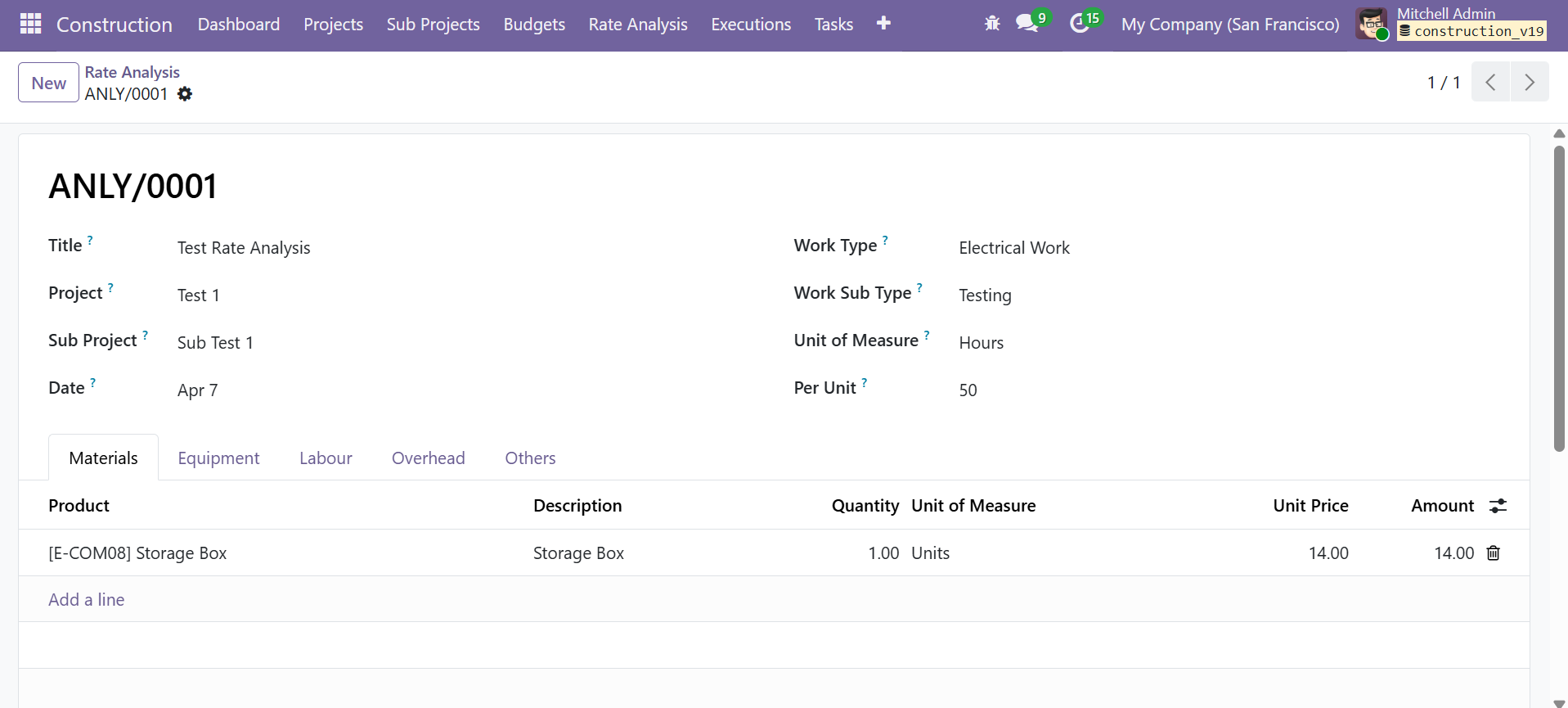 Rate Analysis form with five category tabs and material line items
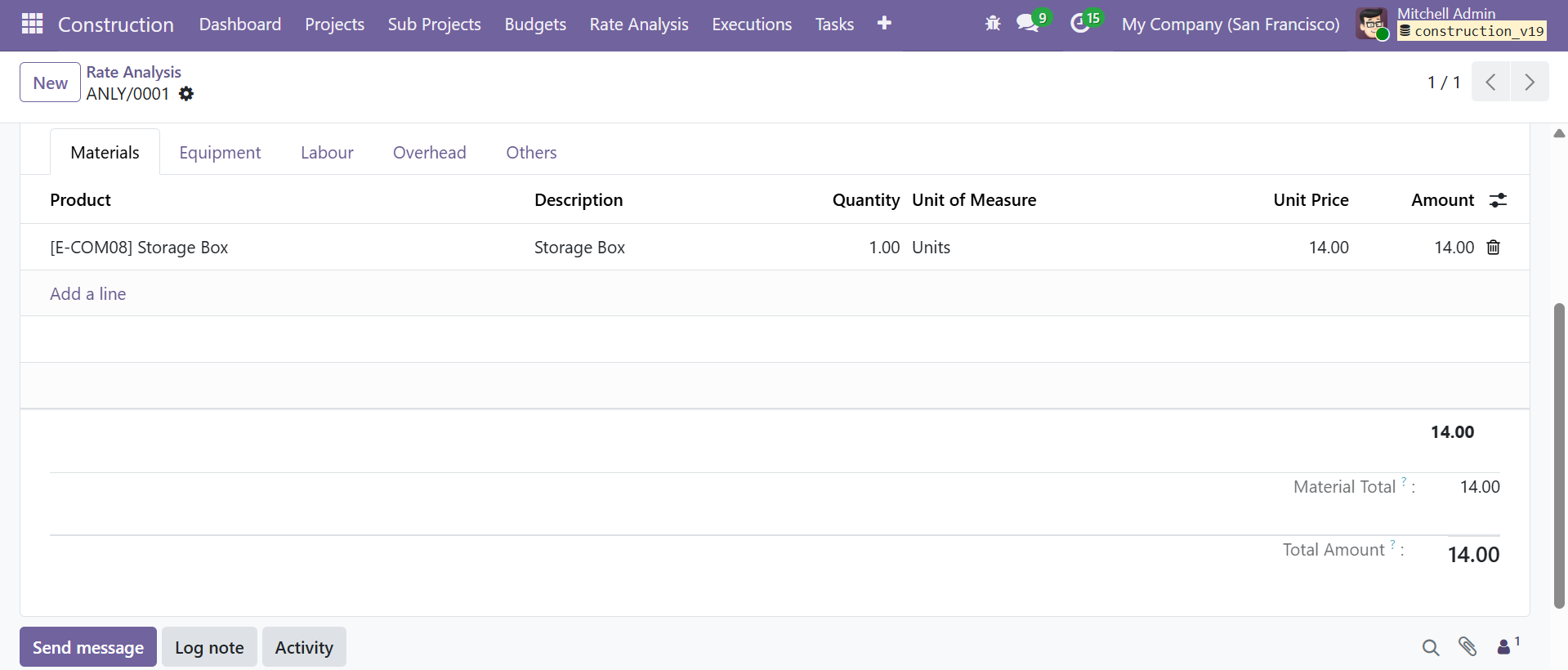 Rate Analysis with Material Total and overall Total Amount computation
Contact SDLC Corp at sdlccorp.com/contact-us or email sales@sdlccorp.com