Housekeeping
Manage room cleaning, maintenance tasks, staff assignments, and lost & found items.
Housekeeping Dashboard
Access via Dashboard > Housekeeping or the Housekeeping top menu for a focused view:
- Rooms needing cleaning
- Tasks in progress
- Completed tasks today
- Staff workload
Rooms to Clean
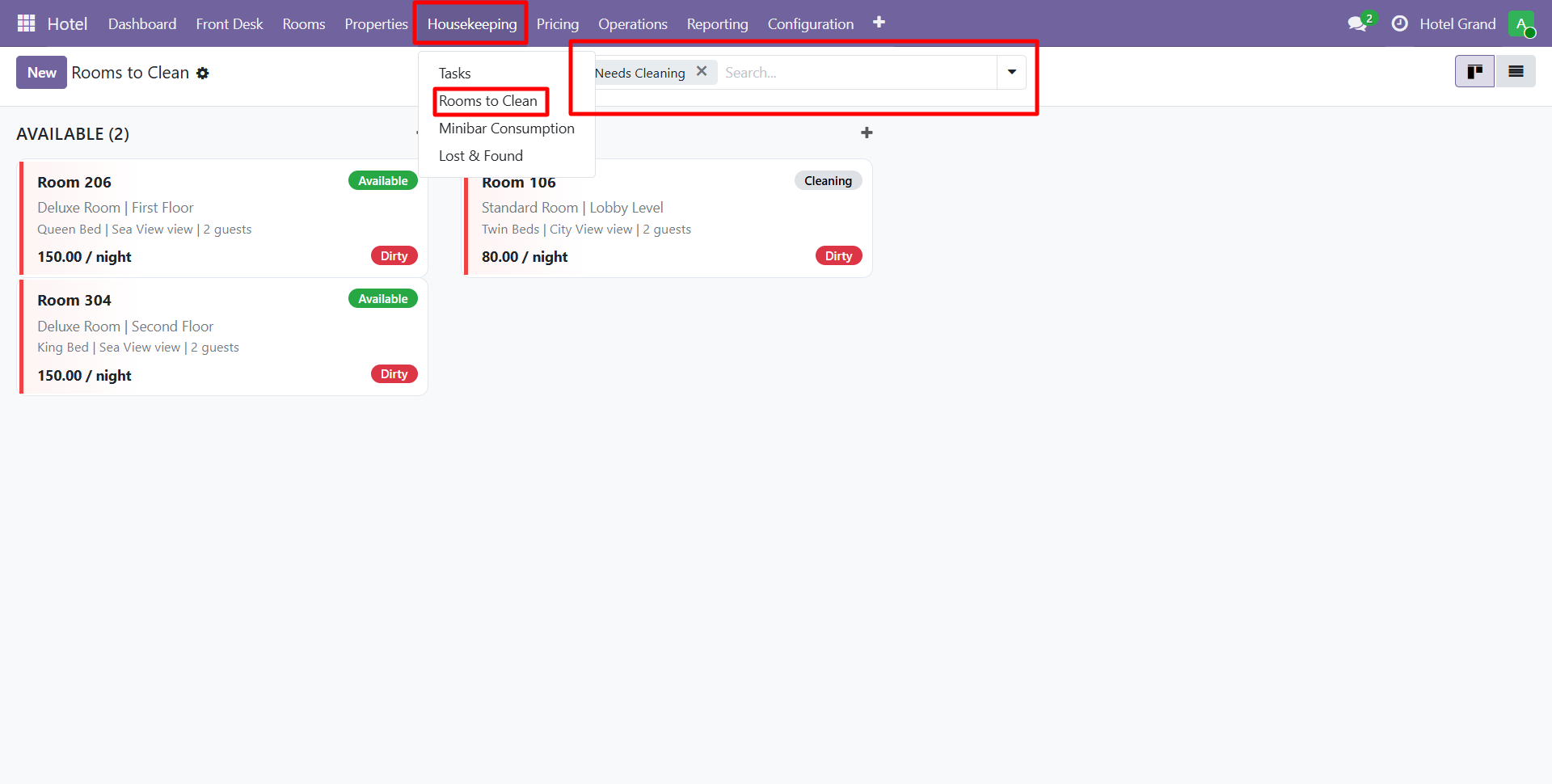
The housekeeping view shows all rooms requiring attention, grouped by:
- Checkout Clean — Rooms where guests just checked out
- Stay-Over Clean — Daily cleaning for occupied rooms
- Deep Clean — Scheduled periodic thorough cleaning
- Inspection Needed — Cleaned rooms awaiting supervisor inspection
Status Flow
Dirty → Cleaning → Inspected → Available
Staff update room status as they work — the system recalculates occupancy and availability automatically.
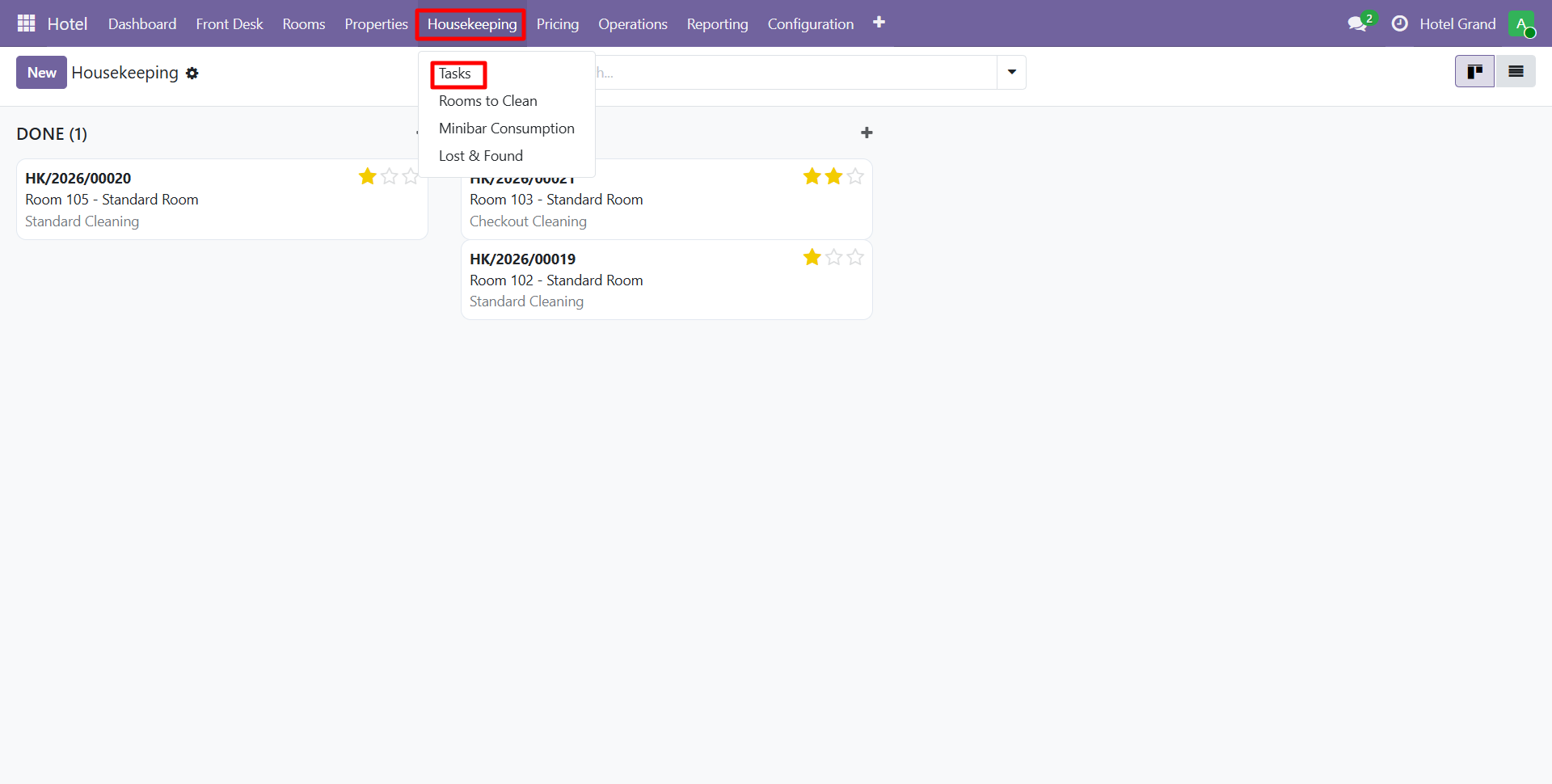
Housekeeping Tasks
Beyond room cleaning, track any hotel task.
Activity Types
Configure custom activity types like:
- Standard room cleaning
- Deep cleaning
- Bed linen change
- Towel replacement
- Minibar restocking
- Window cleaning
- Carpet cleaning
- Maintenance followup
Each type has:
- Name and sequence
- Estimated duration (hours)
- Description
- Active/inactive flag
Creating a Task
- Navigate to Housekeeping > Tasks and click New
- Select the room
- Choose activity type
- Assign to a staff member
- Set date and scheduled time
- Add priority (Low / Normal / High / Urgent)
- Save and notify assigned staff
Task States
New → Assigned → In Progress → Completed → Verified
                               ↘ Skipped
Automated Task Creation
The system auto-creates cleaning tasks when:
- A guest checks out (checkout clean)
- Daily at midnight for occupied rooms (stay-over clean)
- On schedule for deep cleaning
- When a guest reports an issue
Configure automation via Configuration > Scheduled Actions.
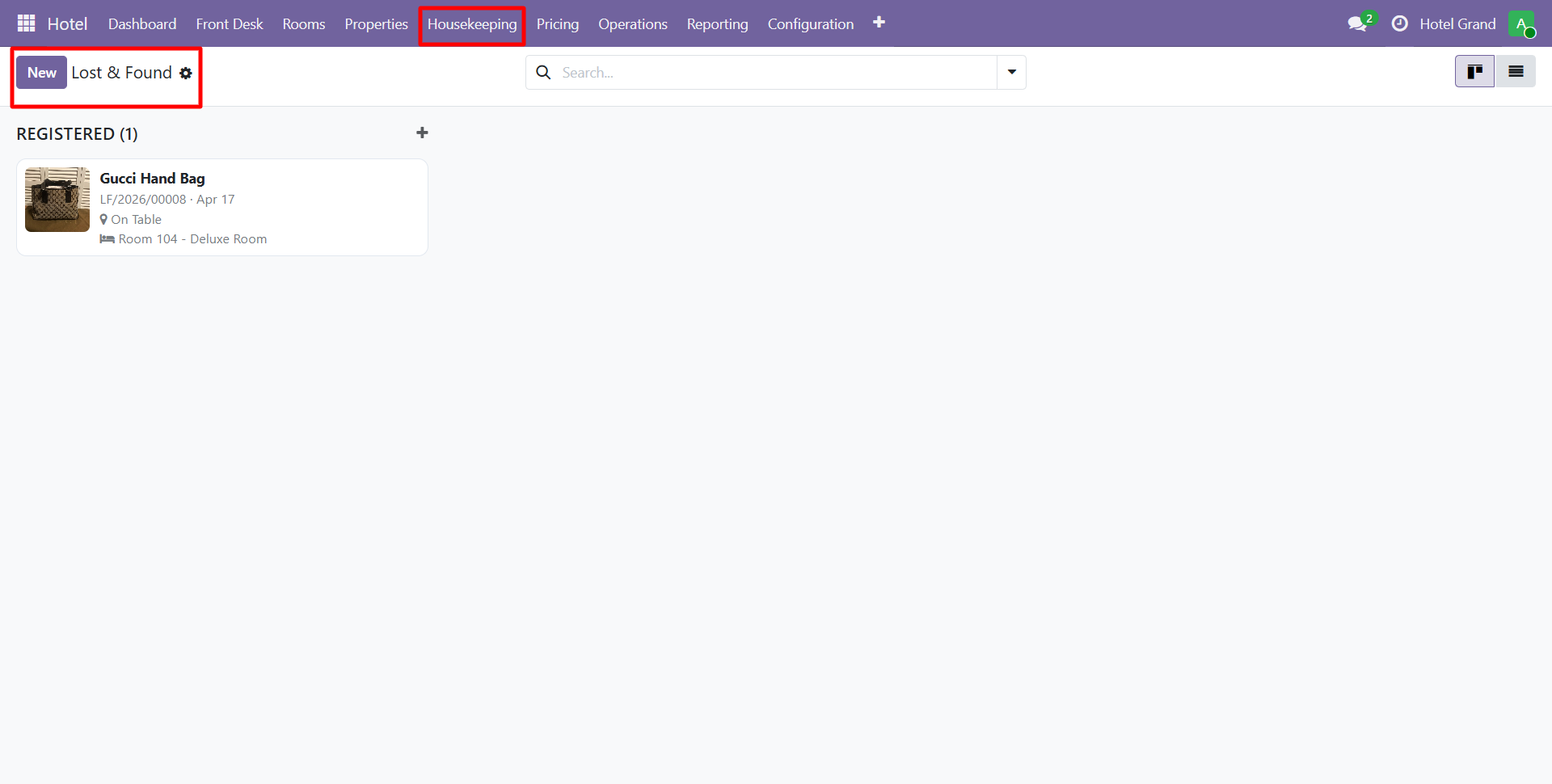
Lost and Found
Track items left behind by guests.
Item Fields
| Field | Description |
|---|---|
| Item Name | Description of found item |
| Found Date | When discovered |
| Room | Where found |
| Found By | Staff member who found it |
| Category | Clothing / Electronics / Documents / Jewelry / Other |
| Status | Stored / Claimed / Shipped / Disposed |
| Photo | Image of the item |
| Associated Guest | Last guest in the room (potential owner) |
Workflow
Found → Stored → Contacted Guest → Claimed / Shipped / Disposed
Features
- Auto-link to last occupant of the room
- Email notification to guest
- Shipping address capture if shipping back
- Disposal date for unclaimed items (configurable retention period)
- Photo attachment for easy identification
Maintenance
Track maintenance requests and work orders separately via Operations > Maintenance:
- HVAC repairs
- Plumbing issues
- Electrical work
- Furniture replacement
- Safety inspections
Rooms under maintenance are automatically marked unavailable to prevent bookings.
Set up Activity Types with realistic durations so you can accurately estimate staff workload and schedule cleaning efficiently.
Contact SDLC Corp at sdlccorp.com/contact-us or email sales@sdlccorp.com